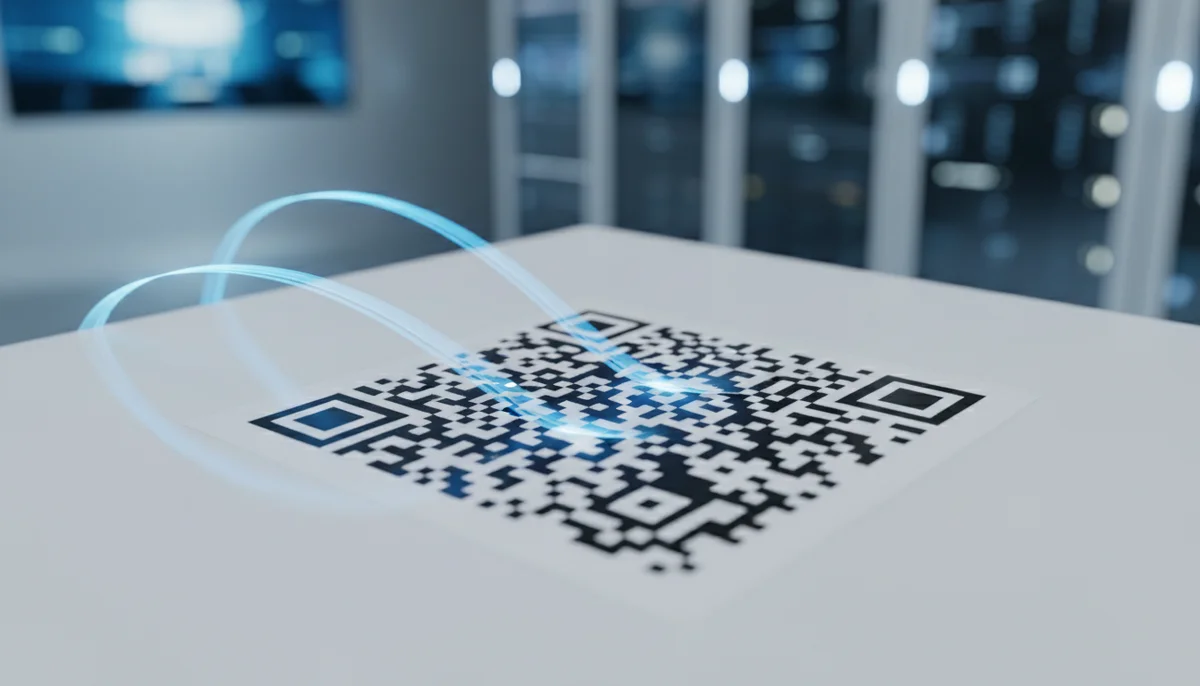
What is a QR Code? Understanding How QR Codes Work & Technology
Curious about QR codes? Discover what a QR code is and how it works. This guide explains the ingenious QR code technology, connecting physical to digital information effo
What Is a QR Code and How Does It Work? The Ultimate Guide
In an increasingly digital world, where physical and virtual realms constantly intertwine, one simple square graphic has become an indispensable bridge: the QR code. You see them everywhere – on product packaging, restaurant menus, marketing posters, business cards, and even your vaccine certificate. But beyond their ubiquitous presence, have you ever stopped to wonder, what is a QR code exactly, and perhaps more importantly, how QR codes work their subtle magic to connect us to a world of information with a mere smartphone scan?
This comprehensive guide will demystify the humble QR code, delving into its origins, intricate structure, underlying QR code technology, and the remarkable ways it facilitates instant digital interaction. Whether you're a curious consumer, an aspiring marketer, or a business owner looking to leverage this powerful tool, understanding the mechanics behind these pixelated squares is the first step toward unlocking their full potential.
The Origin Story: From Automotive Parts to Global Phenomenon
To truly grasp what is a QR code, we must first journey back to 1994, to the manufacturing floors of Denso Wave, a Japanese subsidiary of Toyota. Their engineers, Masahiro Hara and Takayuki Nagaya, were tasked with solving a significant problem: traditional barcodes, with their linear, one-dimensional structure, could store only a limited amount of information, primarily alphanumeric data. This proved inefficient for tracking the vast array of components used in car manufacturing, requiring multiple scans for each part.
Their solution was revolutionary: a two-dimensional matrix barcode capable of encoding significantly more data in both horizontal and vertical directions. They developed a system that could store Japanese Kanji characters, which meant a much larger dataset could be held. They needed a design that could be scanned quickly and reliably, leading to the "Quick Response" or QR code. Its primary purpose was to allow components to be scanned at high speed during manufacturing processes, hence the "Quick Response" name.
Initially an industrial tool, the QR code's potential for broader applications began to emerge in the early 2000s, gaining traction in Japan for consumer-facing purposes. However, it was the widespread adoption of smartphones with built-in cameras and QR code scanning capabilities that propelled it onto the global stage, transforming it from a niche industrial utility into a universal digital connector.
The Anatomy of a QR Code: A Grid of Purpose
At first glance, a QR code appears to be a complex mosaic of black and white squares. While seemingly random, every single pixel, known as a "module," serves a specific function. Understanding these components is key to comprehending how QR codes work.
Let's break down the essential elements you'd find in almost any QR code:
- Finder Patterns (Position Detection Markers): These are the three distinctive, large square patterns located at three corners (top-left, top-right, bottom-left) of the QR code. Their unique 1:1:3:1:1 ratio (black:white:black:white:black modules) makes them easily identifiable by a scanner, regardless of the angle or orientation. They help the scanner quickly determine the QR code's position and rotation.
- Alignment Pattern: Smaller than the finder patterns, this square is typically found in the bottom-right portion of larger QR codes (versions 2 and above). Its purpose is to help the scanner correct for distortion or perspective changes, ensuring accurate scanning even if the code is on a curved surface or scanned from an angle.
- Timing Patterns: These are alternating black and white modules that run horizontally and vertically between the finder patterns. They establish the grid coordinate system for the data modules, allowing the scanner to determine the size of individual data modules within the code.
- Version Information: Located near the finder patterns, these small modules indicate the "version" of the QR code (there are 40 different versions, each supporting a different amount of data storage). Higher versions mean more modules and greater data capacity.
- Format Information: Also near the finder patterns, this area contains data about the error correction level and the data mask pattern used. It's crucial for the scanner to correctly interpret the code.
- Data Modules: This is the heart of the QR code, where the actual encoded information is stored. These black and white modules represent the binary data that your phone will translate.
- Error Correction Modules: Interspersed with the data modules, these modules contain redundant data generated using the Reed-Solomon error correction algorithm. This is a critical feature that allows QR codes to be scanned successfully even if they are partially damaged, dirty, or obscured up to a certain percentage (typically 7-30% depending on the chosen error correction level).
- Quiet Zone (Buffer Zone): This empty white border surrounding the entire QR code is not just for aesthetics. It provides a necessary margin of space, helping the scanner isolate the QR code from its surroundings and preventing interference from other visual elements. Without a clear quiet zone, some scanners might struggle to identify the code boundaries.
How QR Codes Work: A Step-by-Step Breakdown
The process of scanning a QR code might seem instantaneous, but beneath the surface lies a sophisticated sequence of encoding, error correction, and decoding. This is the essence of how QR codes work.
-
Data Encoding: The journey begins when you decide what information you want to embed. This could be a website URL, a piece of plain text, contact details, Wi-Fi credentials, or a payment link. This data is first converted into a binary format (sequences of 0s and 1s). The QR code standard supports various encoding modes (numeric, alphanumeric, byte/binary, Kanji) to optimize storage for different types of data.
For example, a simple URL like
https://example.comwould be processed character by character and converted into a binary string. -
Error Correction Integration (Reed-Solomon Algorithm): Once the data is in binary form, redundant data is added using the Reed-Solomon error correction algorithm. This is perhaps the most ingenious aspect of QR code technology. Imagine writing a message, then adding extra, calculated characters to it. Even if some parts of the original message are erased, you can use the extra characters to reconstruct the full message. This is what Reed-Solomon does. There are four error correction levels (L, M, Q, H), allowing recovery of 7%, 15%, 25%, and 30% of damaged codewords, respectively. This resilience is why QR codes are so reliable in real-world conditions.
-
Data Structuring and Module Placement: The encoded data and error correction codewords are then arranged into a specific sequence and mapped onto the grid of the QR code. The timing patterns, version information, and format information are also added. A "mask pattern" is applied to the data modules to optimize the code's appearance and ensure an even distribution of black and white modules, making it easier to scan.
-
Quiet Zone Addition: Finally, the mandatory quiet zone is added around the entire generated pattern, completing the visual structure of the QR code.
If you're curious to try it yourself, our free QR Code generator makes it simple to create your first code for a URL, text, or even a Wi-Fi network.
-
Scanning and Decoding (The "Quick Response"): When you point your smartphone camera at a QR code, the device's scanning software performs several actions:
- Image Capture: The camera captures an image of the QR code.
- Finder Pattern Detection: The software rapidly locates the three finder patterns to determine the code's position, orientation, and size within the image.
- Alignment and Perspective Correction: The alignment pattern (if present) helps correct any distortion or skewed angles. The timing patterns guide the software in identifying the individual modules.
- Module Reading: The scanner reads the black and white modules, interpreting black as '1' and white as '0', thus converting the visual pattern back into its original binary data stream.
- Error Correction Application: If any modules are unreadable or damaged, the Reed-Solomon algorithm comes into play to reconstruct the missing data, ensuring data integrity.
- Data Decoding: The binary data is then converted back into its original format – a URL, text, contact details, etc.
- Action Execution: The decoded information triggers an action on your device, such as opening a web browser to a specific URL, saving a contact, connecting to a Wi-Fi network, or displaying plain text. This entire process occurs in a fraction of a second, living up to the "Quick Response" name.
Static vs. Dynamic QR Codes: The Evolution of Interaction
While the basic principles of how QR codes work remain consistent, the way they function in real-world applications has evolved, primarily through the distinction between static and dynamic QR codes.
-
Static QR Codes: A static QR code directly embeds the destination data (e.g., a URL, text, or contact information) into its pattern. Once generated, the content it links to cannot be changed without generating an entirely new code. This means if your website URL changes, or you want to update the details in a vCard, you'd have to replace every instance of that QR code. Static codes are excellent for permanent, unchanging data, like your home Wi-Fi password (assuming it never changes) or a very specific, unchanging text message.
-
Dynamic QR Codes: This is where the magic of dynamic QR codes comes into play, significantly enhancing QR code technology. Instead of embedding the final destination data directly, a dynamic QR code embeds a short, unique URL that acts as a redirect. When scanned, this short URL first directs the user to a server, which then immediately redirects them to the actual, target content.
The primary advantages of dynamic QR codes are:
- Editable Content: The ultimate destination URL or content can be changed at any time, even after the QR code has been printed and distributed, without altering the physical code itself. This offers incredible flexibility for campaigns, promotions, or updated information.
- Trackable Analytics: Because scans pass through a redirect server, dynamic QR codes can collect valuable data. This includes the number of scans, location of scans, time of scans, and the devices used. This data is invaluable for understanding campaign performance and user engagement.
- Retargeting: Some dynamic QR code platforms allow for integration with marketing tools for retargeting purposes.
- A/B Testing: Marketers can link the same QR code to different landing pages to test which performs better.
Dynamic QR codes are the preferred choice for marketing, business, and any application where flexibility, measurement, and optimization are critical.
The Underlying QR Code Technology: Beyond the Scan
The robustness and versatility of QR code technology stem from several key factors that make it a standout choice for various applications:
- Open Standard: The QR code specification (ISO/IEC 18004) is an open standard, meaning it's freely available for anyone to use and implement. This openness has fueled its widespread adoption and innovation.
- High Data Capacity: Compared to traditional 1D barcodes, QR codes can store significantly more data. For instance, a QR code can hold up to 7,089 numeric characters, 4,296 alphanumeric characters, or 2,953 bytes of binary data. This vast capacity allows for embedding complex information like entire vCards or detailed product descriptions.
- Omni-Directional Readability: Thanks to its finder patterns, a QR code can be scanned successfully from any angle (up to 360 degrees), unlike linear barcodes which require a specific orientation. This contributes to its "quick response" nature.
- Error Correction: As discussed, the integrated Reed-Solomon error correction makes QR codes highly reliable, even when damaged or partially obscured. This resilience is a major advantage in real-world scenarios where codes might get crumpled, stained, or partially covered.
- Compact Size: Despite their high data capacity, QR codes can be printed in very small sizes, making them suitable for tiny product labels or business cards.
Leveraging QR Codes: Practical Applications and Why They Matter
The diverse applications of QR codes are a testament to their simple yet powerful design. From enhancing customer experience to streamlining operations, they serve as a digital bridge in countless scenarios:
- Marketing and Advertising: QR codes connect offline campaigns (print ads, billboards) directly to online content (landing pages, videos, social media profiles).
- Contact Sharing: vCard QR Codes allow instant sharing of contact information, eliminating manual entry errors.
- Restaurant Menus: Digital Restaurant Menu QR Codes offer contactless access to menus, easily updated without reprinting.
- Wi-Fi Access: Simplify network access with WiFi QR Codes, eliminating the need to type complex passwords.
- Product Information: On packaging, QR codes can link to detailed product specifications, tutorials, or customer support.
- Event Promotion: Link to event registration pages, schedules, or map locations with Event QR Codes.
- Document Sharing: Provide instant access to PDFs, brochures, or manuals with PDF QR Codes.
- Feedback Collection: Direct users to survey forms or feedback portals.
- Payments: Facilitate mobile payments in stores or for services.
The possibilities are virtually endless, making QR codes an invaluable tool for businesses, individuals, and organizations alike.
Measuring Success: The Power of QR Code Analytics
Understanding how QR codes work extends beyond just their scanning function; it encompasses their ability to provide actionable insights. For businesses and marketers, understanding QR code analytics is crucial for optimizing campaigns and proving ROI.
By using dynamic QR codes, you can track:
- Total Scans: The overall number of times your QR code has been scanned.
- Unique Scans: The number of individual users who have scanned your code.
- Scan Location: Geographic data showing where your QR codes are being scanned (e.g., city, country).
- Time of Scan: When users are most actively engaging with your codes, helping to identify peak engagement periods.
- Device Used: Information about the operating system (iOS, Android) and sometimes even the device model, which can inform your mobile optimization strategies.
This data allows you to:
- Assess Campaign Effectiveness: See which campaigns are performing well and which need adjustment.
- Understand User Behavior: Gain insights into your audience's preferences and habits.
- Optimize Future Strategies: Make data-driven decisions for your next QR code initiatives, whether it's refining content, changing placement, or targeting specific demographics.
Without analytics, a QR code is merely a static link. With analytics, it becomes a powerful, measurable marketing tool.
Conclusion: The Future is in the Square
From its humble beginnings as an industrial tracking tool, the QR code has evolved into a sophisticated and essential component of our modern, interconnected world. Understanding what is a QR code and how QR codes work reveals a marvel of efficient data storage, robust error correction, and instant digital connectivity. The underlying QR code technology provides a reliable bridge between physical objects and digital information, offering unparalleled convenience and measurable insights.
As technology continues to advance, the role of QR codes is only set to expand. They are not just a fleeting trend but a foundational piece of the digital infrastructure, constantly adapting to new uses and enhancing our daily interactions.
Ready to harness the power of QR codes for yourself or your business? Explore the possibilities and seamlessly connect your audience to your digital world.
Ready to Get Started?
Explore our tools to enhance your QR code workflow
Free QR Code Generator
Create unlimited QR codes for free with our easy-to-use generator. No signup required.
Start CreatingTeam Workspace
Collaborate with your team on QR code projects. Share templates, manage permissions, and track usage.
Explore TeamsRestaurant Menu QR Codes
Create contactless digital menus for restaurants. Update your menu in real-time without reprinting.
Create MenuAll tools are available with a free plan to get you started
Frequently Asked Questions
Find quick answers to common questions about this topic
What exactly is a QR code?
A QR code (Quick Response code) is a two-dimensional barcode capable of storing a large amount of information, like URLs, text, contact details, or Wi-Fi login credentials, which can be rapidly read by a smartphone camera or scanner. Its distinctive square pattern allows for quick, efficient data retrieval.
How does a QR code work?
A QR code works by encoding data into a distinct pattern of black and white squares. When scanned by a device with a camera, the device's software interprets this visual pattern, decodes the embedded information, and then performs the corresponding action, such as opening a website or displaying text, almost instantly.
What kind of information can a QR code store?
QR codes are incredibly versatile and can store various data types including website URLs, plain text messages, email addresses, phone numbers, SMS messages, geographic coordinates, Wi-Fi network credentials (SSID and password), calendar events, vCard contact information, and even application download links. The amount of data stored depends on the code's version.
Are QR codes secure to use?
While the QR code technology itself is secure in terms of data encoding and transmission, the security primarily depends on the content or destination it links to. Users should always exercise caution and avoid scanning codes from unknown or suspicious sources to prevent potential phishing attacks, malware downloads, or exposure to malicious websites.
Can I create my own QR code?
Yes, absolutely! Many free online QR code generators are available that allow you to easily create your own QR codes. You simply input the data you wish to encode (e.g., a website link, text, or contact info), and the generator will produce a unique QR code image that you can download and use for your specific needs, whether personal or business.

QR Technology Specialist
Sarah has over 8 years of experience in digital marketing and QR code technology. She specializes in helping businesses implement effective QR code strategies.