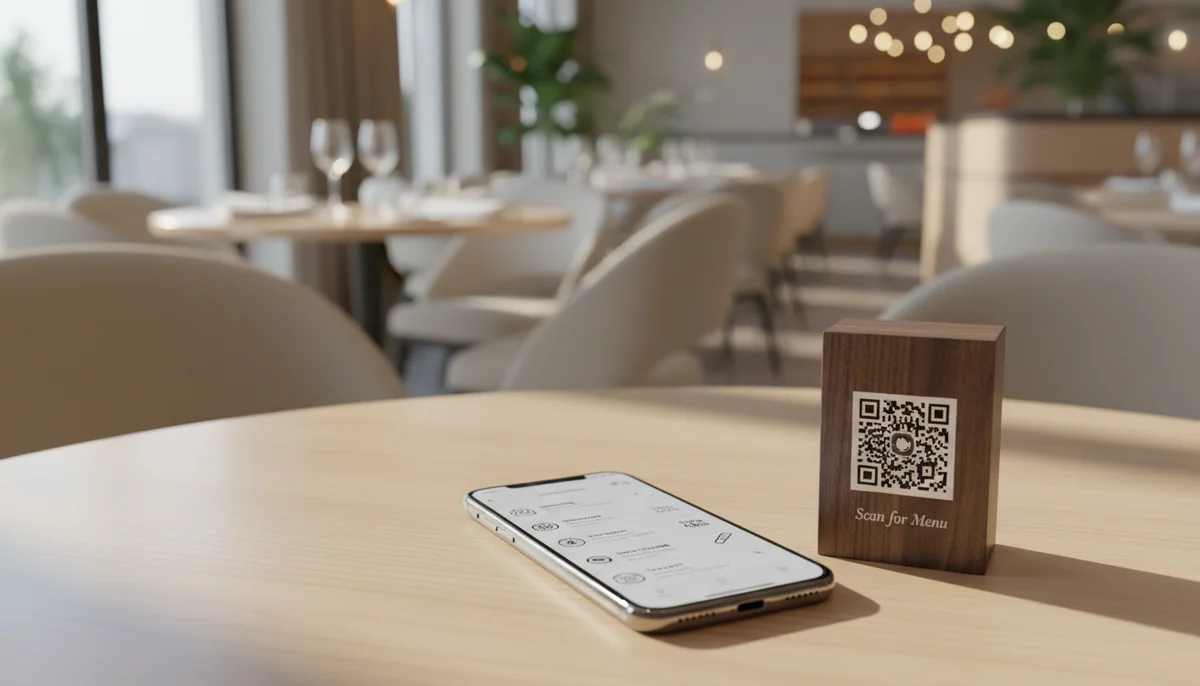
QR Codes for Restaurant Menus: Create a Contactless Menu in 5 Mins
Discover how to easily create a QR code for your restaurant menu in just 5 minutes. Enhance safety, update quickly, and offer a seamless contactless dining experience.
QR Codes for Restaurant Menus: How to Create a Contactless Menu in 5 Minutes
The restaurant industry thrives on experience, efficiency, and increasingly, safety. In a world where diners value hygiene and convenience more than ever, the traditional laminated menu is becoming a relic of the past. Enter the qr code for restaurant menu – a simple yet powerful solution transforming how eateries present their offerings. Gone are the days of outdated daily specials, sticky pages, and the logistical nightmare of reprinting hundreds of menus for a single price change.
Imagine updating your menu in real-time, showcasing mouth-watering dishes with high-resolution images, offering multi-language options, and even integrating direct ordering – all without a single sheet of paper changing hands. This isn't a futuristic fantasy; it's the immediate reality made possible by QR code technology. In this comprehensive guide, we'll delve into the unparalleled benefits of adopting a restaurant qr code menu and show you exactly how to create a sophisticated, contactless menu for your establishment in a matter of minutes.
The Urgent Shift to Contactless: Why QR Code Menus Are Essential
The global pandemic irrevocably altered consumer behavior, putting a premium on contactless interactions and enhanced hygiene. For restaurants, this meant a rapid pivot to solutions that minimize physical touchpoints. A contactless restaurant menu qr code emerged as a clear winner, addressing immediate health concerns while simultaneously unlocking a host of long-term operational and customer experience benefits.
Beyond the initial public health imperative, the adoption of digital menus through QR codes signifies a broader evolution in the dining experience. Customers, now accustomed to digital convenience in nearly every facet of their lives, expect the same seamless interaction when they dine out. Providing a QR code menu isn't just about safety; it's about staying relevant, efficient, and responsive to the modern diner's expectations. It streamlines operations, reduces overheads, and elevates the overall perception of your brand as forward-thinking and customer-centric.
Beyond Hygiene: The Myriad Benefits of a Digital Menu QR Code
While hygiene is a primary driver, the advantages of switching to a digital menu qr code extend far beyond sanitation. These benefits impact everything from your bottom line to your brand's environmental footprint:
- Real-time Updates and Flexibility: This is perhaps the most significant advantage. Daily specials, seasonal dishes, sold-out items, or sudden price adjustments can be reflected instantly. No more crossing out items or explaining unavailability. Your menu is always current, always accurate.
- Significant Cost Savings: Eliminate printing costs associated with menu design, paper, and lamination. Over a year, these savings can be substantial, especially for establishments with frequent menu changes or multiple locations.
- Enhanced Customer Experience:
- Rich Media: Go beyond text. Incorporate high-quality photos of your dishes, short video clips of the chef, or even allergy information clearly marked.
- Dietary Filters: Allow customers to filter by dietary restrictions (vegan, gluten-free, nut-free) or preferences directly on their device.
- Multi-Language Support: Cater to a diverse clientele by offering your menu in multiple languages, improving accessibility and reducing staff translation burdens.
- Readability: Customers can zoom in or adjust text size, making the menu accessible to those with visual impairments.
- Sustainability and Environmental Impact: Reducing paper consumption aligns with eco-friendly practices, appealing to a growing segment of environmentally conscious consumers.
- Data and Analytics (for Dynamic QR Codes): Track which menu items are viewed most frequently, peak scanning times, and even the general location of scans. This data can be invaluable for menu engineering and marketing strategies.
- Upselling and Cross-selling Opportunities: Strategically place recommendations for wine pairings, dessert specials, or appetizer suggestions directly within the digital menu, prompting impulse buys.
- Brand Consistency and Professionalism: A well-designed digital menu reinforces your brand identity and presents a modern, professional image to your patrons.
Your 5-Minute Guide: How to Create a QR Code Menu
The idea of migrating your entire menu to a digital format might seem daunting, but the process of creating a menu qr code generator is surprisingly quick and straightforward. You can literally have a functional QR code menu ready for deployment in under five minutes. Here’s how:
Step 1: Prepare Your Digital Menu Content
Before you generate a QR code, you need content for it to link to. You have a few options, each with its own advantages:
- PDF Document: The simplest method. If you already have your menu as a PDF, you can upload it. This is quick but offers less interactivity.
- Image File (JPEG, PNG): Similar to a PDF, an image is easy to link to but lacks dynamic features.
- Dedicated Web Page/Online Menu: This is the recommended approach for optimal functionality. A menu hosted on a simple web page (or through a specialized menu service) allows for full interactivity, real-time updates, rich media, and analytics. Many services offer user-friendly interfaces to build these pages without needing coding skills. If you're using a system that creates a unique URL for your menu, this is the best target.
Tip: Ensure your digital menu content is mobile-friendly. Most diners will be viewing it on their smartphones, so clear fonts, readable layouts, and fast loading times are crucial.
Step 2: Choose Your QR Code Type (Static vs. Dynamic)
Understanding the difference here is vital for a restaurant.
- Static QR Code: The destination (URL, PDF file) is hard-coded into the QR code. Once generated, it cannot be changed. If your menu URL or PDF location changes, you'll need to print new QR codes. This is suitable for information that rarely changes, but not ideal for restaurant menus.
- Dynamic QR Code: The QR code itself contains a short, redirecting URL. This redirect can be updated at any time in your QR code management dashboard without changing the physical QR code. This is what you need for a qr code for restaurant menu. You can change prices, add specials, or entirely overhaul your menu, and the existing QR codes on your tables will still link to the updated content. Dynamic QR codes also allow for tracking and analytics.
Step 3: Generate Your QR Code
This is where the magic happens and where you can easily get started.
For restaurants looking for a robust and real-time solution to manage their offerings, you can easily create a digital menu that allows for instant updates and a seamless customer experience. This dedicated service provides features specifically tailored for dining establishments, ensuring your menu is always current and beautifully presented.
Alternatively, if you're just starting out, want to experiment, or link to an existing simple PDF, you can try our free QR code generator to quickly create a basic QR code. This is a great way to get a feel for the process.
Here’s a general step-by-step using a typical menu qr code generator:
- Select QR Code Type: Choose "URL" or "File" (for PDF/Image). If using a dedicated digital menu service, you'll copy the URL they provide.
- Input Content:
- For URL: Paste the web address of your digital menu (e.g.,
https://yourrestaurant.com/menu). - For File: Upload your PDF or image file. The generator will then provide a unique URL for that file.
- For URL: Paste the web address of your digital menu (e.g.,
- Choose Dynamic (Highly Recommended): If the generator offers dynamic QR codes, select this option.
- Generate: Click the "Generate QR Code" button.
Step 4: Customize and Brand Your QR Code
While not strictly part of the "5 minutes," customizing your QR code elevates its professionalism and scannability. Most generators allow you to:
- Add Your Logo: Embed your restaurant's logo in the center of the QR code.
- Change Colors: Match the QR code to your brand's color palette.
- Add a Frame/Call to Action: Include text like "Scan for Menu," "View Our Specials," or "Order Here" directly on the QR code frame. This provides clear instructions and encourages interaction.
A branded QR code looks more appealing and trustworthy to customers.
Step 5: Test, Print, and Deploy
Your QR code is generated and customized. Now, for the final, crucial steps:
- Test Thoroughly: Scan the QR code with multiple different smartphones (iOS and Android, different camera apps) to ensure it links correctly to your menu. Check that the menu loads quickly and is easy to navigate on a mobile device.
- Print and Place: Print your QR codes on table tents, stickers, placards, or even engrave them directly onto tables. Ensure they are large enough to be easily scanned but not obtrusive. Consider placing them at the entrance, bar, and even restrooms to maximize visibility.
- Provide Instructions: Simple text like "Scan Here for Our Digital Menu" helps guide customers who might be unfamiliar with QR codes.
And just like that, you've created a functional, contactless restaurant menu qr code ready for your diners!
Maximizing Your Restaurant QR Code Menu: Advanced Strategies
Simply linking to a PDF is a good start, but a restaurant qr code menu offers much more potential. Consider these advanced strategies to fully leverage the technology:
- Order-at-Table Functionality: Integrate your digital menu with an online ordering system. Customers can browse the menu, select items, customize their order, and even pay directly from their table using the same QR code. This drastically improves efficiency and customer convenience.
- Multi-Language Support: For tourist-heavy areas or diverse communities, offering the menu in multiple languages directly within the digital platform is a game-changer. Customers can select their preferred language with a single tap.
- Feedback & Reviews: Embed a link within your digital menu to a short feedback form or directly to your Google, Yelp, or TripAdvisor review pages. Encourage immediate feedback while the experience is fresh in their minds.
- Dynamic Promotions & Specials: Use the real-time update capability of dynamic QR codes to run time-sensitive promotions. Offer a lunch special that expires at 3 PM, a happy hour menu, or weekend brunch items that only appear at specific times.
- Event Menus: For special occasions, holidays, or private events, you can quickly switch out your standard menu for a customized one, all using the same physical QR code.
For Larger Chains: Integrating QR Code Generation Seamlessly
While individual restaurants can easily create and manage their QR code menus through web interfaces, larger restaurant groups, franchises, or those with extensive POS integrations might require a more automated solution. Managing hundreds or thousands of unique QR codes across multiple locations and potentially complex, dynamic content updates demands a robust backend system.
For large restaurant groups or tech-savvy establishments looking to automate QR code generation across numerous locations or integrate it directly into their existing systems, you can integrate our API to handle unlimited requests with high performance. This allows for programmatic generation, tracking, and management of QR codes, ensuring consistency and scalability across your entire operation. Developers can build custom solutions that automatically generate QR codes for new menu items, update links, or manage location-specific promotions without manual intervention.
Best Practices for QR Code Menu Implementation
To ensure your qr code for restaurant menu provides the best possible experience, follow these best practices:
- Strategic Placement: Place QR codes prominently on every table, at the host stand, at the bar, and possibly on outdoor signage. Make them easy to spot and access.
- Clear Call to Action: Always include text like "Scan for Menu," "View Our Dishes," or "Order Here" near the QR code. Don't assume everyone knows what to do.
- Ensure Connectivity: Provide reliable Wi-Fi for your customers, or ensure your digital menu loads quickly even on slower mobile data connections. A frustrating loading experience will deter customers.
- Regular Maintenance: Periodically scan your own QR codes to ensure they are working correctly and linking to the most current menu version.
- Backup Plan: While going fully digital is the goal, always have a few physical menus available for customers who may not have a smartphone, have a dead battery, or struggle with technology. This ensures accessibility for everyone.
- Keep it Clean: Even though the menu is contactless, the surface holding the QR code should still be regularly cleaned and sanitized, reinforcing your commitment to hygiene.
- Monitor Analytics (Dynamic Codes): If using dynamic QR codes, regularly check the scan data. This can provide valuable insights into customer engagement and menu popularity.
The Future is Digital: Embrace the QR Code for Restaurant Menu Evolution
The shift to digital menus via QR codes is more than a fleeting trend; it's a fundamental evolution in how restaurants operate and interact with their customers. It aligns perfectly with modern consumer expectations for convenience, speed, and safety. By embracing a qr code for restaurant menu, you're not just adopting a new technology; you're future-proofing your business, enhancing operational efficiency, saving costs, and most importantly, delivering a superior and memorable dining experience to every patron.
Conclusion
Creating a contactless digital menu for your restaurant using QR codes is a straightforward process that offers profound benefits. From reducing printing costs and enhancing hygiene to enabling real-time updates and improving customer engagement, the advantages are undeniable. With user-friendly tools and services, you can transition your menu into the digital age in minutes, providing a modern, efficient, and safer dining experience for your guests.
Ready to transform your dining experience and streamline your operations? Start creating your contactless menu today and step into the future of restaurant hospitality.
Ready to Get Started?
Explore our tools to enhance your QR code workflow
Restaurant Menu QR Codes
Create contactless digital menus for restaurants. Update your menu in real-time without reprinting.
Create Restaurant MenuFree QR Code Generator
Create unlimited QR codes for free with our easy-to-use generator. No signup required.
Start Creating QR CodesQR Code API
Integrate QR code generation into your applications with our RESTful API. Unlimited requests, high performance.
Explore API DocumentationAll tools are available with a free plan to get you started
Frequently Asked Questions
Find quick answers to common questions about this topic
What is a QR code restaurant menu?
A QR code restaurant menu is a digital version of your menu accessible by scanning a QR code with a smartphone. This eliminates the need for physical menus, offering a hygienic and convenient browsing experience for customers in a restaurant setting.
How do I create a QR code for my restaurant menu?
You can create a QR code for your restaurant menu using an online QR code generator. First, upload your digital menu file (PDF, image, or website link). The generator will then create a unique QR code that, when scanned, directs customers to your menu instantly. There are many user-friendly platforms available for this process.
What are the benefits of using a digital menu QR code?
Using a digital menu QR code offers numerous benefits, including enhanced hygiene and safety for customers by reducing touchpoints. It also allows for instant menu updates, saves printing costs, and provides an eco-friendly alternative to traditional paper menus, improving operational efficiency significantly.
Can I update my menu after creating the QR code?
Yes, with most dynamic QR code generators, you can update your menu content without changing the QR code itself. This means you can modify prices, add daily specials, or remove out-of-stock items, and the changes will reflect immediately for anyone scanning the existing QR code, providing great flexibility.
Are contactless restaurant menu QR codes secure?
Yes, contactless restaurant menu QR codes are generally secure. They simply redirect users to a web link or file. As long as your digital menu is hosted on a reputable and secure platform, customers can scan and view your menu without security concerns, ensuring a safe interaction.

QR Technology Specialist
Sarah has over 8 years of experience in digital marketing and QR code technology. She specializes in helping businesses implement effective QR code strategies.