No website required
Choose what you want to share. Link pages, PDFs, menus, videos, apps, and more without needing a website.
Effortlessly generate and personalize your QR code in just a few clicks.
Dashboard
Portfolio
Website
Summer Menu
Menu
Choose type
Top brands that use QR codes:
Choose the content you want to share, such as a website, PDF, menu, video, app link, or something else.
Personalize your QR code with colors, frames, patterns, and logo options to match your brand or use case.
Download your QR code in popular formats and use it online or in print wherever you need it.

Create QR codes quickly and easily, with analytics, designs, logos, and colors.
Tap a type to preview how it looks on a phone—then open the builder in one click.
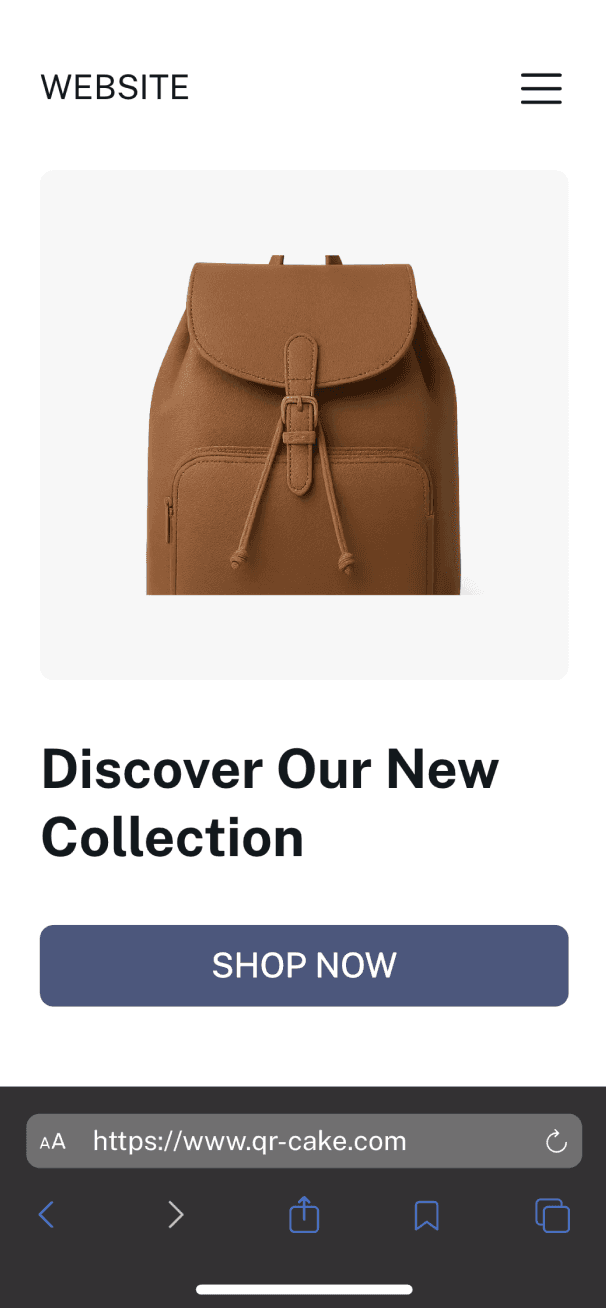
Share your website in seconds with a QR code that directs users straight to your homepage, landing page, or campaign page. Perfect for flyers, posters, or business cards, it eliminates the need to type long URLs. A simple scan instantly connects your audience to your online presence.
Create website QR codeShare your website in seconds with a QR code that directs users straight to your homepage, landing page, or campaign page. Perfect for flyers, posters, or business cards, it eliminates the need to type long URLs. A simple scan instantly connects your audience to your online presence.
Create website QR codeBuilt with powerful features, our QR solution helps you improve campaigns, enhance user experience, and increase engagement.
Choose what you want to share. Link pages, PDFs, menus, videos, apps, and more without needing a website.
We combine intelligent design and optimization to generate reliable QR codes that scan easily on any device.
Whatever your goal is, you can create QR codes for simple or complex use cases, from links to full digital experiences.
Get detailed analytics on your QR codes, including scan counts, locations, and user activity in one place.
Customize your QR codes with logos, colors, and styles to match your brand and attract more attention.
Export your QR codes in high-quality formats like PNG, JPG, or SVG, and edit their content whenever needed.
Everything you need to know before creating, customizing, and using QR codes.
Creating a business QR code is usually a simple process:
A well-made QR code can help customers reach your content faster and make your marketing easier to measure.
If you cannot find the answer you need, contact our team at support@qr-build.com and we will point you in the right direction.
Creating a QR code is simple and usually takes only a few steps. Start by choosing the content you want to share, then add the details, adjust the design, and download the finished code. Basic QR codes can be created quickly, while more advanced options give you extra flexibility for branding, editing, and campaign use.
Choose the type of QR code you want to create, such as a website link, contact card, PDF, menu, image gallery, or something else.
Enter the content your QR code should open and complete any required fields.
Give your QR code a clear name so it is easy to recognize later.
Adjust the design to match your brand by changing colors, patterns, frames, or logo options if available.
Preview the result and test it on a mobile device before downloading.
Download the QR code in the format you need and place it anywhere you want people to scan it.
A QR code does not need heavy customization to work well, but clear labeling and thoughtful design can make it easier to manage and more consistent with your brand. This becomes especially useful when you work with multiple codes across different campaigns, products, or locations.
A QR code is a two-dimensional code that can be scanned with a smartphone or other camera-enabled device. It quickly connects people to digital content such as websites, files, menus, contact details, videos, or product information without requiring them to type anything manually.
"QR" stands for "Quick Response." The name reflects how fast the code can be scanned and opened. Once a device reads the pattern, it immediately directs the user to the linked content, making it a practical tool for marketing, communication, and everyday access to information.
A website QR code is one of the fastest ways to send people directly to a landing page, homepage, campaign page, or online offer.
Select the website or URL QR code type.
Paste in the destination link you want visitors to open.
Name the QR code so it is easy to identify in your account or dashboard.
Customize the design if you want it to better match your campaign or brand.
Test the code on a phone to make sure the page opens correctly.
Download the file and use it in print or digital materials.
Website QR codes are especially useful for posters, flyers, packaging, business cards, signage, and ads. To give users the best experience, always link to a secure and mobile-friendly page.
See what people say about QR Build
I set up our first QR campaign in less than an hour. The flow is clean, the settings are clear, and I never felt stuck trying to figure out what to do next.
Daniel
Small business owner
We used QR Build on flyers, in-store displays, and event materials. Tracking scans by placement gave us a much clearer picture of what channels were actually performing.
Sophie
Growth marketer
Scans are quick and consistent even after brand customization. We tested printed and digital versions across devices and everything opened correctly every time.
Marcus
Operations lead
I am not technical, but I still created branded codes without any trouble. Updating destinations later is straightforward and saves a lot of rework in live campaigns.
Olivia
Freelance designer
We used it for schedules, speaker pages, and feedback forms during a conference. It reduced printing overhead and made it easier for attendees to access information quickly.
Ryan
Event coordinator
From creating to downloading, the process feels focused and well designed. It gives us the controls we need without adding unnecessary complexity to the workflow.
Emily
Product manager
We had a setup question and got a helpful response quickly. It is reassuring to use a tool where the support team is responsive when timing matters.
Alex
Agency owner
For both client projects and personal use, QR Build covers everything from quick basic codes to more advanced branded and trackable setups. It has become our default choice.
Victor
Consultant
Customize your QR codes with your brand, track performance in real time, and update content whenever you need — all from one place.
Analytics
Performance overview for your active QR codes
Total scans
●18,420
+12.6%Unique scans
●11,305
+8.9%Engagement rate
●42.8%
+4.3%Performance
Scan trend
Top OS
iOS
56% of total scans
Top campaign
Summer Menu 2026
2,904 scans this month
Live QR
Scan activity
Performance