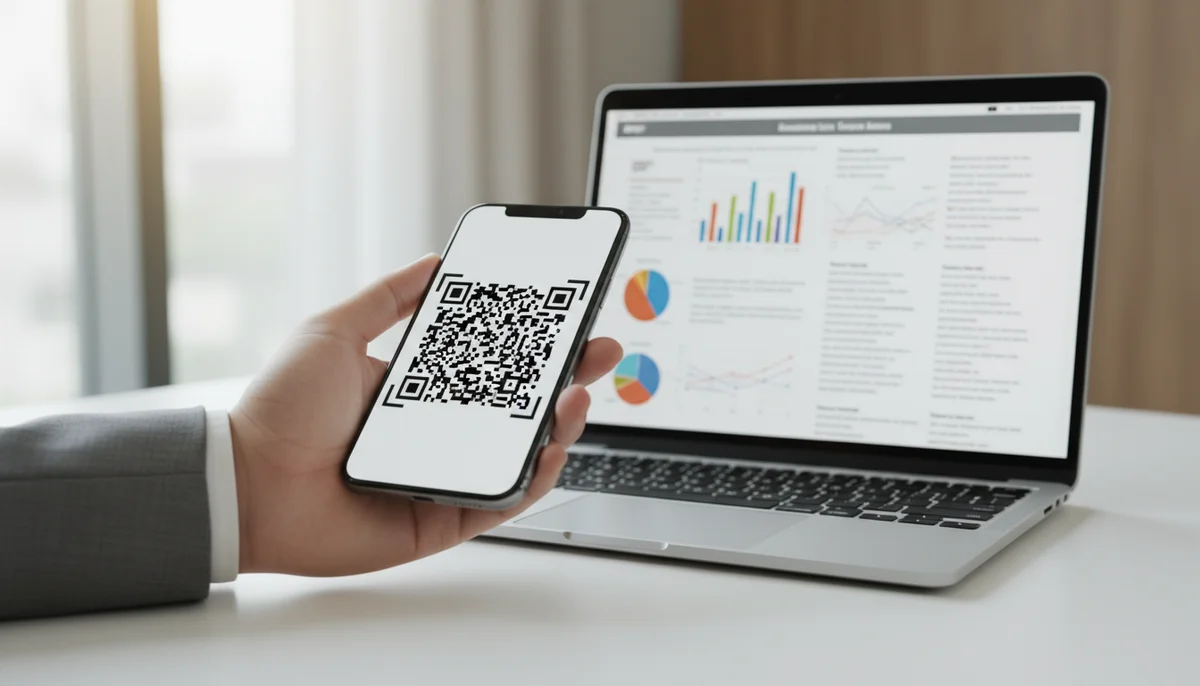
Create a QR Code for PDF: The Ultimate PDF QR Code Generator Guide
Unlock easy document sharing! Learn how to generate a QR code for PDF files effortlessly. Our guide covers using a PDF QR code generator to enhance accessibility and dist
Unlock Your Documents: The Ultimate Guide to QR Codes for PDFs
In an increasingly digital world, efficiently sharing information is paramount. From business reports and marketing brochures to restaurant menus and event programs, Portable Document Format (PDF) files remain the gold standard for preserving document integrity and accessibility. Yet, getting these digital documents into the hands of your audience, especially in physical spaces, often presents a logistical hurdle. How do you bridge the gap between a printed flyer and a detailed digital whitepaper? The answer lies in the simple, yet powerful, qr code for pdf.
Imagine a world where a customer scanning a code on your product packaging instantly accesses a user manual, or a conference attendee scans a badge and downloads the full event schedule. This isn't futuristic fantasy; it's the present-day reality enabled by integrating QR codes with your PDF documents.
This comprehensive guide will delve deep into the world of PDF QR codes, exploring their benefits, diverse applications, and providing a step-by-step process for creating your own. Whether you're a marketer, educator, business owner, or simply looking to streamline your document sharing, understanding qr code for pdf technology is a game-changer.
The Power of the PDF QR Code: More Than Just a Link
At its core, a QR code for a PDF is a scannable barcode that, when read by a smartphone or tablet, directs the user to a specific PDF file. Instead of typing out lengthy URLs or navigating complex websites, users simply point their device's camera, and voila – the document appears. This seamless interaction transforms how we distribute and consume information.
Why Use a QR Code for Your PDF?
The benefits of leveraging QR codes for your PDF files extend far beyond mere convenience:
- Instant Accessibility: Eliminate barriers to information. Users don't need to search or download an app; the PDF opens directly in their browser or a suitable reader on their device. This immediate access is crucial for capturing attention in a fast-paced environment.
- Bridging the Physical and Digital Divide: QR codes are the perfect bridge. A physical poster can link to a digital brochure, a product label to a detailed ingredient list, or a business card to a comprehensive portfolio.
- Eco-Friendly and Cost-Effective: Reduce reliance on printing. Distribute manuals, brochures, and reports digitally, saving on paper, ink, and distribution costs. Updates become digital, negating the need for costly reprints.
- Trackable Performance with Dynamic QR Codes: This is where the true power of modern QR code technology shines. With dynamic QR codes, you can track scan data – how many times your PDF was accessed, when, and from where. This invaluable insight allows you to measure engagement and optimize your content strategy.
- Updatable Content: Imagine you've printed thousands of flyers with a QR code linking to your menu, and suddenly a dish is unavailable. With a static QR code, you'd have to reprint. With a dynamic QR code, you can update the linked PDF file without changing the QR code itself. This flexibility is unparalleled.
- Professionalism and Modernity: Integrating QR codes into your materials projects an image of innovation and efficiency, signaling that your business is forward-thinking and committed to user convenience.
Diverse Applications: Where Do PDF QR Codes Shine?
The versatility of a qr code for pdf means its applications are virtually limitless. Here are just a few scenarios where this technology makes a significant impact:
Marketing and Sales
- Brochures and Catalogs: Instead of bulky printouts, let customers scan a code on a flyer to view your full product catalog or services brochure digitally.
- Real Estate Listings: Property flyers can include a QR code linking to detailed property specifications, floor plans, and virtual tour links within a PDF.
- Event Promotion: Posters and tickets can feature a QR code to download the event schedule, speaker bios, or venue maps.
- Product Packaging: Provide instant access to user manuals, warranty information, safety guidelines, or even recipe books for food products.
- Business Cards: A simple scan can lead prospects to your company portfolio, resume, or a detailed services list.
- Restaurant Menus: Replace traditional menus with scannable QR codes that lead to up-to-date, digital versions. This is particularly useful for managing daily specials or allergy information.
Education and Training
- Course Syllabi: Distribute course outlines, reading lists, and assignments digitally.
- Lectures and Presentations: Share supplementary materials, research papers, or full lecture notes directly.
- Textbooks and Manuals: Provide interactive elements or updated appendices via QR codes embedded in physical texts.
- Training Materials: Employees can access training modules, safety protocols, or HR documents instantly.
Business Operations
- Reports and Whitepapers: Share detailed reports with stakeholders or clients without printing large volumes.
- Internal Communications: Distribute company policies, meeting agendas, or internal newsletters.
- Customer Service: Provide links to FAQs, troubleshooting guides, or support documents.
- HR Documents: Onboarding materials, benefits guides, or application forms can be accessed via QR.
Personal Use
- Resumes and Portfolios: Include a QR code on your physical resume to offer a detailed digital portfolio or extended CV.
- Event Invitations: Guests can scan a code for maps, gift registries, or detailed itineraries.
- Photo Albums: Create physical albums with QR codes linking to larger digital collections or stories behind the photos.
The possibilities are endless, making the qr code for pdf an indispensable tool for anyone looking to share information efficiently and effectively.
How Do QR Codes for PDFs Actually Work?
When you create a QR code for a PDF, you're essentially embedding a URL into the QR code's pattern. This URL points to where your PDF file is hosted online. When a user scans the QR code, their device interprets the URL and directs them to that specific online location, automatically opening the PDF in their browser or a PDF viewer.
It's crucial to understand that the PDF file itself is not stored directly within the QR code. The QR code acts as a visual hyperlink. This distinction is vital, especially when considering the difference between static and dynamic QR codes.
Step-by-Step: Creating Your Own QR Code for PDF
Generating a QR code for your PDF is a straightforward process, especially with a dedicated pdf qr code generator. Here’s how you can do it:
Step 1: Prepare Your PDF File
Ensure your PDF file is finalized, free of errors, and optimized for viewing on various devices. Consider the file size – smaller files load faster, leading to a better user experience. If your PDF is very large, consider compressing it or breaking it into smaller, more manageable sections.
Step 2: Host Your PDF Online
For your QR code to work, your PDF needs to be accessible via a public URL. You can host your PDF on:
- Your Website/Server: Upload the PDF to your own web hosting space.
- Cloud Storage Services: Platforms like Google Drive, Dropbox, or OneDrive allow you to generate shareable links for files. Ensure the sharing settings are set to "public" or "anyone with the link can view."
- Dedicated QR Code Platforms: Many
pdf qr code generatorplatforms, including ours, provide hosting for your PDF files directly. This is often the easiest and most reliable method, especially when using dynamic QR codes.
Once uploaded, copy the direct shareable URL of your PDF. It should look something like https://yourwebsite.com/documents/your-guide.pdf or https://drive.google.com/file/d/ABCD12345/view?usp=sharing.
Step 3: Use a PDF QR Code Generator
Now, it's time to create the QR code. Our platform offers a dedicated solution for PDF QR Codes.
- Navigate to the PDF QR Code Creator: Visit our PDF QR Codes page.
- Upload Your PDF or Paste URL: You'll typically have two options:
- Upload your PDF file directly: This is often the most convenient as the platform will host the file for you.
- Paste the URL of your hosted PDF: If you've hosted it elsewhere, simply paste the direct link.
- Choose Dynamic (Recommended): This is a critical step. While static QR codes are an option for PDFs, we highly recommend choosing Dynamic QR Codes. We'll explain why in detail below, but for now, know that dynamic codes offer flexibility and analytics.
- Customize Your QR Code (Optional but Recommended): Make your QR code stand out and align with your brand. You can customize:
- Colors: Match your brand palette.
- Shapes: Different patterns for the eyes and body.
- Logo: Embed your company logo in the center of the QR code.
- Frames & CTA: Add a frame with a clear call-to-action like "Scan for Menu" or "Download Whitepaper."
- Generate and Download: Once customized, generate your QR code and download it in your preferred format (e.g., PNG, JPG, SVG for high-quality printing).
Example (Conceptual - No actual code in blog post):
While generating a QR code isn't typically done with "code" in the traditional sense for end-users, the underlying principle is linking to a resource. Conceptually, a QR code generation API might look like this:
# This is a conceptual example for illustration, not actual front-end code for users.
# A user interacts with a web interface, not raw code.

# Imagine an API call to generate a dynamic QR code for a PDF:
# Endpoint: POST /api/qr-code/create

# Request Body:
{
  "type": "pdf",
  "data": {
    "pdfUrl": "https://yourcloudstorage.com/path/to/your-document.pdf",
    "fileName": "My-Awesome-Guide.pdf" # For internal tracking/display
  },
  "options": {
    "dynamic": true,
    "design": {
      "foregroundColor": "#000000",
      "backgroundColor": "#FFFFFF",
      "logoUrl": "https://yourwebsite.com/logo.png",
      "frameText": "Scan for Details"
    }
  }
}

# The API would return a QR code image URL and tracking ID.
This conceptual "code" illustrates that behind the user-friendly interface of a pdf qr code generator, there's a system processing your request and creating that unique scannable image pointing to your document.
Step 4: Test Your QR Code
Before deployment, always scan your QR code with multiple devices and different QR code scanner apps. Ensure it leads to the correct PDF and that the PDF loads quickly and displays properly.
Step 5: Deploy Your QR Code
Integrate your QR code into your marketing materials, product packaging, presentations, or any physical medium where you want to provide access to your PDF.
The Indispensable Role of Dynamic QR Codes
We strongly emphasized choosing Dynamic QR Codes when creating your qr code for pdf. Here’s why dynamic QR codes are the superior choice, especially for professional and long-term use:
1. Update Content Anytime
This is the biggest advantage. A dynamic QR code doesn't directly embed the PDF's URL. Instead, it embeds a short URL that redirects to the actual PDF. If your PDF's content changes (e.g., a new menu item, updated pricing, a revised report), you simply upload the new PDF to the platform or update the target URL on your dashboard. The QR code itself remains the same, eliminating the need to reprint materials. This saves significant time and money, and ensures your audience always has access to the most current information.
2. Track Performance with Analytics
Understanding how your QR codes are performing is vital for optimizing your campaigns. With QR Code Analytics, you gain valuable insights:
- Total Scans: How many times has your PDF been accessed?
- Unique Scans: How many individual users have scanned your code?
- Scan Locations: Where are your users scanning from (city, country)?
- Scan Times: When are your QR codes being scanned the most?
- Device Types: What kind of devices are your users scanning with?
These metrics help you gauge the effectiveness of your distribution channels, identify peak engagement times, and even understand your audience's geographical distribution. For instance, if you notice a particular brochure's qr code for pdf is getting high engagement in a specific region, you might target more marketing efforts there.
3. Error Correction and Reliability
Dynamic QR codes often come with better error correction capabilities, meaning they are more robust and can still be scanned even if slightly damaged or obscured. The redirection layer also adds a layer of reliability, as the platform manages the underlying link.
4. Retargeting (Advanced)
Some advanced dynamic QR code platforms even allow for retargeting, where you can gather anonymous data from scanners to run targeted ad campaigns later, further enhancing your marketing efforts.
Best Practices for PDF QR Code Success
To maximize the effectiveness of your PDF QR codes, consider these best practices:
- Clear Call to Action (CTA): Never leave your audience guessing. Use phrases like "Scan for Menu," "Download Report," "Get the Full Guide," or "View Instructions" near your QR code.
- Optimal Size and Placement: Ensure the QR code is large enough to be easily scanned (minimum 1x1 inch or 2.5x2.5 cm, but larger is often better). Place it in a prominent, uncluttered area where it's easily visible and accessible.
- High-Quality Design: Use high-resolution images for printing. Blurred or pixelated QR codes can be difficult or impossible to scan. Leverage Custom QR Design features to make your QR code visually appealing and branded.
- Test, Test, Test: As mentioned earlier, scan your QR code repeatedly with different devices and in varying lighting conditions before deployment.
- Mobile-Friendly PDF: Ensure your PDF is optimized for mobile viewing. Use clear fonts, adequate spacing, and avoid excessive graphics that might slow down loading times on mobile networks.
- Consider Data Limits: If users are on mobile data, keep your PDF file size reasonable to prevent excessive data consumption and slow loading times.
- Provide an Alternative: While QR codes are convenient, always provide a direct URL or other access method (e.g., a shortened URL) for users who might not have a scanner or prefer manual entry.
- Keep it Relevant: Ensure the content of the PDF is directly relevant to where the QR code is placed. A QR code on a product label should lead to a product manual, not a company history.
- Security and Privacy: If your PDF contains sensitive information, ensure it is hosted securely and consider password protection for the PDF itself, if necessary. However, remember that QR codes are public links, so avoid putting highly confidential documents directly accessible via a simple scan.
Conclusion: Empower Your Documents with QR Codes
The integration of QR codes with PDF documents represents a significant leap forward in information sharing. From enhancing customer experience to streamlining internal operations, the qr code for pdf offers unparalleled convenience, trackability, and flexibility. By embracing dynamic QR code technology and utilizing a robust pdf qr code generator, you can transform static documents into interactive, measurable assets that empower your audience and drive engagement.
Stop letting your valuable content collect digital dust. Start connecting your physical world with your digital resources, one scan at a time.
Ready to revolutionize your document sharing?
Create your first PDF QR Code today and experience the power of instant access!
Ready to Get Started?
Explore our tools to enhance your QR code workflow
Team Workspace
Collaborate with your team on QR code projects. Share templates, manage permissions, and track usage.
Explore TeamsDynamic QR Codes
Edit QR code destinations after printing. Track scans, A/B test URLs, and update content anytime.
Go DynamicCustom QR Design
Customize QR codes with your brand colors, logos, and shapes. Stand out with professional designs.
Design QRAll tools are available with a free plan to get you started
Frequently Asked Questions
Find quick answers to common questions about this topic
What is a QR code for PDF and how does it work?
A QR code for PDF is a scannable image that directly links to a PDF document. When scanned with a smartphone camera, it instantly opens the PDF, eliminating the need for manual searching or typing long URLs. This makes sharing documents incredibly convenient and accessible for various purposes and users.
What are the benefits of using a PDF QR code generator?
Using a PDF QR code generator streamlines document distribution significantly. It provides instant access, reduces printing costs for temporary documents, and offers a trackable way to share important files. Businesses often use them for menus, brochures, and event programs to enhance user engagement effectively.
How do I create a QR code for my PDF document?
To create a QR code for your PDF, first, upload your PDF to an online PDF QR code generator or host it on a cloud service. Then, copy the direct link to the PDF. Paste this URL into the QR code generator, customize its appearance if desired, and finally, generate and download your QR code image for immediate use in your marketing or informational materials.
Can I track scans of my PDF QR code?
Yes, many advanced PDF QR code generators offer analytics and tracking features. These tools allow you to monitor the number of scans, the location of scans, and the time of scans. This data is invaluable for understanding engagement and optimizing your document distribution strategies effectively, helping you measure campaign success.
Are there any limitations when using QR codes for PDFs?
While highly versatile, some limitations exist. The PDF file size might impact loading speed, and the QR code itself needs to be visible and scannable. Also, internet access is required for users to download or view the PDF, which is an important consideration for scenarios where offline access is a priority.

Technical Writer
David combines his background in software engineering with clear technical writing. He creates comprehensive guides and tutorials for developers.