Create a QR Code for Your Website: The Ultimate Guide
Unlock easy access to your website with a QR code. Learn how to create a website QR code, customize it, and deploy it effectively to boost traffic and user engagement. Si
The Ultimate Guide to Using a QR Code for Your Website
In an increasingly digital world, bridging the gap between physical and online experiences is paramount for businesses and individuals alike. Your website is often the central hub of your digital presence, and making it effortlessly accessible is a key factor in engagement and success. This is where the simple yet powerful QR code comes into play, transforming how users interact with your online content.
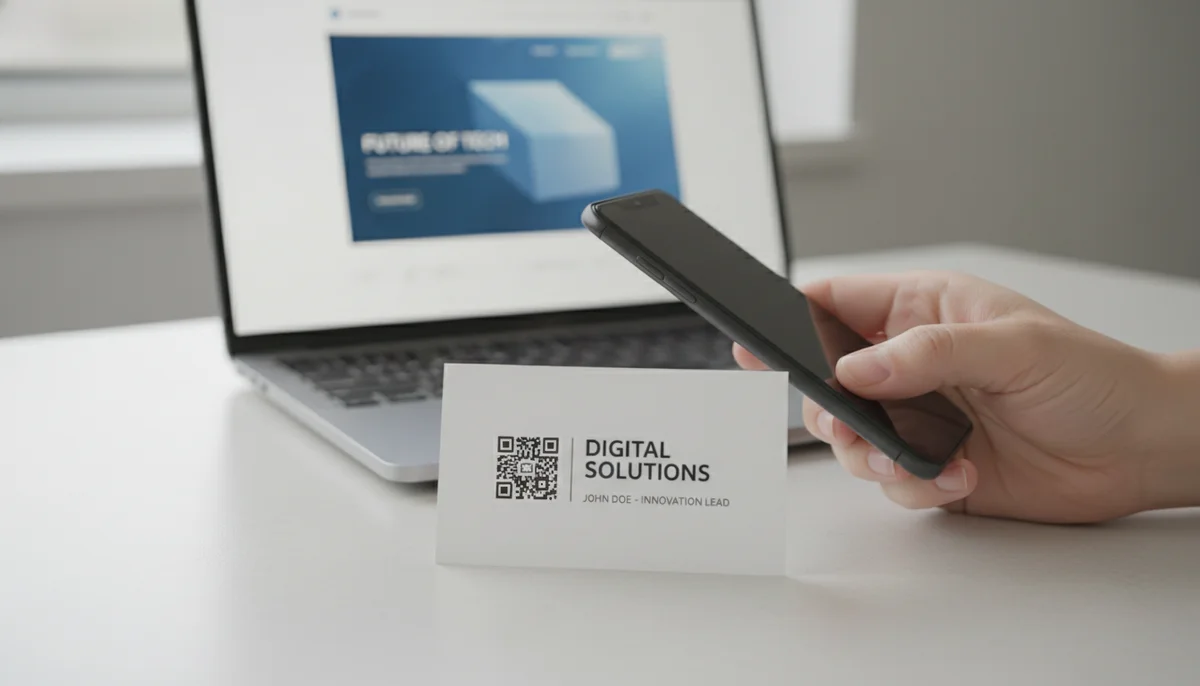
Imagine a potential customer seeing your advertisement, product packaging, or business card. Instead of manually typing a long, complicated URL into their browser, they simply pull out their smartphone, scan a small square image, and are instantly taken to your website. This seamless interaction is precisely what a qr code for website offers.
This comprehensive guide will delve into everything you need to know about integrating QR codes with your website, from creation to best practices and advanced analytics.
What is a Website QR Code?
At its core, a website QR code is a specific type of Quick Response (QR) code that, when scanned, directs the user's device directly to a specified URL (Uniform Resource Locator). Essentially, it's a visual shortcut to any webpage you choose. While QR codes can link to various types of information—from plain text and Wi-Fi networks to V-cards and social media profiles—their most common and arguably most impactful application is linking to websites.
Think of it as a digital portal. Instead of typing www.yourcompany.com/special-offer/product-xyz, a user scans the website qr code and arrives at that exact page in milliseconds, eliminating friction and potential typing errors. This directness makes them an indispensable tool for marketing, information dissemination, and improving user experience.
Why Your Website Needs a QR Code
The benefits of using a QR code to link to your website extend far beyond mere convenience. They offer a strategic advantage in a competitive digital landscape.
1. Instant Access and Enhanced User Experience
The primary benefit is immediate access. Users don't need to remember or type URLs, reducing effort and increasing the likelihood of them visiting your site. This speed and simplicity significantly enhance the user experience, especially for mobile users.
2. Bridging the Physical-Digital Divide
QR codes excel at connecting your offline marketing efforts with your online presence. Print advertisements, product packaging, posters, flyers, business cards, and even storefront windows can all feature a QR code that drives traffic directly to your website. This allows physical touchpoints to become powerful gateways to your digital content.
3. Trackable Marketing Performance
One of the most powerful features of modern QR code technology, especially dynamic QR codes, is the ability to track scans. This means you can gather valuable data on who, when, and where people are scanning your codes. This data is invaluable for optimizing your marketing campaigns and understanding user engagement.
4. Versatility Across Marketing Channels
A single QR code can be deployed across countless channels. Whether you're running a print ad campaign, hosting an event, or sending out direct mail, the same QR code can consistently direct users to your website, maintaining brand consistency and simplifying campaign management.
5. Cost-Effective and Eco-Friendly
Compared to traditional print advertisements that require specific URLs or calls to action, QR codes offer a dynamic and eco-friendly alternative. You can change the destination URL of a dynamic QR code without reprinting the physical code, saving on printing costs and reducing waste.
6. Engaging and Interactive
In an era where consumers seek interactive experiences, QR codes provide a novel and engaging way to interact with your brand. They invite action, transforming passive observation into active engagement.
How to Create a QR Code for Your Website
Creating a qr code for website is a straightforward process, but choosing the right platform and understanding the options can significantly impact its effectiveness.
Step-by-Step Guide:
- Choose a QR Code Generator: There are many online QR code generators available. For linking to a website, you'll want one that specifically offers URL QR codes. Our dedicated URL QR Codes tool makes this process incredibly simple and efficient.
- Select "Website" or "URL" as the QR Code Type: Most generators will offer a variety of QR code types. For your website, always select the option designated for URLs or websites.
- Enter Your Website URL: This is the most crucial step. Carefully paste or type the exact URL you want your QR code to link to. Double-check for typos, missing
https://orwww., and ensure it's the specific landing page you intend. Example:https://www.yourcompany.com/landing-page-for-campaign/ - Choose Between Static and Dynamic (Highly Recommended for Websites): This is a critical decision.
- Static QR Codes: The URL is directly embedded into the QR code image. Once generated, it cannot be changed. If your website URL changes, or you want to link to a different page, you'll need to create and reprint a new QR code.
- Dynamic QR Codes: The QR code itself links to a short, intermediary URL that redirects to your target website URL. This intermediary URL can be updated at any time, allowing you to change the destination website without altering the physical QR code. This flexibility, along with analytics capabilities, makes Dynamic QR Codes the superior choice for virtually all website applications.
- Customize Your QR Code (Optional but Recommended): Most generators allow you to customize the appearance of your QR code. You can add your brand colors, logo, and even change the shape of the data points. This makes your QR code more visually appealing and reinforces brand identity. We offer extensive options for Custom QR Design to help your QR codes stand out.
- Generate and Download Your QR Code: Once you're satisfied with your settings, generate the QR code. Download it in a high-resolution format suitable for printing (e.g., SVG, PNG, EPS).
- Test Your QR Code: Crucially, test your QR code thoroughly before deploying it. Scan it with multiple devices (iOS and Android) and different QR code scanner apps to ensure it links correctly to your intended website.
Static vs. Dynamic QR Codes for Your Website
The choice between static and dynamic QR codes is fundamental, especially when dealing with website links.
Static QR Codes
Static QR codes are perfect for information that will never change, like an email address, basic contact info, or a permanent plain text message. However, for websites, they come with significant drawbacks:
- Immutability: Once printed, the destination URL cannot be changed. If your website's URL structure changes, or you decide to link to a different product page, your QR code becomes obsolete.
- No Analytics: Static codes do not offer any tracking capabilities. You won't know how many times they've been scanned or from where.
Dynamic QR Codes
For any business or individual serious about leveraging a website qr code, dynamic QR codes are the undisputed champion.
- Flexibility: The most significant advantage is the ability to change the linked URL at any time without altering the physical QR code. This is invaluable for seasonal promotions, A/B testing landing pages, or simply updating content.
- Tracking and Analytics: Dynamic codes provide access to powerful analytics. You can track scan counts, locations, devices used, and more. This data is critical for measuring campaign effectiveness and making informed marketing decisions. Our QR Code Analytics platform offers comprehensive insights into your QR code performance.
- Retargeting and A/B Testing: With dynamic codes, you can direct users to different landing pages based on campaign goals, or even retarget users who have scanned your code.
- Reduced Printing Costs: The ability to update the destination means less reprinting when content changes.
Recommendation: Always use Dynamic QR Codes for your website to maximize flexibility, trackability, and long-term utility.
Customizing Your Website QR Code for Brand Recognition
A generic black-and-white QR code works, but a customized one performs better. Customization is key to making your QR code an extension of your brand.
Branding Elements:
- Colors: Change the foreground and background colors to match your brand palette. Ensure sufficient contrast for scanability.
- Logo: Embed your company logo directly into the center of the QR code. This instantly identifies the code as yours and adds a professional touch.
- Shapes: Many generators allow you to customize the shape of the data modules or the corner eyes of the QR code, adding a unique aesthetic.
- Call to Action (CTA): While not part of the code itself, adding a clear "Scan to Visit Our Website," "Scan for Exclusive Offer," or "Scan for More Info" next to your QR code is crucial.
Customization makes your QR code more appealing, increases trust, and encourages more scans. Utilize tools that offer extensive Custom QR Design options to achieve your desired look.
Where to Use Your Website QR Code
The versatility of a qr code for website means it can be deployed across a multitude of physical and digital touchpoints.
Print Marketing Materials:
- Business Cards: A quick way for contacts to save your website.
- Brochures & Flyers: Direct potential customers to detailed product pages or service information.
- Posters & Banners: Encourage event attendees or passersby to learn more about your brand.
- Magazine & Newspaper Ads: Bridge print advertising with your online content.
- Direct Mail: Drive recipients to personalized landing pages.
Product & Packaging:
- Product Labels & Packaging: Link to product manuals, warranty registration, customer support, recipes (for food products), or additional product information and reviews.
- Merchandise: T-shirts, mugs, or other branded items can feature a QR code linking to your store.
Physical Locations:
- Storefront Windows: Offer after-hours browsing or promotions.
- Restaurant Tables: Link to online menus, reservation systems, or customer feedback forms.
- Conference Booths: Instantly share your company's main website or a specific event page.
- Real Estate Signage: Link to property listings, virtual tours, or agent contact information.
Digital (Less Common but Possible):
- Email Signatures: While a direct link is often better, a QR code can be an alternative for mobile users.
- Presentations: Allow audience members to quickly access shared resources or your company website.
Measuring Success: QR Code Analytics
One of the most compelling reasons to use dynamic QR codes for your website is the ability to track performance. Without analytics, you're guessing at the effectiveness of your campaigns.
Key Metrics to Track:
- Total Scans: The overall number of times your QR code has been scanned.
- Unique Scans: The number of distinct users who have scanned your code (filtering out repeat scans from the same device).
- Scan Location: Identify the geographic areas where your QR codes are being scanned most frequently. This is invaluable for understanding regional interest or the performance of specific physical placements.
- Time of Scans: Understand peak scanning times, which can inform the timing of your promotions.
- Device Type: See which devices (iOS vs. Android) are being used to scan your codes.
These insights allow you to:
- Optimize Placement: If a QR code on a particular flyer gets more scans, replicate that success.
- Refine Messaging: A/B test different calls to action or landing pages to see what resonates most.
- Measure ROI: Directly attribute website traffic to specific offline campaigns.
Our QR Code Analytics platform provides these robust insights, empowering you to make data-driven decisions for your marketing strategies.
Best Practices for Website QR Codes
To ensure your website QR codes are effective and provide a positive user experience, adhere to these best practices:
- Always Use Dynamic QR Codes: As discussed, for websites, this is non-negotiable for flexibility and analytics.
- Clear Call to Action (CTA): Don't just place a QR code. Add text like "Scan to Visit Our Website," "Scan for 20% Off," or "Scan for Menu."
- Optimal Size: Ensure the QR code is large enough to be easily scanned, but not so large that it overwhelms the design. A minimum size of 1x1 inch (2.5x2.5 cm) is generally recommended for print, but scale up for larger surfaces like posters.
- Sufficient Contrast: Maintain good contrast between the QR code's modules and its background. Black on white is ideal, but customized colors can work if they provide enough distinction.
- High Resolution: Always download your QR code in a high-resolution vector format (like SVG or EPS) if possible, especially for print. This prevents pixelation and ensures crisp lines for easy scanning.
- Landing Page Optimization: Ensure the website page the QR code links to is mobile-friendly, loads quickly, and provides immediate value relevant to the context of the QR code.
- Regular Testing: Test your QR code regularly, especially after any design changes or if it's been deployed for a long time.
- Strategic Placement: Place your QR code where it's easily visible, accessible, and there's enough time for a user to scan it. Avoid placing it in difficult-to-reach areas or on moving objects.
- Keep it Clutter-Free: Give your QR code enough clear space around its border (a "quiet zone") to ensure scanners can easily detect its boundaries.
The Future of Website QR Codes
QR codes are not a fleeting trend; they are an evolving technology. As augmented reality (AR) and contactless interactions become more prevalent, the role of a qr code for website will only grow. We can expect even more sophisticated analytics, deeper integration with loyalty programs, and personalized experiences driven by QR code scans. They will continue to be a vital bridge in the journey from physical interaction to digital engagement.
Conclusion
In today's fast-paced digital environment, making your website as accessible as possible is no longer a luxury, but a necessity. A qr code for website offers an elegant, efficient, and measurable solution to connect your physical presence with your online world. By leveraging dynamic QR codes, customizing their design, and utilizing robust analytics, you can significantly enhance user engagement, drive traffic, and gain invaluable insights into your audience.
Don't let your valuable website content remain just a URL typed into a browser. Empower your audience with instant access and elevate your digital strategy.
Ready to unlock the full potential of your website? Start creating your dynamic, trackable, and branded QR codes today!
Ready to Get Started?
Explore our tools to enhance your QR code workflow
Team Workspace
Collaborate with your team on QR code projects. Share templates, manage permissions, and track usage.
Explore TeamsDynamic QR Codes
Edit QR code destinations after printing. Track scans, A/B test URLs, and update content anytime.
Go DynamicCustom QR Design
Customize QR codes with your brand colors, logos, and shapes. Stand out with professional designs.
Design QRAll tools are available with a free plan to get you started
Frequently Asked Questions
Find quick answers to common questions about this topic
What is a QR code for a website?
A QR code for a website is a scannable barcode that, when scanned with a smartphone or QR reader, instantly directs users to a specific URL. It's an efficient way to connect offline marketing materials with online content, simplifying access for your audience and enhancing user experience.
How do I create a QR code for my website?
You can create a QR code for your website using online QR code generators. Simply input your website's URL, choose your design preferences, and generate the code. Many platforms offer customization options like colors, logos, and frames to match your brand identity effectively.
Can I track the scans of my website QR code?
Yes, if you use a dynamic QR code generator, you can track various metrics such as the number of scans, location of scans, and devices used. This data is invaluable for optimizing your marketing campaigns and understanding user engagement with your website links.
What are the benefits of using a QR code for my website?
Using a website QR code offers numerous benefits, including instant access to your site, enhanced user convenience, bridging offline and online marketing efforts, and the ability to track performance with dynamic codes. It makes sharing your website link incredibly simple and effective.
Are static or dynamic QR codes better for a website?
Dynamic QR codes are generally better for websites because they allow you to change the linked URL without printing a new code, offer scan tracking, and provide more flexibility. Static codes are permanent but lack these advanced features, making dynamic ones preferable for most business uses.

Technical Writer
David combines his background in software engineering with clear technical writing. He creates comprehensive guides and tutorials for developers.