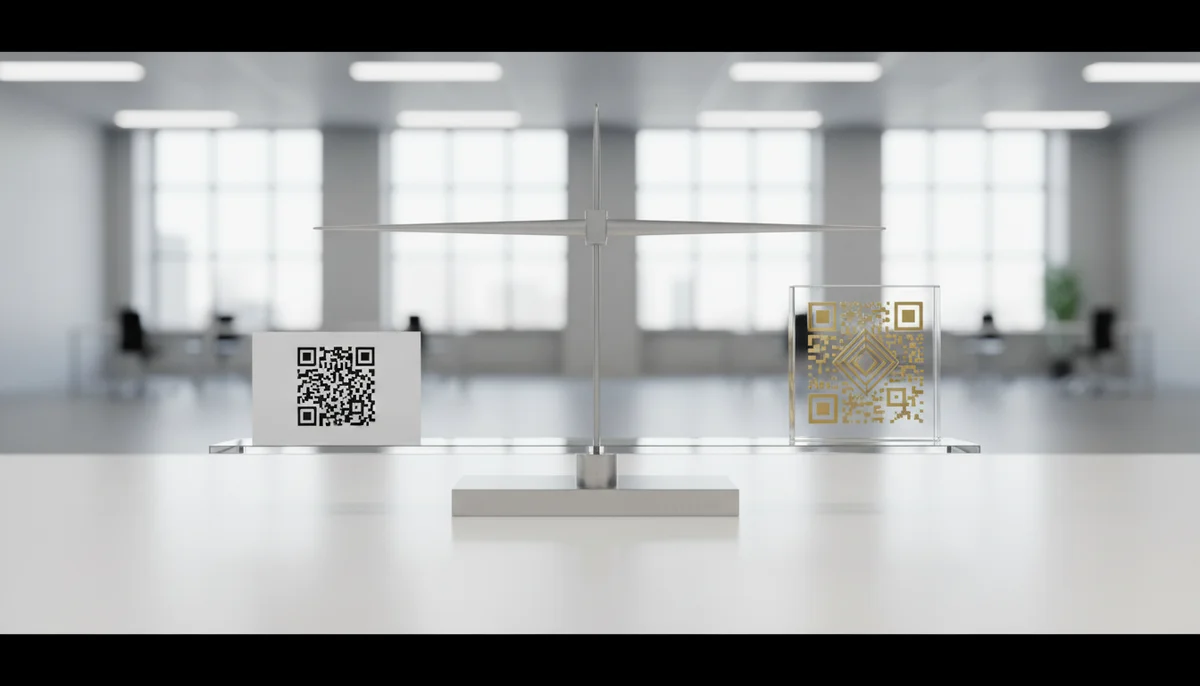
Free vs. Paid QR Code Generators: Which is Best for You?
Compare free vs. paid QR code generators to understand features, reliability, and analytics. Discover which option best suits your business for robust QR code management
Free vs Paid QR Code Generators: A Deep Dive into Your Best Option
In today's fast-paced digital landscape, QR codes have evolved from a niche novelty to an indispensable tool for marketing, engagement, and operational efficiency. Whether you're a small business owner, a seasoned marketer, or an individual looking to share information, the question often arises: should I opt for a free or paid QR code generator? This article offers a comprehensive free QR code generator comparison, guiding you through the critical differences, capabilities, and strategic implications of each choice to help you make an informed decision.
The Fundamental Difference: Static vs. Dynamic QR Codes
At the heart of the free vs. paid debate lies the distinction between static and dynamic QR codes. Understanding this core difference is crucial for any successful QR code campaign.
Static QR Codes: When you use a basic, free QR code generator, you're almost always creating a static QR code. These codes embed your destination URL or data directly into the QR code image itself. Once generated and printed, the information cannot be changed. If your link breaks or your campaign needs an update, you'd have to create an entirely new QR code, invalidating all previous prints.
- Pros: Simple to create, no cost involved, ideal for unchanging information.
- Cons: Uneditable content, no tracking capabilities, limited design options.
- Best for: Personal use, one-off static data, permanent information like a fixed contact number on a business card.
Dynamic QR Codes: Conversely, paid QR code generators specialize in dynamic QR codes. These codes don't directly embed the destination link. Instead, they contain a short URL that redirects to your actual content. This intermediary link is hosted on the generator's server, allowing you to change the destination URL at any time without altering the physical QR code. This flexibility is a game-changer for QR code marketing.
- Pros: Editable content, trackable scans (location, device, time), advanced customization, robust management tools.
- Cons: Requires a subscription fee, dependence on the generator's service for redirection.
- Best for: Business campaigns, marketing, events, tracking engagement, and any scenario where content might change or performance needs monitoring.
To summarize the key differences, here's a quick comparison:
| Feature | Free (Static) QR Codes | Paid (Dynamic) QR Codes |
|---|---|---|
| Editability | No (once generated, content is fixed) | Yes (change destination anytime) |
| Analytics | None | Comprehensive (scan counts, location, device) |
| Customization | Limited (basic colors, error correction) | Extensive (logos, brand colors, custom shapes) |
| Management | None (individual codes) | Centralized dashboard, bulk operations |
| Ideal Use Case | Personal, fixed data (e.g., contact info) | Marketing campaigns, business, events, tracking |
Unlocking Potential with Paid QR Code Generators
While a free QR code generator comparison might initially highlight cost as the main factor, the advanced features of paid platforms quickly reveal their value proposition. For businesses and serious marketers, the benefits of dynamic QR codes and their accompanying tools are often indispensable.
Advanced Features for Strategic Marketing
Paid platforms offer a suite of functionalities that elevate your QR code campaigns beyond simple linking.
-
Real-time Analytics and Tracking: Imagine knowing exactly how many times your QR code has been scanned, where it was scanned (city/country), and even the device used (iOS/Android). QR Code Analytics are a cornerstone of paid services, providing invaluable data for optimizing your campaigns. This data allows you to:
- Measure ROI for offline marketing efforts.
- Understand customer engagement geographically.
- Identify peak scanning times to tailor promotions.
- Optimize placement and messaging of your QR codes.
Example: A restaurant places QR codes on flyers, table tents, and menus. With analytics, they discover the table tent QR code has significantly more scans during dinner hours, leading them to invest more in table tent promotions.
-
Editability and Flexibility: The ability to change the destination URL of a dynamic QR code at any time, even after printing, offers unmatched flexibility.
- Scenario: You've printed 10,000 brochures with a QR code linking to a specific landing page for a flash sale. The sale ends, or the landing page needs an update. With a static code, your brochures are obsolete. With a dynamic code, you simply log in and update the destination URL to a new promotion or your homepage, extending the life of your printed materials. This capability is a cornerstone of effective QR code marketing.
-
Branding and Customization: A generic black-and-white QR code might function, but a branded code fosters trust and strengthens brand identity. Paid generators allow extensive customization:
- Logo Integration: Embed your company logo directly into the center of the QR code.
- Color Matching: Use your brand's specific color palette for the code's pattern and background.
- Custom Shapes & Frames: Modify the data points and eyes of the QR code, or add custom frames with calls-to-action (e.g., "Scan for Discount!").
- Service: Our Custom QR Design options allow businesses to create visually stunning codes that align perfectly with their brand guidelines.
Example: A coffee shop uses a QR code on their takeout cups. Instead of a standard black code, they customize it with their distinct teal color scheme and their coffee bean logo in the center, creating a more professional and memorable brand touchpoint for their Restaurant Menu QR Codes or loyalty programs.
-
Bulk Generation and Management: For large-scale operations or multiple campaigns, generating codes one by one is inefficient. Paid platforms often include a Bulk QR Generator feature, allowing you to create hundreds or thousands of unique dynamic QR codes simultaneously, often through CSV uploads. A centralized dashboard also simplifies managing, organizing, and tracking all your QR code campaigns in one place.
- Diverse QR Code Types and Advanced Integrations: Beyond basic URL links, paid generators support a wider array of content types and offer deeper integrations.
- Specific Content Types: Create codes for app downloads, PDF files, social media links, vCards, event registrations, WiFi access, and much more. For instance, our platform supports specific generators like vCard QR Codes for easy contact sharing or PDF QR Codes for instantly accessible documents.
- API Access: For businesses with custom needs, a QR Code API allows programmatic generation and management of codes, integrating seamlessly with existing systems.
- Team Collaboration: Features like a Team Workspace enable multiple users to manage QR code campaigns under one account, with role-based access control. This is ideal for agencies or larger marketing departments.
Practical Examples: Free vs. Paid in Action
Let's illustrate the difference with real-world scenarios.
Scenario 1: Small Local Business (e.g., a Boutique Coffee Shop)
- Goal: Promote daily specials and collect customer feedback.
- Free QR Code Generator Approach:
- Create a static QR code linking to today's special on a simple text page.
- Print it on a blackboard.
- Tomorrow, if the special changes, a new code must be generated and printed.
- No idea how many people scan it or if they even see the new special.
- Paid QR Code Generator Approach:
- Generate a dynamic QR code for "Today's Special." This can be a URL QR Code linking to a page easily updated daily via a CMS.
- Generate another dynamic QR code linking to a feedback form (a Form QR Code).
- Place these codes on table tents and counter signs.
- Daily, the marketing manager updates the "Today's Special" URL without reprinting the QR code.
- QR Code Analytics show the specials code gets 50 scans daily, with 10 feedback form submissions per week, indicating successful engagement.
- Tip: Use a Restaurant Menu QR Code to link directly to your daily updated digital menu, saving printing costs and always keeping customers informed.
Scenario 2: E-commerce Retailer
- Goal: Drive traffic to product pages, promote flash sales, and measure campaign effectiveness.
- Free QR Code Generator Approach:
- Print static QR codes on product packaging linking directly to the product page.
- For a flash sale, print new flyers with new static QR codes for the sale landing page.
- If a product link changes or a sale expires, printed materials become outdated.
- No way to know if QR codes contribute to sales.
- Paid QR Code Generator Approach:
- Generate a dynamic QR code for each product line. This can be a Product QR Code.
- Use another dynamic QR code on all marketing materials for "Current Promotions," linking to a dedicated landing page that is frequently updated.
- Leverage QR Code Analytics to track scans, conversion rates, and even A/B test different QR code designs or placements.
- If a product URL changes, or a promotion ends, simply update the destination URL via the dashboard, ensuring all printed codes remain active and relevant.
- Tip: Implement App Store QR Codes on packaging to encourage app downloads and capture mobile users.
Scenario 3: Event Organizer
- Goal: Facilitate event registration, share schedules, and gather attendee feedback.
- Free QR Code Generator Approach:
- Print a static QR code on invitations linking to the event registration page.
- Print another static QR code for the schedule. If there are last-minute changes, printed schedules become incorrect.
- No insight into how many people scanned for registration or schedule information.
- Paid QR Code Generator Approach:
- Create a dynamic QR code for event registration.
- Another dynamic QR code for the event schedule (Event QR Codes). This links to a webpage that can be updated in real-time with any changes.
- A third dynamic QR code for a post-event feedback survey.
- Attendees scan the same QR code for the schedule before, during, and after the event, always getting the most current information.
- QR Code Analytics show 80% of attendees scanned the schedule code, and 30% scanned the feedback code, informing future event planning.
- Tip: Use Link List QR Codes to create a single QR code that links to multiple relevant event resources like registration, schedule, speaker bios, and social media channels.
Strategy and Implementation: Choosing Your Path
The decision between a free QR code generator comparison and a paid one boils down to your specific needs, goals, and budget.
When to Use a Free QR Code Generator
A free QR Code Generator is perfectly adequate for:
- Personal Use: Sharing your WiFi password (WiFi QR Codes), a contact card (Static vCard QR Codes), or a simple Plain Text QR Code with a personal message.
- Fixed Information: Providing a permanent link to your static personal website, an Image QR Code for a specific photo, or a Static Text QR Code on a resume.
- Trial Runs: Experimenting with QR codes on a very small scale before investing in a paid solution.
- Ephemeral Content: If the QR code's lifespan is very short and edits or analytics aren't critical (e.g., a one-time flyer for a yard sale).
To create a basic QR code, you can use our Free QR Code Generator to quickly generate static codes for URLs, text, or email.
When to Invest in a Paid QR Code Generator
For any serious marketing, business, or operational use, a paid QR code generator offering dynamic codes is an investment that pays dividends.
- Marketing Campaigns: Essential for trackable QR code campaigns, A/B testing, and optimizing ad spend.
- Brand Consistency: Crucial for maintaining a professional image with custom designs and branded elements.
- Flexibility & Agility: Ideal for situations where content or destination URLs might change, saving significant reprinting costs and ensuring always-current information.
- Data-Driven Decisions: If understanding user engagement, geographical reach, and campaign effectiveness is important for your strategy.
- Large-Scale Deployment: When you need to manage multiple codes, collaborate with a team via a Team Workspace, or generate codes in bulk.
- Compliance & Security: Many paid platforms offer enterprise-grade security features, user management, and uptime guarantees, which are vital for businesses.
Step-by-step: Setting up a dynamic QR code campaign
- Choose Your Platform: Select a reliable paid QR code generator that offers the features you need, such as Dynamic QR Codes, analytics, and customization.
- Create Your Content: Prepare the landing page, PDF, video, or other digital content you want to link to. Ensure it's mobile-friendly.
- Generate the Dynamic QR Code:
- Log into your chosen platform.
- Select "Create Dynamic QR Code" (e.g., for a URL QR Code).
- Paste your content's URL.
- Utilize customization options: add your logo, brand colors, and a call-to-action frame using our Custom QR Design features.
- Label your QR code clearly for easy tracking (e.g., "Summer Sale Brochure - Front").
- Implement and Distribute: Place the QR code on your print materials, packaging, digital ads, or physical locations.
- Monitor and Optimize: Regularly check your QR Code Analytics dashboard.
- Identify high-performing codes and replicate their success.
- Adjust underperforming campaigns by changing the destination URL of a dynamic code or optimizing its placement.
- Gain insights into your audience to refine future QR code marketing strategies.
Practical Tip: When using dynamic codes, always start with a clear objective. What do you want users to do after scanning? This guides your choice of content and your QR code design. For instance, an Email QR Code is perfect for quick contact, while a Coupon QR Code is ideal for driving sales.
Conclusion
The choice between a free and paid QR code generator comparison is not about right or wrong, but about alignment with your objectives. While free generators offer a convenient, no-cost solution for static, unchanging information, their limitations in editability, tracking, and branding make them unsuitable for serious business or marketing endeavors.
Paid QR code generators, powered by dynamic QR codes, unlock a world of possibilities: real-time analytics, seamless content updates, robust branding, and advanced management capabilities. These features are not merely luxuries; they are essential tools for anyone looking to run effective, measurable, and scalable QR code campaigns. By investing in a paid solution, you're not just buying a QR code; you're gaining a powerful, flexible marketing asset that provides invaluable insights and ensures your campaigns remain relevant and impactful.
Ready to move beyond the limitations of static codes? Explore our powerful Dynamic QR Codes to create, manage, and track campaigns that deliver measurable results. Discover how comprehensive QR Code Analytics can transform your marketing efforts.
Ready to Get Started?
Explore our tools to enhance your QR code workflow
Free QR Code Generator
Create unlimited QR codes for free with our easy-to-use generator. No signup required.
Start CreatingAll tools are available with a free plan to get you started
Frequently Asked Questions
Find quick answers to common questions about this topic
What are the main differences between free and paid QR code generators?
Free generators often provide basic static QR codes without tracking, while paid services offer dynamic, editable codes with detailed analytics, team management, and advanced features for businesses.
Can free QR codes be edited after printing?
Generally, free QR codes are static, meaning their destination cannot be changed once created and printed. Paid platforms like QR-Build offer dynamic QR codes that can be edited anytime, even after deployment.
Do free QR code generators offer analytics?
Most free QR code generators do not provide scan analytics or tracking features. Paid platforms are essential for gaining insights into scan rates, locations, and device types to optimize campaigns effectively.
When should a business consider a paid QR code solution?
Businesses should consider a paid QR code solution when they need advanced features like editable QR codes, detailed scan analytics, multi-user access, API integrations, and professional support for marketing or operations.
Are dynamic QR codes available with free generators?
No, dynamic QR codes are typically a premium feature offered by paid platforms. Free generators almost exclusively provide static QR codes, which lack flexibility and cannot be updated after creation.
Related Articles
Continue exploring QR code strategies and best practices
What are the Main QR Code Types? Static, Dynamic & More
Explore the different QR code types, from static to dynamic. Learn their unique features, benefits, and best uses for business with QR-Build.

Dynamic QR Code Explained: What It Is, How It Works, & Benefits
Discover what a dynamic QR code is, how it works, and its key advantages for marketing and business. Learn why editable QR codes are essential for modern campaigns with Q

QR Code Security: Are Your Scans Really Safe?
Explore QR code security risks and how to stay safe. Learn about common threats, best practices, and features in QR-Build that enhance QR code safety for businesses.

Unlock Growth: QR Codes in Business for Modern Engagement
Discover how QR codes revolutionize business operations, marketing, and customer engagement. Explore essential QR code business uses to drive efficiency and boost your br

Boost Your Business: Creative QR Code Marketing Ideas for Success
Uncover 15 innovative QR code marketing ideas to transform your campaigns and engage customers. Learn how to leverage QR codes for promotions, lead generation, and enhanc
Create a QR Code for Your Website: The Ultimate Guide
Unlock easy access to your website with a QR code. Learn how to create a website QR code, customize it, and deploy it effectively to boost traffic and user engagement. Si

QR Technology Specialist
Sarah has over 8 years of experience in digital marketing and QR code technology. She specializes in helping businesses implement effective QR code strategies.