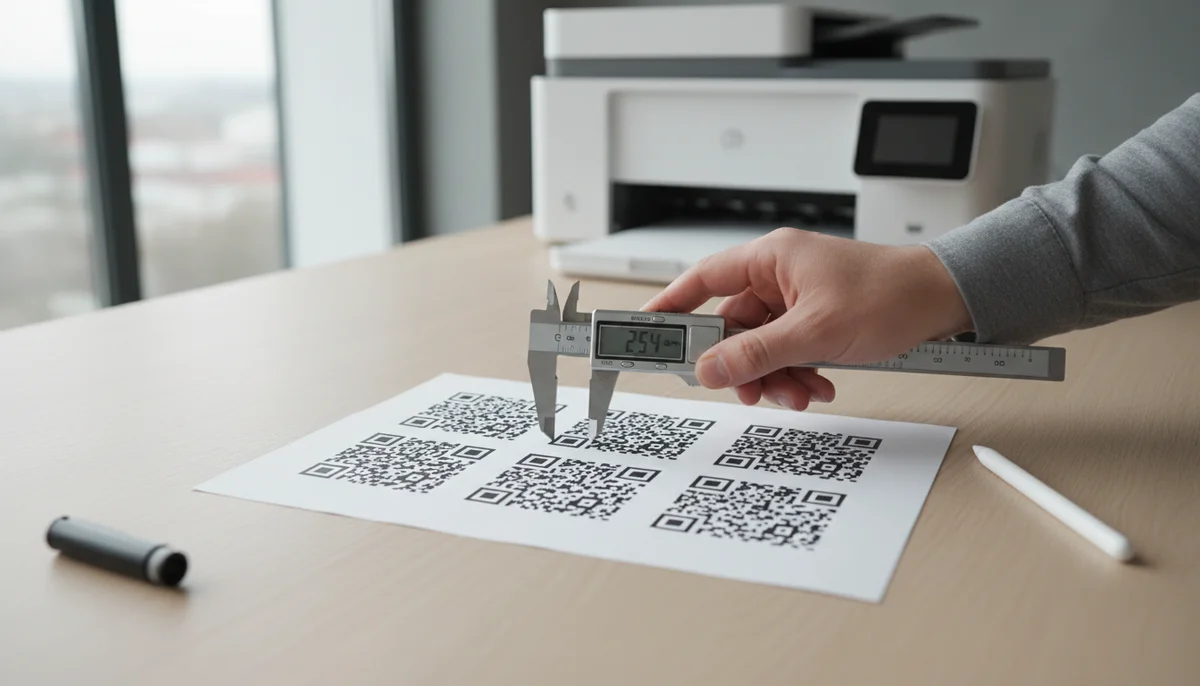
How to Print QR Codes Correctly: A Comprehensive Guide
Master the art of QR code printing with our essential guide. Learn how to print QR codes correctly for optimal scanability and professional results. Avoid common errors f
How to Print QR Codes Correctly: Your Essential QR Code Printing Guide
A QR code that won't scan is worse than no QR code at all. In the world of digital marketing, a perfectly printed QR code is the bridge between physical and digital engagement. This comprehensive qr code printing guide provides the essential rules and expert tips to ensure every code you print works flawlessly, every time, driving successful interactions for your business.
Navigating the nuances of resolution, sizing, and design can be challenging. Whether you're a seasoned marketer or just starting with QR code campaigns, mastering the art of print-ready QR codes is crucial for effective communication and user experience. Let's dive into the critical steps that guarantee your QR codes perform optimally.
The Absolute Essentials: QR Code File Formats and Resolution
The foundation of a scannable QR code lies in its file format and resolution. Incorrect choices here are the primary cause of unreadable codes.
Vector vs. Raster: Why Quality Matters
When preparing a QR code for print, understanding the difference between vector and raster graphics is paramount.
- Raster Images (PNG, JPG, GIF): These are made up of a fixed grid of pixels. When you enlarge a raster image, the pixels become visible, leading to a blurry or "pixelated" appearance. For print, this often means jagged edges that scanning apps struggle to interpret.
- Vector Images (SVG, EPS, PDF - vector-based): These are constructed using mathematical paths, points, and curves. Vector graphics can be scaled to any size without losing quality or becoming pixelated. This makes them ideal for print, as they maintain crispness and clarity regardless of the output size.
Expert Tip: Always download your QR codes in a vector format (like SVG or EPS) from your chosen QR code generator. If you only have a high-resolution PNG, ensure it's at least 300 DPI (dots per inch) for typical print applications, especially if it's not being significantly enlarged. However, vector is always preferred.
Recommended Formats for Printing
For professional printing, always prioritize:
- SVG (Scalable Vector Graphics): The most flexible format, perfect for web and print.
- EPS (Encapsulated PostScript): A standard vector format for professional printing and graphic design.
- PDF (Portable Document Format): Can be vector-based if exported correctly. Ensure your PDF retains vector information for the QR code.
Avoid using JPGs or low-resolution PNGs for anything larger than a small web graphic, as they will almost certainly result in a poor print quality QR code.
Optimal QR Code Sizing and the Quiet Zone
Size matters greatly when it comes to QR codes. A code that's too small for its scanning distance or lacks proper spacing won't scan.
Minimum Size Recommendations
The minimum physical size for a QR code depends on the scanning distance and the "module" size (the individual black and white squares). A general rule of thumb is:
- For business cards, product labels, or small items (scanned from close range, 6-12 inches): A minimum of 1 x 1 inch (2.5 x 2.5 cm) is recommended.
- For flyers, brochures, or posters (scanned from 1-3 feet): Aim for at least 2 x 2 inches (5 x 5 cm).
- For large displays, billboards, or vehicle wraps (scanned from 5+ feet): The QR code needs to be substantially larger, potentially 10 x 10 inches or more. A good formula is:
QR Code Size = Scanning Distance / 10. So, for a 10-foot scanning distance, a 1-foot QR code is a good starting point.
Understanding and Preserving the Quiet Zone
The "quiet zone" is the essential blank space surrounding the QR code's data matrix. It's usually a four-module wide border (four times the width of a single black or white square). This clear space helps scanners recognize where the QR code begins and ends, preventing interference from surrounding design elements.
Critical Rule: Never place text, images, or cut off the quiet zone. Doing so is one of the most common reasons QR codes fail to scan. Always allow for sufficient padding around the code in your design.
Contrast and Color Considerations
Visual contrast is non-negotiable for a scannable QR code. The scanner needs a clear distinction between the dark modules and the light background.
High Contrast is Critical
The best practice is a black QR code on a white background. This provides the highest possible contrast, making it easiest for all scanners, even in varying light conditions.
- Dark-on-Light: Always aim for a significantly darker foreground (the modules) than the background.
- Color Choices: While black and white is ideal, you can use colors as long as the contrast ratio is high. For example, a dark blue QR code on a light grey background can work. Avoid light colors on light backgrounds or dark colors on dark backgrounds.
Avoiding Inverted Colors
An inverted QR code (light modules on a dark background) can sometimes scan, but it's not recommended for universal compatibility. Some older scanning apps or devices might struggle with them. If you absolutely must use an inverted design for branding purposes, extensive testing across multiple devices and lighting conditions is crucial before mass printing.
Impact of Material and Surface
The material you print on can significantly affect scannability:
- Glossy Surfaces: Can cause glare, making it hard for scanners to read. Consider a matte finish if possible.
- Textured Surfaces: Highly textured materials can distort the QR code's modules, leading to scan failures.
- Transparent Materials: If printing on clear vinyl or glass, ensure there's a solid, contrasting background behind the QR code to maintain readability.
The Power of Dynamic QR Codes for Print
While static QR codes serve a purpose, dynamic QR codes offer unparalleled flexibility and tracking capabilities, making them superior for any print-based QR code marketing campaign.
Why Dynamic Codes are Superior for Print Campaigns
Imagine printing thousands of brochures only to find a typo in the URL linked to your QR code. With a static QR code, those brochures are instantly obsolete. This is where Dynamic QR Codes shine.
- Editable Content: The destination URL or content linked to a dynamic QR code can be changed at any time, even after printing. This means you can update promotions, correct errors, or redirect users to new landing pages without reprinting your materials.
- Trackable Analytics: Dynamic QR codes allow you to track valuable data such as scan count, location, device type, and time of scan. This insight is invaluable for optimizing your qr code campaigns and understanding user engagement, which we'll discuss further in the strategy section.
- Reduced Print Risk: The ability to edit content post-print significantly mitigates the risk and cost associated with printing large volumes of materials.
Using a robust QR code generator that provides dynamic options is a game-changer for any serious qr code marketing strategy involving print.
Testing Your Printed QR Codes
This step is non-negotiable. Skipping it is like sending an email without proofreading—you're just asking for trouble.
Crucial Step: Test Before Mass Production
Always, always, always test your QR codes before committing to a large print run.
- Print a Sample: Get a sample print of your material (even a draft) with the QR code included.
- Use Multiple Devices: Scan the code using various smartphones (iOS and Android), different models, and several QR code scanning apps. Some phones have built-in scanners; others require third-party apps.
- Vary Lighting Conditions: Test in different lighting environments – bright daylight, indoors, low light – to ensure broad compatibility.
- Test at Different Distances/Angles: Mimic how users will actually scan the code in your specific use case.
- Check the Destination: Ensure the QR code leads to the correct, live, and mobile-optimized content. There's nothing worse than a broken link!
This meticulous testing process will catch most issues before they become costly mistakes.
Practical Examples of Correct QR Code Printing
Let's look at how these principles apply to common business scenarios.
Business Cards and Stationery
For business cards, brevity and clarity are key. A QR code can replace a lot of text.
- Application: Link to a vCard QR Code for instant contact saving, a portfolio, or a LinkedIn profile.
- Printing Tips:
- Size: At least 1 x 1 inch.
- Placement: Ensure it's not too close to the edge or in a fold.
- Material: Matte or uncoated cardstock generally works best to prevent glare.
- Content: A vCard QR Code is perfect for sharing contact details effortlessly.
Posters, Flyers, and Brochures
These are prime candidates for engaging customers with QR codes in physical spaces.
- Application: Drive traffic to special offers, event registrations, Social Media QR Codes, video content, or product landing pages.
- Printing Tips:
- Size: Larger than business cards. 2 x 2 inches minimum, up to 4 x 4 inches for larger posters, depending on viewing distance.
- Call to Action: Include a clear, compelling call to action next to the QR code, e.g., "Scan for 10% Off!" or "Scan to RSVP."
- Material: Consider the environment. For outdoor flyers, use weather-resistant stock.
- Content: A PDF QR Code linking to a detailed brochure or an Event QR Code for sign-ups can be highly effective.
Product Packaging and Labels
QR codes on packaging offer an immediate way to provide more information than physical space allows.
- Application: Link to product details, instructional videos (Video QR Codes), customer support, recipe ideas, or loyalty programs.
- Printing Tips:
- Durability: The QR code must withstand handling, moisture, and environmental factors. Use durable labels or direct-to-packaging printing methods.
- Contrast: Ensure the packaging color doesn't diminish the QR code's contrast.
- Placement: Easy to find but not easily damaged.
- Content: A Product QR Code can lead to extended product information or reviews.
Restaurant Menus and Table Tents
QR codes have revolutionized the restaurant industry, offering hygienic and easily updatable menus.
- Application: Provide access to digital menus (Restaurant Menu QR Codes), special promotions, online ordering, or customer feedback forms.
- Printing Tips:
- Accessibility: Position the QR code prominently and ensure it's large enough for easy scanning from a table.
- Cleanliness: Print on durable, wipeable materials if possible, given the food service environment.
- Content: A dedicated Restaurant Menu QR Code simplifies the dining experience by offering instant access to current offerings.
Strategy and Implementation: Maximizing Your Printed QR Codes
Printing correctly is just the first step. Effective deployment requires strategy.
Planning Your QR Code Print Campaign
Every successful qr code printing guide emphasizes planning. Before you even generate your QR code:
- Define Your Goal: What do you want users to do after scanning? (e.g., visit a website, download an app, get a discount, watch a video).
- Target Audience: Who are you trying to reach, and where will they encounter your QR code? This informs placement and design.
- Choose the Right QR Code Type:
- For website traffic: URL QR Codes
- For app downloads: App Store QR Codes
- For documents: PDF QR Codes
- For social media engagement: Social Media QR Codes
- For contact saving: vCard QR Codes
- Create a Clear Call to Action (CTA): Guide the user. Don't just print a QR code and expect people to know what to do. "Scan for Our Latest Deals!" is far more effective than just the code.
Leveraging Analytics for Optimization
One of the most powerful aspects of using dynamic QR codes for print is the ability to track performance. Our QR Code Analytics platform allows you to monitor:
- Total Scans: See how many times your printed code has been scanned.
- Unique Scans: Understand the number of distinct users engaging.
- Location Data: Pinpoint where your codes are being scanned the most, helping you assess geographic campaign effectiveness.
- Device Type: Learn which devices your audience uses.
- Time of Scans: Identify peak engagement hours.
This data is crucial for optimizing future qr code campaigns. If a QR code on a specific poster isn't getting many scans, its placement, size, or CTA might need adjustment. Analytics provide the insights you need to iterate and improve your print strategies, ensuring your investment yields maximum return.
Advanced Printing Tips
- Print Calibration: Ensure your printer is correctly calibrated to prevent ink bleeding or smudging, which can distort the QR code modules.
- Material Specifics: When printing on challenging materials like metal, wood, or fabric, perform extra tests. Some materials might require specialized printing techniques (e.g., laser etching, embroidery).
- Batch Printing: For large-scale printing, utilizing a Bulk QR Generator can save significant time and ensure consistency across thousands of unique codes, ideal for product serialization or event tickets.
- Custom Design: While contrast is key, a custom design can enhance your brand. Platforms offering Custom QR Design allow you to incorporate logos and brand colors, but always prioritize scannability.
Print-Ready QR Code Checklist
Before sending your designs to print, quickly run through this essential checklist:
- File Format: Is your QR code in a vector format (SVG, EPS) or a high-resolution 300+ DPI PNG?
- Minimum Size: Is the QR code at least 1x1 inch for close-up scans, and larger for further distances (e.g.,
Scanning Distance / 10)? - Quiet Zone: Is there a clear, four-module wide border of blank space around the QR code?
- Contrast: Is the foreground significantly darker than the background? (Black on white is ideal).
- No Inversion: Are the QR code colors not inverted (light modules on a dark background)?
- Material Check: Have you considered how the print material (glossy, matte, textured) might affect scannability?
- Testing: Have you tested the printed QR code on various devices, in different lighting, and at intended scanning distances?
- Destination: Does the QR code link to the correct, active, and mobile-optimized content?
- Call to Action: Is there a clear instruction next to the QR code telling users what to do?
- Dynamic Code (Recommended): Is it a dynamic QR code for flexibility and analytics tracking?
Conclusion
Mastering how to print QR codes correctly is a fundamental skill for anyone leveraging the power of physical-to-digital marketing. By adhering to best practices for file formats, sizing, contrast, and testing, you ensure your QR codes are not just visually appealing but also highly functional. The strategic use of dynamic QR codes and their integrated analytics will further empower your campaigns, turning passive print materials into interactive, measurable engagement tools.
Remember, a well-printed QR code is a seamless gateway to your digital world, enhancing user experience and driving business results. Don't leave your scan rates to chance. Ready to create flawless, printable QR codes? Generate your first dynamic QR code for free with QR-Build and put these best practices to work today.
Ready to Get Started?
Explore our tools to enhance your QR code workflow
Free QR Code Generator
Create unlimited QR codes for free with our easy-to-use generator. No signup required.
Start CreatingTeam Workspace
Collaborate with your team on QR code projects. Share templates, manage permissions, and track usage.
Explore TeamsBulk QR Generator
Generate hundreds of QR codes at once from CSV files. Perfect for events, inventory, and mass campaigns.
Start BulkAll tools are available with a free plan to get you started
Frequently Asked Questions
Find quick answers to common questions about this topic
What resolution is best for QR code printing?
For most standard print applications, a resolution of 300 DPI (dots per inch) is highly recommended to ensure your QR codes are crisp and scannable. Higher DPI is better for larger prints or professional quality outputs.
Can I print dynamic QR codes?
Absolutely, dynamic QR codes are designed to be printed and offer incredible flexibility. They allow you to change the linked content even after printing, making them perfect for long-term campaigns and editable materials.
What paper type is ideal for QR codes?
Smooth, matte or semi-gloss paper types generally work best as they minimize glare and reflection, which can interfere with scanning. Avoid highly reflective or textured papers for optimal scan performance and reliability.
How do I test a printed QR code?
Always scan your printed QR code with multiple different devices and QR reader apps before mass distribution. Test it in various lighting conditions to ensure it scans reliably from different angles and distances.
What are common QR code printing mistakes to avoid?
Avoid printing QR codes too small, using low resolution images, reversing colors incorrectly, or placing them on overly busy backgrounds. Always ensure there is a sufficient quiet zone around the code for easy scanning.
Related Articles
Continue exploring QR code strategies and best practices

What is a QR Code? Understanding How QR Codes Work & Technology
Curious about QR codes? Discover what a QR code is and how it works. This guide explains the ingenious QR code technology, connecting physical to digital information effo

How QR Code Scanner Technology Works: A Simple Explanation
Ever wondered how QR code scanner technology deciphers those complex patterns? Discover the simple process of scanning, from optical readers to data conversion. Learn wha
How Dynamic QR Codes Work: Your Guide to Editable QR Codes
Discover how dynamic QR codes allow you to update content even after printing. Learn the benefits of an editable QR code for campaigns, menus, and business.
What are the Main QR Code Types? Static, Dynamic & More
Explore the different QR code types, from static to dynamic. Learn their unique features, benefits, and best uses for business with QR-Build.
QR Code Offline Marketing: Drive Engagement Beyond Digital
Discover how QR codes revolutionize offline marketing. Learn strategies to connect physical and digital campaigns, track engagement, and boost ROI with dynamic QR codes.

How to Track QR Code Scans for Campaign Success
Learn how to track QR code scans effectively with real-time analytics to measure campaign performance and optimize your marketing efforts. Understand key metrics.

Technical Writer
David combines his background in software engineering with clear technical writing. He creates comprehensive guides and tutorials for developers.