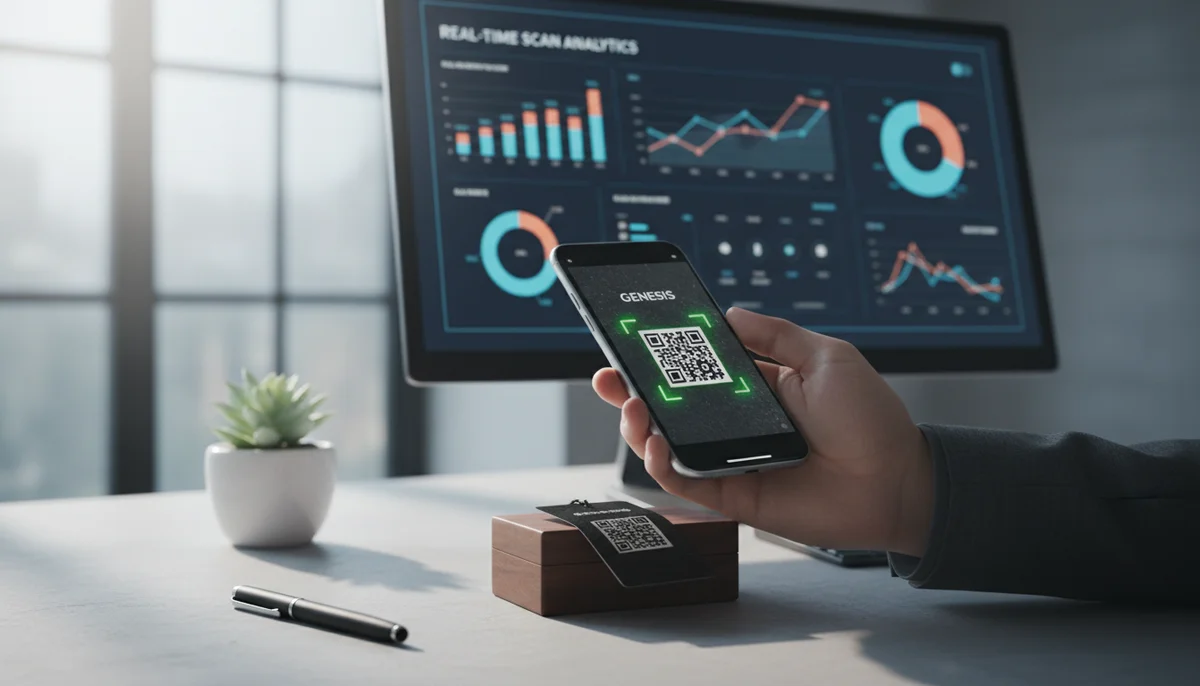
How to Track QR Code Scans for Campaign Success
Learn how to track QR code scans effectively with real-time analytics to measure campaign performance and optimize your marketing efforts. Understand key metrics.
How to Track QR Code Scans for Maximum Marketing Impact
In today's data-driven marketing landscape, simply deploying tools isn't enough; understanding their performance is paramount. QR codes, once a niche technology, have exploded into mainstream use, becoming a vital bridge between the physical and digital worlds. But how do you know if your QR code campaigns are actually working? The answer lies in your ability to track QR code scans effectively.
This advanced guide will delve into the methodologies, tools, and strategies you need to gain deep insights from your QR code deployments. By understanding who scans, where, and when, you can optimize your campaigns, measure ROI, and achieve superior marketing results.
Why Tracking QR Code Scans Matters for Your Business
Without robust tracking, your QR code marketing efforts are essentially shots in the dark. Imagine launching a print ad campaign with a QR code leading to your latest product, but having no idea if anyone actually scanned it, let alone bought anything. This lack of visibility is a critical hurdle for any business aiming for data-backed decisions.
Tracking QR code scans transforms guesswork into actionable intelligence. It allows you to:
- Measure Campaign Effectiveness: Determine which placements (print ads, packaging, flyers) or content (video, landing page) generate the most engagement.
- Understand User Behavior: Gain insights into your audience's demographics, geographic locations, and preferred times for interaction.
- Optimize Future Campaigns: Use data to refine your messaging, design, and deployment strategies, ensuring higher engagement rates.
- Calculate ROI: Link QR code scans to website visits, lead generations, or direct sales, providing a clear picture of your campaign's return on investment.
- Identify High-Performing Assets: Discover which products, services, or calls-to-action resonate most effectively with your target market.
Static vs. Dynamic QR Codes: The Foundation of Trackability
The ability to track QR code scans fundamentally hinges on the type of QR code you deploy. This distinction is crucial:
Static QR Codes
A static QR code directly embeds the destination URL or information (like a WiFi password or plain text) into its pattern. Once generated, its destination cannot be changed, and crucially, it offers no native tracking capabilities.
- Pros: Simple to create, permanent link.
- Cons: No tracking, destination cannot be updated, limited flexibility.
- Best for: Personal use, fixed information (e.g., WiFi QR Codes, Plain Text QR Codes) where tracking isn't a concern.
Dynamic QR Codes
Dynamic QR codes, on the other hand, embed a short, redirecting URL (often managed by a QR code generator service) rather than the final destination URL. When scanned, the short URL directs the user through a tracking server before sending them to the ultimate content. This intermediary step is where all the magic of tracking happens.
- Pros:
- Trackable: Collects detailed scan data.
- Editable: The destination URL can be changed anytime, even after the QR code is printed, without altering the physical code.
- Flexible: Ideal for ongoing campaigns, A/B testing, and long-term marketing strategies.
- Cons: Often requires a subscription to a dedicated QR code platform.
- Best for: All serious business and marketing applications, enabling robust [QR code campaigns]. Many advanced options, from URL QR Codes to Video QR Codes and PDF QR Codes, leverage dynamic technology.
To effectively track QR code scans, you must use dynamic QR codes. Our platform, for instance, offers robust Dynamic QR Codes that are essential for any data-driven strategy.
What Data Can You Collect When You Track QR Code Scans?
When you employ dynamic QR codes and a capable QR Code Analytics platform, you unlock a wealth of data points that provide a comprehensive view of your campaign performance. This valuable information includes:
- Total Scans: The cumulative number of times your QR code has been scanned.
- Unique Scans: The number of distinct devices that have scanned your QR code, providing a more accurate measure of individual engagement.
- Location Data: Typically, the city and country where the scan occurred, derived from the scanner's IP address. This helps in understanding geographical reach.
- Time and Date of Scans: Pinpointing peak scanning times and days allows you to optimize campaign scheduling and content deployment.
- Device Type: Information about the operating system (iOS, Android), and sometimes even the device model (e.g., iPhone 14, Samsung Galaxy S23).
- Browser Used: Identifies which web browser the user employed to open the destination link.
- Scan Source (Referrer): While QR codes inherently imply a physical source, advanced setups can sometimes capture more nuanced referral data if integrated with other tracking systems.
This detailed data empowers you to move beyond simple scan counts and delve into true behavioral analytics for your [QR code marketing] initiatives.
Methods to Track QR Code Scans
Now that we understand the 'why' and the 'what,' let's explore the 'how.' There are several effective methods to track QR code scans, ranging from dedicated platforms to integrating with existing analytics tools.
1. Dedicated QR Code Analytics Platforms
The most straightforward and often most powerful way to track QR code scans is by using a dedicated QR code generator platform that includes robust analytics. These platforms are purpose-built for creating, managing, and tracking dynamic QR codes.
How it works:
- Generate Dynamic QR Codes: Use the platform's QR Code Generator to create dynamic QR codes for your various campaigns. When creating, always give your QR codes descriptive names (e.g., "Summer Promo Print Ad," "Restaurant Menu Table 3").
- Deploy Your Codes: Place the generated QR codes on your marketing materials, products, or locations.
- Access Analytics Dashboard: Log in to your platform's dashboard. Here, you'll find a centralized hub for all your QR code data.
- Interpret Data: The dashboard will typically display charts and graphs for total scans, unique scans, geographical distribution, time-based trends, and device information. You can often filter data by date range, specific QR code, or campaign.
Example Scenario: A retail brand launches a "Back-to-School" campaign. They create several dynamic QR codes: one for a magazine ad (linking to a landing page with discounts), another for in-store flyers (linking to a coupon), and a third for social media posts (linking to a product video). Using the platform's QR Code Analytics, they can see which QR code generated the most scans, where those scans originated, and at what times, helping them understand the most effective channels.
2. Google Analytics (and UTM Parameters)
For businesses already using Google Analytics (GA) to track website traffic, integrating QR code scan data is a natural and highly effective approach. This method provides deeper insights by connecting QR code scans directly to on-site user behavior.
How it works:
-
Create UTM-Tagged URLs: Before generating your QR code, append UTM (Urchin Tracking Module) parameters to your destination URL. These tags allow GA to identify the source, medium, and campaign associated with a link click.
utm_source: Where the traffic came from (e.g.,qrcode).utm_medium: The marketing medium (e.g.,print_ad,packaging,flyer).utm_campaign: The specific campaign name (e.g.,summer_sale_2024).
Example URL:
https://www.yourwebsite.com/product-page?utm_source=qrcode&utm_medium=magazine_ad&utm_campaign=new_product_launch -
Generate Dynamic QR Code: Use your QR code generator (or a service like URL QR Codes to create a dynamic QR code where the destination URL is your full UTM-tagged URL. This is critical, as a static QR code would make tracking difficult to manage and update.
-
Deploy and Monitor: Distribute your QR codes. As users scan them, GA will record the visits, attributing them correctly based on the UTM parameters.
-
Analyze in Google Analytics: In your GA dashboard, navigate to "Acquisition > All Traffic > Source/Medium" or "Acquisition > Campaigns > All Campaigns" to see the performance of your QR code traffic alongside other marketing channels. You can then analyze bounce rates, pages per session, conversion rates, and more for users who scanned your QR code.
This method allows you to not just track QR code scans, but also to understand the quality of traffic those scans generate, linking physical engagement directly to digital outcomes.
3. Custom Tracking Solutions (for advanced users)
For enterprises with specific data requirements or those who prefer to keep all data in-house, custom tracking solutions can be developed. These typically involve using a custom URL shortener or leveraging server-side logging.
How it works:
- Custom URL Shortener: Instead of using a third-party shortener, you can set up your own domain for URL shortening. When a user scans the QR code, they are redirected through your custom short URL, which logs all necessary data (IP address, user agent, timestamp) before redirecting to the final destination.
- Server-Side Logging: If your QR code points directly to a page on your own server, you can implement server-side scripts to log every visit. This might involve parsing HTTP request headers for information like
User-AgentandReferer(thoughRefererwon't be from the QR code itself, but the page that hosted the QR code if clicked digitally). - API Integration: For a more integrated approach, you can use a QR Code API to programmatically generate and manage QR codes, and then hook into its data streams to pull scan analytics directly into your own data warehouse or CRM system. This offers maximum flexibility for building custom dashboards and integrating with other business intelligence tools.
Example Code Snippet (Conceptual - not functional for deployment): Imagine a simple redirect script on your server:
<?php
// my_custom_tracker.php?id=qrcode_promo_001&redirect_to=https://yourlandingpage.com
$qrcode_id = $_GET['id'];
$redirect_url = $_GET['redirect_to'];

// Log scan details to a database or file
$log_data = [
    'qrcode_id' => $qrcode_id,
    'timestamp' => date('Y-m-d H:i:s'),
    'ip_address' => $_SERVER['REMOTE_ADDR'],
    'user_agent' => $_SERVER['HTTP_USER_AGENT'],
    // ... more data
];
// code to save $log_data

// Redirect user
header("Location: " . $redirect_url);
exit();
?>
You would then encode https://yourdomain.com/my_custom_tracker.php?id=qrcode_promo_001&redirect_to=https://yourlandingpage.com into your dynamic QR code. This method is highly flexible but requires technical expertise to set up and maintain.
Optimizing Your QR Code Campaigns with Scan Data
Collecting data is only half the battle; the real value comes from applying these insights to enhance your [QR code campaigns]. Here's how to turn scan data into strategic advantages:
A/B Testing Your QR Codes
With dynamic QR codes, you can create multiple versions of a code pointing to different landing pages, using different calls to action (CTAs), or even with slight design variations.
- Process: Create two dynamic QR codes (e.g., "Scan for 10% Off" vs. "Scan to Win!"). Distribute them in similar environments or alternate them. Use your analytics to see which one performs better.
- Insight: Determines which messaging or offer resonates most with your audience.
- Action: Scale the higher-performing variant across all future deployments.
Location-Based Optimization
Analyzing the geographical data of your scans helps you understand where your audience is most engaged.
- Process: Review the location map in your [QR Code Analytics] dashboard.
- Insight: Identify high-performing regions, cities, or even specific physical locations (e.g., a particular store entrance, a specific section of a magazine).
- Action: Focus your advertising spend or physical QR code placements in these areas, or tailor content specifically for regional audiences. If a QR code in a particular branch of your restaurant chain gets significantly more scans, consider replicating its success factors across other branches using Restaurant Menu QR Codes.
Timing Optimization
Understanding when your QR codes are most frequently scanned can inform your content scheduling and promotional activities.
- Process: Examine the scan trends by hour, day, and week.
- Insight: Discover peak engagement periods. For instance, a QR code on a coffee cup might see spikes during morning commute hours, while one on a billboard might be scanned more during weekend outings.
- Action: Schedule social media posts that amplify your QR code campaigns during these high-engagement times, or ensure staff are available for support during peak hours.
Content Refinement Based on Device Data
Device data (iOS vs. Android, mobile vs. tablet) can guide improvements to your landing page experience.
- Process: Check the distribution of operating systems and devices.
- Insight: If a significant portion of scans comes from Android users, ensure your linked content is perfectly optimized for Android devices. If mobile scans dominate, prioritize mobile-first design for your landing pages.
- Action: Address any performance issues or design inconsistencies for the most popular devices to enhance user experience and reduce bounce rates.
ROI Measurement and Conversion Tracking
The ultimate goal of any [QR code marketing] effort is often a tangible business outcome. By integrating your QR code analytics with conversion tracking, you can directly measure ROI.
- Process: Use UTM parameters for Google Analytics, or set up conversion goals within your dedicated QR code platform if it supports this. Track everything from sign-ups, downloads, purchases, or form submissions for codes like Form QR Codes.
- Insight: Determine which QR codes and campaigns are driving the most valuable actions.
- Action: Allocate budget and resources to the QR code campaigns that demonstrate the highest return.
Best Practices for Effective QR Code Tracking
To truly leverage the power of QR code analytics, adhere to these best practices:
- Always Use Dynamic QR Codes: This cannot be stressed enough. Without them, meaningful tracking is impossible.
- Label Your QR Codes Clearly: Both internally within your generator platform and, if applicable, on the physical material. Use descriptive names that specify the campaign, placement, and content (e.g., "Spring_Promo_Flyer_NYC_Coupon"). This ensures your [QR code analytics] dashboard is easy to navigate.
- Implement UTM Parameters: For web-based destinations, UTMs are your best friend for segmenting QR code traffic in Google Analytics and other web analytics tools.
- Integrate with Other Analytics: Connect your QR code data with your CRM, email marketing platforms, and other business intelligence tools for a holistic view of your customer journey.
- Regularly Review Data: Don't just set and forget. Make it a habit to analyze your scan data weekly or monthly to identify trends and opportunities.
- Ensure Privacy Compliance: Be transparent about data collection, especially concerning location data. Adhere to relevant regulations like GDPR and CCPA.
- Consider a Team Workspace: For larger organizations or marketing teams, a Team Workspace can centralize QR code management and analytics, allowing for collaborative campaign creation and data review without compromising data integrity.
- Test Before Deployment: Always scan your QR codes multiple times with different devices before going live to ensure they work correctly and redirect to the intended, trackable destination.
- Clear Call to Action: While not directly a tracking tip, a clear CTA accompanying your QR code (e.g., "Scan for 20% Off," "Scan to Watch the Video") significantly increases scan rates, providing more data to track.
By diligently following these guidelines, you can transform your QR code deployments from simple links into powerful data collection instruments that drive informed decisions and elevate your overall [QR code marketing] strategy.
Conclusion
The ability to track QR code scans is no longer a luxury; it's a fundamental necessity for any business serious about its digital and physical marketing convergence. By embracing dynamic QR codes and leveraging the rich insights provided by dedicated analytics platforms or Google Analytics, you can gain an unparalleled understanding of user engagement.
From optimizing campaign placements and refining content to measuring tangible ROI, the data unlocked by tracking QR code scans empowers you to make smarter, more impactful marketing decisions. Don't let your QR code efforts be a black box. Start tracking today, iterate on your findings, and watch your [QR code campaigns] flourish in the data-rich environment of modern marketing.
Ready to Get Started?
Explore our tools to enhance your QR code workflow
Free QR Code Generator
Create unlimited QR codes for free with our easy-to-use generator. No signup required.
Start CreatingTeam Workspace
Collaborate with your team on QR code projects. Share templates, manage permissions, and track usage.
Explore TeamsQR Code API
Integrate QR code generation into your applications with our RESTful API. Unlimited requests, high performance.
Explore APIAll tools are available with a free plan to get you started
Frequently Asked Questions
Find quick answers to common questions about this topic
Why is tracking QR code scans important for my business?
Tracking QR code scans provides valuable insights into user engagement, campaign effectiveness, and customer behavior, helping you optimize your marketing strategies and measure ROI.
What data can I collect by tracking QR code scans?
You can collect data such as total scans, unique scans, location of scans, device types, and scan times, offering a comprehensive view of your QR code performance.
Can I track individual QR code campaigns separately?
Yes, platforms like QR-Build allow you to create and manage dynamic QR codes for individual campaigns, providing dedicated analytics dashboards for each one. This ensures precise performance measurement.
How do dynamic QR codes help with tracking?
Dynamic QR codes enable real-time tracking and data collection without changing the QR code itself. They can be updated, and their scan data is continuously monitored, offering flexibility and detailed insights.
What tools are available to help me track QR code scans?
Many QR code management platforms, including QR-Build, offer built-in analytics dashboards that provide detailed reports and visualizations for all your QR code scan data.
Related Articles
Continue exploring QR code strategies and best practices
Static vs Dynamic QR Code Explained: Benefits of Dynamic QR
Understand static vs. dynamic QR codes. Learn the benefits of dynamic QR codes for marketing, tracking, and content updates. Essential for modern campaigns.

How QR Codes Increase Customer Engagement and Loyalty
Discover how dynamic QR codes drive customer engagement, loyalty, and interaction. Track campaign performance with real-time analytics from QR-Build. Start boosting engag
QR Code Monkey Alternatives: Choosing Your Ideal QR Code Generator
Looking for a QR Code Monkey alternative? Compare top QR code generators, discover features like dynamic codes, analytics, and team management, and find the best fit for

Boost Flyer QR Code Marketing with Dynamic Scans
Transform your flyer qr code marketing campaigns. Learn how to create dynamic QR codes for flyers, track scans in real-time, and update content even after printing. Get s

Boost Your Sales: Essential QR Code Retail Marketing Strategies
Elevate your retail strategy with QR code marketing. Learn how dynamic QR codes enhance customer engagement, track campaigns, and drive sales in your store. Explore innov

QR Code Lead Generation: Strategies to Capture More Prospects
Discover how dynamic QR codes can revolutionize your lead generation efforts. Learn effective strategies for capturing more prospects and boosting conversions with QR-Bui

Product Marketing Manager
Emma helps businesses leverage QR codes for marketing campaigns. She has worked with over 200 companies to optimize their QR code implementations.