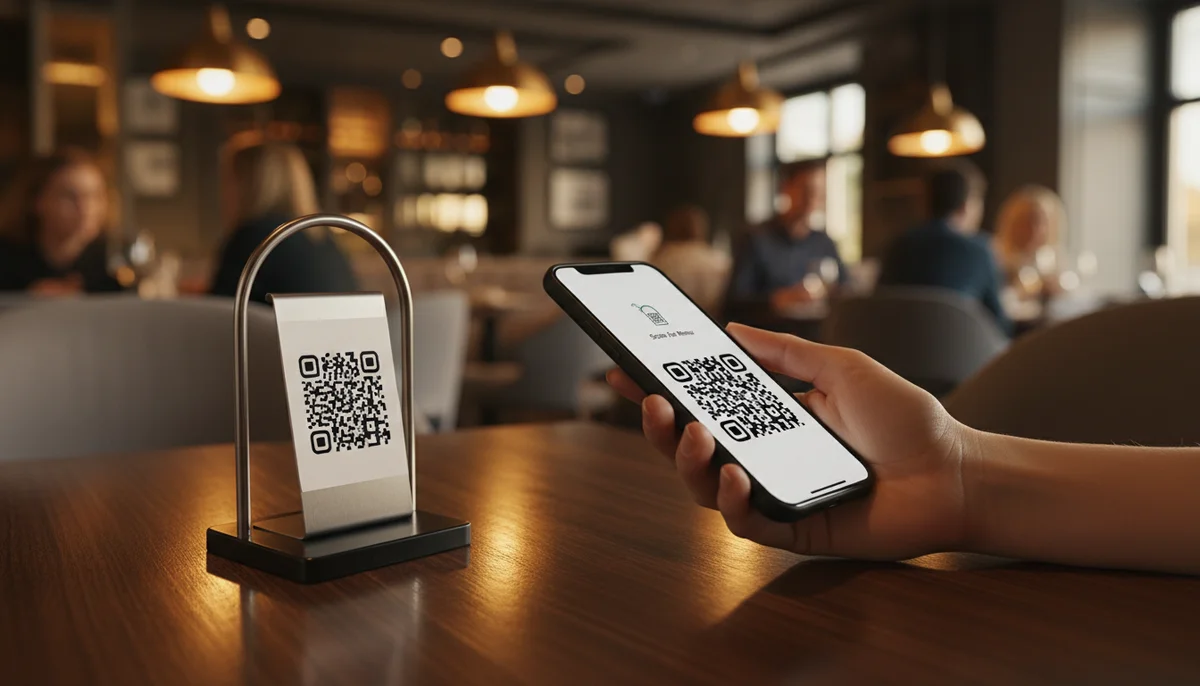
Mastering Your Menu: A Comprehensive Guide to Digital & QR Menus
Unlock the full potential of your restaurant's menu with our expert guide. Explore digital menu solutions, QR code integration, and design tips to enhance customer experi
Revolutionizing the Dining Experience: The Ultimate Guide to QR Code Menus
In a world increasingly shaped by digital convenience and evolving consumer expectations, the humble menu has undergone a significant transformation. Once a static, often dog-eared pamphlet, it's now a dynamic, interactive gateway to a culinary journey, all thanks to QR code technology. From bustling city bistros to quaint countryside cafes, QR code menus have become an indispensable tool, blending hygiene, efficiency, and innovation to redefine how customers interact with their favorite eateries.
This comprehensive guide delves into everything you need to know about QR code menus – from their fundamental mechanics to the myriad benefits they offer, best practices for implementation, and how they can elevate your business in the competitive hospitality landscape.
The Rise of the Digital Menu: A Paradigm Shift for Businesses
The past few few years have accelerated a trend that was already in motion: the digital transformation of nearly every industry. For restaurants, bars, cafes, and hotels, this meant a swift pivot from traditional paper menus to digital alternatives. While some initially viewed this as a temporary measure driven by health and safety concerns, it quickly became clear that the digital menu, powered by QR codes, offered far more than just a contactless solution.
This shift represents a paradigm change, moving from a static, labor-intensive system to one that is flexible, cost-effective, and highly responsive to market demands and customer preferences. Businesses discovered that a digital menu wasn't just about showing what's for sale; it was an opportunity to enhance brand identity, streamline operations, and provide a superior customer experience.
Why Digital Menus Are More Than Just a Trend
- Hygiene and Safety: The most immediate and obvious benefit. Eliminating shared physical menus drastically reduces touchpoints and the potential for germ transmission, reassuring both customers and staff.
- Efficiency: No more reprinting costs, waiting for new batches, or manually updating every single physical menu. Changes can be made instantly.
- Adaptability: Seasonal changes, daily specials, sold-out items, or price adjustments can be reflected in real-time, preventing customer disappointment.
- Accessibility: Digital menus can be integrated with accessibility features on smartphones, such as text-to-speech or larger fonts, benefiting a wider range of customers.
- Sustainability: Reduces paper waste, contributing to a greener business model.
Beyond the Paper: How QR Code Menus Work
At its core, a QR code menu is incredibly simple yet profoundly effective. Instead of a physical document, your menu content (which can be a PDF, an image gallery, a dedicated webpage, or a rich interactive platform) is hosted online. A QR code then acts as a direct, instant link to this digital content.
When a customer scans the QR code with their smartphone camera, they are immediately redirected to your digital menu. There's no app to download, no complicated URL to type – just a simple scan, and they have your entire offering at their fingertips. This seamless interaction is a cornerstone of its appeal.
Creating Your First QR Code Menu
The process of creating a QR code for your menu is straightforward. You typically start by having your menu content ready in a digital format. Many businesses use a PDF file, a series of images, or, increasingly, a dedicated web page for their menu.
Let's consider how to set up a basic QR code to link to your digital menu:
- Prepare your digital menu: This could be a PDF document hosted on your website, a page on your existing restaurant website (e.g.,
yourrestaurant.com/menu), or even a specialized online menu builder. - Choose a QR code generator: Look for a platform that allows you to create specialized codes. For restaurants, cafes, and bars, a dedicated service like Restaurant Menu QR Codes simplifies this process, often providing templates and features specifically tailored for dining establishments.
- Upload or link your menu: Depending on the service, you'll either upload your PDF/images directly or provide the URL where your digital menu is hosted.
- Generate and customize: The system will generate your QR code. You can often customize its appearance with your brand colors, logo, and frame to match your establishment's aesthetic.
- Download and deploy: Once satisfied, download the QR code image and print it for placement on tables, windows, or at your host stand.
A very basic conceptual representation of what a QR code links to, if it's a simple HTML menu:
<!-- Simplified structure of a digital menu webpage -->
<!DOCTYPE html>
<html>
<head>
<title>Our Delicious Menu</title>
</head>
<body>
  <h1>[Your Restaurant Name] Menu</h1>
  <section id="appetizers">
    <h2>Appetizers</h2>
    <div class="menu-item">
      <h3>Garlic Parmesan Fries</h3>
      <p>Crispy fries tossed with fresh garlic and parmesan cheese.</p>
      <p class="price">$7.00</p>
    </div>
    <!-- More appetizers -->
  </section>
  <section id="main-courses">
    <h2>Main Courses</h2>
    <div class="menu-item">
      <h3>Signature Steak Frites</h3>
      <p>Grilled sirloin steak with our special herb butter, served with crispy fries.</p>
      <p class="price">$28.00</p>
    </div>
    <!-- More main courses -->
  </section>
  <!-- Other sections like desserts, drinks -->
</body>
</html>
This HTML snippet represents the kind of content a QR code might point to, illustrating the structure of a digital menu that is easily accessible and navigable on a smartphone.
Key Advantages of Implementing a QR Code Menu System
Integrating QR code menus into your business operations offers a multitude of benefits that extend far beyond simple contactlessness.
Enhanced Hygiene and Safety
As mentioned, this is a primary driver. Customers feel more secure knowing they are not touching shared items. This boosts confidence and improves their overall dining experience, especially important in today's health-conscious environment.
Instant Updates and Flexibility
This is arguably one of the most powerful advantages. Imagine a chef creating a new daily special or an ingredient running out. With traditional menus, this meant crossing items out, printing temporary inserts, or verbally informing every customer. With a QR code menu, a quick edit to your online menu updates it instantly for every customer who scans the code. This is where the power of Dynamic QR Codes becomes evident. Unlike static QR codes that embed the destination link directly (meaning you'd have to print a new QR code if the link ever changes), dynamic QR codes allow you to change the linked content at any time without altering the QR code itself. This future-proofs your investment and ensures your menu is always current without any reprinting hassle.
Cost Savings and Environmental Impact
The expenses associated with designing, printing, and regularly updating physical menus can be substantial. QR code menus eliminate these recurring costs. This directly impacts your bottom line and contributes to a more sustainable, eco-friendly operation by drastically reducing paper waste.
Improved Customer Experience
A well-designed digital menu can offer a much richer experience than its paper counterpart. High-resolution images of dishes, detailed descriptions, allergen information, wine pairings, and even short video clips can be integrated. Customers can browse at their own pace without feeling rushed, making more informed choices. The convenience of simply scanning and viewing is a modern expectation that businesses can now meet.
Upselling and Cross-selling Opportunities
Digital menus provide strategic opportunities for prompting additional purchases. You can highlight chef recommendations, suggest complementary side dishes or beverages, or subtly promote special offers. These digital nudges can lead to higher average check sizes.
Multilingual Support
For businesses catering to an international clientele or diverse local communities, digital menus can easily incorporate multiple language options. A single QR code can lead to a page where customers select their preferred language, instantly translating the entire menu. This significantly enhances accessibility and customer satisfaction.
Data and Insights
This is where technology truly empowers your business. Unlike paper menus, digital menus can provide invaluable data. With features like QR Code Analytics, you can track how often your menu is scanned, at what times of day, and from which locations. This data can inform business decisions, help identify peak hours, evaluate the popularity of new menu items, or even understand the effectiveness of different QR code placements. Understanding user interaction helps you refine your offerings and marketing strategies. For instance, if you notice a particular menu section is frequently visited but rarely leads to orders, you might consider redesigning that section or offering promotions.
Who Can Benefit from QR Code Menus?
While initially gaining traction in the restaurant sector, the utility of QR code menus extends far beyond traditional eateries.
- Restaurants and Cafes: The most obvious beneficiaries, from fine dining establishments to casual diners, fast-food chains, and coffee shops.
- Bars and Pubs: For drink lists, cocktail menus, and bar snacks, offering rapid updates for seasonal beers or daily specials.
- Hotels and Resorts: For room service menus, in-house restaurant offerings, spa service lists, or even activity schedules.
- Event Organizers: Conferences, festivals, and concerts can use QR codes for event schedules, food vendor menus, or informational guides.
- Food Trucks and Pop-ups: Ideal for businesses with frequently changing locations or rotating menus, offering maximum flexibility.
- Catering Services: Share custom menus with clients quickly and efficiently.
- Retail Stores: While not a "food menu," some retailers use QR codes to display a "menu" of product information, pricing, or specifications for items that can't be easily displayed on shelves.
Designing an Effective QR Code Menu Experience
Simply having a digital menu isn't enough; its design and functionality are crucial for success.
User-Friendly Interface
The digital menu must be easy to navigate on a smartphone. Cluttered layouts, tiny fonts, or slow loading times will deter customers. Prioritize a clean design, logical categories, and intuitive scrolling.
High-Quality Images
"We eat with our eyes first." Invest in professional photography for your dishes. Mouth-watering images can significantly influence customer choices and enhance the perceived value of your offerings.
Clear Descriptions
Provide appetizing and informative descriptions that go beyond basic ingredients. Highlight unique selling points, origin of ingredients, preparation methods, and any dietary information (vegetarian, vegan, gluten-free, etc.).
Mobile Optimization
Ensure your digital menu is fully responsive, meaning it automatically adjusts its layout to fit any screen size – smartphones, tablets, or even desktops. This guarantees a consistent and pleasant viewing experience.
Branding and Customization
Your digital menu is an extension of your brand. Incorporate your restaurant's logo, color scheme, and typography. A consistent brand identity reinforces professionalism and enhances the customer's overall impression. Many QR code generators allow for extensive customization, letting you create a QR code that looks as good as your food tastes.
Best Practices for Deploying QR Code Menus
Implementing QR code menus successfully involves more than just generating a code. Thoughtful deployment ensures maximum adoption and a smooth customer experience.
Placement and Visibility
Place QR codes prominently and logically. On tables, at the host stand, on outdoor signage, or even integrated into your placemats. Ensure they are at eye-level and easy to spot.
Clear Call to Action
Don't assume everyone knows what a QR code is or what to do with it. Include clear instructions like "Scan for our Digital Menu" or "View Menu Here." A simple graphic demonstrating the scan process can also be helpful.
Reliable Wi-Fi/Data
Ensure your customers have access to a strong Wi-Fi signal or that cellular data reception is good in your venue. A slow-loading menu due to poor connectivity can frustrate customers.
Testing Regularly
Before launching and periodically thereafter, test your QR codes. Scan them with different phone models and operating systems to ensure they work universally and link correctly. Check your digital menu content for any broken links, typos, or outdated information.
Backup Options
While QR codes are highly reliable, it's wise to have a backup plan. A small number of physical menus stored away for customers who may not have a smartphone or prefer a traditional option can prevent awkward situations.
Common Misconceptions and How to Overcome Them
Despite their widespread adoption, some businesses still harbor reservations about QR code menus. Addressing these concerns is key to successful implementation.
"It's too complicated for my staff/customers."
Modern smartphones have built-in QR code scanners in their camera apps, making the process incredibly simple. For staff, the system for updating dynamic menus is typically user-friendly and web-based, requiring minimal training. Provide clear instructions for customers and basic training for staff on how to assist.
"Customers won't use it; they prefer paper."
While some traditionalists may exist, the vast majority of customers, particularly younger demographics, are accustomed to and often prefer digital interactions. The convenience, hygiene, and enhanced experience of a well-designed digital menu often win them over. Education and a positive attitude from staff can also encourage adoption.
"It feels less personal than a physical menu."
The personalization in dining comes from service, ambiance, and food quality, not solely the menu format. A digital menu frees up staff to focus more on customer interaction, explaining dishes, and making recommendations verbally, adding a different layer of personal touch. Furthermore, a well-designed digital menu can feature rich imagery and detailed descriptions that enhance the personal connection to the food itself.
Conclusion
The evolution of the menu from paper to pixels marks a significant step forward for the hospitality industry. QR code menus are more than just a passing trend; they are a fundamental shift towards a more efficient, hygienic, and customer-centric dining experience. By embracing this technology, businesses can not only meet modern customer expectations but also streamline operations, reduce costs, and gain valuable insights into their offerings.
From the ability to instantly update specials with Dynamic QR Codes to understanding customer engagement through QR Code Analytics, the benefits are clear and compelling. Whether you're a small coffee shop or a large restaurant chain, investing in a robust QR code menu system, perhaps leveraging specialized tools like Restaurant Menu QR Codes, is an investment in your future.
Start transforming your dining experience today. Embrace the future, one scan at a time, and watch your business thrive in the digital age.
Ready to digitize your menu and enhance your customer's dining experience? Create your first QR Code Menu now!
Ready to Get Started?
Explore our tools to enhance your QR code workflow
Team Workspace
Collaborate with your team on QR code projects. Share templates, manage permissions, and track usage.
Explore TeamsRestaurant Menu QR Codes
Create contactless digital menus for restaurants. Update your menu in real-time without reprinting.
Create MenuDynamic QR Codes
Edit QR code destinations after printing. Track scans, A/B test URLs, and update content anytime.
Go DynamicAll tools are available with a free plan to get you started
Frequently Asked Questions
Find quick answers to common questions about this topic
What is a digital menu?
A digital menu is an electronic version of a traditional menu, often displayed on screens, tablets, or accessible via smartphones. It allows for easy updates, dynamic pricing, and rich media, providing a more interactive and visually appealing experience for customers compared to static paper menus.
How can QR codes improve a restaurant menu?
QR codes significantly enhance a restaurant menu by providing instant access to digital versions with a simple scan. This reduces printing costs, allows for real-time updates of dishes and prices, supports multilingual options, and promotes hygiene by minimizing physical contact with shared menus, which is a major benefit in today's environment.
What are the benefits of using an online menu for customers?
Customers benefit from online menus through enhanced convenience, as they can browse offerings from their own device, often with images and detailed descriptions. It also allows for dietary filter options, allergen information, and the ability to order directly, improving accessibility and overall dining satisfaction.
Is it expensive to implement a digital menu system?
The cost of implementing a digital menu system can vary widely depending on the complexity and features required. Basic QR code menu solutions can be very affordable, often with free or low-cost subscriptions, while integrated systems with custom hardware and advanced POS integrations might require a larger initial investment. However, the long-term savings on printing and labor often justify the cost.
What should be included in an effective digital menu design?
An effective digital menu design should prioritize user-friendliness, clear navigation, and high-quality visuals. It should include enticing descriptions for each dish, pricing, allergen information, and options for customization. Branding elements, responsive design for various devices, and easy-to-read fonts are also crucial for a positive user experience.

Technical Writer
David combines his background in software engineering with clear technical writing. He creates comprehensive guides and tutorials for developers.