
QR Code Appointment Booking: Simplify Scheduling for Your Business
Discover how QR code appointment booking can transform your scheduling process. Learn to create editable QR codes for easy client bookings, reduce no-shows, and improve e
QR Codes for Appointment Booking: Streamlining Your Schedule and Boosting Efficiency
In today's fast-paced digital landscape, convenience is paramount for businesses and customers alike. The traditional methods of appointment scheduling—phone calls, email exchanges, or navigating complex website forms—often introduce friction, leading to missed opportunities and frustrated clients. This is where the strategic implementation of qr code appointment booking emerges as a game-changer, offering a seamless, instant, and highly efficient solution for managing your schedule.
By simply scanning a QR code, customers can be instantly directed to your booking page, transforming a multi-step process into a single, effortless action. This article will delve into how businesses across various sectors can leverage QR codes to revolutionize their appointment systems, enhance user experience, and drive operational efficiency.
The Power of QR Codes in Modern Scheduling
QR codes bridge the gap between physical and digital interactions, making them an invaluable tool for modern businesses. When it comes to appointments, their ability to provide immediate access to scheduling platforms offers a significant competitive advantage.
What Makes QR Codes Ideal for Appointments?
- Instant Access: Customers no longer need to remember or type out long URLs. A quick scan takes them directly to your booking calendar. This immediacy reduces the chances of them getting distracted or abandoning the process.
- Reduced Friction: By eliminating manual steps, QR codes simplify the user journey. A smoother booking process leads to higher conversion rates for appointments.
- Enhanced User Experience: Offering an intuitive, quick way to book an appointment reflects positively on your brand, demonstrating a commitment to customer convenience and technological savvy.
- Accessibility: QR codes can be placed virtually anywhere—on marketing materials, business cards, physical premises, or even digital displays—making your booking system accessible at every touchpoint.
Static vs. Dynamic QR Codes for Booking
When creating a QR code for your appointment system, understanding the difference between static and dynamic QR codes is crucial.
- Static QR Codes: These codes embed the destination URL directly. Once generated, the URL cannot be changed without creating a new QR code. If your booking link ever changes, all previously printed static QR codes become obsolete.
- Dynamic QR Codes: This is the superior choice for qr code appointment booking. A Dynamic QR Code contains a short URL that redirects to your actual booking link. This means you can change the destination URL at any time, even after the QR code has been printed and distributed, without altering the physical code itself. This flexibility is vital for businesses that might update booking systems, change service pages, or run seasonal promotions.
Beyond editability, dynamic QR codes offer invaluable QR Code Analytics. You can track scans, understand where and when people are scanning, and gain insights into device usage. This data is essential for optimizing your QR code campaigns and understanding customer behavior.
How to Implement QR Codes for Your Booking System
Implementing QR codes for appointment booking is a straightforward process, regardless of your existing setup. The core idea is to direct users to your online scheduling platform with a single scan.
Step-by-Step: Creating Your First QR Code Appointment Link
Follow these steps to generate a QR code that links directly to your booking system:
- Choose Your Booking Platform: Ensure you have an active online booking system. Popular options include Calendly, Acuity Scheduling, HubSpot Meetings, or your own proprietary system.
- Obtain the Direct Booking URL: Navigate to your scheduling platform and locate the specific URL that leads directly to your appointment booking page or calendar. This URL is what the QR code will direct users to.
- Utilize a QR Code Generator: Head over to a reliable Free QR Code Generator.
- Select the URL QR Code Type: Choose the option to create a "URL" or "Website" QR code. This is essential for linking to your booking page.
- Paste Your Booking URL: Carefully paste the direct booking URL you obtained in step 2 into the designated field.
- Generate and Customize Your QR Code:
- Choose between static or dynamic (dynamic is highly recommended for reasons mentioned above).
- Generate the QR code.
- Customize its appearance to match your brand. You can add your logo, change colors, and even adjust the shape of the dots, ensuring a consistent brand experience.
- Test Thoroughly: Before deployment, always test your QR code with multiple devices and QR code scanner apps. Ensure it correctly redirects to your booking page.
Integrating with Existing Appointment Software
The beauty of using a URL QR Code is its universal compatibility. It doesn't directly integrate with your software in a programmatic sense but acts as a highly efficient bridge. As long as your appointment software provides a shareable URL for booking, you can create a QR code for it. This makes it incredibly versatile for any business, from a small independent consultant using a basic online calendar to a large enterprise with a complex CRM-integrated scheduling system.
Practical Business Use Cases for QR Code Appointment Booking
The versatility of qr code appointment booking allows it to be applied across a vast array of industries, each benefiting from its efficiency and user-friendliness.
Healthcare Providers (Doctors, Dentists, Clinics)
- Use Case: Place QR codes on appointment reminder cards, patient discharge instructions, waiting room posters, and even prescription bags. Patients can scan to schedule follow-up appointments, routine check-ups, or even virtual consultations.
- Benefits: Significantly reduces the workload on reception staff by automating re-booking, minimizes phone tag, and ensures patients can schedule at their convenience, even after hours. It also helps manage patient flow and reduce wait times.
Salons, Spas & Wellness Centers
- Use Case: Display QR codes on service menus, at reception desks, on individual stylists'/therapists' stations, and on loyalty cards. Clients can easily book their next haircut, massage, or nail appointment before leaving or whenever inspiration strikes.
- Benefits: Encourages immediate re-booking, boosts repeat business, and streamlines the process of filling cancellation slots. It also offers an opportunity for QR Code Marketing by linking to special offers or new service announcements.
Professional Services (Consultants, Lawyers, Financial Advisors)
- Use Case: Embed QR codes in email signatures, on business cards, in presentation slides, and on event brochures. Prospective clients can scan to book a consultation or an introductory meeting directly.
- Benefits: Projects a modern, efficient image, converts interest into concrete appointments instantly, and simplifies the lead conversion process for busy professionals. It's a professional and direct call-to-action.
Fitness Centers & Personal Trainers
- Use Case: Post QR codes on class schedules, gym equipment, locker room notices, and personal trainer bios. Members can quickly sign up for classes, book personal training sessions, or schedule facility tours.
- Benefits: Increases class attendance, simplifies one-on-one session scheduling, and offers a convenient way for new prospects to book an initial consultation or trial session.
Automotive Services (Dealerships, Mechanics)
- Use Case: Include QR codes on service invoices, repair quotes, new car flyers, and test drive signage. Customers can scan to schedule their next maintenance appointment, inquire about financing, or book a test drive for a new vehicle.
- Benefits: Enhances customer loyalty through convenient service scheduling, speeds up the sales process for test drives, and provides an efficient way to manage service department appointments.
Event Organizers & Exhibitors
- Use Case: Print QR codes on event badges, exhibition booth signage, and marketing collateral. Attendees can scan to book meetings with speakers, exhibitors, or sales representatives during the event.
- Benefits: Maximizes networking opportunities, allows for efficient scheduling of one-on-one interactions at busy events, and facilitates lead follow-up.
Advanced Strategies for Maximizing Your QR Code Campaigns
Simply creating a QR code is the first step. To truly harness its power for qr code appointment booking, you need a strategic approach to placement, tracking, and design.
Placement is Key: Where to Deploy Your QR Codes
The effectiveness of your QR code heavily depends on where it's seen. Think about your customer's journey and common touchpoints:
- Physical Locations:
- Storefront Windows/Doors: Capture walk-by traffic.
- Reception Desks/Waiting Areas: For immediate re-booking or new client sign-ups.
- Product Packaging/Service Menus: Encourage follow-up appointments.
- Point-of-Sale (POS) Areas: As customers are checking out.
- Posters/Flyers: At relevant community boards or events.
- Digital Touchpoints:
- Email Signatures: For professionals.
- Website Banners/Footers: An additional booking option.
- Social Media Posts/Profiles: Especially for "Link in Bio" alternatives.
- Digital Screens/Kiosks: In larger facilities or public spaces.
- Invoices/Receipts: For future service scheduling.
Always include a clear Call-to-Action (CTA) next to or on the QR code itself, such as "Scan to Book Your Appointment," "Schedule a Consultation," or "Book Now." This eliminates guesswork and prompts immediate action.
Tracking and Optimizing Your Efforts with QR Code Analytics
One of the most powerful features of dynamic QR codes is the ability to gather data through QR Code Analytics. This data is invaluable for understanding your audience and refining your marketing strategy.
- What to Track:
- Number of Scans: How many times has your QR code been scanned?
- Scan Location: Where are people scanning your code (city, country)? This helps identify effective physical placements.
- Time of Scan: When are most people scanning? This can inform peak booking times.
- Device Type: What devices are being used (iOS vs. Android)?
- How to Use the Data:
- Optimize Placement: If a QR code on a specific flyer gets significantly more scans, allocate more resources to that placement.
- Refine Marketing Messages: If scans peak after a particular campaign, it indicates effective messaging.
- Understand Customer Behavior: Gain insights into when and where your target audience is most receptive to booking.
- A/B Testing: Create two different QR codes linking to the same booking page but with different designs or CTAs, then use analytics to see which performs better.
Analyzing these metrics allows you to make data-driven decisions, ensuring your qr code appointment booking efforts yield the best possible results.
Enhancing User Experience with Customization
A generic black and white QR code might get the job done, but a customized QR code leaves a lasting impression and boosts trust. Many QR code generators offer extensive customization options, including Custom QR Design.
- Branding: Incorporate your brand colors, add your company logo to the center of the QR code, and even adjust the shape of the data patterns.
- Visual Appeal: A visually appealing QR code is more likely to be scanned. It signals professionalism and attention to detail.
- Trust and Recognition: When users see your familiar logo within the QR code, they are more likely to trust the link and proceed with the scan.
Boosting Engagement with QR Code Marketing
Think beyond just booking. QR codes can be part of a broader marketing strategy. For example:
- Combine your appointment QR code with a vCard QR Code on your business card, allowing clients to save your contact details and book a meeting.
- Use a Social Media QR Code alongside your booking QR code on event materials, directing attendees to your social profiles and a direct booking link.
- If you're launching a new service, use an Event QR Code to invite people to an informational webinar, with a follow-up qr code appointment booking option for a one-on-one consultation.
These integrated qr code campaigns create a more comprehensive and engaging customer journey, driving not just appointments but overall business growth.
Conclusion
The advent of QR codes has ushered in a new era of efficiency and convenience for appointment scheduling. From reducing administrative burdens to significantly enhancing the customer experience, qr code appointment booking offers a powerful solution for businesses of all sizes. By embracing this technology, companies can streamline their operations, capture more appointments, and provide a seamless, modern interaction that customers truly value.
Start integrating QR codes into your appointment booking strategy today. The ease of creation, coupled with the robust analytical capabilities of dynamic QR codes, makes it a smart investment for any forward-thinking business aiming to optimize its scheduling process and elevate its digital presence. Transform your appointment booking from a point of friction into a point of seamless connection, and watch your business thrive.
Ready to Get Started?
Explore our tools to enhance your QR code workflow
Free QR Code Generator
Create unlimited QR codes for free with our easy-to-use generator. No signup required.
Start CreatingTeam Workspace
Collaborate with your team on QR code projects. Share templates, manage permissions, and track usage.
Explore TeamsvCard QR Codes
Share contact information instantly with vCard QR codes. Add to business cards, email signatures, and more.
Create vCardAll tools are available with a free plan to get you started
Frequently Asked Questions
Find quick answers to common questions about this topic
What are QR codes for appointment booking?
QR codes for appointment booking allow businesses to simplify their scheduling by providing a scannable link directly to their booking page. Customers can scan with their smartphone and immediately access available slots to book services or consultations.
How do businesses use QR codes for appointments?
Businesses use QR codes on marketing materials, storefronts, and digital platforms. When scanned, these codes lead clients directly to an online calendar or booking form, streamlining the reservation process and improving client convenience.
Can I edit a QR code for appointments after printing?
Yes, with dynamic QR codes from platforms like QR-Build, you can update the booking link or destination even after the QR code has been printed and distributed, ensuring your information is always current without reprinting.
What are the benefits of using QR codes for scheduling?
Key benefits include increased convenience for clients, reduced administrative tasks, fewer booking errors, real-time updates for clients, and improved efficiency in managing appointments across various services.
Where can I place QR codes for appointment booking?
You can place QR codes on business cards, flyers, posters, brochures, social media posts, email signatures, physical storefront windows, and even on your website for easy access and promotion.
Related Articles
Continue exploring QR code strategies and best practices

Dynamic QR Code Explained: What It Is, How It Works, & Benefits
Discover what a dynamic QR code is, how it works, and its key advantages for marketing and business. Learn why editable QR codes are essential for modern campaigns with Q
Unlock Growth: QR Codes in Business for Modern Engagement
Discover how QR codes revolutionize business operations, marketing, and customer engagement. Explore essential QR code business uses to drive efficiency and boost your br
Create a QR Code for Your Website: The Ultimate Guide
Unlock easy access to your website with a QR code. Learn how to create a website QR code, customize it, and deploy it effectively to boost traffic and user engagement. Si
How QR Codes Increase Customer Engagement and Loyalty
Discover how dynamic QR codes drive customer engagement, loyalty, and interaction. Track campaign performance with real-time analytics from QR-Build. Start boosting engag
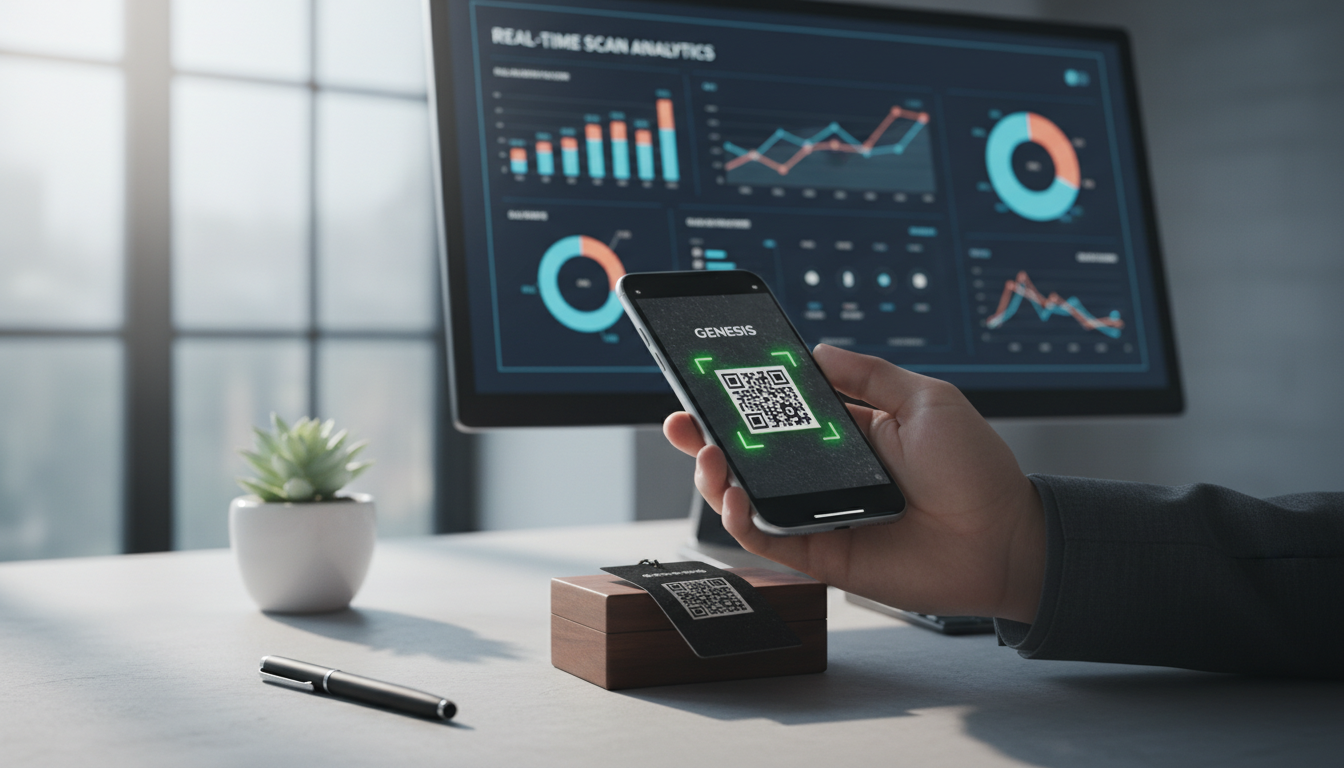
How to Track QR Code Scans for Campaign Success
Learn how to track QR code scans effectively with real-time analytics to measure campaign performance and optimize your marketing efforts. Understand key metrics.
Boost Your Business: Creative QR Code Marketing Ideas for Success
Uncover 15 innovative QR code marketing ideas to transform your campaigns and engage customers. Learn how to leverage QR codes for promotions, lead generation, and enhanc

QR Technology Specialist
Sarah has over 8 years of experience in digital marketing and QR code technology. She specializes in helping businesses implement effective QR code strategies.