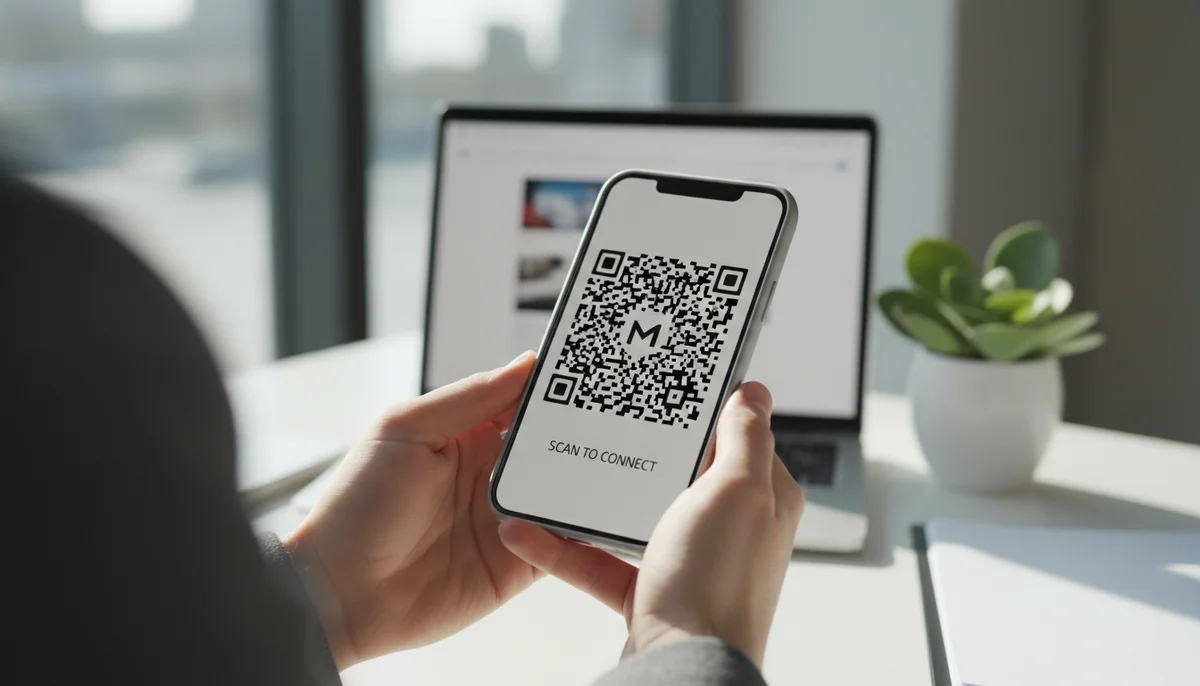
How to Create an Instagram QR Code with a Free Generator
Learn how to easily create an Instagram QR code with our free generator. Connect followers to your profile, posts, or Reels and boost engagement with editable dynamic QR
How to Create a QR Code for Instagram
Bridging your offline marketing with your online Instagram presence is a common challenge for businesses and creators. QR codes offer a direct and seamless solution, converting physical interest into digital followers and engagement. This guide will show you how to leverage an instagram qr code generator for maximum impact, transforming curious glances into active connections.
In this article, we'll delve into the strategic importance of Instagram QR codes, explore the different types available, provide a step-by-step creation process, and share expert tips for integrating them into your broader digital marketing strategy. Whether you're a small business, a marketer, or an influencer, mastering Instagram QR codes is a powerful step towards expanding your digital footprint and enhancing your audience engagement.
Why Your Brand Needs an Instagram QR Code
In today's highly visual and mobile-first world, Instagram serves as a crucial platform for brand storytelling, community building, and direct engagement. However, converting offline interest—from printed ads, product packaging, or live events—into online followers has traditionally been a clunky process involving manual searches and typing usernames.
Instagram QR codes eliminate this friction entirely. They provide an instant, one-scan gateway from the physical world directly to your Instagram profile, a specific post, or even a Reel. This significantly reduces the barrier to entry for new followers, making it easier than ever for potential customers and fans to connect with your brand online. Beyond convenience, these codes offer a trackable element to your offline marketing efforts, providing valuable insights into engagement.
Understanding Different Instagram QR Code Types
While Instagram offers a native QR code feature, professional QR code generator platforms provide far more flexibility, customization, and analytical power. Choosing the right type of QR code is crucial for the success of your campaign.
1. Direct URL QR Codes
The most straightforward approach is to create a QR code that links directly to your Instagram profile URL (e.g., instagram.com/yourusername). This simple URL QR Code is effective for directing users to your main feed. It's ideal when your primary goal is to gain followers or showcase your general brand presence.
2. Social Media QR Codes
For even greater impact and versatility, consider a Social Media QR Code. This advanced type doesn't just link to Instagram; it directs users to a mobile-friendly landing page that displays links to all your important social profiles, including Instagram, Facebook, LinkedIn, TikTok, and more. This central hub gives users multiple ways to connect with your brand across platforms, maximizing your cross-promotion efforts and ensuring they find you where they prefer to engage.
3. Dynamic vs. Static QR Codes
This distinction is perhaps the most critical for any professional marketing campaign.
- Static QR Codes: Once generated, the destination URL for a static QR code cannot be changed. If your Instagram handle changes or you want the code to point to a new campaign, you'd need to print new materials. They also do not offer analytics.
- Dynamic QR Codes: These are the gold standard for marketing. A
Dynamic QR Codeuses a short URL that redirects to your actual Instagram link. This means you can change the destination URL at any time, even after the code has been printed. Dynamic codes also come with robustQR Code Analytics, allowing you to track scans, locations, and device types. This data is invaluable for optimizing your QR code campaigns and understanding your audience's behavior. For instance, if you want your printed QR code to link to a different Instagram post next month, you simply update the link in yourQR Code Generatordashboard without reprinting.
For any serious QR code marketing effort, dynamic QR codes are highly recommended due to their flexibility and tracking capabilities.
Step-by-Step Guide: Using an Instagram QR Code Generator
Creating a professional Instagram QR code is a simple process that can be completed in just a few steps. Here's how to do it using a dedicated instagram qr code generator:
Step 1: Choose a Professional QR Code Generator
While Instagram offers an in-app QR code, a professional platform provides far more control, customization, and critical analytics. Look for a service that offers Dynamic QR Codes and design flexibility. You can start with a Free QR Code Generator to get a feel for the process.
Step 2: Select Your QR Code Type
Once on the generator platform, you'll need to decide what kind of Instagram QR code you want to create:
- For a direct link to your profile: Select
URL QR Codes. - For a page showcasing all your social links (including Instagram): Choose
Social Media QR Codes.
Step 3: Input Your Instagram Information
- For a URL QR Code: Paste your full Instagram profile URL (e.g.,
https://www.instagram.com/yourbrandname/) into the designated field. - For a Social Media QR Code: You'll typically be prompted to add your Instagram URL along with links to your other social media profiles. The platform will then create a mobile-friendly landing page for you.
Step 4: Customize Your QR Code Design
This is where a professional instagram qr code generator truly shines. Don't settle for a generic black-and-white code.
- Colors: Match your brand's color palette.
- Logo: Embed your company logo directly into the center of the QR code.
- Shape & Pattern: Experiment with different data point shapes and frame designs.
- Call to Action: Add a clear call to action (e.g., "Scan to Follow," "Connect on Instagram") below or next to the code.
Customizing your QR code makes it more visually appealing, recognizable, and encourages scans.
Step 5: Generate and Download Your QR Code
After customizing, generate your QR code. Most platforms allow you to download it in various formats, such as PNG, JPG, SVG, or EPS. For print materials, choose a high-resolution vector format like SVG or EPS to ensure crisp quality.
Step 6: Test Your QR Code
Before deploying your QR code, always scan it with multiple devices and different QR code scanner apps. Ensure it correctly directs users to your intended Instagram destination. This crucial step helps prevent costly errors in your QR code campaigns.
Maximizing Your Instagram QR Code Campaigns
Creating the QR code is only the first step. Effective deployment and strategic optimization are key to truly leveraging this tool for QR code marketing.
Placement Strategy: Where to Put Your Instagram QR Code
The physical location of your QR code dictates its visibility and scan potential.
- Print Advertising: Brochures, flyers, business cards, posters, magazine ads.
- Product Packaging: A seamless way for customers to learn more about your brand or product story.
- In-Store Displays: Window decals, shelf talkers, counter mats.
- Events & Conferences: Badges, signage, presentation slides.
- Merchandise: T-shirts, tote bags.
- Physical Locations: Restaurant menus, coffee shop tables, salon waiting areas.
- Vehicle Wraps: For mobile businesses.
Always consider where your target audience will naturally encounter and have the time to scan the code.
Design Best Practices for High Scans
Beyond aesthetics, good QR code design improves scannability.
- Contrast: Ensure strong contrast between the QR code and its background. Dark code on a light background is best.
- Size: The code should be large enough to be easily scanned from its intended distance. A good rule of thumb is a minimum size of 1x1 inch for close-up scans, increasing for distance.
- Surrounding Space (Quiet Zone): Leave a clear border (quiet zone) around the QR code, typically four times the width of a single module (the small squares within the code).
- Clear Call to Action: Always pair your QR code with text that tells users what they'll get when they scan it (e.g., "Scan to See Our Latest Collection," "Follow Us for Daily Tips").
Leveraging QR Code Analytics for Optimization
This is where Dynamic QR Codes truly prove their worth. A professional QR code generator will provide a comprehensive dashboard for QR Code Analytics.
- Track Scan Count: See how many times your code has been scanned.
- Location Data: Identify where your scans are coming from (city, country).
- Device Type: Understand what types of devices (iOS, Android) your audience uses.
- Time of Scans: See peak scanning times.
This data allows you to measure the effectiveness of different placements and campaigns. For example, if a QR code on a specific flyer isn't getting many scans, you can either change its placement or update the linked content (thanks to dynamic codes) without reprinting. Accessing your QR Code Analytics allows you to continually refine your QR code marketing strategy.
Using Dynamic QR Codes for Flexibility and A/B Testing
The ability to edit the destination of a Dynamic QR Code post-print is a game-changer for marketers.
- A/B Testing: Print identical QR codes in two different locations, but link them to slightly different Instagram content or landing pages. By tracking which code gets more engagement via
QR Code Analytics, you can optimize your content strategy. - Seasonal Campaigns: Update a single QR code to link to your latest holiday promotion, then revert it to your evergreen profile link afterward, all without altering the physical code.
- Error Correction: If you initially linked to the wrong URL, you can correct it instantly.
Real-World Applications & Business Use Cases
Instagram QR codes are incredibly versatile and can benefit a wide array of businesses.
Retail & E-commerce
- Product Packaging: Embed a QR code on product labels that links to Instagram for user-generated content, product tutorials, or customer reviews. For large-scale campaigns involving thousands of unique product packages, a Bulk QR Generator is an essential tool for efficient code creation.
- In-Store Promotions: Place QR codes on display stands to direct shoppers to a specific Instagram post featuring new arrivals or a limited-time offer.
- Window Displays: Entice passersby to follow your brand even when your store is closed.
Restaurants & Hospitality
- Menu Integration: Place a QR code on your physical menus that links to your Instagram to showcase visually appealing food photos, daily specials, or behind-the-scenes content. While we offer specific Restaurant Menu QR Codes, a simple Instagram QR code can supplement your main menu strategy.
- Table Tents: Encourage diners to share their experience on Instagram by scanning a QR code on their table.
- Hotel Rooms: Provide a QR code linking to local attractions or hotel amenities highlighted on your Instagram profile.
Events & Conferences
- Event Badges & Signage: Attendees can easily follow speakers or event organizers.
- Presentation Slides: Offer a quick way for your audience to connect after a talk.
- Networking: On business cards, a QR code instantly shares your social presence, complementing traditional contact details. For comprehensive contact sharing, consider using vCard QR Codes.
Service Businesses & Freelancers
- Business Cards: A QR code on your card makes it easy for new contacts to connect with your professional presence.
- Brochures & Flyers: Direct potential clients to your portfolio or case studies showcased on Instagram.
- Salons & Spas: Display QR codes for clients to browse your style gallery or client testimonials.
Marketing Agencies & Teams
For marketing agencies managing multiple client campaigns or large internal teams, collaboration and organization are key. Utilizing a platform that offers a Team Workspace allows different team members to create, manage, and monitor QR code campaigns efficiently, ensuring brand consistency and streamlined workflows across all projects. This is especially useful when overseeing numerous QR code campaigns for diverse clients.
Conclusion
Integrating an Instagram QR code into your marketing strategy is no longer a novelty—it's a necessity for any brand looking to seamlessly connect its offline and online worlds. By leveraging a professional instagram qr code generator, you gain not only the convenience of instant connections but also the power of customization, dynamic content updates, and invaluable QR Code Analytics.
From boosting follower counts to driving engagement with specific posts and enhancing brand visibility across physical touchpoints, the benefits are clear. Start transforming your static marketing materials into dynamic engagement opportunities today. Create your own Instagram QR code and watch your digital community grow!
Ready to Get Started?
Explore our tools to enhance your QR code workflow
Free QR Code Generator
Create unlimited QR codes for free with our easy-to-use generator. No signup required.
Start CreatingTeam Workspace
Collaborate with your team on QR code projects. Share templates, manage permissions, and track usage.
Explore TeamsBulk QR Generator
Generate hundreds of QR codes at once from CSV files. Perfect for events, inventory, and mass campaigns.
Start BulkAll tools are available with a free plan to get you started
Frequently Asked Questions
Find quick answers to common questions about this topic
What is an Instagram QR code and how does it work?
An Instagram QR code allows users to scan and instantly access your profile, a specific post, or a Reel. It simplifies the process of connecting with your content by eliminating manual searching and typing.
Can I track scans of my Instagram QR code?
Yes, with a dynamic Instagram QR code, you can access real-time analytics on scan locations, times, and device types, helping you measure engagement and campaign effectiveness.
How do I create a free Instagram QR code?
You can create a free static Instagram QR code using a reliable online generator. Simply input your Instagram link, customize the design, and download the image.
Can I change the Instagram link after printing my QR code?
Absolutely, if you use a dynamic Instagram QR code, you can update the linked URL at any time without needing to print a new code, ensuring your campaigns remain flexible.
What are the benefits of using a QR code for Instagram?
Using a QR code for Instagram streamlines audience growth, simplifies content sharing, enhances engagement, and provides measurable data on interactions, making it a powerful marketing tool.
Related Articles
Continue exploring QR code strategies and best practices
What are the Main QR Code Types? Static, Dynamic & More
Explore the different QR code types, from static to dynamic. Learn their unique features, benefits, and best uses for business with QR-Build.

Boost Your Business: Creative QR Code Marketing Ideas for Success
Uncover 15 innovative QR code marketing ideas to transform your campaigns and engage customers. Learn how to leverage QR codes for promotions, lead generation, and enhanc
Static vs Dynamic QR Code Explained: Benefits of Dynamic QR
Understand static vs. dynamic QR codes. Learn the benefits of dynamic QR codes for marketing, tracking, and content updates. Essential for modern campaigns.
Unlock Growth: QR Codes in Business for Modern Engagement
Discover how QR codes revolutionize business operations, marketing, and customer engagement. Explore essential QR code business uses to drive efficiency and boost your br
Create a QR Code for Your Website: The Ultimate Guide
Unlock easy access to your website with a QR code. Learn how to create a website QR code, customize it, and deploy it effectively to boost traffic and user engagement. Si
What is a QR Code? Understanding How QR Codes Work & Technology
Curious about QR codes? Discover what a QR code is and how it works. This guide explains the ingenious QR code technology, connecting physical to digital information effo

Technical Writer
David combines his background in software engineering with clear technical writing. He creates comprehensive guides and tutorials for developers.