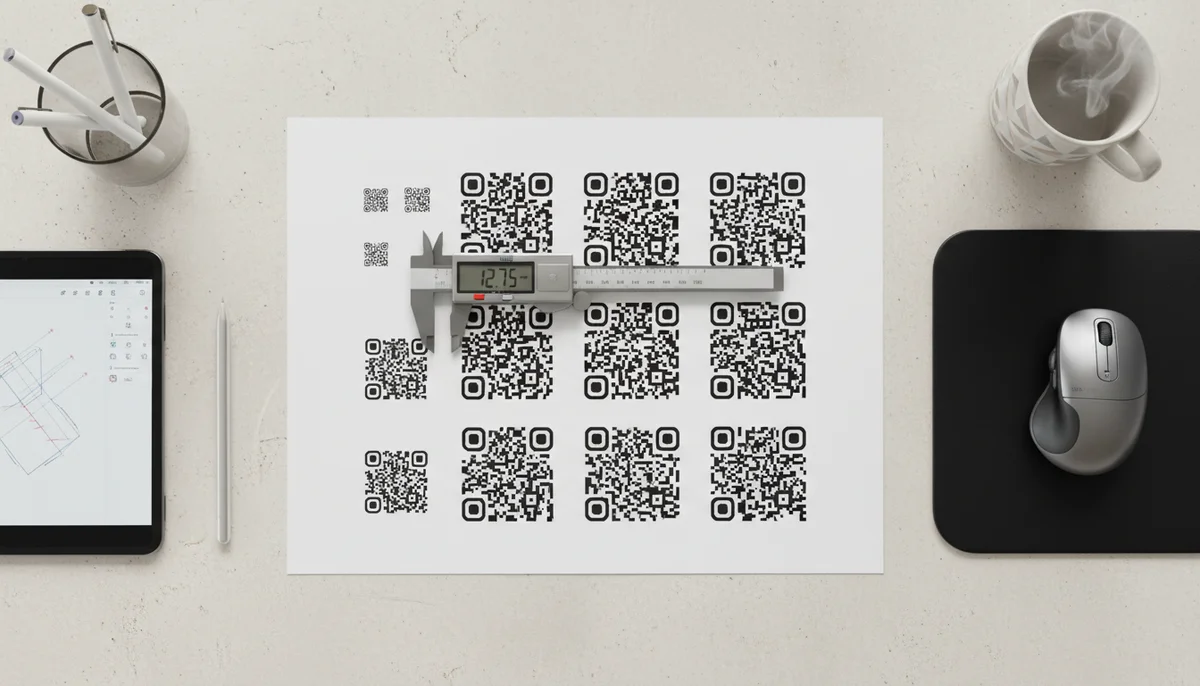
Optimal QR Code Size: Essential Guidelines for Perfect Scans
Discover the ideal qr code size guidelines for maximum scannability across various uses. Learn how to choose the best dimensions for print and digital to ensure your QR c
Mastering QR Code Size: Your Essential Guide to Readability and Impact
In the dynamic world of digital marketing, QR codes have become indispensable tools for bridging the physical and digital realms. From product packaging to billboards, these pixelated squares connect users to a wealth of information with a simple scan. However, the success of any QR code campaign hinges on one critical, often overlooked factor: its size. Get it wrong, and your brilliantly designed campaign becomes an unreadable frustration. This guide will provide comprehensive qr code size guidelines to ensure your codes are always scannable, effective, and drive engagement.
The Foundation of Readability: Understanding QR Code Mechanics
Before diving into specific dimensions, it’s crucial to understand why size matters. A QR code isn't just an image; it's a precisely structured data matrix. Its scannability depends on several interconnected factors:
- Module Size: Each small square within a QR code is called a "module." The smaller these modules are relative to the overall print size, the harder it is for a scanner to accurately distinguish them.
- Data Density: The more information you embed into a QR code (e.g., a very long URL, extensive text), the more modules it requires, making the code more complex and potentially larger for optimal readability.
- Error Correction Level (ECL): QR codes have built-in error correction, allowing them to be scanned even if partially damaged or obscured. Higher ECLs add more redundant modules, increasing the code's complexity and minimum readable size. While useful for durability, it adds to the visual "busyness."
- Print Resolution and Quality: A high-resolution print on a flat, non-reflective surface is far easier to scan than a low-resolution image on a textured or glossy material.
Understanding these fundamentals allows us to establish robust qr code size guidelines that cater to various applications.
Determining the Minimum Viable QR Code Size
The most common question regarding QR codes is, "What's the smallest it can be?" While there's no single universal answer, a well-established rule of thumb provides a starting point:
- Minimum Physical Size: For most general-purpose applications, a QR code should be at least 1 x 1 inch (2.5 x 2.5 cm). This provides enough physical space for a smartphone camera to focus and distinguish the modules effectively, assuming standard data density and good print quality.
- Digital Minimums (Pixels): When creating QR codes digitally, the smallest recommended size before printing is typically 300 x 300 pixels. However, this is just a starting point. The actual printed dimensions are what truly matter for scannability.
This minimum applies to scenarios where the code will be viewed up close, such as on a business card or product label. Deviating too far below this can lead to frustration and failed scans, undermining your entire QR code marketing effort.
The Golden Rule: Distance-to-Size Ratio
The most critical factor in determining the ideal QR code size is the distance from which it will be scanned. This relationship is best expressed by the distance-to-size ratio.
A widely accepted and highly effective guideline is the 10:1 ratio:
- For every 10 units of distance between the scanner and the QR code, the code should be at least 1 unit in size.
Let's break this down:
- If a user is expected to scan a QR code from 10 feet away, the QR code should be at least 1 foot (12 inches) wide.
- If a user is scanning from 12 inches (1 foot) away, the QR code should be at least 1.2 inches wide.
This ratio helps ensure that the camera's resolution is sufficient to capture all the modules without blurring or pixelation. Remember, a larger code is almost always safer than one that is too small.
Practical Applications and Business Use Cases
Let's apply these qr code size guidelines to common marketing scenarios:
1. Business Cards and Small Print Materials
- Context: Scanned at arm's length (approx. 6-12 inches).
- Recommended Size: 1.2 x 1.2 inches (3 x 3 cm) to 2 x 2 inches (5 x 5 cm).
- Tip: Keep the data simple for business card QR codes (e.g., a link to your LinkedIn profile or a vCard QR Codes for contact details). Simpler data means fewer modules, allowing for a slightly smaller physical size.
2. Flyers, Brochures, and Product Packaging
- Context: Scanned at an average distance of 1-3 feet.
- Recommended Size: 2 x 2 inches (5 x 5 cm) to 4 x 4 inches (10 x 10 cm).
- Business Use Case: Imagine a food product with a QR code linking to a recipe video or nutritional information. Or a brochure for a real estate listing linking to a virtual tour. For product packaging, especially on smaller items, careful consideration of space is vital. The content could be a Video QR Codes or a PDF QR Codes with instructions.
3. Retail Store Displays and Restaurant Menus
- Context: Scanned from 2-5 feet away (e.g., a counter display, a table tent).
- Recommended Size: 4 x 4 inches (10 x 10 cm) to 8 x 8 inches (20 x 20 cm).
- Business Use Case: Restaurants widely use Restaurant Menu QR Codes on tables. If the QR code is on a poster near the entrance, it needs to be larger to accommodate a further scanning distance. Similarly, a retail display promoting a new product might feature a QR code that links to an App Store QR Codes download or a special coupon.
4. Posters, Banners, and Billboards
- Context: Scanned from significant distances (e.g., 10 feet to 50+ feet).
- Recommended Size: This is where the 10:1 ratio becomes paramount.
- For a poster scanned from 10 feet: minimum 1 x 1 foot.
- For a banner scanned from 20 feet: minimum 2 x 2 feet.
- For a billboard scanned from 50 feet: minimum 5 x 5 feet.
- Business Use Case: A large billboard QR code promoting a music festival might link to a Social Media QR Codes page or an Event QR Codes registration. The scale here is crucial; an undersized QR code on a billboard is effectively invisible.
The Role of Dynamic QR Codes and Design in Sizing
While physical dimensions are primary, the underlying technology and design choices also influence effective sizing.
Dynamic vs. Static QR Codes
- Dynamic QR codes are a game-changer for managing size and flexibility. They work by using a short, consistent URL that redirects to your actual content (e.g., website, video, PDF). This means the QR code itself remains relatively simple, requiring fewer modules, even if the destination content is complex.
- Static QR codes, on the other hand, embed the destination data directly. A long URL or complex data means more modules and a higher minimum physical size for scannability.
For optimal qr code size guidelines and campaign flexibility, utilizing a platform that offers Dynamic QR Codes is highly recommended. This allows you to update the linked content without ever having to change the printed QR code, making your QR code campaigns far more adaptable and efficient.
Design Elements and Customization
While adding logos and colors can enhance brand recognition, they can also impact scannability if not done correctly.
- Logo Integration: If you embed a logo within the QR code, ensure it doesn't obscure too many modules, particularly in the corners or the finder patterns. A general rule is to keep the logo to about 30% of the QR code's total area.
- Color Contrast: Always maintain high contrast between the QR code's foreground and background. Dark modules on a light background (e.g., black on white) are ideal. Avoid low-contrast combinations (e.g., light blue on white) or excessively busy backgrounds.
- Quiet Zone: Every QR code requires a "quiet zone" – an empty border around its perimeter, typically four modules wide. This helps scanners identify the code and differentiate it from surrounding elements. Never print text, images, or cut into this quiet zone.
For those looking to create visually appealing yet scannable codes, explore options for Custom QR Design to balance branding with functionality.
Strategic Implementation and Testing
Once you've determined the appropriate size and design, strategic implementation and rigorous testing are non-negotiable steps for successful QR code deployment.
1. Choose a Reliable QR Code Generator
The quality of your QR code starts with its creation. Use a robust and user-friendly QR code generator that offers options for dynamic codes, customization, and high-resolution downloads. Our Free QR Code Generator allows you to create various types of QR codes suitable for different needs.
2. Conduct Thorough Testing
This is perhaps the single most important step. Before printing thousands of flyers or a massive billboard, print a sample of your QR code at the intended size and test it repeatedly:
- Multiple Devices: Scan with various smartphone models (iOS and Android, newer and older devices) and different QR code reader apps.
- Varying Distances: Test from the minimum and maximum expected scanning distances.
- Different Lighting Conditions: Test in bright light, dim light, and even with some glare if relevant to the placement.
- Real-World Environment: Test the actual printed material in its final location (e.g., if it's on a glossy magazine page, test it on that exact paper type).
Even with strict qr code size guidelines, real-world variables can influence scannability. This testing phase helps identify and mitigate potential issues before they impact your QR code campaigns.
3. Monitor and Analyze Performance
After deployment, don't just set it and forget it. Integrate QR Code Analytics into your strategy. Monitoring scan rates, locations, and device types provides invaluable insights into your campaign's effectiveness. If a specific QR code isn't performing well, it might indicate a sizing issue, placement problem, or a lack of compelling call to action.
4. Optimize Content and User Experience
While not directly related to size, the content linked to your QR code significantly impacts its overall success. Ensure your landing pages are mobile-optimized, load quickly, and provide clear value. A perfectly sized QR code is wasted if it leads to a frustrating user experience. Consider specific content types like URL QR Codes or Business Page QR Codes to guide users directly to relevant information.
Conclusion
The correct QR code size isn't merely a technical detail; it's a cornerstone of effective QR code marketing. By adhering to robust qr code size guidelines, understanding the interplay of distance and data density, leveraging dynamic QR codes, and meticulously testing your implementations, you can ensure your QR codes are not just visible, but reliably scannable. This attention to detail transforms a simple pixelated square into a powerful, frictionless gateway between your physical presence and your digital strategy, driving engagement and delivering measurable results.
Ready to Get Started?
Explore our tools to enhance your QR code workflow
Free QR Code Generator
Create unlimited QR codes for free with our easy-to-use generator. No signup required.
Start CreatingRestaurant Menu QR Codes
Create contactless digital menus for restaurants. Update your menu in real-time without reprinting.
Create MenuvCard QR Codes
Share contact information instantly with vCard QR codes. Add to business cards, email signatures, and more.
Create vCardAll tools are available with a free plan to get you started
Frequently Asked Questions
Find quick answers to common questions about this topic
What is the ideal minimum size for a QR code?
For most general uses, a QR code should be at least 1 x 1 inch (2.5 x 2.5 cm) for reliable scanning from a short distance. Smaller sizes risk scannability issues and may not be readable by all devices.
How does viewing distance affect QR code size?
Viewing distance is crucial. A general rule of thumb is that the QR code size should be approximately 1/10th of the intended scan distance. For example, if scanning from 10 feet away, the code should be about 1 foot.
Can QR codes be too large?
While less common, a QR code can be too large if it's disproportionate to the viewing distance, making it difficult to frame within a scanner's view. The focus should be on appropriate sizing, not just 'bigger is better.'
Does the amount of data influence QR code size?
Yes, more data encoded in a QR code increases its complexity and density. This means it will require a larger physical size to maintain scannability, especially for static QR codes with a lot of information.
How can I test my QR code's size before printing?
Always print a test version of your QR code at the intended final size and scan it with various devices and lighting conditions. QR-Build's dynamic QR codes offer flexibility, allowing you to edit content even after printing if needed.
Related Articles
Continue exploring QR code strategies and best practices

What is a QR Code? Understanding How QR Codes Work & Technology
Curious about QR codes? Discover what a QR code is and how it works. This guide explains the ingenious QR code technology, connecting physical to digital information effo

How QR Code Scanner Technology Works: A Simple Explanation
Ever wondered how QR code scanner technology deciphers those complex patterns? Discover the simple process of scanning, from optical readers to data conversion. Learn wha

How to Track QR Code Scans for Campaign Success
Learn how to track QR code scans effectively with real-time analytics to measure campaign performance and optimize your marketing efforts. Understand key metrics.
How Dynamic QR Codes Work: Your Guide to Editable QR Codes
Discover how dynamic QR codes allow you to update content even after printing. Learn the benefits of an editable QR code for campaigns, menus, and business.
QR Code Offline Marketing: Drive Engagement Beyond Digital
Discover how QR codes revolutionize offline marketing. Learn strategies to connect physical and digital campaigns, track engagement, and boost ROI with dynamic QR codes.
Create a QR Code for Your Website: The Ultimate Guide
Unlock easy access to your website with a QR code. Learn how to create a website QR code, customize it, and deploy it effectively to boost traffic and user engagement. Si

Technical Writer
David combines his background in software engineering with clear technical writing. He creates comprehensive guides and tutorials for developers.