
Share Your Work: How Portfolio QR Codes Enhance Visibility
Discover how a portfolio QR code can effortlessly share your creative work. Learn to create dynamic, editable QR codes and track engagement for your digital portfolio.
Elevate Your Showcase: The Power of a Portfolio QR Code
In today's fast-paced digital world, making a memorable first impression is paramount, especially when presenting your professional work. Whether you're a designer, photographer, freelancer, artist, or job seeker, showcasing your talents effectively can open doors to new opportunities. This is where the strategic use of a portfolio QR code becomes a game-changer. Imagine giving someone instant access to your entire body of work with a single scan – no clunky URLs, no fumbling for business cards. This article will delve into how a simple, scannable code can revolutionize how you share your professional portfolio, making you stand out in a crowded market.
A portfolio QR code isn't just a tech gimmick; it's a sophisticated tool for modern professionals. It bridges the physical and digital realms, offering unparalleled convenience and efficiency. By embracing this technology, you're not just sharing links; you're providing an interactive, accessible, and trackable gateway to your creative and professional achievements. Let's explore how to leverage this powerful tool to your advantage.
What Exactly is a Portfolio QR Code?
At its core, a portfolio QR code is a scannable barcode that, when read by a smartphone camera, instantly directs the user to your online portfolio, resume, video reel, or any digital asset showcasing your work. It eliminates the friction of manually typing URLs, ensuring a seamless and immediate experience for anyone interested in your capabilities.
Think of it as a digital handshake that bypasses the awkwardness of swapping contact details. Instead of handing over a physical brochure or asking someone to "check out your website later," a quick scan delivers your curated work directly to their device. This level of instant access is crucial for capturing attention in environments where time is limited, such as networking events, job interviews, or art exhibitions.
Why Your Portfolio Needs a QR Code
The benefits of integrating a QR code into your portfolio strategy extend far beyond mere convenience. They offer a distinct professional edge and enhance your overall presentation.
- Instant Access & Impression: Provide immediate access to your best work. This demonstrates tech-savviness and respect for the recipient's time.
- Modern & Professional Image: Using a QR code projects a contemporary and innovative image, setting you apart from traditional methods.
- Versatility in Sharing: A single QR code can link to various types of content – a comprehensive website, a PDF of case studies, a video reel, or even a personalized landing page.
- Enhanced Engagement: Encourage deeper engagement with your work by making it effortless to explore. People are more likely to scan than to remember and type a URL later.
- Measurable Impact: With QR Code Analytics, you can track how many times your code is scanned, where scans occur, and even the devices used. This data is invaluable for understanding interest levels and refining your outreach strategy.
- Eco-Friendly: Reduce reliance on printed materials, contributing to a more sustainable professional practice.
Dynamic vs. Static QR Codes: The Smart Choice for Portfolios
When creating your portfolio QR code, you'll encounter two main types: static and dynamic. Understanding the difference is critical for long-term success.
- Static QR Codes: These codes embed the destination URL directly into the QR code image. Once generated, the content they link to cannot be changed without generating a new code. If your portfolio URL changes, or you want to update the content, any printed static codes become obsolete.
- Dynamic QR Codes: These codes are far superior for portfolios. They use a short redirect URL, allowing you to change the destination content at any time without altering the physical QR code itself. If you update your website, add new projects, or even switch to a different hosting platform, you simply update the linked URL within your QR code generator dashboard. Furthermore, Dynamic QR Codes enable detailed tracking and analytics, giving you insights into scan activity. For any professional sharing a portfolio, dynamic codes are the clear and logical choice.
Practical Applications: Where a Portfolio QR Code Shines
The versatility of a portfolio QR code means it can be deployed across a wide array of scenarios, maximizing your exposure and professional impact.
For Freelancers and Consultants
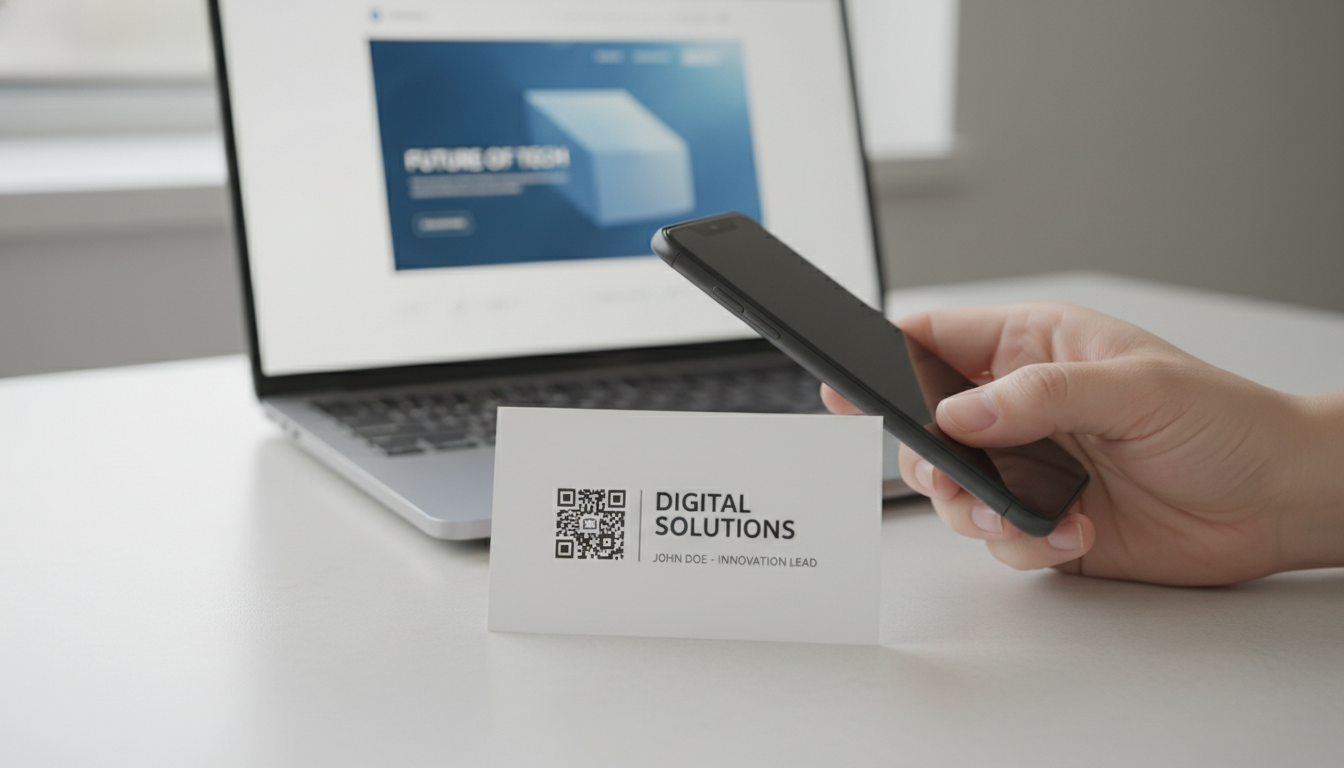
Imagine a graphic designer or marketing consultant attending a networking event. Instead of a generic business card, their card features a beautifully designed QR code. A potential client scans it and is immediately taken to a tailored landing page showcasing relevant case studies, client testimonials, and a direct contact form. This is far more impactful than just a website URL. Similarly, on invoices or proposals, a QR code can direct clients to a feedback form or a gallery of related services.
For Artists and Photographers
At an art exhibition or photography show, physical space might be limited, preventing you from displaying every piece. A QR code next to your artwork or in your artist statement can link to your full online gallery, offering visitors a deeper dive into your collection, artist biography, and even purchase options. A photographer could use a Video QR Code to share behind-the-scenes footage of a photoshoot or a Image QR Code to display a curated album of their latest work, accessible instantly from their print display.
For Job Seekers
A well-crafted resume is essential, but it can only convey so much. By including a portfolio QR code on your resume or cover letter, you provide recruiters with immediate access to your online portfolio, LinkedIn profile, or even a PDF QR Code linking to an extended version of your resume with detailed project descriptions. This proactive approach not only demonstrates your work but also highlights your tech-savviness and attention to detail.
For Speakers and Presenters
If you're giving a presentation, a QR code on your final slide can be incredibly powerful. Instead of rushing to read out your contact information or website, attendees can simply scan the code to download your presentation slides, access supplementary resources, or connect with you on social media using a Social Media QR Code. This ensures your message resonates long after the session ends.
Strategy and Implementation: Crafting Your Perfect Portfolio QR Code
Creating and deploying an effective portfolio QR code involves more than just generating a pretty graphic. It requires strategic thinking about content, design, and placement.
Step-by-Step: Creating Your Portfolio QR Code
The process of generating a QR code for your portfolio is straightforward, especially when using a reliable online generator.
- Choose Your Destination: First, decide where your QR code will lead. This is usually your professional portfolio website. Ensure the page is mobile-friendly and loads quickly. You might also consider linking to:
- A specific project page.
- A vCard QR Code for instant contact saving.
- A PDF QR Code of your resume or a case study.
- A Link List QR Code if you want to offer multiple options (website, LinkedIn, Instagram).
- Select a QR Code Generator: Utilize a robust platform like our Free QR Code Generator. This tool allows you to input your chosen URL and instantly create a scannable code.
- Opt for Dynamic: Always choose the option to create Dynamic QR Codes. This ensures flexibility and access to analytics, as discussed earlier. For a direct website link, you would select the URL QR Codes option within the generator.
- Customize Your Code: Don't settle for a generic black-and-white square. Brands matter, and your personal brand is no exception.
- Color: Match the colors of your brand or portfolio.
- Logo: Embed your personal logo or a relevant icon in the center of the QR code.
- Frame/Call to Action: Add a clear frame with a call to action like "Scan for My Portfolio" or "Explore My Work." Our Custom QR Design options can help you achieve a polished, professional look that integrates seamlessly with your branding.
- Test Thoroughly: Before deployment, scan your QR code multiple times with different devices and QR code readers. Ensure it leads to the correct destination and functions perfectly.
Where to Deploy Your Portfolio QR Code
Strategic placement is key to maximizing scans and engagement.
- Physical Materials:
- Business Cards: A classic, yet powerful placement. Make it prominent but not overwhelming.
- Resumes & Cover Letters: A small, professional addition to direct recruiters to your full online presence.
- Physical Portfolio/Brochures: Enhance printed materials with a digital layer.
- Art Prints/Exhibition Labels: Allow viewers to learn more about you and your work.
- Stickers/Apparel: For artists or designers, branded stickers with your QR code can be a subtle marketing tool.
- Digital Channels:
- Email Signatures: A professional touch for all your outgoing correspondence.
- LinkedIn Profile: Add it as an image to your featured section or banner.
- Digital Presentations: As mentioned, a powerful call to action on your final slide.
- Website/Blog: Provide an easy way for visitors to save your contact info or share your work.
- Social Media Posts: Encourage followers to explore a specific project or your full portfolio.
Leveraging QR Code Analytics for Your Portfolio
One of the most significant advantages of using dynamic QR codes is the ability to track their performance. With QR Code Analytics, you gain valuable insights into your audience's engagement.
- Total Scans: Understand the overall interest in your portfolio.
- Location of Scans: Pinpoint where your codes are being scanned most frequently. Is it at a specific event, in a particular city, or globally? This can inform future networking or marketing efforts.
- Time of Scans: Identify peak scanning times to understand when your audience is most active.
- Device Type: See what types of devices (iOS vs. Android) are being used, which can help tailor your portfolio's mobile experience.
For a freelancer, tracking scans from a business card handed out at a conference can provide tangible proof of interest. An artist can see which of their gallery pieces, each with its own QR code, is generating the most digital engagement. This data allows you to refine your outreach, improve your portfolio content, and make more informed decisions about where and how you present your work.
Best Practices for Design and Placement
- Make it Scannable: Ensure sufficient contrast between the QR code and its background. Avoid overly complex backgrounds or small sizes that hinder scanning. A minimum size of 1x1 inch is generally recommended.
- Clear Call to Action: Always pair your QR code with text that tells the user what to expect. "Scan for My Design Portfolio," "Watch My Demo Reel," or "Connect with Me" are much more effective than a bare QR code.
- Context is King: Place your QR code where it makes sense. On a business card, it provides contact. Next to an artwork, it provides context and deeper exploration.
- Branding Consistency: Ensure the QR code's design (colors, logo) aligns with your personal brand identity for a professional and cohesive look.
- Mobile-First Destination: Whatever your QR code links to, ensure it is fully optimized for mobile viewing. Most scans will come from smartphones.
Conclusion
In the competitive landscape of professional and creative industries, simply having a portfolio is no longer enough. You need to make it effortlessly accessible and engaging. A strategically implemented portfolio QR code provides that critical edge, transforming how you connect with potential clients, employers, and collaborators. It’s a powerful, modern tool that streamlines access to your work, enhances your professional image, and provides invaluable insights through analytics.
By leveraging Dynamic QR Codes, customizing their appearance, and strategically placing them across your physical and digital touchpoints, you empower your audience to explore your talents with unprecedented ease. Don't let your exceptional work get lost in a sea of forgotten links. Start utilizing our Free QR Code Generator today to create your own captivating portfolio QR code and unlock new opportunities for your professional journey. Elevate your showcase and leave a lasting impression that truly stands out.
Ready to Get Started?
Explore our tools to enhance your QR code workflow
Free QR Code Generator
Create unlimited QR codes for free with our easy-to-use generator. No signup required.
Start CreatingTeam Workspace
Collaborate with your team on QR code projects. Share templates, manage permissions, and track usage.
Explore TeamsvCard QR Codes
Share contact information instantly with vCard QR codes. Add to business cards, email signatures, and more.
Create vCardAll tools are available with a free plan to get you started
Frequently Asked Questions
Find quick answers to common questions about this topic
What is a portfolio QR code?
A portfolio QR code is a scannable image that links directly to your online portfolio, allowing artists, designers, and creators to share their work easily and instantly with a smartphone camera.
How do I create a QR code for my online portfolio?
You can create a portfolio QR code using a QR code generator like QR-Build. Simply enter your portfolio's URL, customize its appearance, and then download it for use on business cards or physical prints.
Can I update my portfolio QR code after printing?
Yes, if you use a dynamic QR code for your portfolio, you can update the linked URL or content anytime without needing to print a new QR code. This ensures your portfolio always stays current.
What are the benefits of using QR codes for portfolios?
QR codes offer effortless sharing of your digital portfolio, provide a modern and professional presentation, and can expand your reach at events or networking opportunities by offering instant access.
How can I track engagement with my portfolio QR code?
With dynamic QR codes created on platforms like QR-Build, you can access real-time scan analytics, providing insights into when, where, and how often your portfolio QR code is being scanned, helping you measure interest.
Related Articles
Continue exploring QR code strategies and best practices

How to Track QR Code Scans for Campaign Success
Learn how to track QR code scans effectively with real-time analytics to measure campaign performance and optimize your marketing efforts. Understand key metrics.

Dynamic QR Code Explained: What It Is, How It Works, & Benefits
Discover what a dynamic QR code is, how it works, and its key advantages for marketing and business. Learn why editable QR codes are essential for modern campaigns with Q
Create a QR Code for Your Website: The Ultimate Guide
Unlock easy access to your website with a QR code. Learn how to create a website QR code, customize it, and deploy it effectively to boost traffic and user engagement. Si

How to Generate a vCard QR Code for Your Business Cards
Learn how to use a vCard QR code generator to create dynamic digital business cards. Easily share contact info and update details anytime, even after printing.

Elevate Your Brand: The Power of a Custom QR Code Domain
Discover how a custom QR code domain boosts brand trust and professional appeal. Learn to implement your own branded short URLs for QR codes with QR-Build.

QR Code Lead Generation: Strategies to Capture More Prospects
Discover how dynamic QR codes can revolutionize your lead generation efforts. Learn effective strategies for capturing more prospects and boosting conversions with QR-Bui

Technical Writer
David combines his background in software engineering with clear technical writing. He creates comprehensive guides and tutorials for developers.