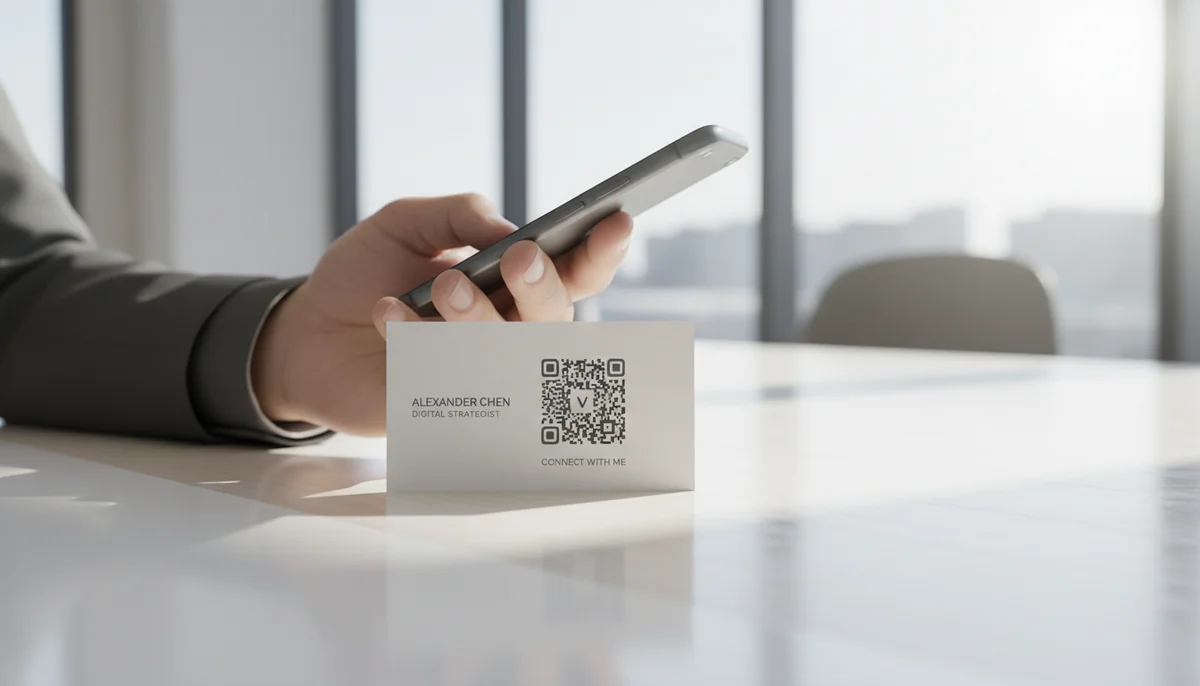
How to Generate a vCard QR Code for Your Business Cards
Learn how to use a vCard QR code generator to create dynamic digital business cards. Easily share contact info and update details anytime, even after printing.
How to Create a QR Code for Business Cards: Your Guide to Instant Digital Connections
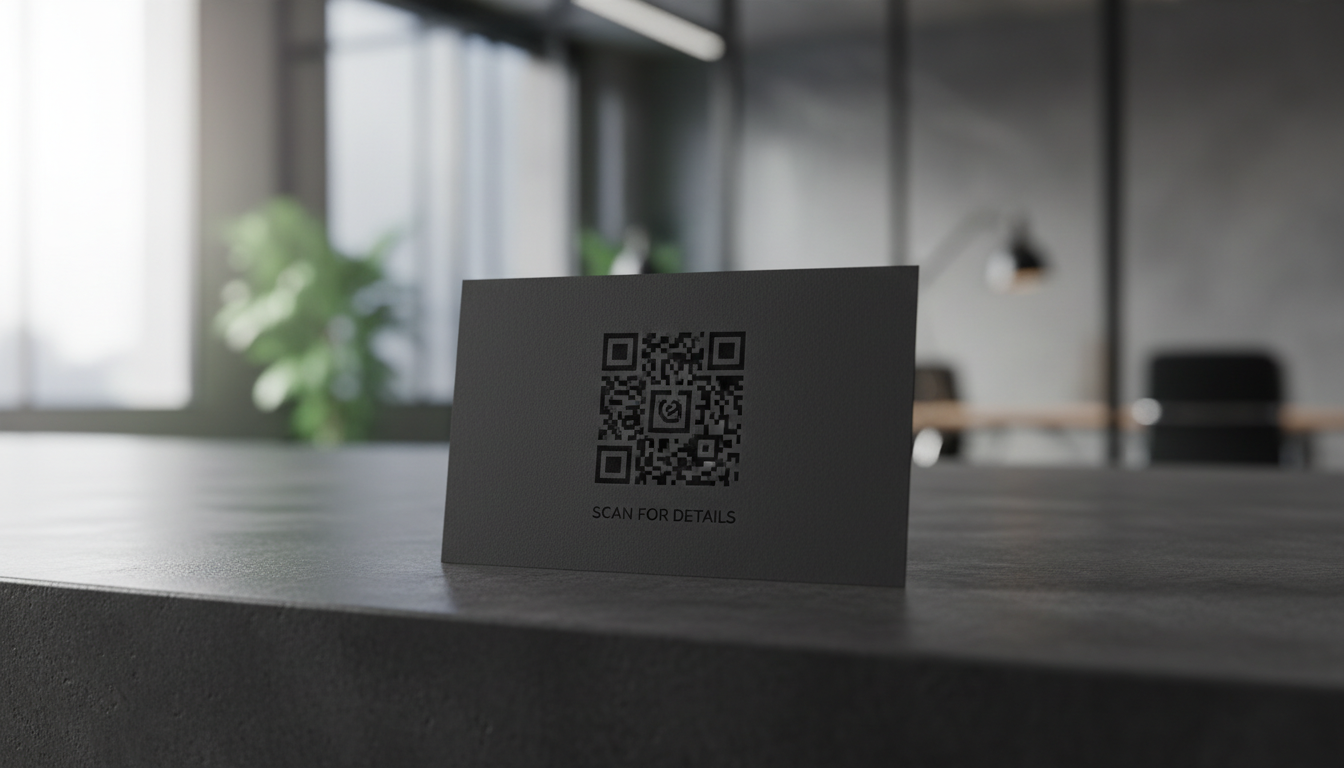
A traditional business card hands someone your name; a QR code on that card hands them your entire digital identity. In today's interconnected business world, providing instant access to your full professional profile isn't just a convenience – it's an expectation. Integrating a vCard QR code onto your business card transforms a simple piece of paper into a gateway for seamless networking and immediate information exchange.
This comprehensive guide will walk you through the process of creating a powerful, effective QR code for your business cards. We'll explore the benefits, compare static and dynamic options, provide step-by-step instructions for using a vcard qr code generator, and share advanced strategies to leverage this technology for maximum impact in your QR code marketing efforts.
Why QR Codes on Business Cards? The Digital Edge
Business cards remain a foundational networking tool, but their static nature can be a limitation. QR codes bridge this gap, offering a dynamic link between your physical card and your expansive digital presence.
- Instant Contact Saving: The primary advantage. A quick scan allows recipients to save your contact information directly to their smartphone, eliminating manual entry and reducing errors.
- Rich Information Sharing: Beyond a phone number, a QR code can link to your website, LinkedIn profile, online portfolio, social media channels, or even a video introduction.
- Trackable Engagement: Utilizing dynamic QR codes provides valuable QR code analytics, letting you see how many scans your card receives, where they occur, and when. This insight is crucial for optimizing your networking strategy.
- Modern Professional Image: A business card with a QR code signals tech-savviness and a forward-thinking approach, setting you apart from the competition.
- Always Up-to-Date: With dynamic QR codes, you can update your contact details or linked information without reprinting a single card. This flexibility is invaluable for evolving roles or contact changes.
Understanding vCard QR Codes: Static vs. Dynamic
Before diving into creation, it's crucial to understand the two main types of vCard QR codes: static and dynamic. Your choice significantly impacts functionality and your ability to manage your QR code campaigns.
A vCard QR code (also known as a virtual contact card QR code) contains all your essential contact details in a standardized format that smartphones can easily interpret.
Static vCard QR Codes
Static vCard QR codes directly embed your information (name, phone, email, etc.) into the QR code graphic itself.
- Pros: Simple to create, no ongoing management required. You can generate a Static vCard QR Code quickly.
- Cons: Once printed, the information cannot be changed. If your phone number or company website updates, the QR code becomes obsolete, requiring new cards to be printed. They also offer no scan tracking or analytics.
Dynamic vCard QR Codes
Dynamic vCard QR codes don't directly store your contact information. Instead, they contain a short, unique URL. When scanned, this URL redirects the user to a hosted landing page where your contact information is stored.
- Pros:
- Editable Content: Update your details anytime without reprinting your cards. Perfect for role changes or new contact info.
- QR Code Analytics: Track scan data (location, time, device type) to measure the effectiveness of your networking.
- Enhanced Options: Link to more than just basic contact info – include social media profiles, a portfolio, or a custom landing page.
- Retargeting Capabilities: Some advanced dynamic QR code platforms allow for retargeting based on scan data.
- Cons: Requires an active subscription with a QR code generator provider to maintain the redirection service.
For business cards, dynamic vCard QR codes are almost always the superior choice, offering flexibility, data, and longevity that static codes cannot match. When you use a high-quality vcard qr code generator, you're investing in a future-proof networking tool.
Step-by-Step: Creating Your Dynamic vCard QR Code for Business Cards
Creating your professional vCard QR code is straightforward with the right tools. Follow these steps to generate a QR code that makes an impact:
1. Choose a Reliable QR Code Generator
Start by selecting a robust QR code generator that supports dynamic vCard creation. Look for features like customization options, analytics, and ease of use.
2. Select the "vCard" Option
Once on the generator's platform, navigate to the QR code type selection. You'll typically find an option labeled "vCard," "Contact," or "Business Card." Click this to begin configuring your digital contact card. This will take you to the vCard QR Codes generator page.
3. Input Your Contact Details
This is where you populate your virtual business card. Be thorough and accurate. Enter the following information:
- Personal Information:
- First Name
- Last Name
- Title
- Company
- Contact Information:
- Phone Numbers (Mobile, Work, Fax)
- Email Address
- Website URL (e.g., your company site, personal portfolio)
- Address (Street, City, State, Zip, Country)
- Optional Enhancements:
- LinkedIn Profile URL
- Other Social Media Links (Twitter, Instagram, etc.)
- A short bio or professional summary
- Company Logo (for branding within the vCard display)
Ensure all URLs are correct and active. Double-check email and phone numbers for typos.
4. Customize Your QR Code Design
A well-designed QR code enhances your brand identity and encourages scans. A good vcard qr code generator will offer extensive Custom QR Design options.
- Colors: Match your brand's color palette. Ensure there's high contrast between the foreground (modules) and background for scannability.
- Logo Integration: Embed your company logo or personal brand icon directly into the center of the QR code. This increases brand recognition and professionalism.
- Shape and Frame: Some generators allow you to customize the shape of the QR code modules or add a custom frame with a call to action.
- Call to Action (CTA): Add a brief, clear CTA like "Scan to Connect," "Add to Contacts," or "Visit My Portfolio" directly beneath or within the QR code design.
5. Generate and Download Your QR Code
After customizing, click the "Generate" or "Create" button. Your vcard qr code generator will then produce your unique QR code. Download it in a high-resolution format suitable for printing (e.g., SVG, EPS, high-res PNG).
6. Test Thoroughly Before Printing
This step is non-negotiable. Scan your newly generated QR code with multiple different smartphone cameras and QR code reader apps.
- Check all links: Ensure every piece of information (phone, email, website, social links) functions correctly.
- Verify scannability: Confirm the code scans quickly and reliably in various lighting conditions.
- Review content: Make sure all your details are accurate and properly formatted.
If any issues arise, return to your vcard qr code generator, make the necessary edits (thanks to its dynamic nature!), and re-download.
Advanced Strategies: Maximizing Your Business Card QR Code
Having a QR code on your business card is just the beginning. Strategic implementation can elevate its effectiveness beyond a simple contact exchange.
Trackable Insights with Dynamic Codes
One of the most powerful advantages of a dynamic QR code is the ability to gather data. Utilize QR Code Analytics to understand:
- Scan Volume: How many times your QR code has been scanned.
- Geographical Data: Where your scans are occurring (useful for knowing which events or regions yield the most engagement).
- Time of Scans: When your cards are most actively scanned, helping you understand follow-up timing.
This data allows you to refine your networking approach and measure the ROI of your business card distribution.
Bulk Generation for Teams and Events
For sales teams, large organizations, or conferences, generating individual QR codes can be time-consuming. A Bulk QR Generator allows you to create multiple unique vCard QR codes at once, typically by uploading a CSV file with team members' data. This ensures consistency and saves significant time. Imagine equipping your entire sales force with branded, dynamic vCards in minutes!
Integrating with Digital Assets
Think beyond just contact info. Your QR code can be a gateway to:
- A personalized landing page: A "digital business card" page with richer content, client testimonials, and a stronger call-to-action.
- An online portfolio: Essential for creatives, designers, and photographers.
- A direct link to schedule a meeting: Integrate with your calendar booking tool.
- A PDF QR Code of your company's latest brochure or service catalog: Provide valuable resources instantly.
By linking to these digital assets, you transform your physical card into a comprehensive marketing tool for your QR code campaigns.
A/B Testing Your QR Code Campaigns
With dynamic QR codes, you can create multiple versions linked to different landing pages or containing slightly varied information. For example, one version might emphasize your website, another your LinkedIn. By tracking the QR Code Analytics for each, you can determine which approach resonates most with your audience. This data-driven approach allows for continuous optimization of your QR code marketing.
Design Best Practices for Business Card QR Codes
A technically perfect QR code is only effective if it's scannable and visually appealing. Adhere to these design principles:
- Appropriate Size and Placement: The QR code should be large enough to scan easily, typically at least 0.8 x 0.8 inches (2x2 cm). Place it prominently on your card, away from the edges, to avoid cutting off essential modules during printing.
- High Contrast is King: Ensure a stark contrast between the QR code's foreground (dark) and background (light). Black on white is ideal, but dark colors on light backgrounds work well. Avoid busy or gradient backgrounds behind the code.
- Error Correction Level: Most vcard qr code generator tools allow you to set an error correction level. A higher level (e.g., H for 30%) makes the QR code more resilient to damage or partial obstruction, ensuring it still scans even if slightly torn or smudged.
- Clear Call to Action: Don't assume people know what to do. Include text like "Scan to Connect," "Add My Info," or "Visit My Portfolio" next to the QR code.
- Brand Consistency: Use your brand colors (while maintaining contrast) and integrate your logo seamlessly. This strengthens brand recognition and trust.
Real-World Business Use Cases
Let's look at how professionals can leverage QR codes on business cards in various scenarios:
- Networking Events: A quick scan can instantly share your comprehensive contact details, social links, and even a link to your LinkedIn profile. This is far more efficient than typing names into a phone.
- Sales Professionals: Instead of just a contact, the QR code can lead to a customer-specific landing page, a demo video, or a link to schedule a follow-up meeting directly. Imagine giving a potential client your card, and they can immediately access a case study on their phone.
- Freelancers and Consultants: Beyond contact information, your QR code can link directly to your online portfolio, client testimonials, or a service overview page, showcasing your expertise instantly.
- Real Estate Agents: A vCard QR code can include contact details, a link to current listings, or even a video tour of a featured property.
- Event Organizers: Distribute cards that not only share your contact info but also link to the event registration page, agenda, or directions.
- Speakers and Trainers: Your QR code can provide instant access to your speaker's kit, a link to your book, or a sign-up for your newsletter.
In each scenario, the QR code amplifies the utility of the traditional business card, turning it into an interactive and informative touchpoint.
Choosing the Right vCard QR Code Generator
The effectiveness of your QR code marketing hinges on the quality of your chosen vcard qr code generator. When evaluating options, consider these factors:
- Dynamic Capabilities: Prioritize generators that offer dynamic QR codes for their flexibility, editability, and tracking features.
- Customization Options: Look for extensive design tools to brand your QR codes with colors, logos, and frames.
- Analytics and Reporting: A robust analytics dashboard is vital for tracking scan performance and optimizing your QR code campaigns.
- Ease of Use: An intuitive interface makes the creation process simple and efficient.
- Security and Reliability: Ensure the generator uses secure hosting for your dynamic QR code landing pages and has a strong uptime record.
- Team Features: If you're managing QR codes for multiple employees, features like a centralized team workspace or Bulk QR Generator are essential.
- Customer Support: Responsive support can be invaluable if you encounter any issues.
A quality vcard qr code generator isn't just a tool; it's a partner in your digital networking strategy, providing the features needed to make a lasting impression.
Conclusion
In the competitive landscape of modern business, your business card should do more than just exist—it should connect, inform, and impress. By integrating a dynamic vCard QR code, you transform a static piece of paper into a powerful, interactive digital gateway. From instantly sharing your comprehensive professional profile to tracking engagement and updating information on the fly, a well-implemented QR code is an indispensable asset for any professional.
Embrace the power of the vcard qr code generator to enhance your networking, streamline information exchange, and leave a memorable digital footprint. Ready to create a business card that makes an impact? Generate your dynamic vCard QR code today and connect with confidence.
Ready to Get Started?
Explore our tools to enhance your QR code workflow
Free QR Code Generator
Create unlimited QR codes for free with our easy-to-use generator. No signup required.
Start CreatingBulk QR Generator
Generate hundreds of QR codes at once from CSV files. Perfect for events, inventory, and mass campaigns.
Start BulkvCard QR Codes
Share contact information instantly with vCard QR codes. Add to business cards, email signatures, and more.
Create vCardAll tools are available with a free plan to get you started
Frequently Asked Questions
Find quick answers to common questions about this topic
What is a vCard QR code and how does it work?
A vCard QR code is a digital business card that stores your contact information, allowing others to instantly save your details to their phone by scanning. It streamlines networking and data exchange.
Can I edit the contact information in my vCard QR code after printing?
Yes, with a dynamic vCard QR code generator like QR-Build, you can update your contact details, phone number, or email address at any time without having to re-print your business cards.
What information can I include in a vCard QR code?
You can include your name, title, company, phone numbers, email addresses, website, social media links, and even a photo. It acts as a comprehensive digital contact card.
Why should I use a vCard QR code instead of a traditional business card?
vCard QR codes are more interactive, convenient, and eco-friendly. They allow instant contact saving, reduce paper waste, and provide trackable scan analytics for marketing insights.
How do I create a vCard QR code for free?
Many online platforms offer free static vCard QR code generators. For dynamic, editable codes with analytics, consider a SaaS platform like QR-Build, often with free trials available.
Related Articles
Continue exploring QR code strategies and best practices
What are the Main QR Code Types? Static, Dynamic & More
Explore the different QR code types, from static to dynamic. Learn their unique features, benefits, and best uses for business with QR-Build.
Static vs Dynamic QR Code Explained: Benefits of Dynamic QR
Understand static vs. dynamic QR codes. Learn the benefits of dynamic QR codes for marketing, tracking, and content updates. Essential for modern campaigns.
Create a QR Code for Your Website: The Ultimate Guide
Unlock easy access to your website with a QR code. Learn how to create a website QR code, customize it, and deploy it effectively to boost traffic and user engagement. Si
Unlock Growth: QR Codes in Business for Modern Engagement
Discover how QR codes revolutionize business operations, marketing, and customer engagement. Explore essential QR code business uses to drive efficiency and boost your br
Create a QR Code for PDF: The Ultimate PDF QR Code Generator Guide
Unlock easy document sharing! Learn how to generate a QR code for PDF files effortlessly. Our guide covers using a PDF QR code generator to enhance accessibility and dist

What is a QR Code? Understanding How QR Codes Work & Technology
Curious about QR codes? Discover what a QR code is and how it works. This guide explains the ingenious QR code technology, connecting physical to digital information effo

Technical Writer
David combines his background in software engineering with clear technical writing. He creates comprehensive guides and tutorials for developers.