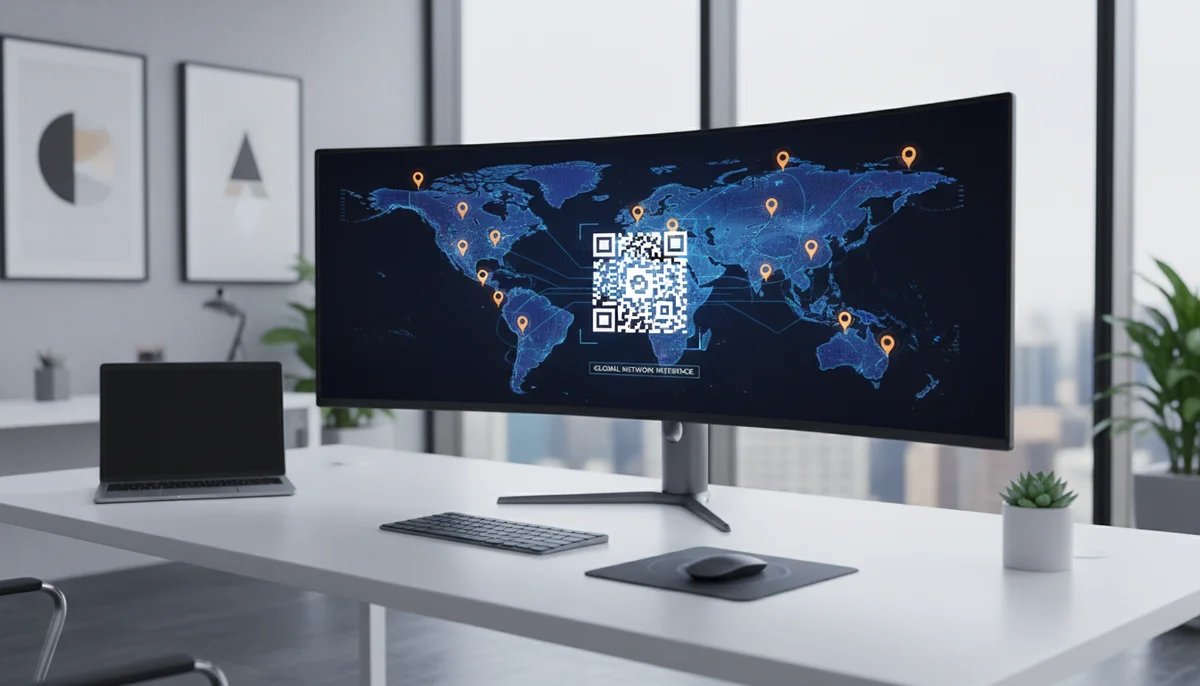
Streamline Multi-Location QR Code Management with QR-Build
Discover how multi-location QR code management streamlines operations for your business. Learn to create, track, and update QR codes across all locations efficiently with
QR Codes for Multi-Location Businesses: Streamlining Your Digital Strategy
Managing a business with multiple physical locations presents a unique set of challenges. Maintaining brand consistency, delivering localized promotions, and tracking performance across diverse branches can quickly become a logistical nightmare. In today's digital-first world, bridging the gap between physical storefronts and online engagement is crucial for success. This is where QR codes emerge as an indispensable tool, offering a scalable and efficient solution.
However, simply deploying QR codes isn't enough. For businesses operating across various sites, a robust strategy for multi location qr code management is essential. This article will delve into how multi-location businesses can leverage QR codes to enhance customer experiences, streamline operations, and drive measurable results across all their establishments.
The Unique Challenges and Opportunities for Multi-Location Businesses
Operating multiple business locations brings distinct complexities alongside significant growth potential. Understanding these aspects is the first step towards an effective QR code strategy.
The Multi-Location Conundrum
Businesses with several branches often grapple with:
- Brand Consistency: Ensuring uniform messaging, design, and customer experience across all sites, while allowing for local nuances.
- Decentralized Marketing: Each location might have specific needs or promotions, making centralized campaign execution difficult without efficient tools.
- Performance Tracking: Attributing marketing efforts and customer engagement to specific locations can be challenging without integrated analytics.
- Content Updates: Changing information (e.g., seasonal menus, updated promotions, new staff bios) across multiple physical locations manually is time-consuming and prone to error.
Why QR Codes are a Game-Changer
QR codes offer a direct, instant bridge between the physical and digital worlds, making them particularly potent for multi-location enterprises. They provide:
- Instant Access: Customers can scan a code to immediately access menus, special offers, feedback forms, or directions.
- Versatility: QR codes can link to almost any digital content, adapting to a myriad of marketing and operational needs.
- Measurable Engagement: With the right setup, every scan can be tracked, providing valuable data on customer interaction.
- Scalability: Once a template is created, QR codes can be generated and deployed across hundreds or thousands of locations with ease.
Essential Features for Effective Multi-Location QR Code Management
To truly harness the power of QR codes across multiple locations, businesses need more than just a basic QR code generator. They require a sophisticated system that supports their unique operational structure.
Dynamic QR Codes: The Cornerstone of Flexibility
For multi-location businesses, dynamic QR codes are non-negotiable. Unlike static QR codes, which permanently store the destination URL, dynamic codes use a redirect URL. This means you can change the linked content at any time without having to print new QR codes.
Imagine a restaurant chain with daily specials. With Dynamic QR Codes, you can update the digital menu every morning, and the QR code on the table remains the same. This flexibility saves significant printing costs and ensures your customers always access the most current information. Furthermore, dynamic codes enable advanced features like scan tracking and scheduling content changes.
Centralized Management and Collaboration
Effective multi location qr code management demands a centralized platform. This allows headquarters or regional managers to oversee all QR code campaigns while granting individual location managers the autonomy to manage codes relevant to their branch.
Key features include:
- Single Dashboard: View and manage all QR codes across every location from one intuitive interface.
- User Roles & Permissions: Assign different access levels, ensuring only authorized personnel can edit or create codes. A Team Workspace solution can provide robust role management, allowing you to delegate responsibilities without compromising control.
- Brand Guidelines Enforcement: Standardize design elements (logos, colors) across all codes to maintain brand consistency globally.
Robust Analytics and Reporting
One of the most significant advantages of dynamic QR codes for multi-location businesses is the ability to gather detailed performance data. QR code analytics provide invaluable insights into how your customers are engaging with your physical marketing assets.
A comprehensive analytics dashboard should offer:
- Scan Data: Track the number of scans, unique scans, and the time of day scans occur.
- Location-Specific Insights: Understand which branches are driving the most engagement and where specific campaigns are performing well.
- Device Information: Identify the types of devices used for scanning, which can inform mobile optimization strategies.
- Attribution: Link specific QR code campaigns to actual conversions or customer journeys, helping to optimize your marketing spend. Having access to QR Code Analytics for each individual code and aggregated across locations empowers data-driven decision-making.
Scalability and Bulk Generation
Generating a few QR codes is simple, but what about hundreds or thousands for all your product lines, tables, or store entrances across numerous locations? A powerful QR code platform should offer a Bulk QR Generator. This feature allows you to:
- Create multiple QR codes simultaneously from a spreadsheet or list of URLs.
- Apply consistent designs and settings to large batches of codes.
- Save immense amounts of time and effort compared to generating codes one by one.
Customization and Branding
A generic QR code might get scanned, but a branded QR code builds trust and reinforces your brand identity. For multi-location businesses, consistency in branding is paramount. Look for a platform that allows extensive customization, including:
- Adding your company logo within the QR code.
- Matching code colors to your brand palette.
- Customizing the shape and pattern of the QR code itself.
- Including a clear call-to-action (e.g., "Scan for Menu," "Scan for Deal").
Practical Applications: QR Codes in Action Across Multiple Locations
The versatility of QR codes makes them adaptable to a wide array of business types and marketing objectives. Here are concrete examples of how multi-location businesses can deploy them effectively.
Enhancing Retail Experiences
Retail chains can transform in-store experiences and drive sales using QR codes:
- Product Information: Place QR codes on shelf tags next to products. A scan could lead to detailed product specifications, customer reviews, video demonstrations, or even comparison tools, enhancing the shopping experience without requiring staff intervention.
- In-Store Promotions & Loyalty: Use codes on flyers or at the checkout to offer instant discounts, special promotions, or easy sign-ups for loyalty programs. A Coupon QR Codes solution allows for easy creation and management of location-specific deals.
- Customer Feedback & Surveys: Encourage customers to scan a code at the exit to provide immediate feedback on their specific store visit, allowing managers to address issues promptly and improve service quality.
Revolutionizing Restaurant & Hospitality Chains
For restaurant franchises, hotel groups, or café chains, QR codes offer efficiency and improved customer service:
- Digital Menus: Replace costly paper menus with Restaurant Menu QR Codes placed on tables. This offers a hygienic, easily updatable solution for specials, allergen information, and multi-language options.
- Order & Pay: Integrate QR codes with your POS system, allowing guests to scan and order directly from their table, reducing wait times and improving staff efficiency.
- Reservations & Waitlists: On entry signs or business cards, QR codes can link directly to your online booking system, making it simple for customers to secure a table or join a waitlist at that specific location.
- Wi-Fi Access: A simple QR code can provide instant, hassle-free Wi-Fi access for guests without the need to type in complex passwords.
Streamlining Service-Based Businesses
Gyms, salons, spas, and other service providers with multiple branches can benefit significantly:
- Appointment Booking: Place QR codes at reception desks, on brochures, or even staff business cards, leading clients directly to the online booking portal for that specific branch.
- Class Schedules & Member Portals: Fitness centers can use codes near studio entrances to display daily class schedules or link directly to a member portal for booking classes or managing subscriptions.
- Testimonials & Reviews: Encourage clients to leave reviews for the specific stylist, trainer, or therapist they just saw, or for the branch itself, boosting online reputation.
- Digital Business Cards: Use vCard QR Codes on staff uniforms or business cards for quick contact sharing.
Driving Traffic & Engagement for Event Venues
Multi-venue operators or businesses hosting events across different locations can use QR codes for:
- Event Information & Ticketing: On posters, digital screens, or advertisements, QR codes can link to event pages with details, schedules, and ticketing options for specific dates and venues.
- Venue Maps & Directions: For large complexes or festival grounds, QR codes can provide interactive maps or direct GPS navigation to specific stages, halls, or vendor booths.
- Post-Event Feedback: Gather specific feedback on individual events or performances by linking QR codes to targeted surveys.
Developing Your Multi-Location QR Code Strategy
Implementing QR codes effectively across multiple locations requires a thoughtful, structured approach. Here's a step-by-step guide to building a robust strategy.
Step 1: Define Your Goals and Target Audience
Before creating any QR codes, clarify what you want to achieve.
- Business Objectives: Are you aiming to increase foot traffic, boost sales, improve customer service, gather feedback, or enhance operational efficiency?
- Location-Specific Goals: Do certain locations have unique needs or promotions? For example, a new branch might focus on lead generation, while an established one targets loyalty.
- Target Audience: Who are you trying to reach at each location? Understanding their behaviors and preferences will guide your content and placement decisions.
Step 2: Choose the Right QR Code Types and Content
For multi-location deployment, dynamic QR codes are almost always the superior choice due to their flexibility and analytics capabilities.
- Content Variety: Decide what content each QR code will deliver. This could be a URL to a specific landing page (e.g., URL QR Codes), a PDF menu (e.g., PDF QR Codes), a contact card (e.g., vCard QR Codes), an app download (e.g., App Store QR Codes), or a dedicated Business Page QR Codes for each location.
- Personalized Content: Leverage dynamic codes to deliver personalized content based on the scanner's location, time of day, or even past interactions.
Step 3: Implement a Centralized Management System
Selecting the right QR code platform is critical for efficient multi location qr code management.
- Platform Selection: Choose a robust QR code generator platform that offers features like dynamic codes, bulk generation, advanced analytics, and a Team Workspace for user management.
- User Roles: Set up distinct user roles and permissions for headquarters staff, regional managers, and individual branch managers. This ensures accountability and prevents unauthorized changes.
- Branding Guidelines: Establish clear guidelines for QR code design (logo placement, colors, call-to-action text) to ensure brand consistency across all locations.
Step 4: Deploy and Promote Your QR Codes
Strategic placement and promotion are key to maximizing scan rates.
- Physical Placement: Identify high-visibility areas in each location where customers are likely to notice and have time to scan. Examples include checkout counters, table tents, window decals, product packaging, and waiting areas.
- Digital Integration: Don't limit QR codes to physical spaces. Integrate them into your digital marketing efforts, such as email signatures, social media posts, and online ads.
- Staff Training: Educate your staff at each location on the purpose of the QR codes and how they benefit customers. Empower them to encourage scans and answer questions.
- Clear Call to Action: Always include a brief, compelling call to action next to your QR code, explaining what customers will gain by scanning it (e.g., "Scan for our daily special," "Get 10% off," "Leave a review").
Step 5: Monitor, Analyze, and Optimize
The job isn't done once the QR codes are deployed. Continuous monitoring and optimization are vital.
- Regular Analytics Review: Utilize your QR Code Analytics dashboard to regularly review scan data. Look for trends, peak times, and high-performing locations or campaigns.
- Identify Opportunities: Pinpoint underperforming codes or locations and investigate the reasons. Is the placement poor? Is the call to action unclear? Is the linked content engaging?
- A/B Testing: Experiment with different calls to action, designs, or landing page content to see what resonates best with your audience. Dynamic QR codes make A/B testing incredibly easy, as you can change the destination URL without reprinting the code.
- Iterate and Refine: Use the insights gained from your analytics to continuously refine your QR code strategy across all locations. Update content, adjust placements, and launch new campaigns based on data-driven decisions.
Conclusion
For multi-location businesses, QR codes are far more than just a passing trend; they are a fundamental component of a modern, integrated marketing and operational strategy. By embracing the power of multi location qr code management, businesses can achieve unprecedented levels of consistency, efficiency, and customer engagement across their entire footprint.
Leveraging dynamic QR codes, centralized management platforms, robust analytics, and strategic deployment enables brands to bridge the physical-digital divide seamlessly. Start integrating a smart QR code strategy today to unlock new opportunities for growth and ensure your brand resonates uniformly, yet personally, with every customer, at every location.
Ready to Get Started?
Explore our tools to enhance your QR code workflow
Team Workspace
Collaborate with your team on QR code projects. Share templates, manage permissions, and track usage.
Explore TeamsBulk QR Generator
Generate hundreds of QR codes at once from CSV files. Perfect for events, inventory, and mass campaigns.
Start BulkRestaurant Menu QR Codes
Create contactless digital menus for restaurants. Update your menu in real-time without reprinting.
Create MenuAll tools are available with a free plan to get you started
Frequently Asked Questions
Find quick answers to common questions about this topic
What are the benefits of using QR codes for multi-location businesses?
QR codes for multi-location businesses enable consistent branding, centralized content updates, and unified analytics across all branches, improving operational efficiency and customer engagement.
How can I manage QR codes across many business locations efficiently?
Efficient management involves using a dedicated platform with team workspaces, allowing central creation, tracking, and editing of dynamic QR codes for each location from a single dashboard.
Can dynamic QR codes be updated for different store promotions?
Yes, dynamic QR codes are perfect for multi-location promotions as their linked content can be updated at any time without reprinting, ensuring all locations always display current offers.
What kind of analytics can I get from multi-location QR code campaigns?
You can track scan rates, location popularity, device types, and time of scans for each QR code across all your business locations, providing valuable insights into campaign performance.
Is it possible to integrate QR code generation with existing business systems?
Yes, platforms like QR-Build offer API integrations to automate QR code generation and management, seamlessly connecting with your CRM, POS, or other business systems for scaled operations.
Related Articles
Continue exploring QR code strategies and best practices

Scaling Enterprise QR Codes: Choosing the Right Platform for Growth
Learn how to choose the best enterprise QR code platform to scale your operations. Discover key features like analytics, team workspaces, and API integration for business

Top Business QR Code Generators & Tools for Seamless Operations
Explore the best business QR code generators to streamline operations and boost marketing. Compare tools for dynamic QR codes, analytics, and team management to enhance y
Unlocking Insights: How QR Code Analytics Boost Marketing Campaigns
Discover how QR code analytics provide real-time insights into user engagement, scan locations, and campaign performance. Optimize your marketing strategies with powerful
How Dynamic QR Codes Work: Your Guide to Editable QR Codes
Discover how dynamic QR codes allow you to update content even after printing. Learn the benefits of an editable QR code for campaigns, menus, and business.
How to Track QR Code Scans for Campaign Success
Learn how to track QR code scans effectively with real-time analytics to measure campaign performance and optimize your marketing efforts. Understand key metrics.

Boost Your Sales: Essential QR Code Retail Marketing Strategies
Elevate your retail strategy with QR code marketing. Learn how dynamic QR codes enhance customer engagement, track campaigns, and drive sales in your store. Explore innov

Product Marketing Manager
Emma helps businesses leverage QR codes for marketing campaigns. She has worked with over 200 companies to optimize their QR code implementations.