Free sign-up to download PNG or SVG. Includes a 7-day free trial.
- Free for 7 days, no card to sign up
- MP3, M4A, WAV, OGG and AAC up to 50 MB
- Up to 20 tracks on one code
- Six page templates
What is an audio QR code?
The largest QR code holds 2,953 bytes. One second of a 128 kbps MP3 is about 16 kilobytes, so a recording can't live in the pattern. The code stores an address, and the phone loads the audio from there.
When you upload a file, QR-Build stores it and builds the page: a title, a cover image, the track list and a player. People don't need an app or an account to listen.
The code is dynamic. You can replace a track, add new ones or change the page design later, and the printed code keeps working. Scans are counted in your statistics.
Upload a file or paste a link?
Both end on the same kind of page. Choose by where your audio is now.
| Feature | Upload a file | Paste a link |
|---|---|---|
| Use it for | Your own recording: a voice message, a tour stop, a demo, an episode | A track or playlist that is already on Spotify or SoundCloud |
| What opens | A QR-Build page with a player | The same page; Spotify and SoundCloud play inside it |
| Several tracks | Up to 20, played one after another | Add each link as its own item |
| Formats and size | MP3, M4A, WAV, OGG, AAC, up to 50 MB per file | Whatever the platform plays |
| Who can listen | Anyone with the code or the page link; the page isn't listed in search | Depends on the platform's own settings |
Use it for
What opens
Several tracks
Formats and size
Who can listen
You can mix both on one page: upload your own recordings and add a Spotify or SoundCloud link next to them.
Choose how the page looks
Six templates, each made for a different kind of audio. You can switch at any time, also after printing.
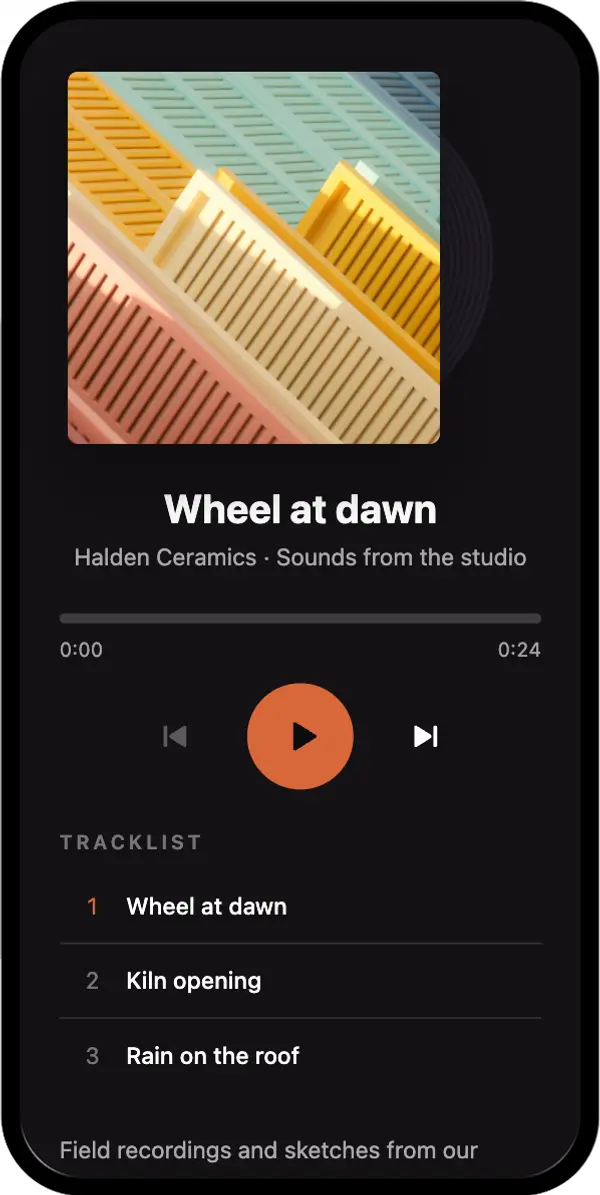
Album
A cover with a spinning record and a track list. For a single, an EP or a full album.
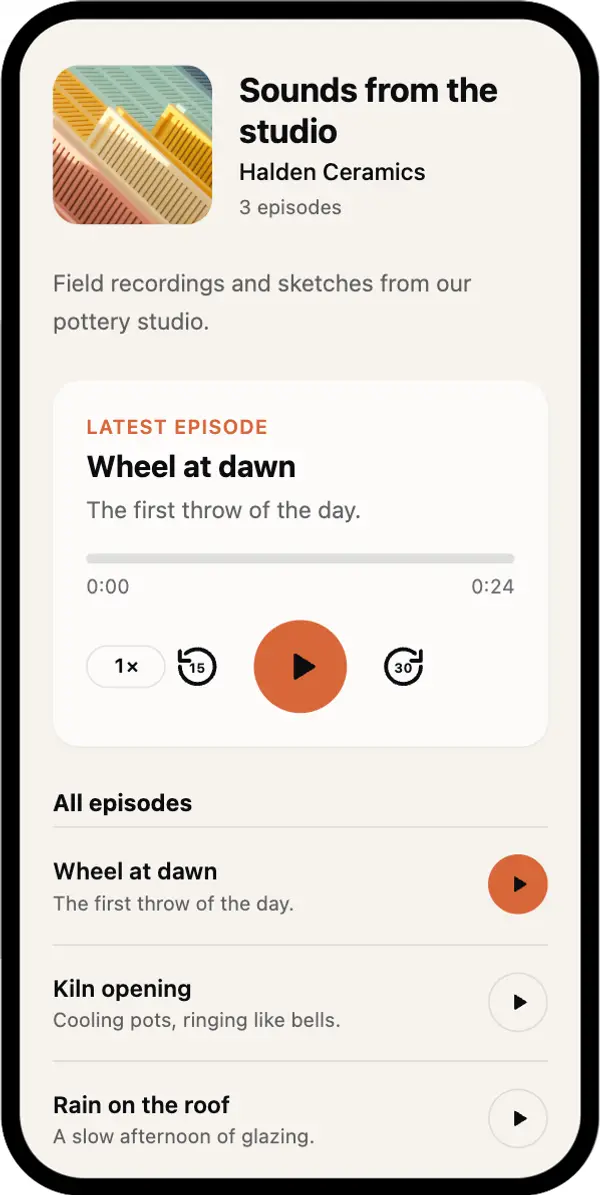
Podcast
A show header, a featured episode with skip and speed controls, and an episode list.
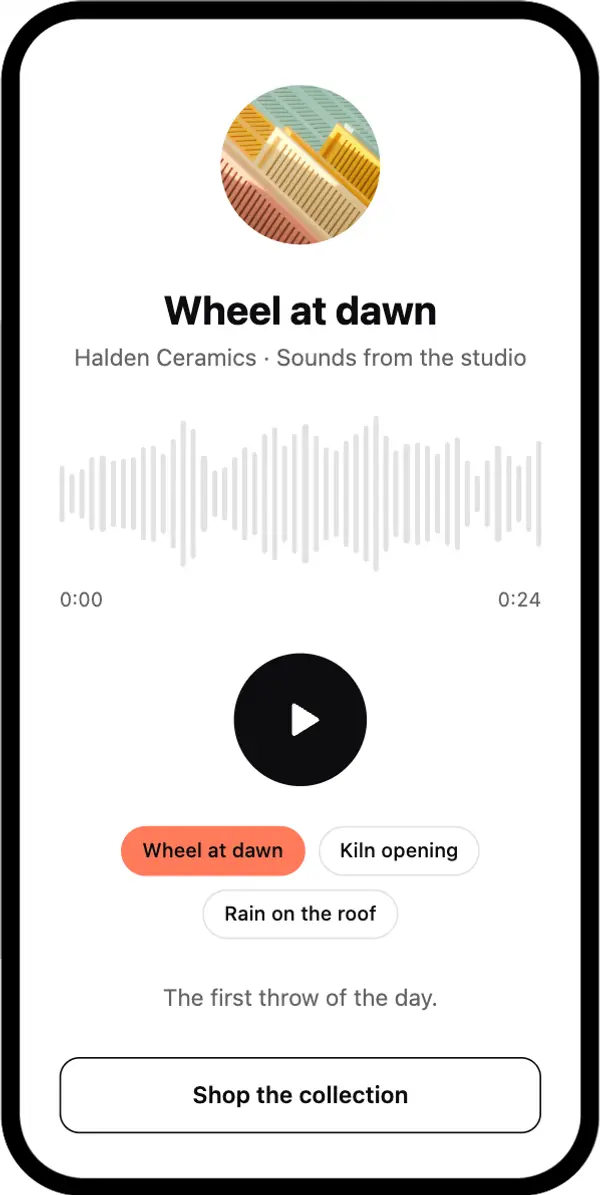
Waveform
One large waveform you can scrub through. For a single voice message or greeting.
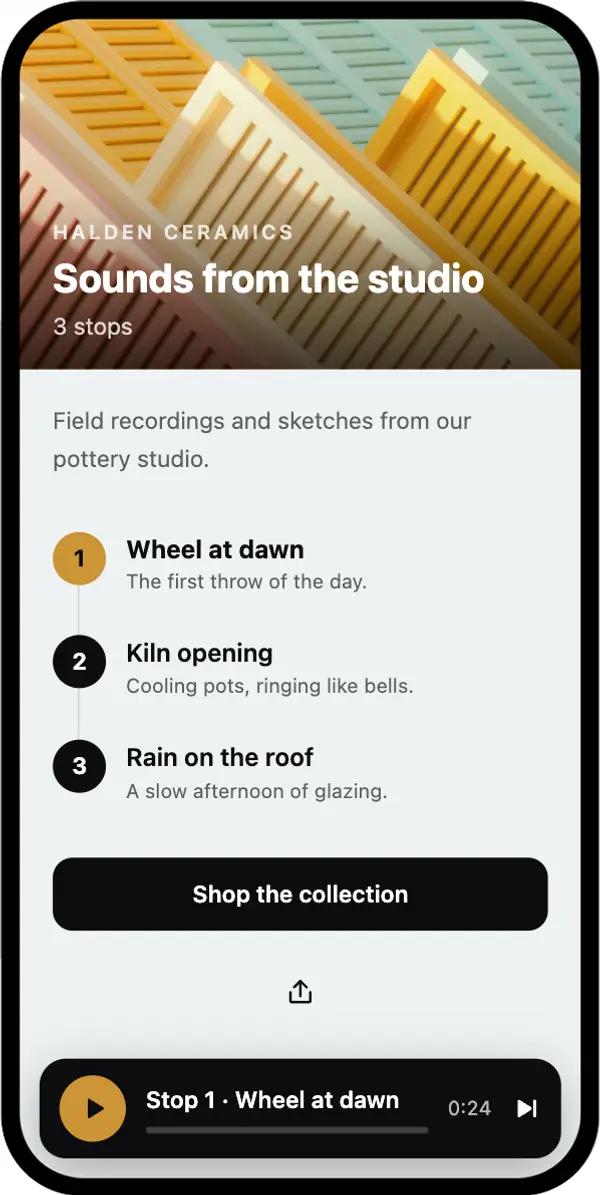
Audio tour
Numbered stops with a mini player that stays on screen. For museums, trails and city walks.
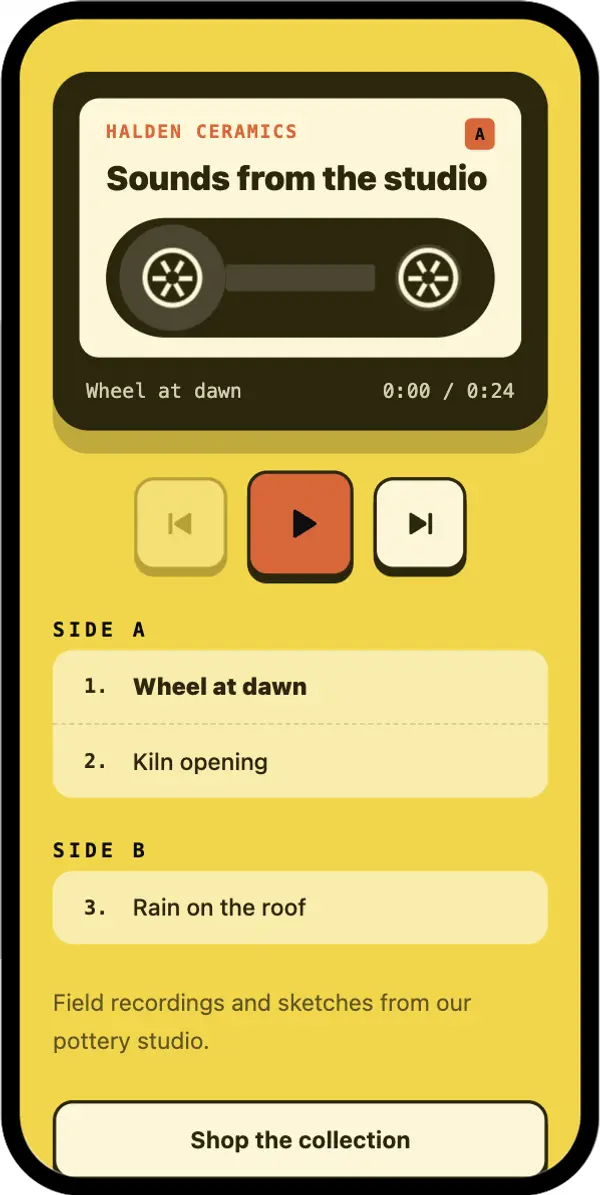
Cassette
A playful retro mixtape. For a gift, a party or a playlist from you.
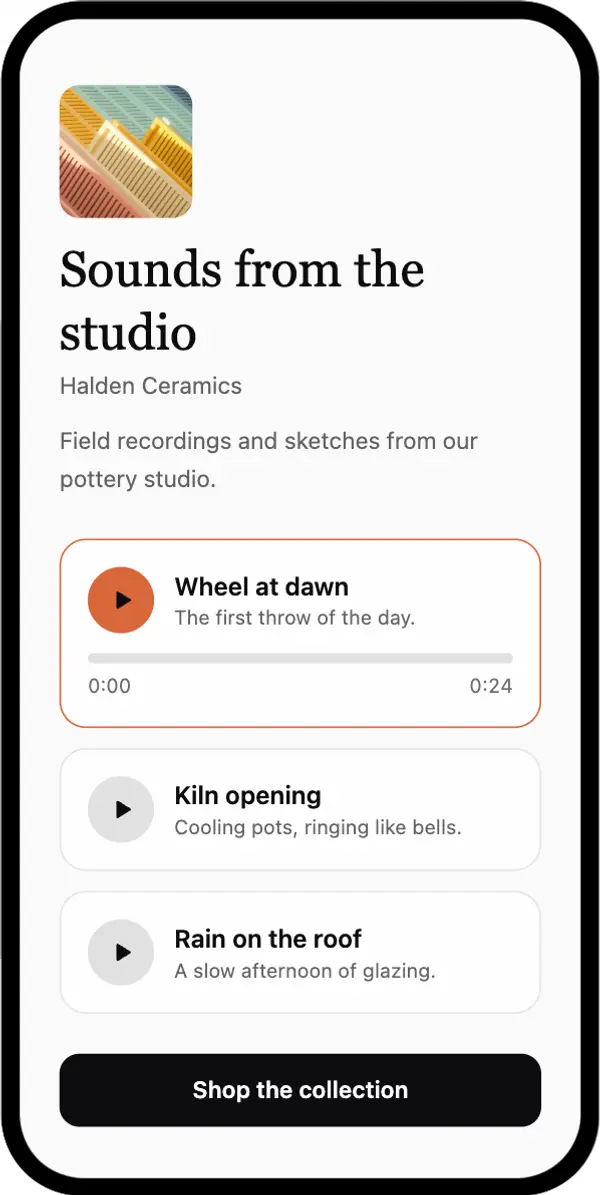
Clean
A light page with a list of players. For a welcome message, a testimonial or a lesson.
How to turn an MP3 into a QR code
Open the audio builder
Click Create audio QR code. Sign-up is free and includes a 7-day trial.
Upload files or paste a link
Drop one or more files (MP3, M4A, WAV, OGG or AAC, up to 50 MB each), or paste a Spotify or SoundCloud link. Up to 20 tracks per code.
Add a title and cover, pick a template
Name the page and each track, add a cover image and an artist or host line, and choose one of the six templates.
Design and download the code
Pick your colours, then download PNG or SVG. SVG stays sharp at any size and suits print.
Test it on a phone
Scan the code on mobile data, not only on your office Wi-Fi, and press play. Check that the right recording starts.
What happens when someone scans the code
The camera reads the code
Any current iPhone or Android camera recognises the QR code and opens the short QR-Build link.
The scan is counted
The scan appears in your statistics, and the page with the player opens in the browser. No app is needed.
The listener presses play
Phones don't start sound on their own: mobile browsers wait for a tap. Then the player plays the tracks one after another.
How to change the audio after printing
Open the code in your QR-Build dashboard, replace or add tracks, change the title or the template, and save. The next scan opens the updated page. The printed code stays the same.
- You recorded a better version
- A new episode or a new stop is ready
- The event, exhibition or season changed
- You want a different page design
Where audio QR codes are used
Museums and tours
One code per exhibit, or one code for the whole route with the Audio tour template. Visitors listen on their own phones. See QR codes for museums.
Musicians
Put a new single or the whole album on posters, merch and CD inserts. For a track that is already on Spotify, a Spotify QR code also works. More in QR codes for musicians.
Podcasts
Share a preview episode on a flyer, a business card or a sticker. For a show page on a podcast platform, see the podcast QR code.
Cards and gifts
Record a voice message on your phone, upload it and print the code on a birthday, wedding or anniversary card.
Packaging and products
A short welcome from the founder or a spoken guide inside the box.
Language learning and books
Audio for a textbook page, a chapter sample or pronunciation practice in the classroom.
Churches and communities
A recorded sermon, a song or an announcement on the weekly handout.
Memorials
A voice or a favourite song on a programme or a plaque. See QR codes for gravestones.
Printing and placing the code
Size it for the distance
A common rule of thumb is 1 cm of code width for every 10 cm of scanning distance. A label read from 30 cm needs a code of about 3 cm.
Say what will play
"Scan to listen" is clearer than a bare code. Add the length when you know it, for example "2-minute tour".
Keep contrast high
Dark code on a light background, with a white margin around it.
Think about headphones
In museums, shops and offices, add a short line such as "Use headphones" so visitors don't play sound out loud.
Keep files light for mobile data
A 3-minute MP3 at 128 kbps is about 3 MB. Very large WAV files load slower on a weak connection; MP3 or M4A is usually enough.
Why an audio QR code doesn't play as expected
The page opens, but there's no sound
Mobile browsers block sound until the listener taps play. Check that the phone isn't on silent and the volume is up.
The page doesn't open at all
Check in your dashboard that the code is active. After the 7-day trial, codes need a plan to keep opening.
The old recording still plays
Save the changes in the dashboard, then reload the page on the phone. Some browsers keep a cached copy for a short time.
The file won't upload
Check the format (MP3, M4A, WAV, OGG or AAC) and the size: up to 50 MB per file. Export long WAV recordings as MP3 to make them smaller.
It loads slowly on mobile data
Use MP3 or M4A instead of WAV, or split a long recording into shorter tracks.
What an audio QR code can't do
The audio isn't inside the code
The code holds a short link to the page. The file is stored by QR-Build, or by Spotify or SoundCloud for links.
It can't start the sound by itself
Phones wait for the listener to tap play. A visible "Scan to listen" line sets the right expectation.
A scan is not a listen
Statistics show scans: how many, when, the device and an approximate location. They don't show who scanned or whether someone listened to the end.
Sharing a video instead? Create a video QR code
Frequently asked questions
Can a QR code play an MP3?
Can I upload an MP3 from my phone or computer?
Is the audio QR code generator free?
Can I make a QR code for a voice message?
Which formats and file sizes are supported?
Can I change the recording after printing?
Does it work with Spotify, SoundCloud or Apple Music?
Can I use a Google Drive or Dropbox link instead?
Does the audio start automatically?
Do listeners need an app?
Can I see how many people scanned the code?
Can I upload any song?
Sources
- QR Code versions and data capacity, Denso Wave: the largest code stores 2,953 bytes in binary mode.
- Autoplay guide for media, MDN: browsers block audible playback until the person interacts with the page.
Create your audio QR code
Upload your recording or paste a link, pick a template and download the code. Free for 7 days.