Free sign-up to download PNG or SVG. Includes a 7-day free trial.
- Free for 7 days, no card to sign up
- MP4, MOV and WebM up to 100 MB
- Up to 10 videos on one code
- YouTube and Vimeo play inside the page
What is a video QR code?
When you upload a file, QR-Build stores it and builds the page: a title, a description, the video player and, if you like, buttons to your website or shop. Viewers don't need an app or an account.
The code is dynamic. You can replace the video, add more videos or change the page design later, and the printed code keeps working. Scans are counted in your statistics.
Have an audio recording instead? Use an audio QR code.
Upload a video or paste a link?
Both end on the same kind of page. Choose by where your video is now.
| Feature | Upload a video | Paste a link |
|---|---|---|
| Use it for | A video on your phone or computer: a walkthrough, an instruction, a greeting | A video that is already on YouTube or Vimeo |
| What opens | A QR-Build page with a video player | The same page; YouTube and Vimeo play inside it, other links open as a link |
| Several videos | Up to 10 on one page | Add each link as its own item |
| Formats and size | MP4, MOV, WebM, up to 100 MB per file | Whatever the platform allows |
| Who can watch | Anyone with the code or the page link; the page isn't listed in search | Depends on the video's privacy setting on the platform |
Use it for
What opens
Several videos
Formats and size
Who can watch
You can mix both on one page: upload your own clips and add a YouTube video next to them.
Choose how the page looks
Five templates, each made for a different kind of video. You can switch at any time, also after printing.
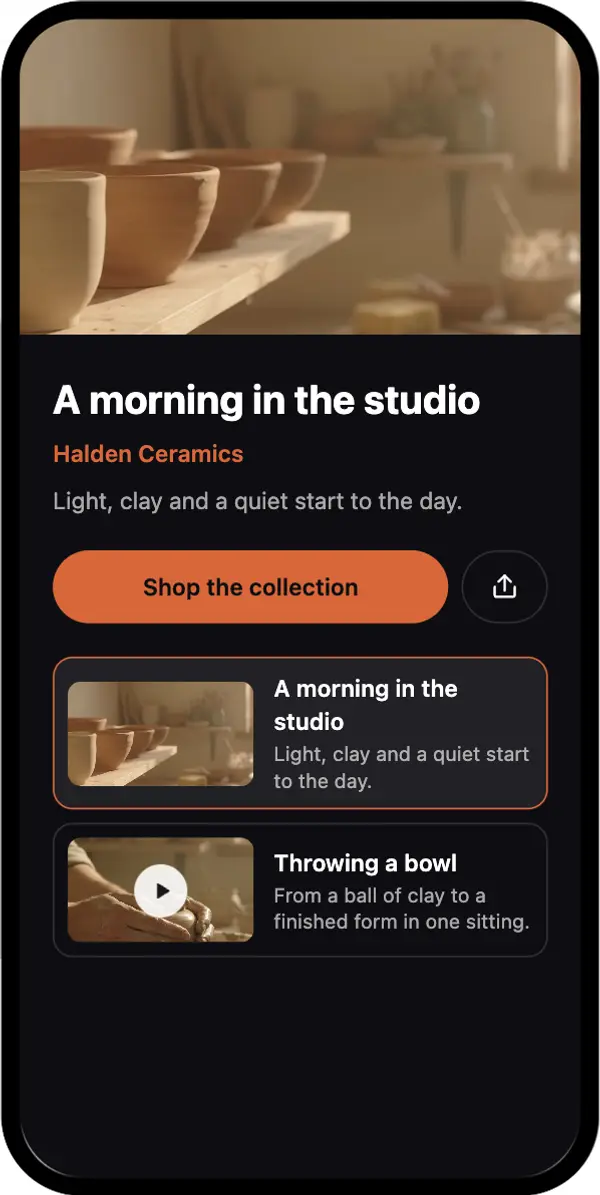
Spotlight
One large player and a playlist under it. For a product demo with extra clips.
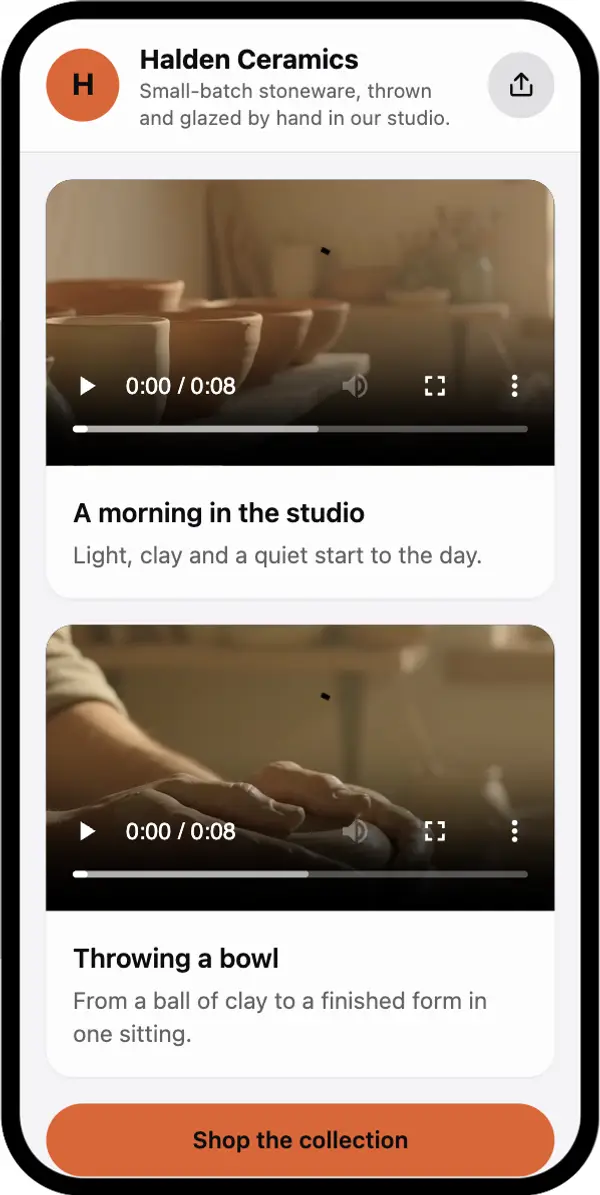
Feed
A card per video. For step-by-step instructions or a set of tips.
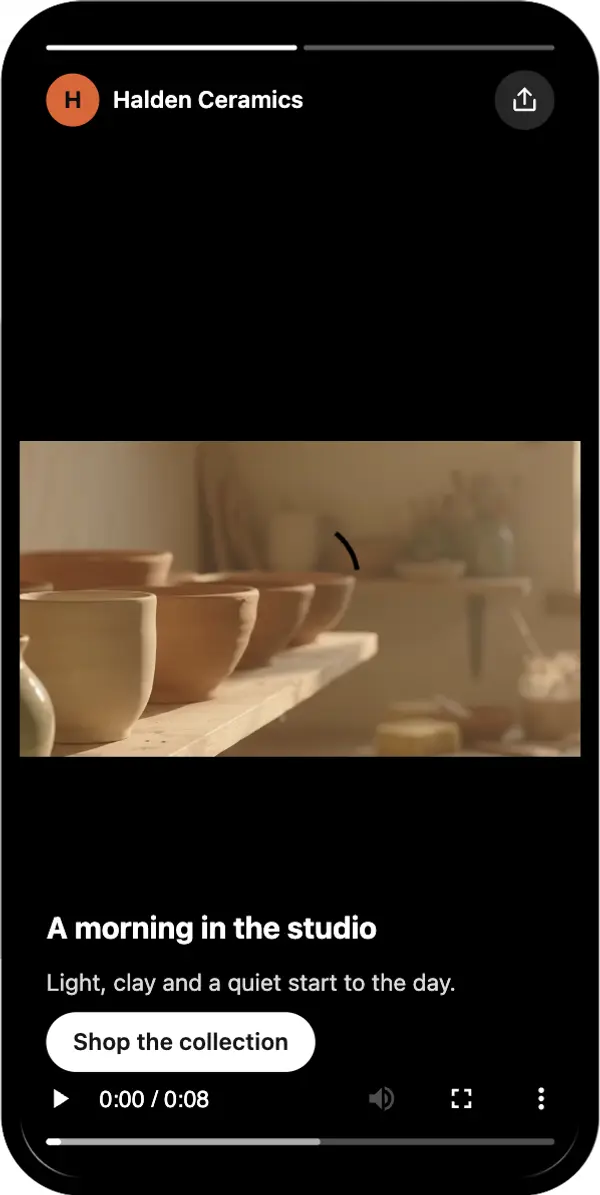
Reels
Full-screen vertical videos you swipe through. For short clips shot on a phone.
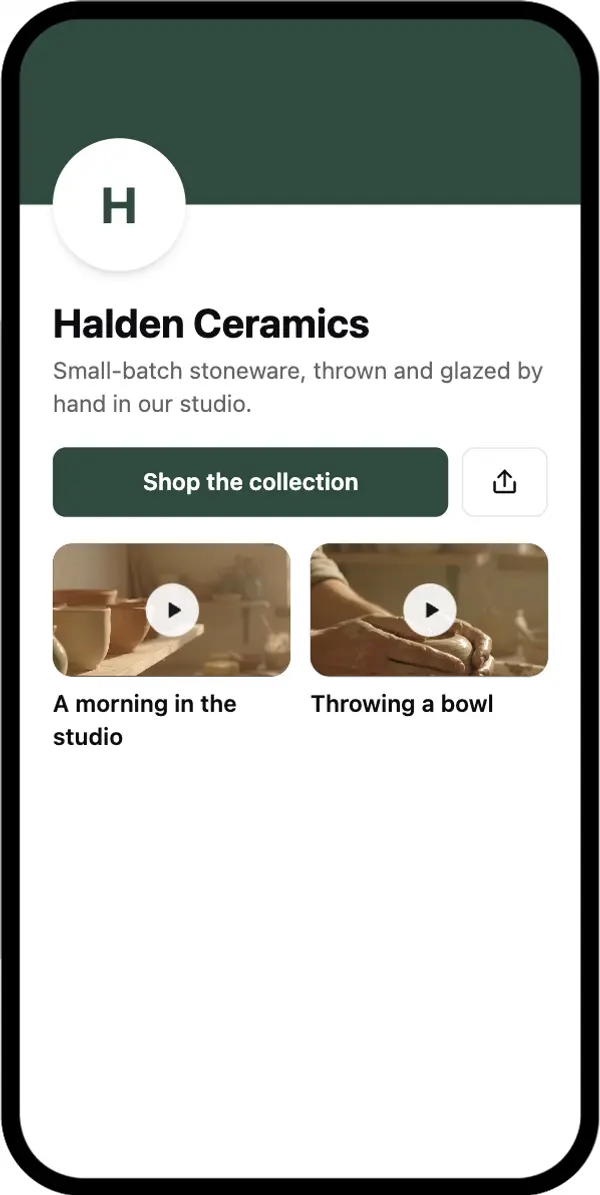
Channel
A banner and a grid of videos. For a course, a series or a brand channel.
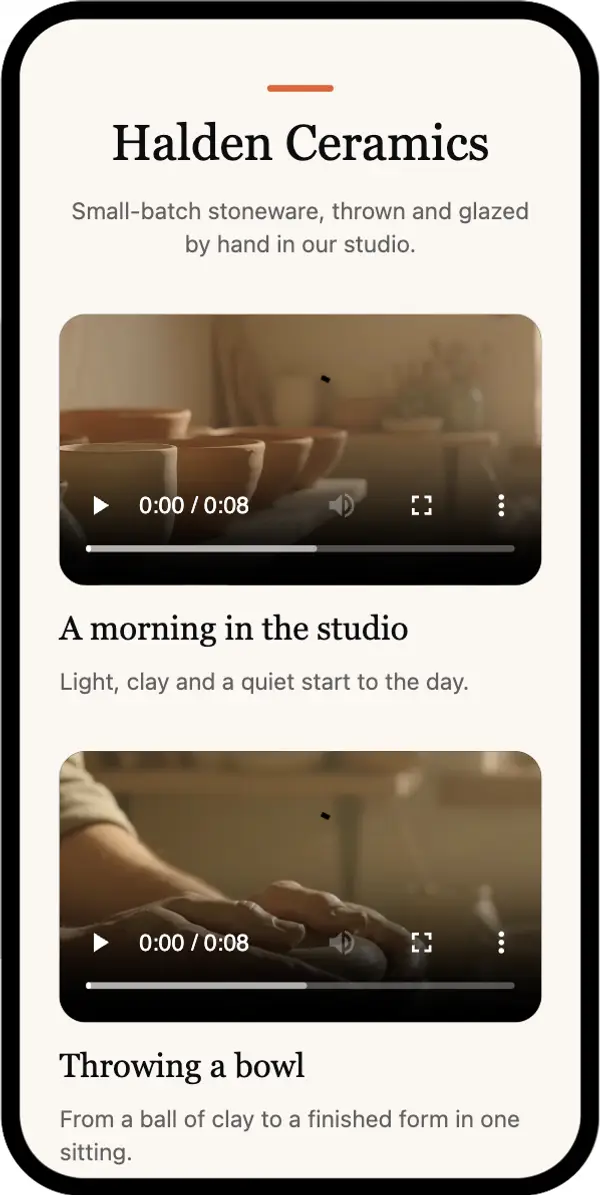
Clean
A light page with text around the video. For a greeting, an invitation or a tribute.
How to turn a video into a QR code
Open the video builder
Click Create video QR code. Sign-up is free and includes a 7-day trial.
Upload a video or paste a link
Drop one or more files (MP4, MOV or WebM, up to 100 MB each), or paste a YouTube or Vimeo link. Up to 10 videos per code.
Add a title and pick a template
Name the page and each video, add a description, a custom thumbnail or buttons if you need them, and choose one of the five templates.
Design and download the code
Pick your colours, then download PNG or SVG. SVG stays sharp at any size and suits print.
Test it on a phone
Scan the code on mobile data, not only on your office Wi-Fi, and check that the right video plays.
What happens when someone scans the code
The camera reads the code
Any current iPhone or Android camera recognises the QR code and opens the short QR-Build link.
The scan is counted
The scan appears in your statistics, and the page with the player opens in the browser. No app is needed.
The viewer presses play
Phones usually don't start a video with sound on their own, so the viewer taps play. Uploaded videos keep their shape: a vertical phone clip stays vertical.
If you paste a link: which formats work
Copy the link with the platform's Share button. YouTube and Vimeo play inside the page; other links open as a link.
| Link | Format | What happens on the page | Best for |
|---|---|---|---|
| YouTube video | https://youtu.be/<video-id> | Plays inside the page | Videos already on your channel |
| YouTube from a set time | https://youtu.be/<video-id>?t=90 | Starts at 1:30 inside the page (the number is in seconds) | One part of a long video |
| YouTube Shorts | https://youtube.com/shorts/<video-id> | Plays inside the page | Short vertical clips |
| Vimeo video | https://vimeo.com/<video-id> | Plays inside the page | Portfolios and presentations |
| Other link (playlist, TikTok, your website) | Any https:// link | Shows a tile that opens the link | Content you can't upload |
YouTube video
https://youtu.be/<video-id>
Plays inside the page
Videos already on your channel
YouTube from a set time
https://youtu.be/<video-id>?t=90
Starts at 1:30 inside the page (the number is in seconds)
One part of a long video
YouTube Shorts
https://youtube.com/shorts/<video-id>
Plays inside the page
Short vertical clips
Vimeo video
https://vimeo.com/<video-id>
Plays inside the page
Portfolios and presentations
Other link (playlist, TikTok, your website)
Any https:// link
Shows a tile that opens the link
Content you can't upload
On YouTube, set the video to Public or Unlisted: Private videos only play for people you have invited. For a page only about YouTube, see the YouTube QR code.
How to replace the video after printing
Open the code in your QR-Build dashboard, upload a new video or paste a new link, and save. The next scan opens the updated page. The printed code stays the same.
- You shot a better version
- The product, price or offer changed
- A new episode or lesson is ready
- You want a different page design
Where video QR codes are used
Packaging and manuals
A setup or assembly video on the box instead of pages of printed steps. See QR codes for food packaging.
Training and support
Instructions on equipment labels, in handouts and next to machines. More in video instruction QR codes.
Real estate
A walkthrough on the yard sign or flyer, so buyers see the rooms before they call. See QR codes for open houses.
Restaurants
How a dish is made, on the menu or the table card. See the restaurant menu QR code.
Events
A teaser on invitations and tickets, or sponsor clips on badges and banners.
Education
Short lessons on worksheets and in textbooks, so students can watch the explanation again at home.
Posters and print ads
A product video on posters, brochures and direct mail. See QR codes on posters.
Resumes and business cards
A one-minute introduction next to your name. See QR codes on resumes.
Greetings and gifts
A private video greeting on a birthday, wedding or holiday card, without posting it on YouTube.
Memorials
A tribute video on a programme or a plaque. See QR codes for gravestones.
Printing and placing the code
Size it for the distance
A common rule of thumb is 1 cm of code width for every 10 cm of scanning distance. A poster read from 2 metres needs a code of about 20 cm.
Say what will play
A line such as "Scan to watch the 2-minute setup video" tells people what to expect and how long it takes.
Keep contrast high
Dark code on a light background, with a white margin around it.
Think about sound
In shops, offices and museums, add subtitles to the video or a note such as "Use headphones".
Keep files light for mobile data
A 1080p clip of 1–2 minutes is usually well under 100 MB. Export long or 4K videos at a lower resolution so they start faster on a phone.
Why a video QR code doesn't work as expected
The page doesn't open at all
Check in your dashboard that the code is active. After the 7-day trial, codes need a plan to keep opening.
"Video unavailable" on a YouTube video
The video is private, deleted, age-restricted or blocked in the viewer's country. Set it to Public or Unlisted, or upload the file instead.
The file won't upload
Check the format (MP4, MOV or WebM) and the size: up to 100 MB per file. Export the video at a lower resolution to make it smaller.
The video plays without sound
Many phones start videos muted. The viewer can turn the sound on in the player; subtitles help in loud places.
The old video still plays
Save the changes in the dashboard, then reload the page on the phone. Some browsers keep a cached copy for a short time.
YouTube shows ads before the video
YouTube may show ads on embedded videos, and QR-Build can't change that. Upload the file to avoid YouTube ads.
What a video QR code can't do
The video isn't inside the code
The code holds a short link to the page. The file is stored by QR-Build, or by YouTube or Vimeo for links.
It can't force autoplay or sound
Whether a video starts by itself depends on the phone. Expect viewers to tap play.
A scan is not a view
Statistics show scans: how many, when, the device and an approximate location. Views and watch time of YouTube videos are in YouTube Studio.
Sharing a recording without video? Create an audio QR code
Frequently asked questions
Can I upload my own video file?
How do I make a QR code for a video on my phone?
Is the video QR code generator free?
How do I make a QR code for a YouTube video?
Can I use a Google Drive or Dropbox link instead?
Which formats and file sizes are supported?
Can I change the video after printing?
Can a YouTube video start at a specific moment?
Does the video start automatically?
Do viewers need an app?
Can I see how many people scanned the code?
Is a video barcode the same as a video QR code?
Sources
- Share videos and channels, YouTube Help: sharing a video from a set time.
- Change video privacy settings, YouTube Help: Public, Unlisted and Private videos.
Create your video QR code
Upload your video or paste a link, pick a template and download the code. Free for 7 days.