Free sign-up to download PNG or SVG. Includes a 7-day free trial.
- Free for 7 days, no card to sign up
- RSVP with party size and your own questions
- Guest list with personal links
- 13 page templates
What is an invitation QR code?
Paper invitations run out of space fast. The QR code moves everything else to a page: the map, the schedule, the dress code and the RSVP. Guests don't need an app or an account; the phone camera is enough.
Every answer lands in your QR-Build dashboard with the guest's name, email and party size. You see who is coming without counting reply cards or chasing messages.
Planning a public event with open registration instead? An event QR code fits that better.
What do guests see when they scan an invitation QR code?
You choose which blocks to show. On the phone they follow one another in this order.
Cover and title
A photo or illustration, the event name, a short line from the host and the host's name.
Date and countdown
Start and end date and time with the time zone. A live countdown runs until the event starts; you can turn it off.
Place
Venue name, address, a link to the map and the dress code.
Schedule
Up to 30 points: ceremony, dinner, first dance, talks, after-party.
Your own block
A badge, a title, a few lines and a button: a gift registry, hotel booking, a livestream or a parking note.
RSVP
Accept or decline, how many people come, and your own questions. Guests see your thank-you message after they send it.
13 invitation templates
Each template sets the fonts, colours and layout. Switch at any time; the text and answers stay.
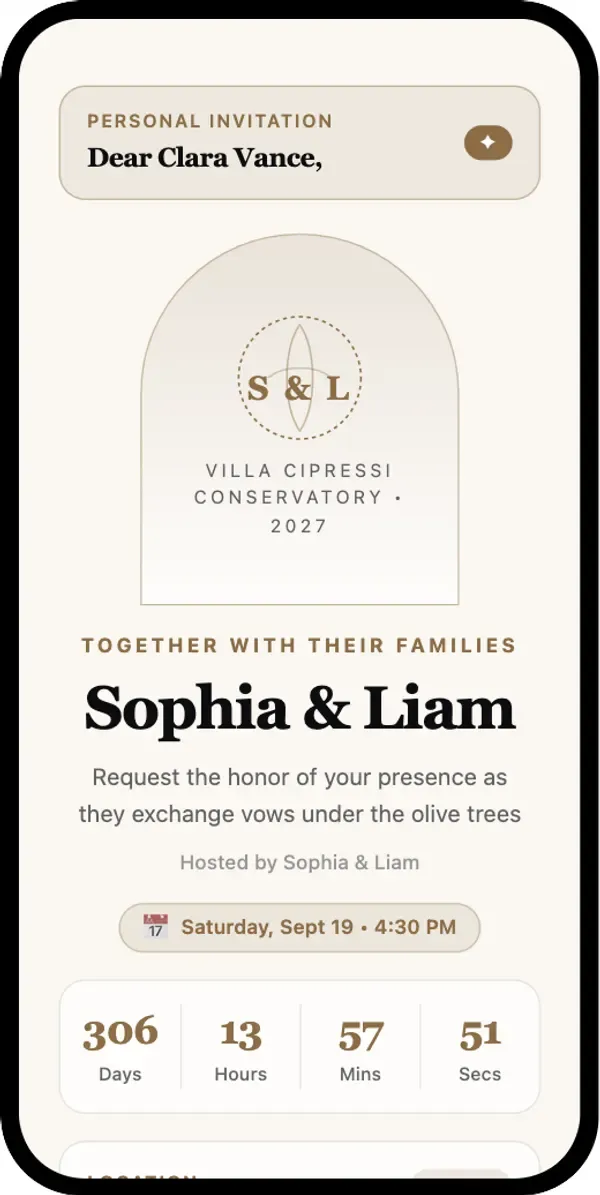
Eternal Editorial
Fine-press stationery with a botanical arch and serif type. For weddings, anniversaries and milestone birthdays.
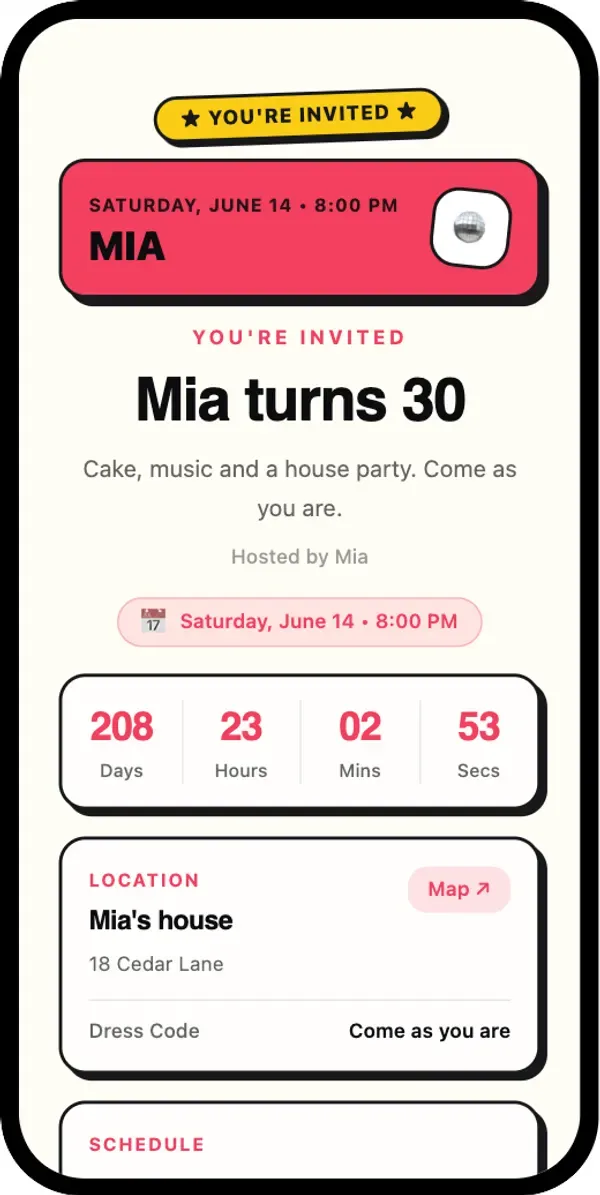
Confetti Pop
Bright cards with bold borders. For birthdays, house parties and celebrations.
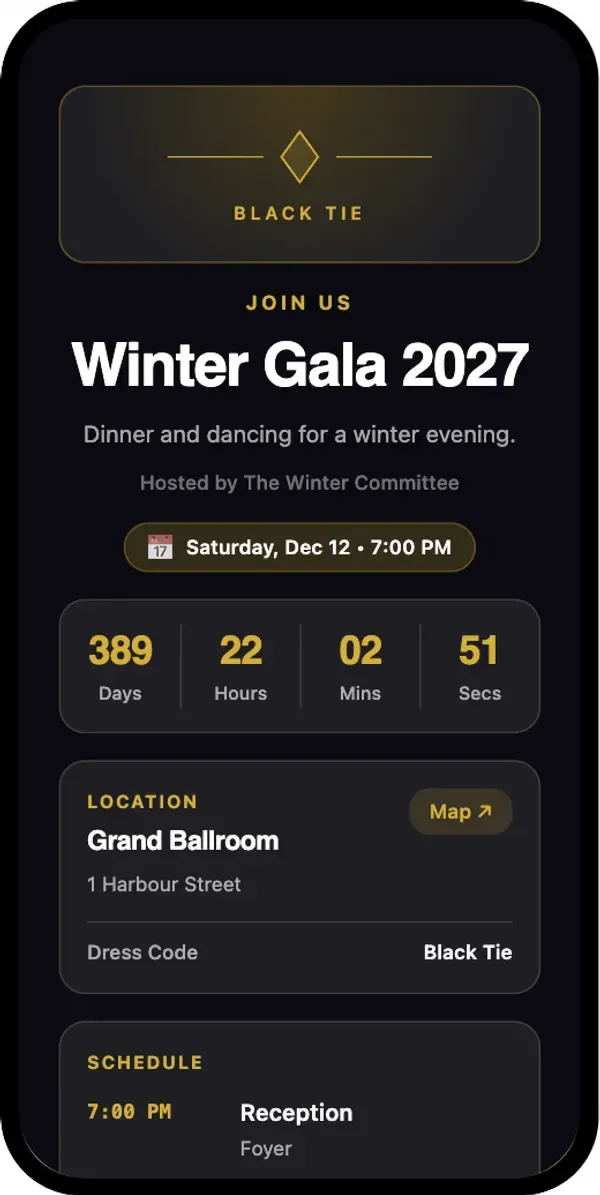
Velvet Nocturne
A dark page with a champagne-gold glow. For galas, award nights and VIP evenings.
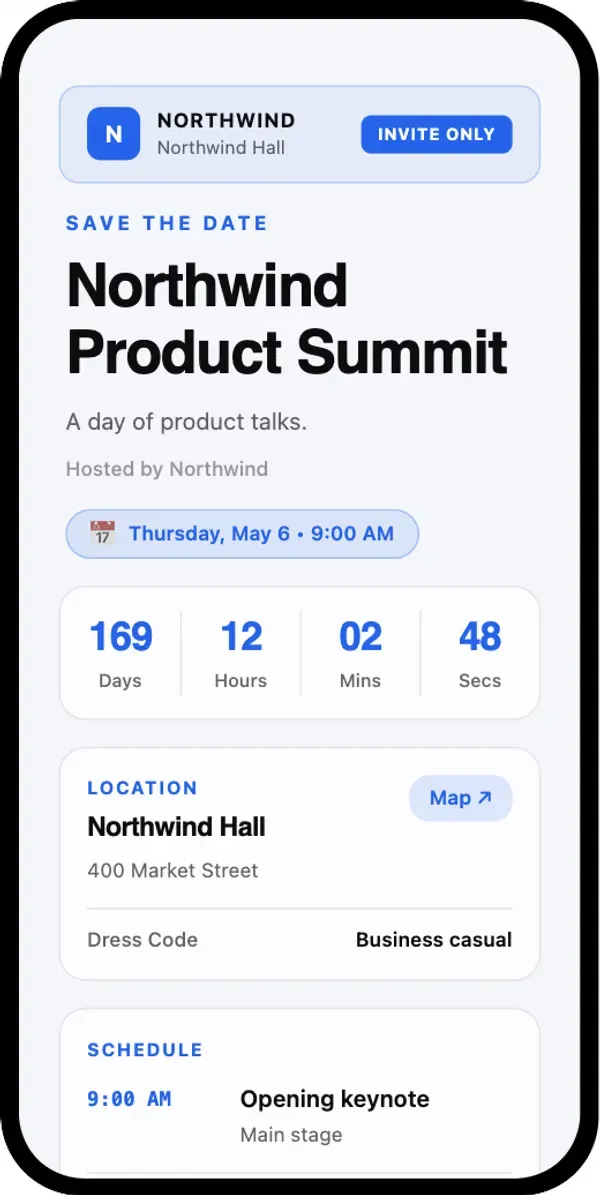
Executive Summit
A clear agenda and a live countdown. For conferences, product launches and company events.
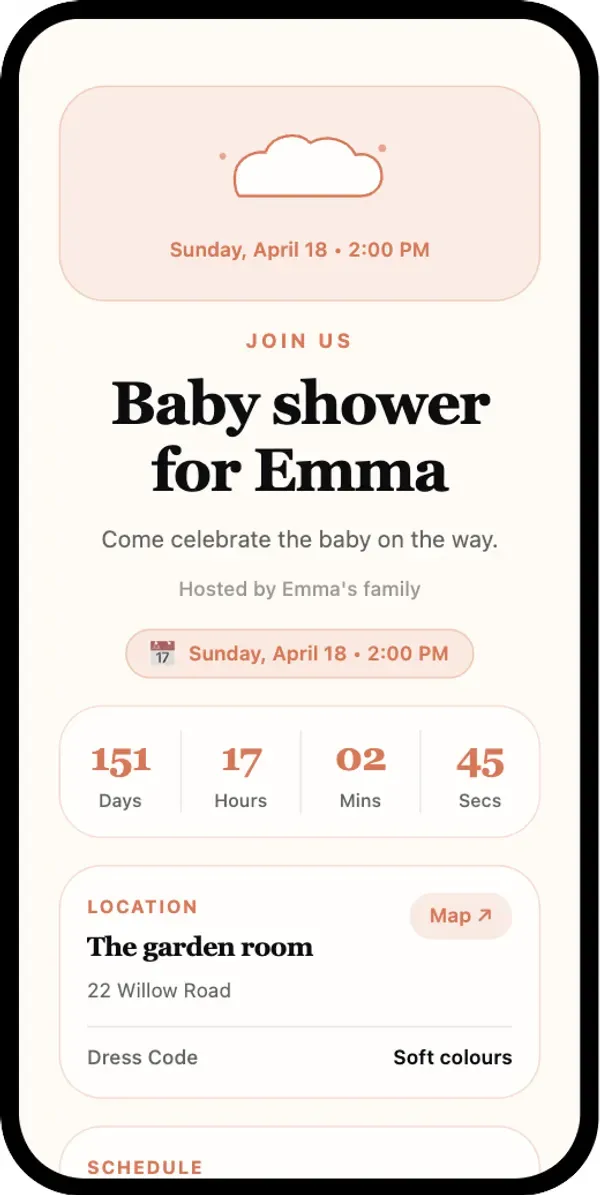
Little Wonder
Soft cream colours and a storybook feel. For baby showers, christenings and family days.
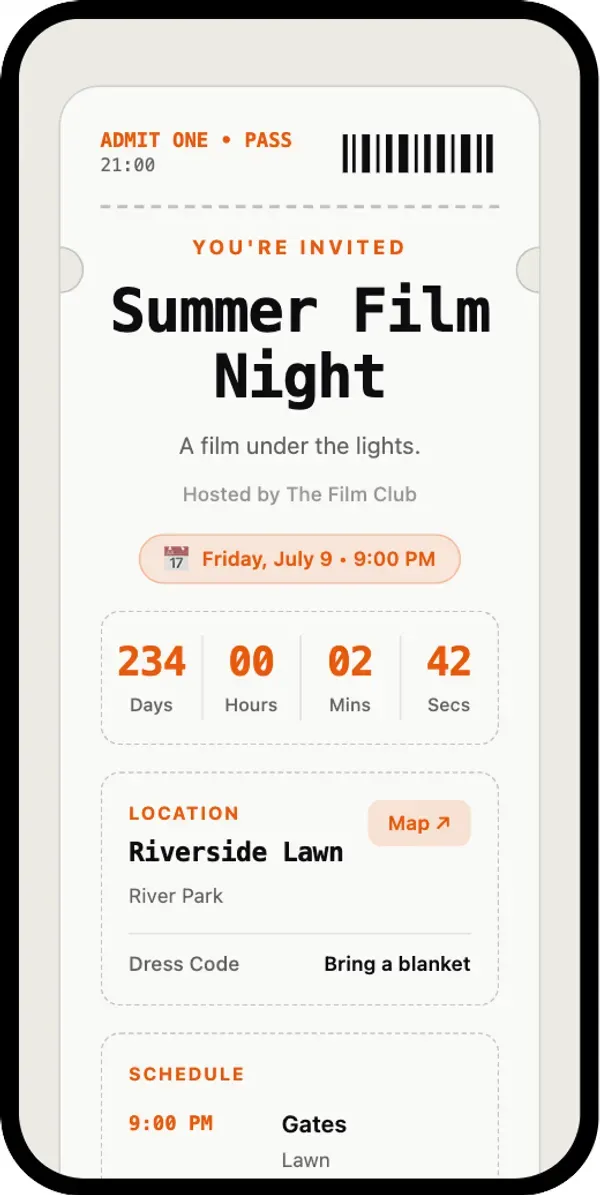
Admit One Pass
Looks like a ticket with a tear-off stub. For concerts, screenings and themed parties.
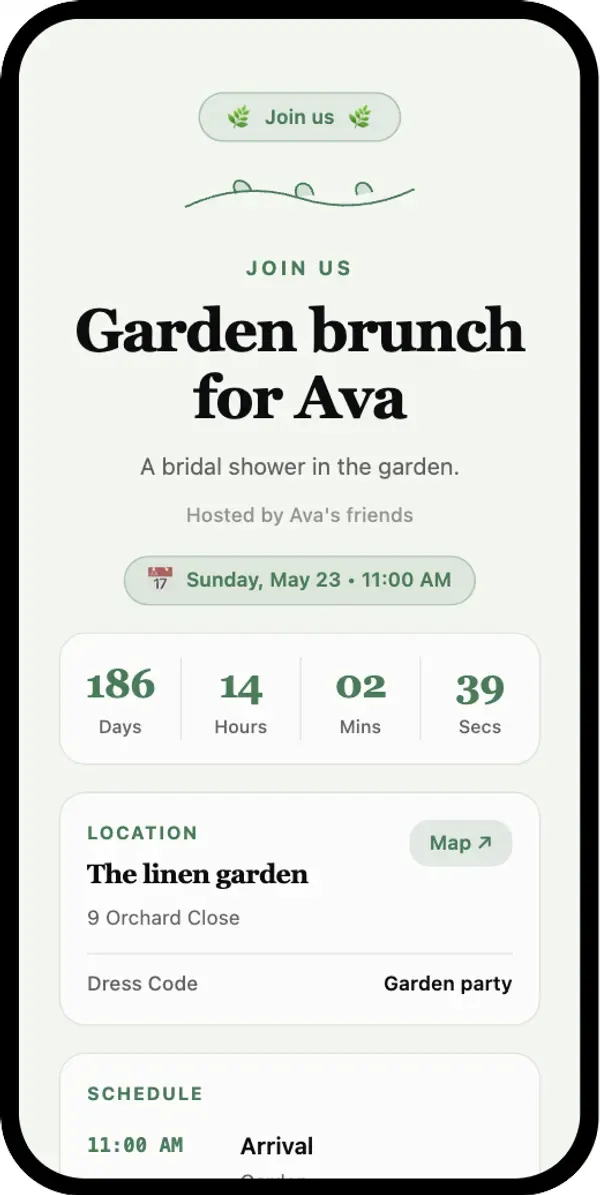
Botanical Linen
Sage and linen with a botanical frame. For garden brunches and bridal showers.
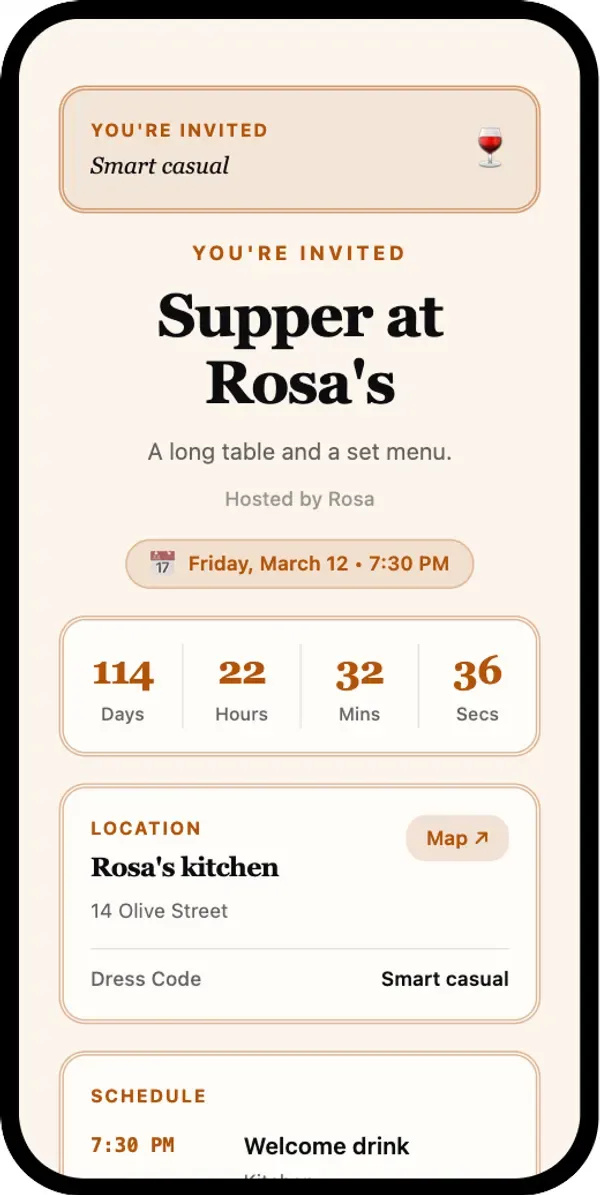
Hearth & Table
Warm terracotta and a menu-style layout. For dinner parties and supper clubs.
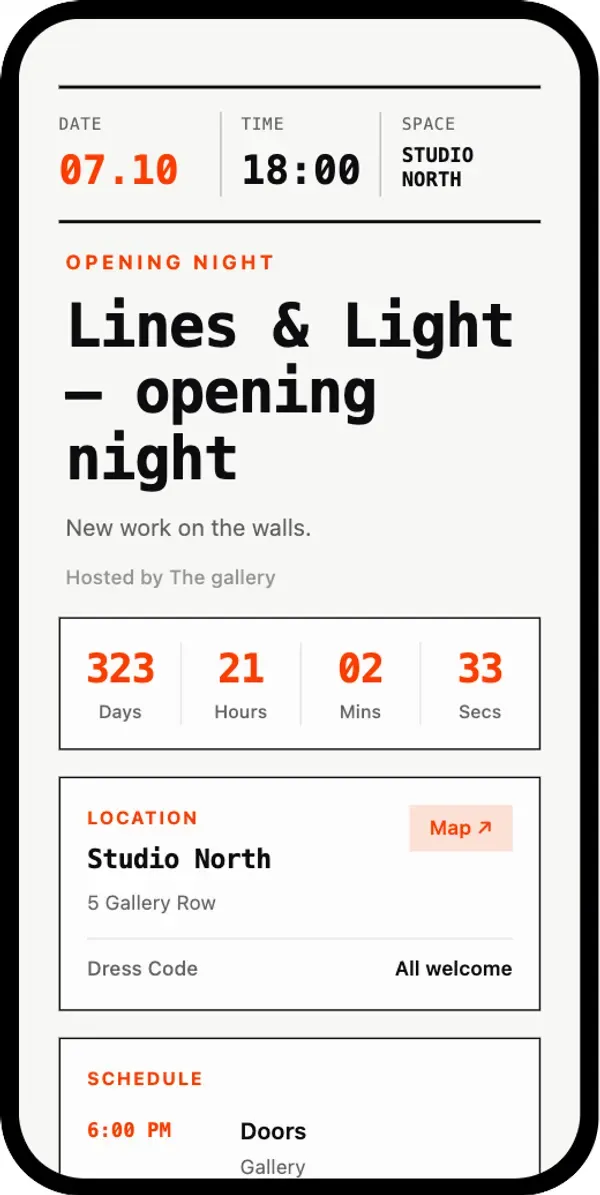
Swiss Grid Poster
A bold typographic grid. For art openings, exhibitions and design launches.
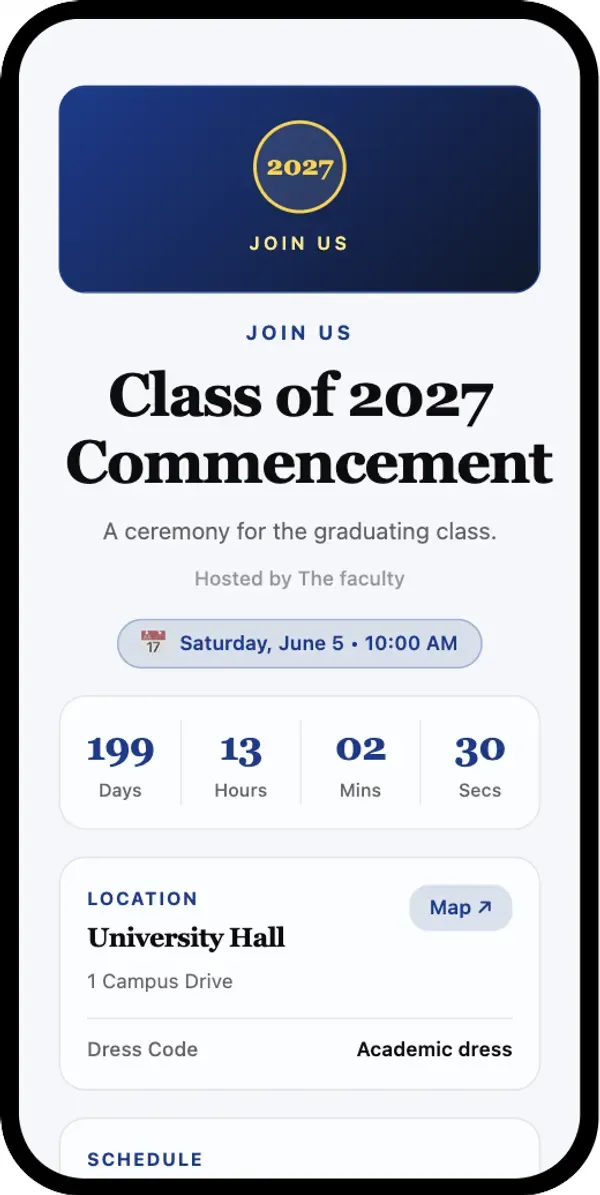
Honor Crest
A crest medallion and formal type. For graduations and award ceremonies.
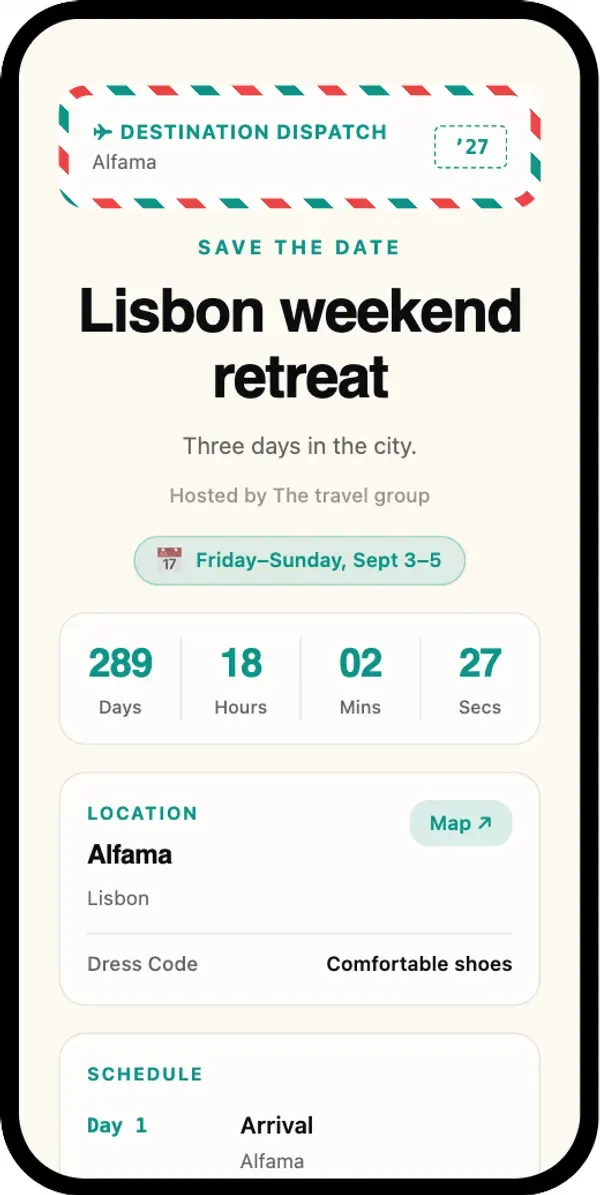
Wanderlust Postcard
Airmail stripes and a day-by-day itinerary. For destination weddings, retreats and trips.
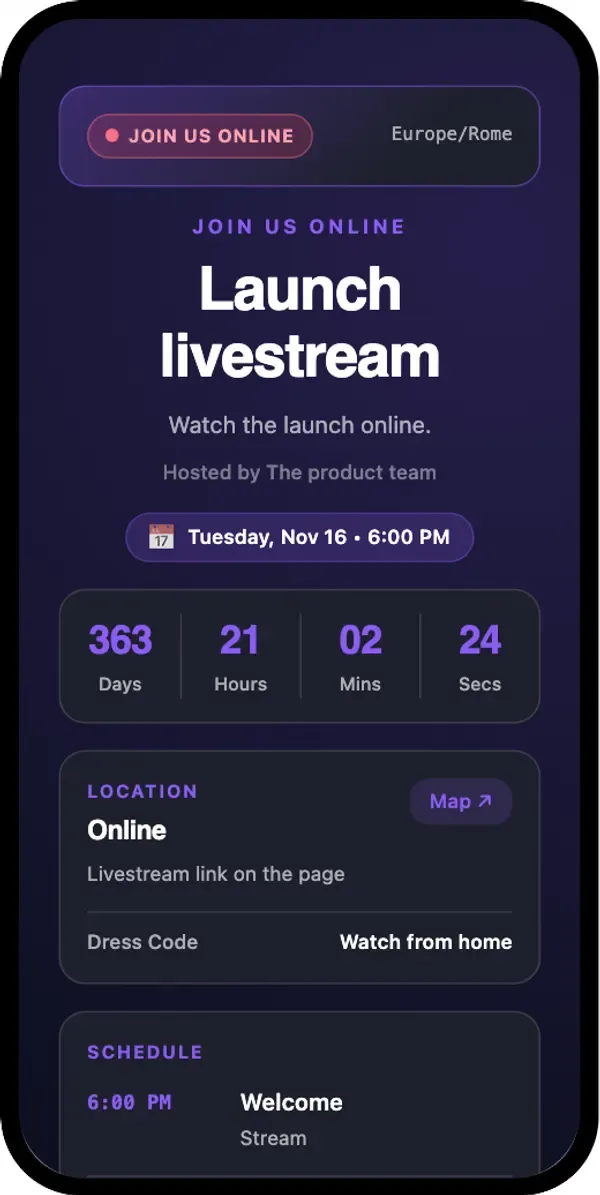
Cyber Pulse
A dark tech look with neon violet. For livestreams, product demos and launch events.
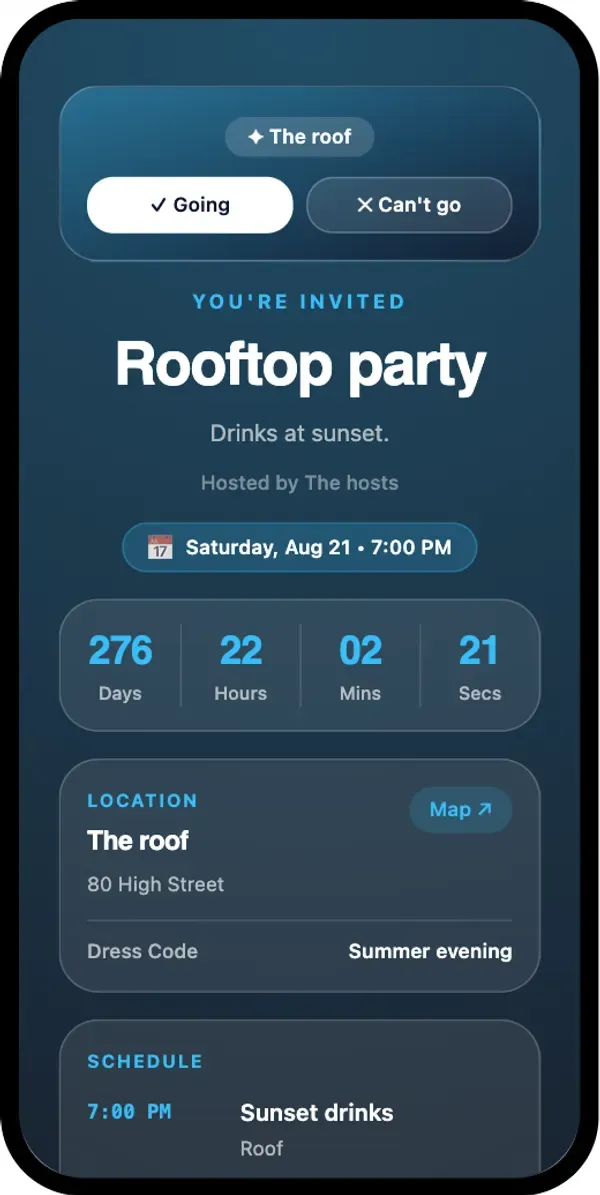
Frosted Story
A full-screen poster with frosted cards and quick RSVP buttons. For parties shared in chats and stories.
How do guest lists and personal RSVP links work?
Use one printed code for everyone, personal links for each guest, or both.
Add guests
Type names and emails, or upload a CSV file with up to 5,000 guests at a time. A sample file is in the builder.
Personal links
Each guest gets their own link. The page greets them by name, and their answer is saved to their row in the list. They can open the link again and change the answer.
Email invitations
Send the personal links from QR-Build: up to 20 emails a month without a paid plan, including the trial; up to 500 a month on paid plans.
Answers from the printed code
Anyone who scans the code on the card can answer too. They enter their name and email, and the answer appears in the same list.
In the dashboard you see who accepted, who declined and who hasn't answered yet, with party sizes. Export the list to CSV for the caterer or the seating plan.
How to make an invitation or RSVP QR code
Open the invitation builder
Click Create invitation QR code. Sign-up is free and includes a 7-day trial.
Add the event details
Title, date and time, place with a map link, schedule, dress code and a cover image.
Set up the RSVP
Choose the accept and decline labels, the maximum party size and extra questions such as meal choice or dietary needs.
Pick a template and add guests
Choose one of 13 templates. Add guests by hand or from a CSV if you want personal links.
Download and share
Download PNG for print or digital cards, or SVG for any size. Scan a test print with your phone before ordering the full run.
QR invitation, Google Forms or a paper RSVP card?
All three collect answers. They differ in what guests see and how much counting you do.
What guests see
How they answer
Guest list
Changing details
Cost
Already have a Google Form? You can still put it behind a Google Forms QR code, or build a custom form.
Ready to send your invitations?
Start with a template, add your guests and see the first answers today.
Where invitation QR codes are used
Weddings
Save the dates, invitations and the program, with plus-ones and meal choice in the RSVP. More in wedding invitation QR codes.
Birthdays
Kids' parties, milestone birthdays and surprise parties. More in birthday party QR codes.
Baby and bridal showers
A gentle template, a gift registry button and a quick RSVP.
Company events
Holiday parties, offsites and launches: the agenda, the venue and who is coming. For seats and badges, see seating chart QR codes.
Galas and dinners
A formal page with the dress code, schedule and a limited party size.
Family gatherings
Reunions, anniversaries and holidays where relatives need the address, the time and a headcount.
Retreats and trips
Multi-day retreats, team trips and group holidays: a plan for each day, the meeting point and who is coming.
Private dinners and launches
A small guest list, personal links and a limited party size, so only invited guests see the details.
What size should a QR code be on an invitation?
Keep it at least 2 cm wide
A card is read from 20–30 cm away, so 2–2.5 cm of code is enough. Leave a white margin around it.
Say what the code does
"Scan to RSVP by June 1" works better than a bare code. Add the date you need answers by.
Mind the contrast
Dark code on a light background. Gold foil and low-contrast inks often fail on phones; test a proof first.
Save the date first
Print the code on the save-the-date card. When the full invitation is ready, update the page; the same code shows it.
Use SVG for the printer
SVG stays sharp at any size and is what most print shops prefer.
Can you change an invitation after the QR code is printed?
The printed code holds a short link to your page. Open the code in your QR-Build dashboard, change the text, time, place or template, and save. The next scan shows the new version.
- The venue or the start time changed
- You added a hotel block or a gift registry
- The schedule for the day is final
- You want to close RSVPs and thank the guests
How much does an invitation QR code cost?
Free for 7 days
Every new account gets a 7-day free trial, with no card needed to sign up. From day 3 the page shows a small "Powered by QR-Build" line.
The invitation keeps working
Invitation codes keep opening after the trial, and guests can still answer.
Answers and emails
On the Free plan you see 10 answers a month, on Business 1,500 and on Business Plus 50,000. Answers over the limit are saved and appear when you upgrade. Email invitations: 20 a month without a paid plan, up to 500 on paid plans.
What it doesn't do
No check-in scanning at the door, no automatic reminders and no SMS invitations. Send reminders yourself to guests who haven't answered.
Invitation QR code terms
- RSVP QR code
- A QR code that opens a page where guests accept or decline. On QR-Build it is the same as an invitation QR code: the event details and the RSVP form are on one page.
- Personal RSVP link
- A link made for one guest. The page greets them by name, and their reply is saved to their row in the guest list.
- Party size
- How many people a guest brings, themselves included. You set the maximum, from 1 to 20.
- Guest list CSV
- A spreadsheet file with guest names and emails. Import it to create personal links for everyone at once, up to 5,000 rows at a time.
General QR terms are explained in our guides: static vs dynamic QR codes, QR code size and SVG QR codes.
Frequently asked questions
Is the RSVP QR code generator free?
How do guests RSVP with a QR code?
Do guests need an app?
Can I see who hasn't answered yet?
Can guests bring a plus-one?
Can I ask about meals or allergies?
Can I change the date or place after printing?
Can a guest change their answer?
Why not just use Google Forms for RSVPs?
Can the invitation be in several languages?
What size should the QR code be on a card?
Does QR-Build send reminders to guests?
How is this different from Evite or Paperless Post?
Sources
- QR Code versions and data capacity, Denso Wave: a QR code stores a limited amount of data, so the code holds a link and the invitation lives on a page.
- QR Code error correction, Denso Wave: codes still read with part of the pattern damaged or covered, which is why a white margin and good contrast matter on printed cards.
Create your invitation QR code
Add the event details, turn on RSVP, pick a template and download the code. Free for 7 days.