Free sign-up to download PNG or SVG. Includes a 7-day free trial.
- Free for 7 days, no card to sign up
- RSVP with the number of guests
- Kids' party and milestone templates
- Edit after printing
The builder opens on the invitation type: add the party details and RSVP.
Why use a birthday party QR code?
- One scan opens the whole invitation: date, time, address and plan
- Guests RSVP on the same page and say how many are coming
- You see every answer in one list
- Change the time or place without reprinting the cards
- Works on any phone camera, no app needed
What is a birthday party QR code?
A birthday party QR code opens an invitation page for the party: who is celebrating, when and where, what to bring, and a form where guests say if they're coming and how many.
The code holds a short link, so you can change the details after the invitations are printed. For other events, see the invitation QR code.
What guests see when they scan
You choose which blocks to show.
Cover and title
A photo or illustration, "Mia turns 30" or "Leo is 6!", a short line and who is hosting.
Date and countdown
Start and end time and a countdown to the party. You can turn the countdown off.
Place
Address, a link to the map and the dress code or theme.
Plan
Up to 30 points: arrival, games, cake, pick-up time for kids' parties.
Your own block
A badge, a few lines and a button: a gift wishlist, a photo album or a note about parking.
RSVP
Coming or not, how many people, and your own questions such as allergies or a T-shirt size for a party game.
Templates for birthdays
Each template sets the fonts, colours and layout. Switch at any time; the text and answers stay. All 13 templates are in the builder.
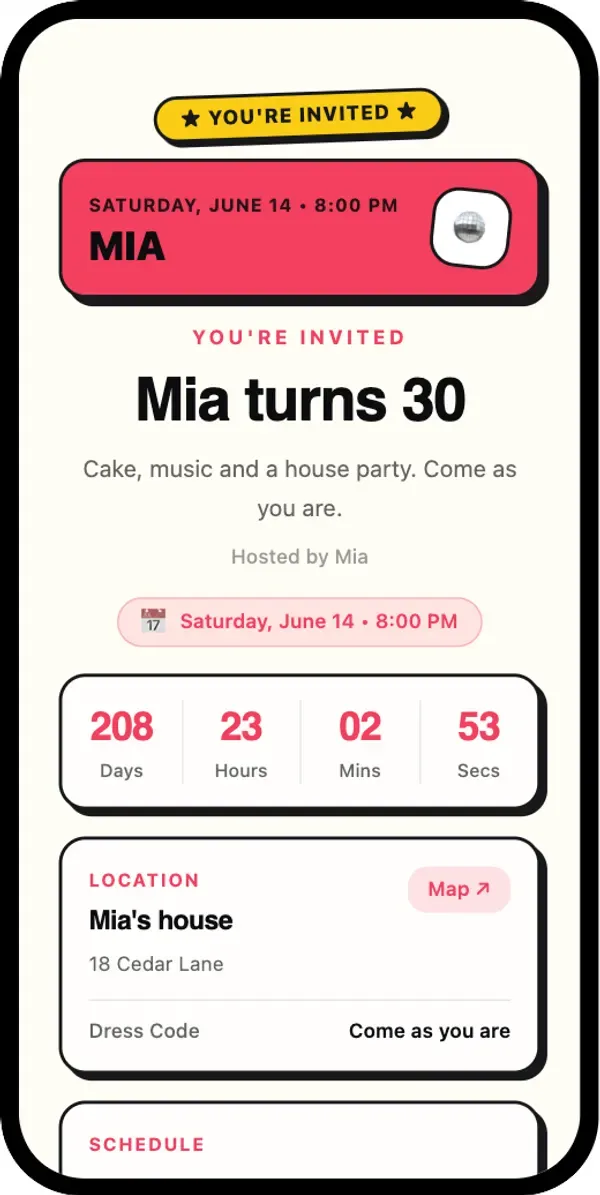
Confetti Pop
Bright colours and chunky borders, made for a party with balloons and cake.
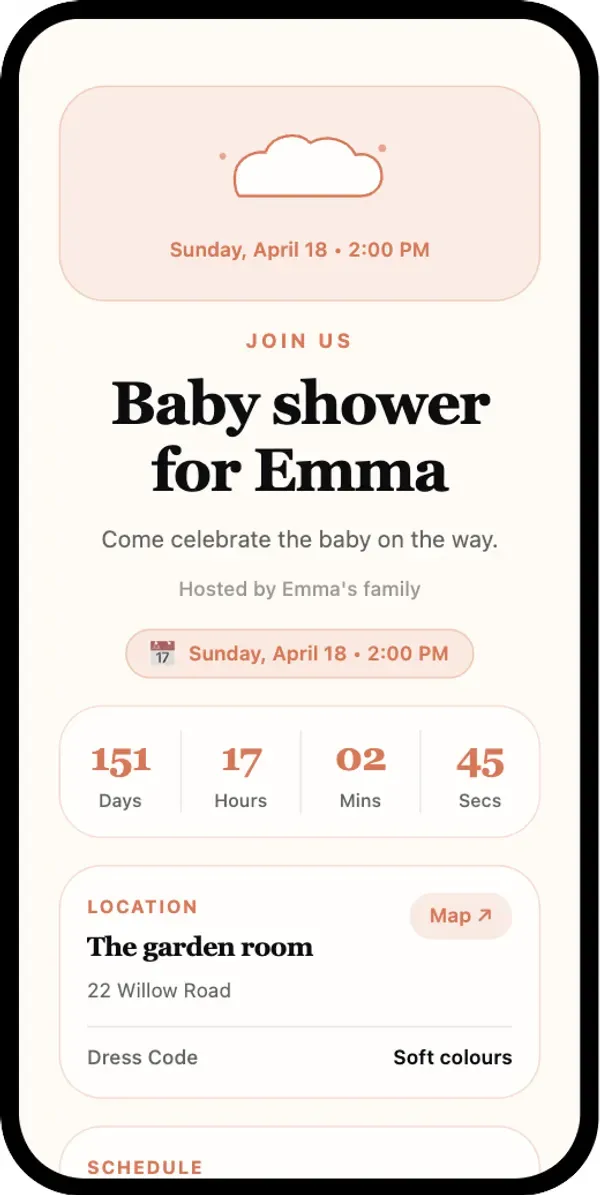
Little Wonder
Cream tones and picture-book drawings for a kids' party or a first birthday.
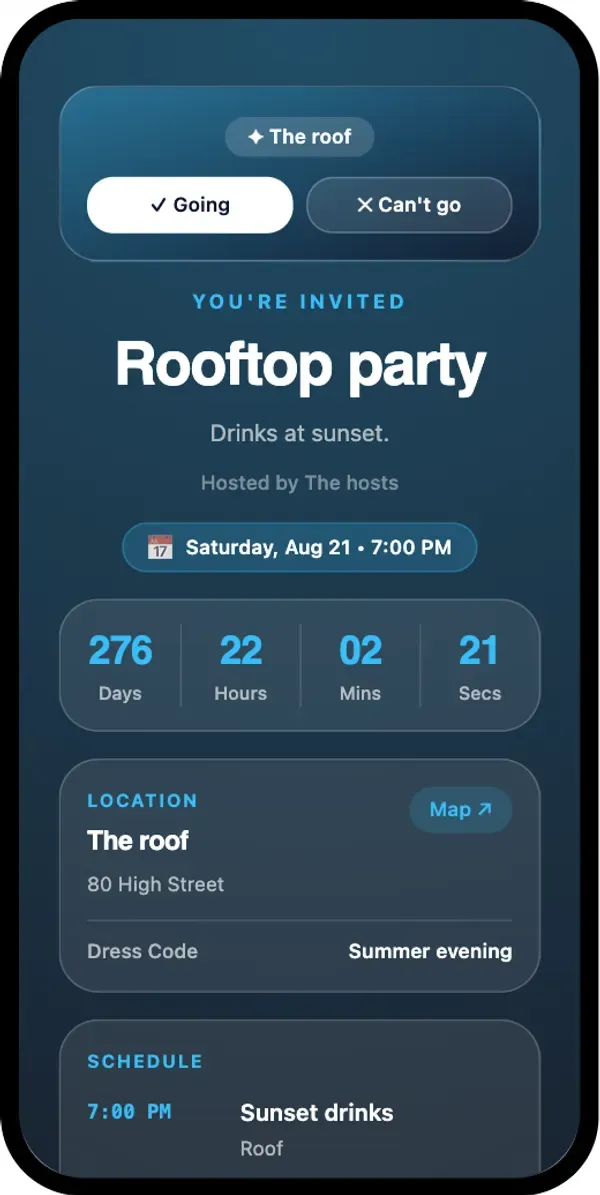
Frosted Story
A full-screen poster with one-tap RSVP buttons, easy to drop into a group chat or a story.
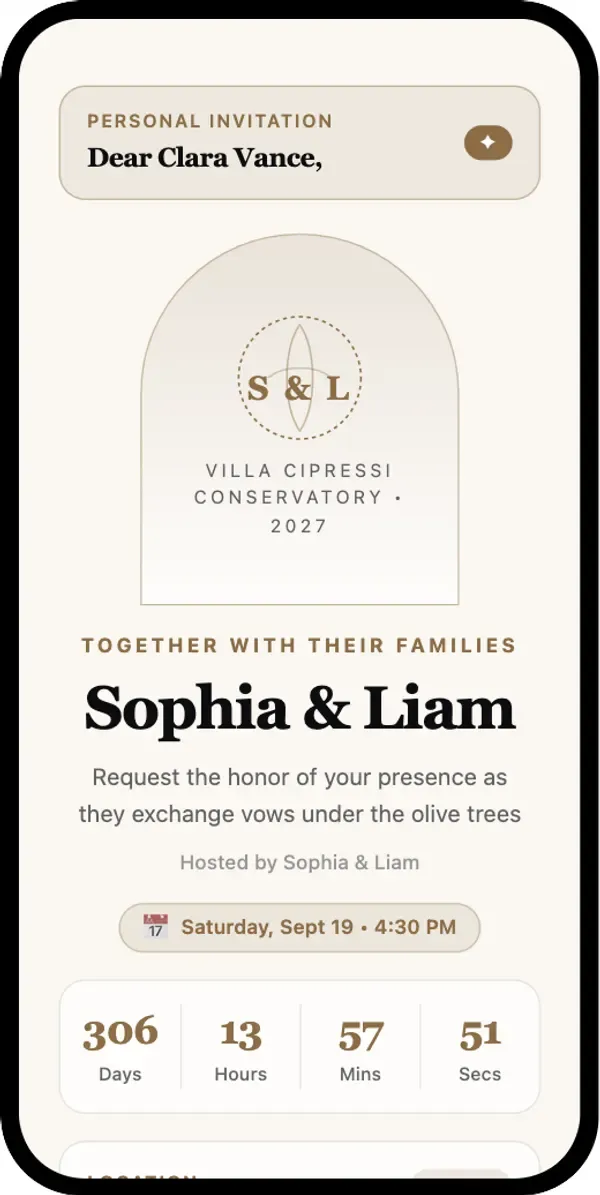
Eternal Editorial
Classic serif stationery for a 40th, 50th or 70th birthday.
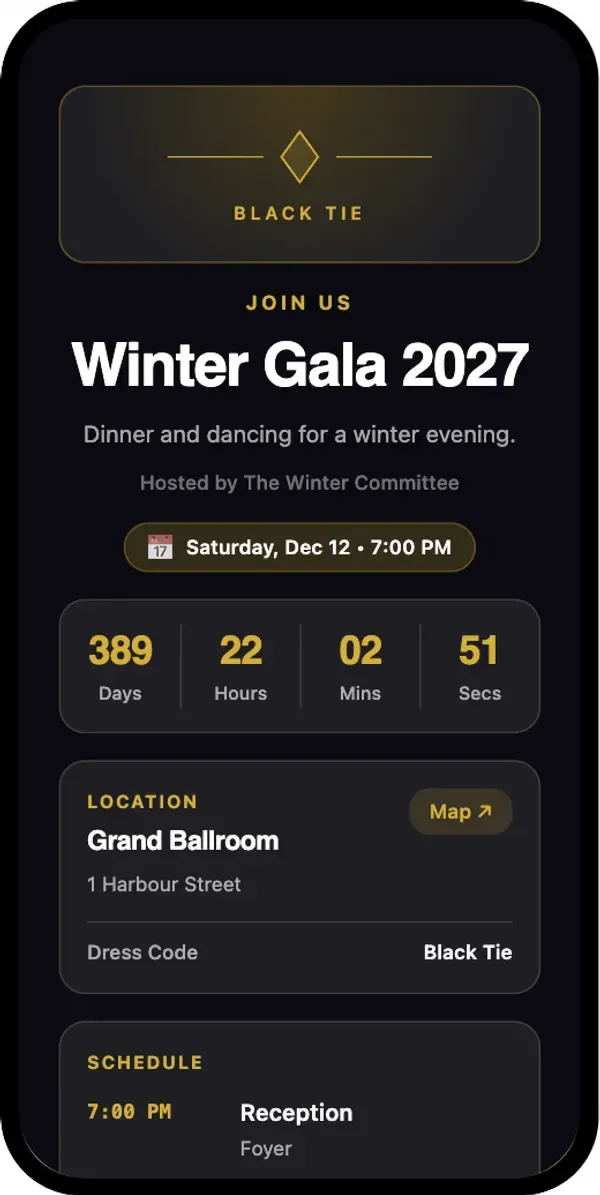
Velvet Nocturne
Black and champagne gold for an evening birthday party where guests dress up.
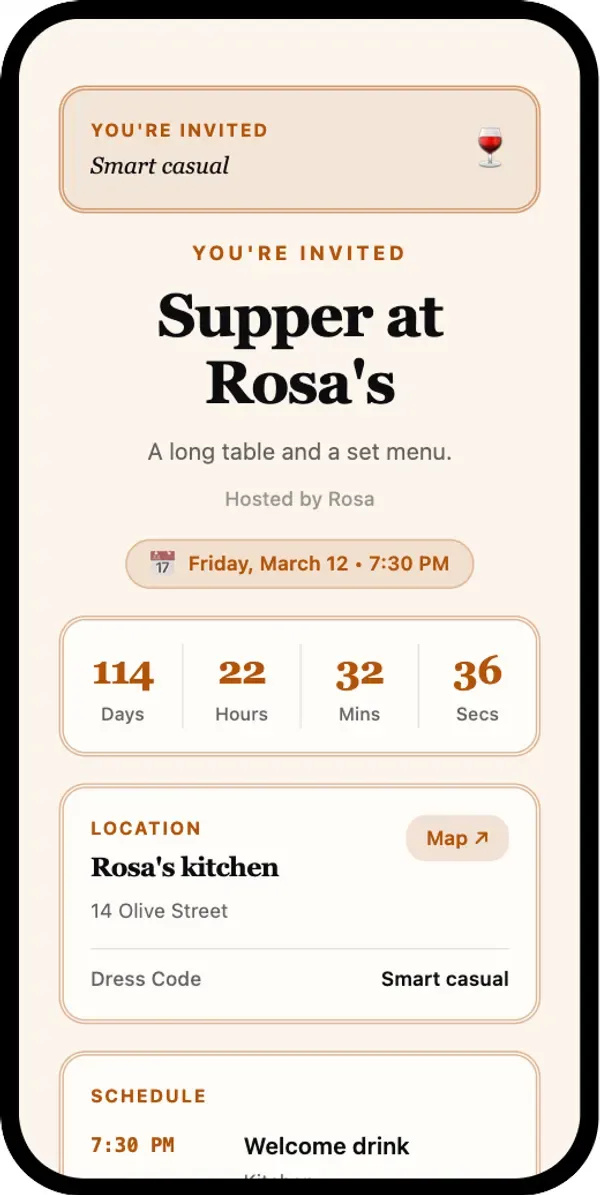
Hearth & Table
Warm terracotta and a menu-style layout for a birthday dinner at home or in a restaurant.
Why make the invitation with QR-Build?
Free for 7 days
Try everything with a 7-day free trial; no card needed to sign up.
Editable after printing
Change the time, place or plan in your dashboard; the printed code stays the same.
Answers in one list
See who is coming and how many, and export the list to CSV.
Templates for every age
From kids' parties to milestone birthdays, with your photo and colours.
Print-ready files
Download PNG for digital cards or SVG for any print size.
How to make a birthday party QR code
- 1. Open the invitation builder and add the party name, date, time and address
- 2. Add the plan and turn on RSVP with the number of guests
- 3. Pick a template such as Confetti Pop or Little Wonder
- 4. Download the code as PNG or SVG
- 5. Print it on the invitations or send it in a chat
Common questions
What happens when someone scans the code?
Can I see who scanned it?
Can I change the party details after printing?
Is it free?
Who makes birthday party QR codes?
- Parents planning a kids' party
- Friends organising a surprise party
- Families planning a milestone birthday
- Party and event planners
- Venues that host birthday parties
- Anyone who wants fewer RSVP messages
Popular birthday party ideas
Kids' parties
Ask parents how many children are coming, about allergies and the pick-up time.
Milestone birthdays
An elegant invitation for a 30th, 50th or 80th with a dress code and a dinner plan.
Surprise parties
Send personal links so only invited guests see the plan, and add "keep it secret" to the page.
Party location
A map link takes guests straight to the address.
Gift wishlist
Use your own block for a wishlist link or a group gift.
Photos after the party
Add a button to the photo album once the party is over; the same code shows it.
Want a birthday greeting instead of an invitation?
To send a video or a voice message to the birthday person, use a video QR code or an audio QR code on the card.
Printing the code on birthday cards
Keep it at least 2 cm wide
A card is read from 20–30 cm away, so 2–2.5 cm of code is enough. Leave a white margin around it.
Say what the code does
"Scan to RSVP by Friday" works better than a bare code.
Mind the contrast
Dark code on a light background. Glitter and foil often fail on phones; test a proof first.
Plans and limits
Free for 7 days
Every new account gets a 7-day free trial, with no card needed to sign up. From day 3 the page shows a small "Powered by QR-Build" line.
The invitation keeps working
Invitation codes keep opening after the trial, and guests can still answer. On the Free plan you see 10 answers a month, on Business 1,500 and on Business Plus 50,000; the rest are saved and appear when you upgrade.
What it doesn't do
No automatic reminders and no SMS invitations. Send reminders yourself to guests who haven't answered.
Ready to make your birthday invitation?
Add the party details, turn on RSVP and download the code in a few minutes.
Frequently asked questions
How do I make a birthday party QR code?
Which format should I download?
Does the code stop working after the party?
How do guests RSVP?
How small can I print the code?
Do guests need an app?
Can I add a logo or colours?
Can I send each guest their own link?
What if the party details change?
Create your birthday party QR code
Pick a template, add the date and address, turn on RSVP and download the code. Free for 7 days.