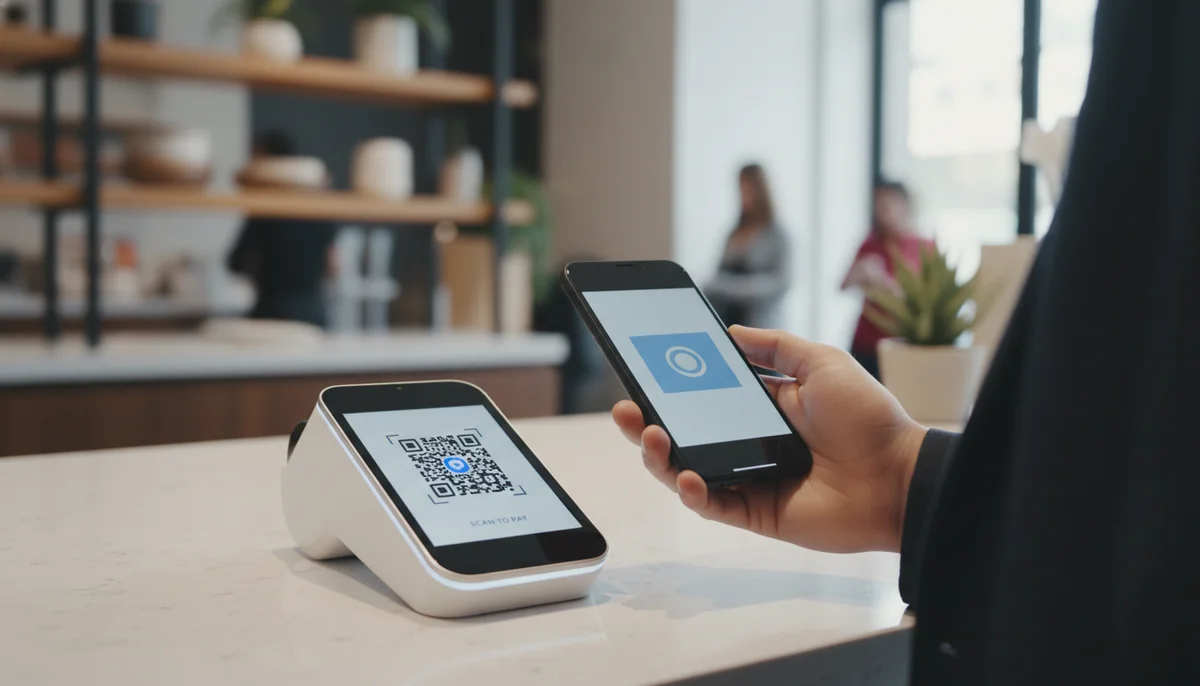
Simplify Online Transactions with Payment QR Codes
Discover how payment QR codes streamline online transactions for businesses. Learn to generate secure, scannable QR codes for faster, easier digital payments. Improve cus
QR Codes for Online Payments: The Fintech Revolution Redefining Transactions
The digital landscape is constantly evolving, and at its forefront, innovative payment solutions are transforming how businesses and consumers interact. Among these advancements, the rise of the payment QR code has emerged as a particularly powerful force, streamlining transactions, enhancing security, and opening new avenues for financial efficiency. This isn't just a trend; it's a fundamental shift in how we manage and execute online payments, offering unparalleled convenience and robustness.
For businesses looking to optimize their sales funnels and individuals seeking frictionless ways to pay, understanding the mechanics, benefits, and strategic implementation of QR codes for online payments is no longer optional—it's essential. This article delves into how this simple matrix barcode is revolutionizing fintech, providing practical insights for seamless integration and maximum impact.
What Exactly is a Payment QR Code?
At its core, a payment QR code is a scannable barcode that, when read by a smartphone camera or a dedicated scanning app, directs the user to a specific online payment portal, digital wallet, or a pre-configured payment instruction. Unlike traditional payment methods that require manual entry of card details or account numbers, QR codes simplify the process to a single scan.
These codes act as a bridge between the physical and digital payment worlds. They can be displayed on a website, an invoice, a product page, or even within an email, allowing customers to initiate a secure transaction instantly. The magic happens when the embedded information, typically a URL or payment data, is quickly interpreted by the scanning device, leading the user directly to the payment gateway where they can complete their purchase or transfer funds with minimal effort.
Static vs. Dynamic QR Codes for Payments
While both static and dynamic QR codes can facilitate payments, understanding their differences is crucial for effective implementation:
- Static QR Codes: These codes contain fixed information that cannot be changed once generated. For a payment QR code, this might mean a direct link to a specific amount or a merchant's fixed payment ID. They are suitable for unchanging donation links or personal payment requests but lack flexibility.
- Dynamic QR Codes: This is where the real power for businesses lies. Dynamic QR Codes allow the embedded destination URL or data to be updated even after the QR code has been printed or deployed. For payments, this means a single QR code can link to different payment amounts, varying product details, or even be updated to reflect different promotions without ever needing to regenerate the physical code. This flexibility is invaluable for [QR code campaigns], enabling real-time adjustments and enhancing the user experience.
The Mechanics of QR Code Payments: A Seamless Experience
The journey from scan to paid is remarkably straightforward, offering benefits to both the payer and the payee.
The Payer's Perspective
- Scan: The customer uses their smartphone camera or a payment app's built-in scanner to scan the QR code.
- Redirect: The scan immediately redirects them to a secure payment page, a digital wallet app (e.g., PayPal, Apple Pay, Google Pay), or a pre-filled transaction form.
- Confirm: The customer reviews the transaction details (merchant, amount, item) and confirms the payment using their preferred method (e.g., fingerprint, face ID, PIN).
- Complete: The payment is processed, and a confirmation is displayed to the user and sent to the merchant.
The Merchant's Perspective
- Generate: The merchant uses a [QR code generator] to create a payment QR code linked to their payment gateway or digital wallet account. For complex systems, a QR Code API can automate the generation process for unique transactions.
- Display: The QR code is displayed prominently on their website, digital invoice, marketing materials, or within their e-commerce checkout flow.
- Receive: Once a customer scans and confirms payment, the funds are securely transferred to the merchant's account.
- Track: Merchants can track successful transactions and gather valuable data on payment trends using tools like QR Code Analytics, providing insights into customer behavior and campaign effectiveness.
Unlocking Business Potential: Benefits of Payment QR Codes
Integrating QR codes into your online payment strategy offers a multitude of advantages that can significantly impact your bottom line and customer satisfaction.
- Reduced Friction & Faster Transactions: The most immediate benefit is the elimination of manual data entry. Customers simply scan and pay, dramatically speeding up the checkout process and reducing cart abandonment rates. This ease of use directly translates to a better customer experience.
- Enhanced Security: Payment QR codes typically direct users to secure payment gateways that already employ robust encryption and fraud prevention measures. By minimizing human error in typing sensitive information, QR codes add an extra layer of security, making transactions safer for both parties.
- Lower Transaction Costs: In some payment ecosystems, QR code transactions can incur lower processing fees compared to traditional credit card transactions, offering cost savings that can be passed on to customers or reinvested into the business.
- Accessibility & Inclusion: QR code payments are inclusive. They allow users without traditional bank accounts or credit cards (who may rely on mobile wallets) to participate in the digital economy. They are also ideal for mobile-first demographics.
- Improved Data & Analytics: Every scan and transaction generated by a [dynamic QR code] can be tracked. This provides merchants with crucial data on payment trends, popular products, and effective placement strategies through QR Code Analytics. This data is vital for refining [QR code marketing] efforts.
- Versatility & Adaptability: From e-commerce checkouts to event registrations and charity donations, a single payment QR code can be adapted for numerous online payment scenarios. This versatility reduces the need for multiple payment infrastructures.
Practical Examples and Business Use Cases
The real power of QR codes for online payments becomes evident in their diverse applications across various industries.
1. E-commerce Checkout Streamlining
Online retailers can significantly enhance the checkout experience by offering QR code payment options. Instead of typing lengthy card details, customers can simply scan a code displayed on the checkout page with their mobile payment app.
Example: An online apparel store integrates QR code payment as an option alongside credit cards and PayPal. When a customer selects "Pay with QR Code," a unique QR code appears. Scanning it with their preferred mobile wallet (e.g., Alipay, Google Pay) pre-fills the total amount, and they confirm the purchase instantly. This is particularly popular in markets with high mobile payment adoption.
2. Digital Invoicing and Bill Payments
For service providers, freelancers, or businesses sending invoices, embedding a payment QR code can expedite payment collection.
Example: A graphic designer sends an invoice to a client. On the PDF invoice, they include a Dynamic QR Code that links directly to a secure payment portal pre-populated with the invoice amount. The client simply scans the code, verifies the details, and completes the payment, eliminating delays from manual bank transfers or check processing. This could also be integrated using a URL QR Code that points to an invoice payment link.
3. Donations and Fundraising Campaigns
Non-profit organizations and crowdfunding platforms can leverage QR codes to simplify contributions.
Example: A charity running an online fundraising campaign displays a QR code on its website, social media posts, and digital newsletters. Scanning this code takes donors directly to a secure donation page where they can choose an amount or pay a pre-set sum. This immediate call-to-action significantly boosts conversion rates for donations, as seen in many successful [QR code campaigns].
4. Subscription Services and Membership Fees
While typically managed through recurring billing, QR codes can be used for initial setup or one-time membership purchases.
Example: A fitness app offers a premium subscription. New users can scan a QR code on the app's landing page or within the free version to initiate their subscription payment, linking directly to a page where they can select a plan and complete the first payment.
5. Event Tickets and Registrations
Online event organizers can use QR codes to simplify ticket purchases and registration fees.
Example: A conference organizer sells tickets online. They embed a QR code on their event page. Attendees scan the code to be taken directly to the ticket purchase portal, where they can select their ticket type and complete payment. This offers a frictionless experience compared to navigating complex booking forms. An Event QR Code could directly link to the payment and registration page, making the process even smoother.
Strategy & Implementation: Deploying an Effective Payment QR Code System
Implementing QR codes for online payments requires careful planning to ensure security, efficiency, and a positive user experience.
1. Choosing the Right Payment Gateway and QR Code Provider
Your choice of payment gateway is paramount. Ensure it supports QR code integration or offers an API for custom solutions. For generating the QR codes themselves, you'll need a reliable platform.
- For simple, static links: A Free QR Code Generator can create codes for individual payment links.
- For scalable, flexible solutions: Invest in a platform that supports Dynamic QR Codes and offers comprehensive QR Code Analytics. For businesses needing to generate many unique payment codes, a Bulk QR Generator or a QR Code API can be invaluable for automating the process.
2. Creating Your Payment QR Codes
Here's a simplified step-by-step approach:
- Set Up Your Payment Link: First, generate the secure payment link from your chosen payment gateway (e.g., Stripe Checkout link, PayPal.Me link, custom invoice URL). This link should contain all necessary payment parameters (amount, currency, item description if applicable).
- Use a QR Code Generator: Go to a reliable [QR code generator].
- Select URL/Website QR Code: Choose the option to create a URL QR code.
- Paste Your Payment Link: Paste the secure payment link into the designated field.
- Generate and Customize: Generate the QR code. Consider adding your brand's logo and colors using Custom QR Design to enhance recognition and trust.
- Test Thoroughly: Before deployment, scan the QR code with multiple devices and payment apps to ensure it leads to the correct, functional payment page.
Tip: For advanced scenarios, especially when generating QR codes for unique transactions (e.g., individual invoices), consider integrating your system directly with a QR Code API. This allows your software to dynamically create QR codes with specific payment details on the fly.
3. Strategic Placement and Promotion
Where you display your payment QR code is as important as its functionality.
- Website Checkout Pages: Offer it as an alternative payment method.
- Digital Invoices & Bills: Embed it directly into PDF or email invoices.
- Email Marketing: Include a QR code in promotional emails for direct purchases or donations.
- Social Media: Post images with QR codes linking to product pages or special offers.
- Digital Advertisements: Use QR codes in banner ads or video ads to drive immediate conversions.
- Product Pages: For specific items, a Product QR Code can link directly to a pre-filled checkout.
Ensure clear instructions accompany the QR code, guiding users on how to scan and pay. This enhances the user experience and reduces potential confusion, contributing to successful [QR code marketing] efforts.
4. Security and User Experience Best Practices
- Always Use HTTPS Links: Ensure your payment links are secure (HTTPS) to protect sensitive data during transmission.
- Clear Call-to-Action: Provide explicit instructions like "Scan to Pay" or "Scan for Invoice Payment" to guide users.
- Regular Testing: Periodically test your QR codes to ensure they are still functional and direct to the correct, secure payment page. This is especially important for [dynamic QR codes] as their destination can be changed.
- Monitor Performance: Utilize QR Code Analytics to track scan rates, successful transactions, and any issues. This data is invaluable for optimizing your [QR code campaigns].
- Educate Your Customers: Briefly explain the benefits of paying via QR code, especially if it's a newer option for your audience.
Conclusion: The Future is Scannable
The integration of QR codes into online payment systems represents a significant leap forward in fintech. Their ability to deliver speed, security, and convenience addresses key pain points for both businesses and consumers in the digital economy. As mobile technology continues to evolve, the payment QR code is poised to become an even more pervasive and indispensable tool for facilitating seamless transactions across all online platforms.
By strategically adopting dynamic QR codes, leveraging robust [QR code generator] tools, and continuously analyzing performance with QR Code Analytics, businesses can not only optimize their payment processes but also unlock new growth opportunities in an increasingly mobile-first world. The future of online payments is here, and it’s remarkably simple: just scan and pay.
Ready to Get Started?
Explore our tools to enhance your QR code workflow
Free QR Code Generator
Create unlimited QR codes for free with our easy-to-use generator. No signup required.
Start CreatingTeam Workspace
Collaborate with your team on QR code projects. Share templates, manage permissions, and track usage.
Explore TeamsQR Code API
Integrate QR code generation into your applications with our RESTful API. Unlimited requests, high performance.
Explore APIAll tools are available with a free plan to get you started
Frequently Asked Questions
Find quick answers to common questions about this topic
What is a payment QR code and how does it work?
A payment QR code is a scannable barcode that, when scanned by a smartphone camera, directs the user to a payment portal or pre-fills transaction details. It simplifies online and in-person digital payments by eliminating manual entry.
What are the key advantages of using payment QR codes for businesses?
Businesses benefit from faster checkout processes, reduced human error, lower transaction fees compared to traditional card methods, and expanded reach to customers preferring digital or mobile payments. They also offer a contactless solution.
Are payment QR codes secure for online transactions?
Yes, payment QR codes are highly secure when generated and integrated with reputable payment gateways. They often use encryption and can be dynamic, changing per transaction or having an expiry, adding an extra layer of security.
Can I track transactions made through QR codes?
Absolutely. Platforms like QR-Build provide real-time scan analytics, allowing you to monitor usage and track successful transactions, giving valuable insights into customer payment behavior and campaign performance.
How can I create a payment QR code for my business?
You can create payment QR codes using a QR code generator platform. You typically link the QR code to your preferred payment gateway or a specific payment URL, allowing customers to complete transactions easily after scanning.
Related Articles
Continue exploring QR code strategies and best practices
QR Code Security & Safety: Protecting Yourself from Malicious Scans
Discover essential tips for QR code security and safety. Learn how to identify malicious QR codes and protect your personal data from phishing and malware attacks. Stay s

How to Track QR Code Scans for Campaign Success
Learn how to track QR code scans effectively with real-time analytics to measure campaign performance and optimize your marketing efforts. Understand key metrics.
What are the Main QR Code Types? Static, Dynamic & More
Explore the different QR code types, from static to dynamic. Learn their unique features, benefits, and best uses for business with QR-Build.
How Dynamic QR Codes Work: Your Guide to Editable QR Codes
Discover how dynamic QR codes allow you to update content even after printing. Learn the benefits of an editable QR code for campaigns, menus, and business.

Unlock Growth: QR Codes in Business for Modern Engagement
Discover how QR codes revolutionize business operations, marketing, and customer engagement. Explore essential QR code business uses to drive efficiency and boost your br

Top Business QR Code Generators & Tools for Seamless Operations
Explore the best business QR code generators to streamline operations and boost marketing. Compare tools for dynamic QR codes, analytics, and team management to enhance y

QR Technology Specialist
Sarah has over 8 years of experience in digital marketing and QR code technology. She specializes in helping businesses implement effective QR code strategies.