Simplify Support: Using QR Codes for Product Manuals
Streamline customer support and enhance user experience by implementing QR codes for product manuals. Discover how to create, update, and track digital manuals with ease.
QR Codes for Product Manuals: Revolutionizing Product Support and Customer Experience
Bulky paper manuals are costly, quickly outdated, and a common source of customer frustration. A QR code on your product solves this by linking directly to a dynamic, rich-media digital manual that's always up to date. For retailers and manufacturers, the shift to a qr code product manual isn't just about going paperless; it's a strategic move to enhance customer satisfaction, streamline support, and gather invaluable insights.
In today's competitive retail landscape, delivering an exceptional post-purchase experience is paramount. Integrating QR codes into your product documentation strategy transforms a static, often-ignored booklet into an interactive, always-accessible knowledge hub. This guide delves into the strategic advantages and practical implementation of leveraging QR codes to revolutionize your product manuals.
The Inherent Problems with Traditional Product Manuals
For decades, physical product manuals have been the standard, yet they come with a host of inherent challenges that impact both businesses and consumers:
- High Costs and Environmental Impact: Printing, shipping, and warehousing paper manuals add significant overhead. This also contributes to deforestation and waste.
- Rapid Obsolescence: Products evolve, features are updated, and troubleshooting steps change. Physical manuals become outdated the moment an update is released, leading to incorrect information and frustrated users.
- Poor User Experience: Manuals are often misplaced, damaged, or perceived as too complex. They typically lack visual aids, interactive elements, or multi-language support, making them less helpful for diverse user bases.
- Limited Data Collection: Traditional manuals offer no way to track engagement, identify common pain points, or understand which sections users find most useful. This absence of data hinders continuous improvement.
These limitations make a compelling case for adopting digital product guides via QR, moving beyond the static constraints of paper.
The Transformative Power of a QR-Accessible Manual
Integrating a qr code product manual strategy brings a wealth of benefits, transforming a necessary component of product delivery into a powerful tool for engagement and support.
- Dynamic Content Delivery: With
dynamic QR codes, the URL linked to the QR code can be updated at any time without changing the physical code. This means your digital manual can always reflect the latest product information, firmware updates, safety warnings, or FAQs. - Enhanced User Experience: Digital manuals aren't limited to text and static images. They can include high-definition videos demonstrating assembly or troubleshooting, interactive 3D models, audio guides, and direct links to support resources. This rich media approach dramatically improves user comprehension and satisfaction.
- Cost Savings and Sustainability: Eliminating or significantly reducing printed manuals slashes production costs, shipping expenses, and storage needs. This also aligns with corporate sustainability goals, appealing to environmentally conscious consumers.
- Actionable Data and Insights: By linking your QR codes to a robust analytics platform, you gain valuable insights into user behavior.
QR code analyticscan track scan locations, times, device types, and even the engagement duration on your digital manual pages. This data is crucial for optimizing content and identifying areas for product improvement or support focus. - Global Accessibility: Digital manuals can be easily translated into multiple languages, offering a superior experience for international customers without the prohibitive cost of printing localized physical versions.
- Future-Proofing Your Support: As technology evolves, your digital manuals can too. They can integrate with augmented reality (AR) experiences, voice assistants, or smart home ecosystems, ensuring your product support remains cutting-edge.
Crafting Your QR-Accessible Manuals: A Step-by-Step Guide
Implementing a successful qr code product manual strategy requires careful planning and execution. Here’s how to approach it:
Step 1: Content Creation and Optimization
The quality of your digital manual is paramount. It must be clear, concise, and easy to navigate.
- Choose Your Format: While a simple PDF is a start, consider creating web-based manuals for maximum interactivity and responsiveness. You can link directly to a PDF QR Code or a dedicated web page. For complex products, Video QR Codes demonstrating specific steps can be incredibly effective.
- Prioritize Mobile-First Design: A significant portion of users will access manuals on their smartphones. Ensure your content is fully responsive, loads quickly, and is easy to read on small screens.
- Structure for Clarity: Use clear headings, bullet points, and short paragraphs. Incorporate visual aids like diagrams, exploded views, and comparison tables.
- Multilingual Support: Offer your manual in key languages. Modern web platforms can often auto-detect language preferences, providing a seamless experience.
Step 2: Choosing Your QR Code Type
The choice between static and dynamic QR codes is critical for product manuals.
- Dynamic QR Codes are Essential: For product manuals, always opt for
dynamic QR codes. This allows you to update the linked content (e.g., bug fixes, new features, expanded FAQs) without needing to reprint the QR code on your product packaging or labels. If a URL changes or a file needs replacing, dynamic codes offer unmatched flexibility. - Static QR Codes (Use with Caution): While free to create, static QR codes permanently embed the destination URL. If that URL ever changes or the content needs updating, the QR code becomes useless. This makes them unsuitable for long-term product support.
Step 3: Generating and Designing Your QR Codes
Creating your QR codes should be a straightforward process with the right tools.
- Utilize a Reliable QR Code Generator: Choose a platform that offers
dynamic QR codes, analytics, and customization options. Many providers offer a Free QR Code Generator to get started, with advanced features for paid plans. - Branding and Call to Action: Don't just place a black-and-white QR code. Use
Custom QR Designfeatures to match your brand's colors and incorporate your logo. Add a clear call to action (e.g., "Scan for Digital Manual," "Watch Assembly Video"). This encourages scans and reinforces branding. - Thorough Testing: Before deployment, test your QR codes rigorously on various devices and scanning apps to ensure they scan correctly and link to the intended content.
Plan for Scale: Managing Manuals Across Thousands of SKUs
For businesses with extensive product lines, managing digital manuals for each SKU can seem daunting. This is where advanced tools become indispensable.
- Leverage a Bulk QR Generator: If you have hundreds or thousands of products, individually creating QR codes is inefficient. A Bulk QR Generator allows you to create multiple QR codes simultaneously from a spreadsheet, linking each product to its specific digital manual. This dramatically reduces manual effort and potential errors.
- Integrate with Existing Systems via API: For large enterprises, integrating QR code creation directly into Product Information Management (PIM) or Enterprise Resource Planning (ERP) systems is the ultimate solution for automation. A robust QR Code API can automatically generate and manage dynamic QR codes for every product as part of your existing data workflows, ensuring consistency and efficiency at scale. This allows for real-time updates and ensures that the correct manual is always associated with the correct product ID.
Strategic Placement and Compliance for QR-Linked Instructions
Where and how you place your QR codes, along with understanding regulatory requirements, are crucial for success.
Strategic Placement
- On the Product Packaging: This is the most common and immediate touchpoint. Place the QR code prominently near critical information or a "start here" guide.
- Within Quick Start Guides: For products that still benefit from a basic physical quick start guide, embed the QR code to link to the comprehensive digital manual.
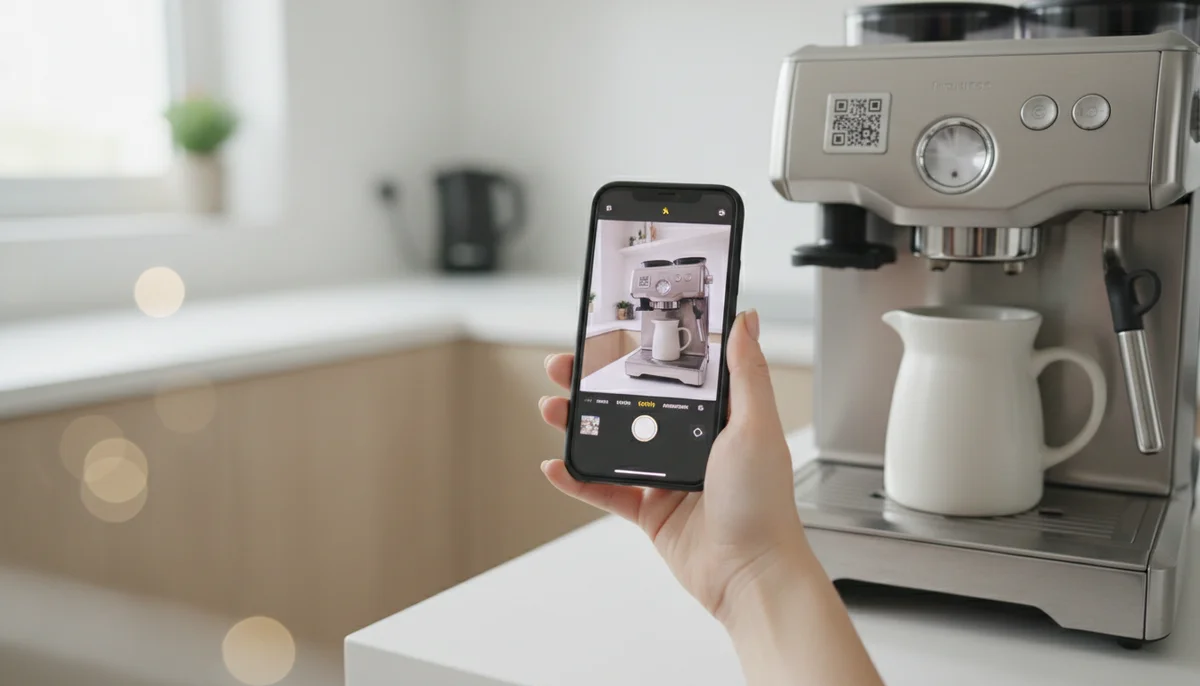
- Directly on the Product: For larger items like appliances, furniture, or industrial equipment, a durable QR code sticker on the product itself ensures the manual is always available, even if the packaging is discarded.
- Retail Displays/Showrooms: QR codes on display models can link to extended digital product guides via QR, including features comparisons, customer reviews, or demo videos.
Design Considerations
- Size and Contrast: Ensure the QR code is large enough to be easily scanned and has sufficient contrast with its background. A minimum size of 1x1 inch is often recommended for print.
- Clear Instructions: Always include a short, clear instruction next to the QR code, such as "Scan for complete manual" or "Video assembly guide inside."
Accessibility and Regulatory Compliance
While digital manuals offer immense flexibility, it's vital to consider accessibility and compliance.
- Accessibility: Ensure your digital manuals are designed to be accessible to users with disabilities. This includes screen-reader compatibility, sufficient color contrast, keyboard navigation options, and descriptive alt text for images. Offering multiple content formats (e.g., text, audio, video captions) can cater to diverse needs.
- Regulatory Compliance: Be aware of any industry-specific regulations that may still require basic physical documentation, even if the comprehensive manual is digital. Some regions or product categories (e.g., medical devices, certain electronics) might have legal mandates for including specific safety information or warnings in a printed format. Always consult relevant regulatory bodies to ensure full compliance.
Real-World Applications: Digital Product Guides via QR in Retail
The versatility of QR codes allows for innovative applications across various retail categories:
- Electronics: Imagine a smart home device. A QR code on its packaging could link to:
- An interactive setup guide with troubleshooting videos.
- Firmware update instructions.
- A direct link to customer support or warranty registration.
- Extended specifications not possible on the box.
- Furniture and DIY Kits: Instead of confusing diagrams, a QR-linked instruction on a furniture box could open:
- A step-by-step assembly video, pausing after each step.
- 3D interactive models showing components and connections.
- Care instructions for different materials.
- Links to purchase replacement parts.
- Apparel and Home Goods: A small label with a QR code could transform a simple garment or piece of decor:
- Detailed washing and care instructions for delicate fabrics.
- Information about the product's sustainable sourcing or craftsmanship story.
- Warranty information and direct claims process.
- Suggestions for complementary products, driving further
QR code marketingopportunities.
- Automotive Parts: For a complex car part, a QR code could provide:
- Detailed installation videos and diagrams.
- Compatibility charts for different vehicle models.
- Links to certified repair shops.
- Safety bulletins and recall information.
These examples demonstrate how QR code campaigns extend beyond just manuals, offering a holistic approach to customer engagement and product lifecycle management.
Measuring Success: The Role of QR Code Analytics
The beauty of dynamic QR codes lies not just in their flexibility but also in their ability to provide actionable data. Robust QR code analytics are crucial for understanding the impact of your digital manual strategy.
- Track Scan Performance: Monitor the total number of scans, unique scans, and scan frequency. This gives you a clear picture of how many customers are accessing your digital content.
- Geographical and Time Data: Understand where and when users are scanning your QR codes. This can help identify regional customer behaviors, peak usage times, and inform future content or support strategies.
- Device Insights: Determine which devices (iOS, Android, desktop) are most commonly used to access your manuals. This ensures your content optimization efforts are targeted effectively.
- Engagement Metrics (if linking to web pages): If your digital manual is a web page, integrate Google Analytics or similar tools to track bounce rates, time on page, and navigation paths. This reveals which sections are most popular or where users might be struggling.
- Iterative Improvement: Use these insights to continuously refine your digital manuals. If a specific troubleshooting video has low engagement, perhaps its thumbnail or title needs adjustment. If a particular section is frequently revisited, consider expanding it or making it more prominent. This data-driven approach ensures your QR-linked instructions are always serving your customers effectively.
Conclusion
The evolution from static paper to a dynamic qr code product manual represents a significant leap forward in product support and customer engagement. It’s a strategic investment that pays dividends in cost savings, environmental responsibility, and, most importantly, a superior customer experience. By embracing dynamic QR codes, leveraging powerful analytics, and adopting a strategy for scale, businesses can transform a traditionally overlooked aspect of their product into a powerful asset.
Start exploring the potential of QR codes to redefine your product manuals today. With the right tools and a forward-thinking approach, you can deliver always-on, rich-media support that keeps pace with your innovative products and delights your customers.
Ready to Get Started?
Explore our tools to enhance your QR code workflow
Free QR Code Generator
Create unlimited QR codes for free with our easy-to-use generator. No signup required.
Start CreatingQR Code API
Integrate QR code generation into your applications with our RESTful API. Unlimited requests, high performance.
Explore APIBulk QR Generator
Generate hundreds of QR codes at once from CSV files. Perfect for events, inventory, and mass campaigns.
Start BulkAll tools are available with a free plan to get you started
Frequently Asked Questions
Find quick answers to common questions about this topic
Why use QR codes for product manuals instead of print?
QR codes offer dynamic access to the latest manual version, saving printing costs and reducing waste. They provide instant access via smartphone, enhancing user convenience and satisfaction by ensuring up-to-date information is always available.
Can I update a product manual after its QR code is printed?
Yes, with dynamic QR codes, you can update the linked manual PDF or web page anytime, even after the QR code has been printed and distributed. This ensures users always have access to the most current and correct information.
How do QR codes improve the customer experience with product manuals?
QR codes provide immediate, convenient access to comprehensive digital manuals, video tutorials, and support resources. This eliminates the need to search for physical booklets and offers a richer, interactive, and readily accessible experience for users.
What types of products benefit most from QR code manuals?
Complex electronics, appliances, furniture, and machinery benefit significantly, as users can quickly access assembly instructions, troubleshooting guides, warranty information, and frequently asked questions on the go directly from their device.
Can I track usage of my QR code product manuals?
Yes, platforms like QR-Build provide real-time scan analytics. You can monitor how often your QR code manuals are accessed, where they are scanned, and gain insights into user engagement, helping you optimize your support resources.
Related Articles
Continue exploring QR code strategies and best practices

How to Track QR Code Scans for Campaign Success
Learn how to track QR code scans effectively with real-time analytics to measure campaign performance and optimize your marketing efforts. Understand key metrics.

Dynamic QR Code Explained: What It Is, How It Works, & Benefits
Discover what a dynamic QR code is, how it works, and its key advantages for marketing and business. Learn why editable QR codes are essential for modern campaigns with Q

Create a QR Code for PDF: The Ultimate PDF QR Code Generator Guide
Unlock easy document sharing! Learn how to generate a QR code for PDF files effortlessly. Our guide covers using a PDF QR code generator to enhance accessibility and dist

Create a QR Code for Your Website: The Ultimate Guide
Unlock easy access to your website with a QR code. Learn how to create a website QR code, customize it, and deploy it effectively to boost traffic and user engagement. Si

Top Business QR Code Generators & Tools for Seamless Operations
Explore the best business QR code generators to streamline operations and boost marketing. Compare tools for dynamic QR codes, analytics, and team management to enhance y
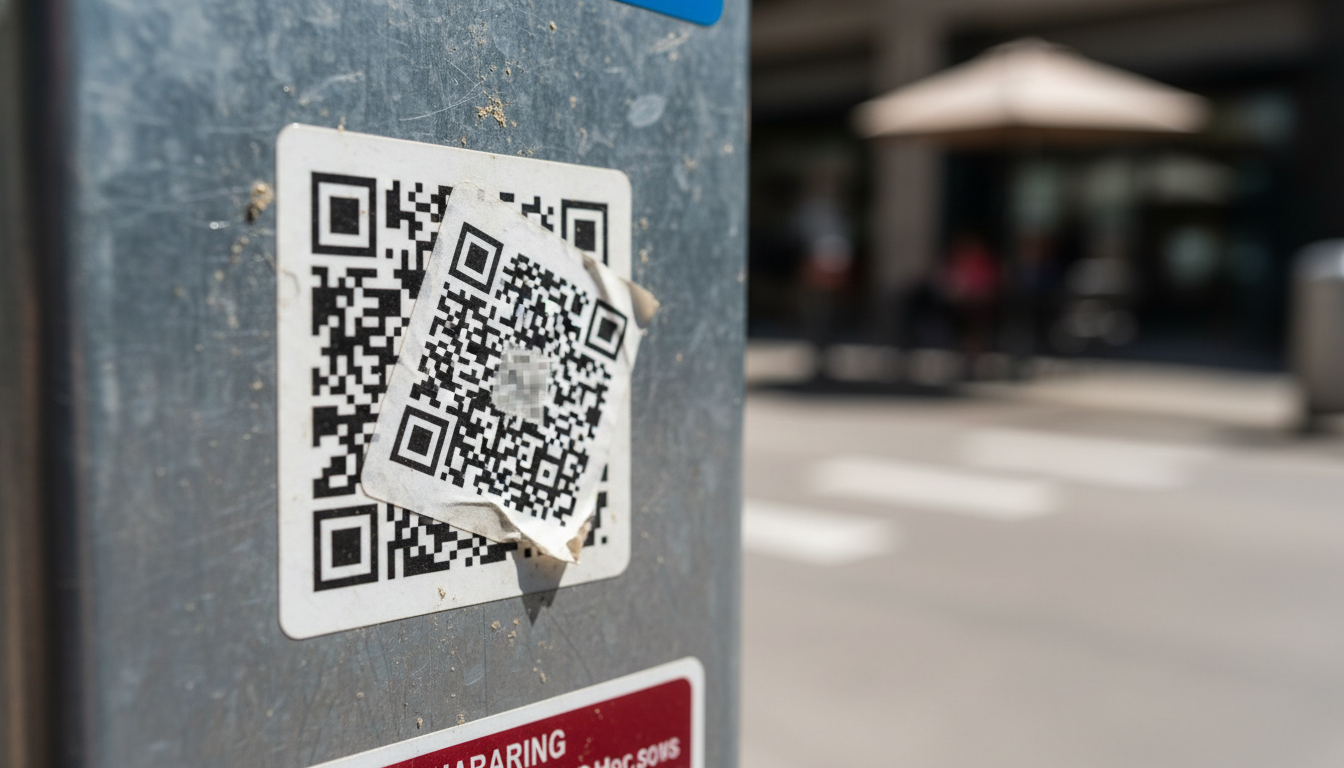
QR Code Security & Safety: Protecting Yourself from Malicious Scans
Discover essential tips for QR code security and safety. Learn how to identify malicious QR codes and protect your personal data from phishing and malware attacks. Stay s

QR Technology Specialist
Sarah has over 8 years of experience in digital marketing and QR code technology. She specializes in helping businesses implement effective QR code strategies.