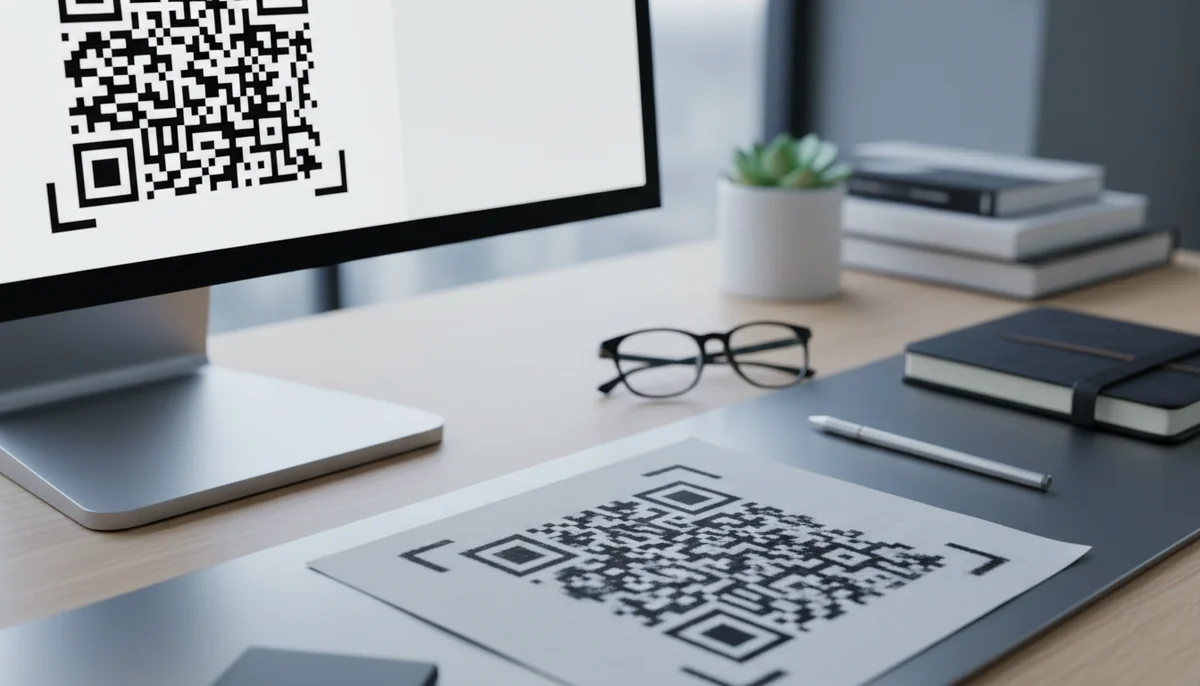
SVG vs. PNG: Choosing the Best File Format for Your QR Codes
Understand which QR code file format is best for your needs. Compare SVG vs. PNG for optimal clarity, print, and digital use. Make informed decisions for your QR code des
Best File Format for QR Codes: Navigating SVG, PNG, and Other Options
QR codes have evolved from niche curiosities to ubiquitous tools in digital marketing, connecting the physical and virtual worlds with a simple scan. From restaurant menus to product packaging, their presence is undeniable. However, behind every scannable square lies a crucial decision often overlooked: the file format. Choosing the right file format can mean the difference between a flawlessly scannable code and a pixelated, unreadable mess that derails your entire marketing campaign.
For optimal performance, particularly when it comes to scalability and print quality, the debate often centers on qr code svg png options. These two formats offer distinct advantages, but understanding when and why to choose one over the other is key to successful QR code deployment. This article will delve into the technical nuances of various image formats, providing practical advice to ensure your QR codes always perform at their best, regardless of their application.
Understanding Image File Formats: Raster vs. Vector Graphics
To make an informed decision about your QR code file format, it's essential to grasp the fundamental difference between raster and vector graphics. This distinction dictates how an image behaves when scaled and displayed across various mediums.
The Core Distinction: Raster vs. Vector Graphics
Raster graphics are composed of a grid of individual pixels, each assigned a specific color. Think of them like a mosaic; the more pixels, the more detail and the smoother the image. However, when you enlarge a raster image beyond its original resolution, the individual pixels become visible, leading to pixelation or "blurriness." Common raster formats include PNG, JPG, and GIF.
Vector graphics, on the other hand, are built using mathematical equations that define points, lines, curves, and shapes. Instead of pixels, they describe paths and fills. This means vector images are infinitely scalable without any loss of quality or clarity. No matter how large you make a vector QR code, it will always remain crisp and sharp. SVG (Scalable Vector Graphics) is the most prominent vector format for web and digital use, while EPS and PDF are also common in print.
PNG: The Raster Powerhouse for Digital
PNG (Portable Network Graphics) is a popular raster image format known for its lossless compression and support for transparency. This makes it an excellent choice for digital applications where a transparent background is desired, allowing the QR code to seamlessly blend into various design elements on a webpage or app.
- Pros:
- Lossless Compression: Retains all image data, ensuring high-quality visuals without artifacts.
- Transparency Support: Allows for transparent backgrounds, perfect for overlays on websites, emails, or social media graphics.
- Wide Compatibility: Universally supported by web browsers, image editors, and digital platforms.
- Cons:
- Pixelation on Scaling: As a raster format, PNGs will pixelate if enlarged too much beyond their original resolution.
- Larger File Sizes (compared to JPG): While lossless, PNG files can be larger than compressed JPGs for complex images, potentially impacting page load times.
- When to Use: PNG is ideal for URL QR Codes embedded on websites, Social Media QR Codes, email signatures, digital brochures, or any application where the QR code will be viewed at a fixed size on a screen. For quickly generating a QR code for web use, our Free QR Code Generator often defaults to PNG due to its versatility for digital displays.
SVG: The Scalable Vector Champion
SVG (Scalable Vector Graphics) is an XML-based vector image format specifically designed for two-dimensional graphics with support for interactivity and animation. For QR codes, its key advantage is its unparalleled scalability. An SVG QR code can be resized from a tiny favicon to a billboard without any degradation in quality.
- Pros:
- Infinitely Scalable: Maintains crispness and clarity at any size, from business cards to large print advertisements.
- Small File Size (for simple graphics): For geometric shapes like QR codes, SVGs are often smaller than equivalent PNGs.
- Resolution Independent: Looks great on any screen resolution or print DPI.
- Editable with Code: As an XML file, SVGs can be manipulated with CSS or JavaScript, allowing for advanced Custom QR Design and dynamic styling.
- Cons:
- Browser/Software Compatibility (historically): While widely supported now, some very old systems or niche software might have limited SVG support.
- Complexity: Can be more complex to generate or edit manually compared to simple raster formats, though a good Free QR Code Generator handles this for you.
- When to Use: SVG is the gold standard for any QR code destined for print media—posters, brochures, billboards, packaging, or merchandise. It's also excellent for high-end digital branding where sharp graphics are paramount, especially if you anticipate future resizing. When creating Dynamic QR Codes for long-term campaigns where the visual branding must remain pristine across all mediums, SVG is the clear winner.
JPG/JPEG: When Compression Trumps Quality (Usually Not for QR Codes)
JPG (Joint Photographic Experts Group) is a raster image format renowned for its highly efficient lossy compression. This means it discards some image data to achieve very small file sizes, making it perfect for photographs and complex images where some detail loss is acceptable or unnoticeable.
- Pros:
- Smallest File Sizes: Ideal for web performance where large images can slow down loading.
- Ubiquitous Support: Universally recognized.
- Cons:
- Lossy Compression: Every save and re-save results in further quality degradation, introducing artifacts.
- Poor for Sharp Lines/Text: The compression algorithms tend to blur sharp edges, which is detrimental to the readability of QR codes.
- No Transparency: Does not support transparent backgrounds.
- Why it's Generally Unsuitable for QR Codes: Due to its lossy compression and tendency to blur sharp edges, JPG is almost never the best choice for QR codes. The intricate patterns of a QR code require precise lines for scanners to read accurately. A JPG can easily introduce enough "noise" or blur to render the code unreadable, leading to failed QR code campaigns. Only in very specific, low-resolution digital contexts where file size is the absolute priority and testing confirms scanability, might it be considered, but generally, avoid it.
EPS/PDF: Professional Print-Ready Vector Alternatives
While SVG shines on the web and for general vector use, EPS (Encapsulated PostScript) and PDF (Portable Document Format) are professional-grade vector formats often used in the printing industry.
- EPS: A legacy vector graphics file format used for high-resolution graphics and print. Like SVG, it's resolution-independent. If your printer requests an EPS file, it's typically for professional offset printing.
- PDF: A versatile document format that can encapsulate both raster and vector graphics, text, and other elements. It's excellent for sharing print-ready files because it preserves the layout and visual fidelity across different devices and operating systems. Many professional printers prefer PDF as their final artwork submission.
These formats are usually the end product of a design workflow that might start with an SVG QR code, which is then integrated into a larger design layout and exported as an EPS or high-quality PDF.
Choosing the Right Format for Your QR Code Campaign
The optimal file format largely depends on where and how your QR code will be used. Let's explore common scenarios.
Scenario 1: Digital Display and Web Integration
You're creating a QR code for your website, social media posts, email marketing, or an in-app prompt. The code will primarily be viewed on screens.
- Use Case: A URL QR Code to direct traffic to a landing page, an App Store QR Code for mobile downloads, or an Email QR Code in your signature.
- Recommendation: PNG.
- Why: PNG offers lossless quality at a fixed resolution, supports transparency for seamless integration, and is universally supported by web browsers and digital platforms. Since screen resolutions are fixed (or adapt within a range), pixelation isn't typically an issue unless the image is drastically enlarged by the user.
- Step-by-Step:
- Go to a reliable Free QR Code Generator.
- Input your desired content (e.g., your website URL).
- Generate your QR code.
- Select "Download as PNG" (or a similar option).
- Embed the downloaded PNG file directly into your website, social media graphic, or email. Ensure you download it at a sufficiently large resolution for its intended display size to prevent immediate pixelation.
Scenario 2: High-Quality Print Media
You need a QR code for a large poster, a billboard, product packaging, business cards, or merchandise. The code needs to look sharp and scan reliably regardless of print size.
- Use Case: A Product QR Code on packaging, a Restaurant Menu QR Code on a table tent, or an Event QR Code on a promotional banner.
- Recommendation: SVG (or EPS/high-quality PDF for final print submission).
- Why: SVG's vector nature ensures infinite scalability without pixelation. This is critical for print, where DPI (dots per inch) can vary wildly, and a low-resolution raster image would look blurry and unprofessional. An SVG ensures your QR code remains perfectly crisp, guaranteeing optimal scanability.
- Explanation: Imagine printing a QR code on a small business card versus a 20-foot billboard. A PNG would be high quality on the business card but pixelated on the billboard. An SVG will be perfect on both. For complex design integration, especially for elements like Custom QR Design that include logos or unique patterns, SVG provides the flexibility and quality needed for professional output.
Scenario 3: Branding and Design Consistency
You're integrating a QR code into your company's branding guidelines, perhaps with a custom logo in the center or specific brand colors. It needs to be consistently applied across all marketing materials, digital and print.
- Use Case: Incorporating a company logo into the QR code for brand recognition, part of a global QR code marketing strategy.
- Recommendation: SVG as the master file, with PNG exports for specific digital uses.
- Why: Starting with SVG allows for maximum flexibility. You can generate a base SVG code, then use design software to embed your logo, adjust colors, and apply styling. This master SVG can then be used directly for print or easily converted to PNGs at various resolutions for digital applications, ensuring visual consistency.
- Step-by-Step:
- Generate your QR code as an SVG using your
qr code generator. - Open the SVG file in vector design software (e.g., Adobe Illustrator, Inkscape).
- Implement your custom design elements (logo, brand colors) while ensuring the quiet zone and data patterns remain clear for scanning.
- Save the master file as SVG.
- Export specific versions as high-resolution PNGs for web or digital use as needed. This approach covers all bases, leveraging the strengths of both
qr code svg pngformats.
- Generate your QR code as an SVG using your
When to Use "qr code svg png" Together
It's not always an either/or situation. Many successful QR code campaigns leverage both SVG and PNG. For example, a marketing agency might:
- Generate the core QR code as an SVG for its infinite scalability, ensuring it’s ready for any print need.
- Then, export high-resolution PNG versions from that SVG for online advertisements, social media campaigns, or email newsletters.
- This approach ensures branding consistency and optimal quality across all channels.
Practical Tips for Optimal QR Code Performance
Beyond choosing the right file format, several other factors contribute to a QR code's scanability and overall success.
- Always Test, Test, Test: This cannot be stressed enough. Before deploying any QR code, scan it using multiple devices (different phone models, operating systems) and various QR code reader apps. Test at different distances and lighting conditions, especially for print. A simple phone camera can act as a reliable scanner for a QR Code Chrome Extension on a desktop, for instance.
- Mind the Quiet Zone: The "quiet zone" is the empty white space surrounding the QR code. It's crucial for scanners to correctly identify the code. Ensure there's at least a 4-module (or 4x the width of a single data pixel) clear border around your QR code. Without it, even a perfect SVG
qr code svg pngcan fail to scan. - Color Contrast is Key: Ensure sufficient contrast between the QR code pattern and its background. Dark code on a light background is standard and highly recommended. Avoid low-contrast color combinations (e.g., light blue on white) as these can significantly hinder scanability, especially in poor lighting or with older scanners.
- Error Correction Level: QR codes have built-in error correction, meaning they can still be scanned even if partially damaged or obscured. Higher error correction levels make the code denser but also more resilient. While tempting to go for the highest, it increases the complexity, so choose a level appropriate for the environment. For Custom QR Design that includes a logo in the center, a higher error correction level (e.g., M or Q) is necessary to ensure scanability around the design element.
- Leverage Dynamic QR Codes: For any professional or long-term QR code marketing strategy, Dynamic QR Codes are indispensable. Unlike static QR codes, the content linked to a dynamic QR code can be changed at any time without altering the physical code itself. This means you can update destination URLs, content, or offers without reprinting materials. This flexibility also makes your file format choice for the visual code even more important, as that image will remain constant. Plus, dynamic codes allow for detailed QR Code Analytics, providing valuable insights into scan rates, locations, and device types, helping you optimize your campaigns.
Implementation Strategy: Integrating File Formats into Your Workflow
Effective QR code deployment requires more than just generating a code; it involves a thoughtful strategy for file management and integration.
Streamlining QR Code Creation and Management
A robust QR code platform or Free QR Code Generator should provide options to download your QR codes in various formats. This flexibility is crucial. When managing multiple QR code campaigns, especially within a team, having a centralized system like a Team Workspace can ensure consistency in file format choice, design, and tracking. This prevents situations where different team members use different formats, leading to inconsistent branding or scan failures.
For instance, if you're managing PDF QR Codes for multiple documents, ensuring they are all generated with the correct format for their intended print or digital use is vital for a cohesive experience.
The Role of Customization and Branding
The choice between qr code svg png directly impacts your ability to customize and brand your QR codes. SVG, being a vector format, offers superior flexibility for integration with design software. This allows businesses to:
- Embed Logos: Seamlessly place a company logo or icon within the QR code without compromising scanability (assuming proper error correction and quiet zone adherence).
- Brand Colors: Apply specific brand colors to the QR code pattern, eye patterns, or background.
- Unique Shapes: While more advanced, SVGs can enable subtle modifications to the QR code's shape without breaking its functionality.
This level of Custom QR Design is critical for creating memorable and on-brand QR code campaigns that enhance user engagement and trust.
Beyond the Image: Data Inside
It's important to remember that the file format (SVG, PNG, etc.) pertains to the image of the QR code, not the data encoded within it. Whether you're encoding a simple URL, a vCard QR Code, or a WiFi QR Code, the underlying data remains the same. The file format merely dictates how that data is visually represented and how well it scales and reproduces.
For example, when using a Bulk QR Generator to create hundreds of Plain Text QR Codes for inventory management, you'd likely want them all in an SVG format to ensure consistent, high-quality printing on labels regardless of size.
Conclusion
The question of the "best" file format for QR codes doesn't have a single, universal answer. Instead, it's about making the right choice for your specific application and objectives. Understanding the fundamental differences between vector and raster graphics, particularly between qr code svg png formats, is paramount for anyone serious about effective QR code marketing.
For digital-first initiatives, web embedding, and general screen display, PNG offers excellent quality and transparency support. When your QR code needs to maintain pristine clarity and scanability across all sizes, especially in print, SVG is the undisputed champion. By leveraging the strengths of each format, always prioritizing scanability through proper testing and design principles, and embracing the power of Dynamic QR Codes for flexibility and QR Code Analytics, you can ensure your QR code campaigns are consistently successful and deliver maximum impact.
Ready to Get Started?
Explore our tools to enhance your QR code workflow
Free QR Code Generator
Create unlimited QR codes for free with our easy-to-use generator. No signup required.
Start CreatingQR Code Chrome Extension
Generate QR codes instantly from any webpage with our browser extension. One-click QR creation.
Get ExtensionTeam Workspace
Collaborate with your team on QR code projects. Share templates, manage permissions, and track usage.
Explore TeamsAll tools are available with a free plan to get you started
Frequently Asked Questions
Find quick answers to common questions about this topic
What is the key difference between SVG and PNG for QR codes?
SVG (Scalable Vector Graphics) is a vector format that scales infinitely without losing quality, ideal for large prints. PNG (Portable Network Graphics) is a raster format, good for transparency and web use, but can pixelate when scaled up too much.
When should I choose SVG for my QR code?
You should use SVG when your QR code needs to be printed at various sizes, especially large ones like posters or billboards, ensuring maximum sharpness and professional quality without pixelation.
When is PNG a better file format choice for a QR code?
PNG is a good choice for QR codes used digitally on websites, in emails, or in documents where file size is a consideration and extreme scaling isn't required. It also supports transparent backgrounds effectively.
Does the file format impact the scanability of a QR code?
Yes, indirectly. If a raster format like PNG is scaled too large, it can pixelate, making the QR code blurry and harder for scanners to read. SVG ensures crisp lines, which consistently aids scanability.
Can I still edit my QR code content if I use an SVG or PNG file?
Yes, with dynamic QR codes from QR-Build, you can change the linked content or destination URL even after your QR code is printed, regardless of whether you used an SVG or PNG image file for its design.
Related Articles
Continue exploring QR code strategies and best practices

What is a QR Code? Understanding How QR Codes Work & Technology
Curious about QR codes? Discover what a QR code is and how it works. This guide explains the ingenious QR code technology, connecting physical to digital information effo
How Dynamic QR Codes Work: Your Guide to Editable QR Codes
Discover how dynamic QR codes allow you to update content even after printing. Learn the benefits of an editable QR code for campaigns, menus, and business.

How QR Code Scanner Technology Works: A Simple Explanation
Ever wondered how QR code scanner technology deciphers those complex patterns? Discover the simple process of scanning, from optical readers to data conversion. Learn wha
Static vs Dynamic QR Code Explained: Benefits of Dynamic QR
Understand static vs. dynamic QR codes. Learn the benefits of dynamic QR codes for marketing, tracking, and content updates. Essential for modern campaigns.

QR Code Data Types & Information Storage Explained
Unravel the mystery behind QR code data types and how they store information. Learn about numeric, alphanumeric, byte, and Kanji modes, and their impact on data capacity.

How to Track QR Code Scans for Campaign Success
Learn how to track QR code scans effectively with real-time analytics to measure campaign performance and optimize your marketing efforts. Understand key metrics.

Technical Writer
David combines his background in software engineering with clear technical writing. He creates comprehensive guides and tutorials for developers.