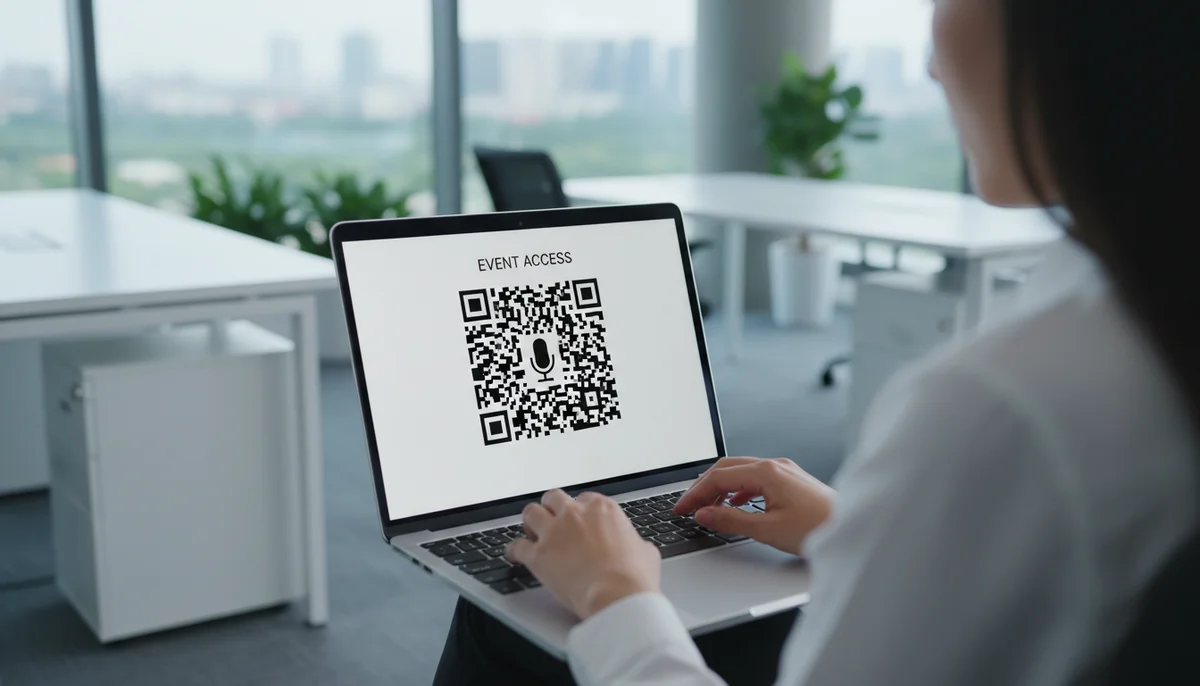
How to Create Event QR Codes: Your Guide to a Powerful Generator
Learn how to easily create event QR codes for seamless registration, engagement, and tracking. Discover the best event QR code generator features for dynamic and editable
How to Create a QR Code for Events
Planning and executing a successful event, whether it's a corporate conference, a music festival, a community fair, or a private gathering, involves countless details. From registration and ticketing to providing information and engaging attendees, the logistics can be daunting. This is where the power of QR codes steps in, offering a streamlined, interactive solution to many event-related challenges.
In today's fast-paced digital world, attendees expect instant access to information. A well-placed QR code can eliminate friction, enhance engagement, and provide valuable data. If you're looking for an efficient way to manage event communications, understanding how to use an event QR code generator is essential. This comprehensive guide will walk you through the process, from basic creation to advanced strategies, helping you transform your next event into a seamless and memorable experience.
Why Use QR Codes for Event Management?
QR codes have evolved far beyond simple website links. For events, they serve as powerful bridges between the physical and digital worlds, offering a host of benefits that traditional methods can't match.
- Instant Information Access: Attendees can scan a code with their smartphone to immediately access schedules, speaker bios, venue maps, Wi-Fi passwords, or registration forms. This saves time and reduces the need for printed materials.
- Enhanced Engagement: Use QR codes to link to interactive polls, social media feeds, video highlights, or augmented reality experiences, keeping your audience captivated throughout the event.
- Streamlined Operations: Speed up check-ins, facilitate lead capture, and simplify feedback collection. This leads to smoother operations and a better attendee experience.
- Sustainability: Reduce reliance on paper brochures, flyers, and tickets, contributing to a greener event.
- Measurable Results: Dynamic QR codes provide valuable analytics, allowing you to track scans, location data, and popular content, which is crucial for optimizing future QR code campaigns.
Understanding Dynamic vs. Static QR Codes for Events
Before you dive into creation, it's vital to understand the difference between static and dynamic QR codes, especially for event purposes. Your choice will significantly impact flexibility and data insights.
-
Static QR Codes:
- Fixed Content: Once generated, the information embedded in a static QR code cannot be changed. If you link to a URL and that URL changes, the QR code becomes useless.
- No Tracking: Static codes do not offer scan analytics, meaning you can't track how many people scanned them or where.
- Best for Permanent Information: Ideal for unchanging data like a company's main website or a personal vCard that won't require updates. They are suitable for single-use, non-critical event items where tracking isn't needed.
-
Dynamic QR Codes:
- Editable Content: The embedded content can be updated anytime, even after the QR code has been printed. This is incredibly valuable for events where schedules or speaker lineups might change.
- Trackable Analytics: Dynamic codes allow you to monitor scan data, including the number of scans, location, time, and device used. This provides crucial insights for your QR code marketing efforts.
- Enhanced Features: Often support more complex data types like multi-URL redirects, app downloads, and advanced customization.
- Ideal for Events: For almost all event applications, Dynamic QR Codes are the superior choice due to their flexibility and data collection capabilities.
For events, where details can often shift and understanding attendee engagement is key, prioritizing dynamic QR codes will yield the best results.
Choosing the Right QR Code Type for Your Event Needs
A robust QR code generator offers various types, each designed for a specific purpose. Matching the right type to your event objective is crucial for maximizing effectiveness. Here are some of the most relevant for events:
- URL QR Codes: The most common type. Link directly to your event registration page, ticket purchase site, live stream, or any other web page. Simple and incredibly versatile.
- Event QR Codes: Specifically designed to embed all event details—date, time, location, description—which attendees can instantly add to their calendar. This is an excellent way to boost attendance and provide comprehensive information.
- PDF QR Codes: Perfect for digital programs, speaker bios, detailed schedules, or event brochures. Attendees scan and instantly download your document, saving printing costs and offering instant access.
- Video QR Codes: Engage your audience with event highlights, speaker introductions, promotional trailers, or post-event recaps.
- Social Media QR Codes: Drive traffic to your event's social media profiles (Facebook, Instagram, LinkedIn). A single scan can direct users to a customizable page with links to all your channels, boosting your online presence and encouraging sharing.
- Location QR Codes: Provide instant directions to your venue via Google Maps or Apple Maps, making it easy for attendees to find their way.
- Wi-Fi QR Codes: Eliminate the hassle of typing out complex Wi-Fi passwords. A scan automatically connects devices to your event's network.
- Form QR Codes: Collect feedback, run surveys, or facilitate lead generation forms directly from a scan, making data collection incredibly efficient.
- vCard QR Codes: For networking events, speakers, or exhibitors, a vCard QR code allows instant sharing of contact information directly to a smartphone's address book.
- Coupon QR Codes: Drive traffic to specific booths or increase engagement with special offers, discounts, or exclusive content for attendees.
Step-by-Step: Creating a Dynamic Event Information QR Code
Let's walk through the practical process of creating a QR code for your event, focusing on a dynamic approach that gives you maximum flexibility.
Step 1: Choose a Reliable QR Code Generator
The first step is selecting a robust platform. A good QR code generator offers a user-friendly interface, dynamic capabilities, customization options, and analytics. Look for one that supports the specific QR code types you'll need for your event.
Step 2: Select the QR Code Type
Once logged into your chosen generator, you'll see various options. For event information, you might choose "Event" if the platform offers it directly, or "URL" if you're linking to your event's official webpage.
Step 3: Input Your Event Details or URL
- For an Event QR Code: You will typically be prompted to enter:
- Event Name
- Date and Time (Start and End)
- Location (Address)
- Description
- A link to your registration page or website (optional, but highly recommended).
- Contact information.
- For a URL QR Code: Simply paste the full URL of your event's landing page, registration form, or ticketing portal. Ensure the URL is correct and leads to the desired destination.
Step 4: Customize Your QR Code's Design
Make your QR code stand out and align with your event's branding. Most generators allow for extensive customization:
- Colors: Change the foreground and background colors to match your brand palette.
- Logo: Embed your event logo or company logo in the center of the QR code. This significantly enhances brand recognition.
- Frames & Shapes: Add custom frames and change the shape of the data points for a unique look.
- Call-to-Action (CTA): Some generators allow you to add a short, clear CTA directly below the QR code, such as "Scan for Tickets" or "Scan for Schedule."
Remember, while customization is great, always ensure your QR code remains scannable. Avoid overly complex patterns or low-contrast color combinations. You can utilize the Custom QR Design features to perfect your code's look.
Step 5: Generate and Download Your QR Code
After inputting your details and finalizing the design, click the "Generate" or "Create QR Code" button. Your event QR code generator will then produce the image. Download it in a high-resolution format suitable for printing (e.g., SVG, EPS, PNG, JPEG).
Step 6: Test, Test, Test!
This step is non-negotiable. Before deploying your QR codes, scan them with multiple devices (different brands, operating systems, and QR code scanner apps) to ensure they work perfectly and lead to the correct destination. If you're using a dynamic code, verify that content updates are reflected correctly.
Practical Example: Creating a Digital Event Program (PDF QR Code)
Imagine you're hosting a multi-day conference and want to provide a digital program.
- Prepare your PDF: Create a well-designed PDF document containing the full conference agenda, speaker biographies, sponsor information, and venue map.
- Select PDF QR Code type: In your chosen QR code generator, select the option for PDF QR Codes.
- Upload your PDF: Upload your finalized program PDF to the platform.
- Customize: Add your conference logo, brand colors, and a clear call-to-action like "Scan for Conference Agenda."
- Generate and Test: Download the QR code and rigorously test it to ensure it correctly opens the PDF on various devices.
This single QR code can be placed on registration desks, welcome signs, or even pre-event emails, providing instant access to all conference details without the need for printing hundreds of paper programs.
Strategy and Implementation: Maximizing Your Event QR Codes
Creating a QR code is just the first step. Strategic placement and promotion are key to successful QR code campaigns.
Where to Place Your Event QR Codes
Visibility is paramount. Consider these locations for maximum impact:
- Event Tickets & Badges: For quick check-ins, agenda access, or even personalized networking information (e.g., vCard).
- Promotional Materials: Flyers, posters, banners, and digital ads to drive registration or interest pre-event.
- Welcome Desks & Signage: Facilitate quick information access upon arrival (Wi-Fi, maps, frequently asked questions).
- Session Rooms & Stages: Link to speaker bios, presentation slides, or live Q&A platforms.
- Event Programs & Brochures (Digital & Print): Even if you have a print program, add QR codes for more interactive content like videos or social media links.
- Exhibitor Booths: For lead generation forms, product demos, or special offers (Product QR Codes, Coupon QR Codes).
- Catering Areas: For allergy information or menu details (Restaurant Menu QR Codes).
- Social Media Posts & Email Marketing: Promote digital engagement before the event.
Enhancing Engagement with Clever QR Code Marketing
Beyond simple information delivery, think about how to make QR codes an interactive part of the attendee experience:
- Interactive Contests: Scan to enter a raffle or scavenger hunt.
- Exclusive Content: Offer a QR code that unlocks a behind-the-scenes video or a special interview.
- Feedback Loops: Place QR codes strategically for immediate session feedback or overall event satisfaction surveys using a Form QR Code.
- Networking Hubs: Create a central board with vCard QR codes for all attendees who wish to share their contact details.
- Gamification: Integrate QR codes into a game, where scanning reveals clues or points.
Always include a clear and compelling Call-to-Action (CTA) next to your QR code. Instead of just "Scan Me," try "Scan for Schedule," "Get Your Free Ebook," or "Connect with Speakers."
Measuring Success: The Power of QR Code Analytics
One of the most significant advantages of using a dynamic event QR code generator is the ability to track performance. QR Code Analytics provide invaluable data:
- Total Scans: Understand overall engagement.
- Unique Scans: See how many individual users interacted with your code.
- Location of Scans: Pinpoint where your codes are most frequently scanned, helping you optimize placement for future events.
- Time of Scans: Identify peak engagement times, which can inform content scheduling or promotional efforts.
- Device Used: Gain insights into your audience's preferred mobile devices.
Analyzing these metrics allows you to understand what resonates with your audience, which locations yield the most engagement, and ultimately, how to refine your QR code campaigns for even greater success in the future.
Advanced Tips for Event Managers
- Bulk Generation: If you have multiple sessions, speakers, or exhibitors, manually creating each QR code can be time-consuming. A Bulk QR Generator allows you to create many QR codes simultaneously from a spreadsheet, saving significant time.
- API Integration: For large-scale events or custom applications, using a QR Code API can automate QR code generation and management directly within your existing systems.
- Branded Short URLs: If your generator offers it, use branded short URLs (e.g., eventname.com/schedule) instead of generic ones. This further reinforces your brand and looks more professional.
- Accessibility: Ensure the content linked via QR codes is mobile-responsive and accessible to all users.
Conclusion
QR codes are no longer a novelty; they are an indispensable tool for modern event management. By leveraging a powerful event QR code generator, you can streamline operations, boost attendee engagement, reduce costs, and gather valuable data to continuously improve your events. From instant access to schedules and tickets to interactive content and seamless networking, the possibilities are vast.
Embrace the digital convenience and analytical power that QR codes offer. Start integrating them into your event planning today and watch your next event become more efficient, engaging, and memorable for everyone involved. The future of event engagement is just a scan away.
Ready to Get Started?
Explore our tools to enhance your QR code workflow
Free QR Code Generator
Create unlimited QR codes for free with our easy-to-use generator. No signup required.
Start CreatingTeam Workspace
Collaborate with your team on QR code projects. Share templates, manage permissions, and track usage.
Explore TeamsQR Code API
Integrate QR code generation into your applications with our RESTful API. Unlimited requests, high performance.
Explore APIAll tools are available with a free plan to get you started
Frequently Asked Questions
Find quick answers to common questions about this topic
What is an event QR code and how is it used?
An event QR code is a scannable graphic that provides quick access to event information, registration, or interaction points. It simplifies attendee experience by linking directly to schedules, maps, ticket sales, or feedback forms.
What types of information can I embed in an event QR code?
You can embed various data such as event dates, times, location, registration links, speaker bios, agendas, ticket purchase pages, social media links, or even WiFi access details for the venue.
Can I update the event details if they change after I've printed my QR codes?
Yes, with a dynamic event QR code generator like QR-Build, you can easily update the linked content (e.g., date, venue, agenda) even after the QR codes have been printed and distributed, ensuring attendees always have the latest information.
How do event QR codes help with attendee registration and check-in?
Event QR codes streamline registration by linking directly to online forms or ticket pages. For check-in, attendees can simply scan a unique QR code on their ticket or confirmation email for quick entry, reducing wait times.
How can I track the performance of my event QR codes?
QR-Build's platform provides real-time scan analytics, allowing you to monitor the number of scans, location, and time. This data helps measure engagement, optimize future events, and understand attendee interest effectively.
Related Articles
Continue exploring QR code strategies and best practices

Dynamic QR Code Explained: What It Is, How It Works, & Benefits
Discover what a dynamic QR code is, how it works, and its key advantages for marketing and business. Learn why editable QR codes are essential for modern campaigns with Q
Boost Your Business: Creative QR Code Marketing Ideas for Success
Uncover 15 innovative QR code marketing ideas to transform your campaigns and engage customers. Learn how to leverage QR codes for promotions, lead generation, and enhanc
Create a QR Code for PDF: The Ultimate PDF QR Code Generator Guide
Unlock easy document sharing! Learn how to generate a QR code for PDF files effortlessly. Our guide covers using a PDF QR code generator to enhance accessibility and dist
What are the Main QR Code Types? Static, Dynamic & More
Explore the different QR code types, from static to dynamic. Learn their unique features, benefits, and best uses for business with QR-Build.
QR Code Security & Safety: Protecting Yourself from Malicious Scans
Discover essential tips for QR code security and safety. Learn how to identify malicious QR codes and protect your personal data from phishing and malware attacks. Stay s
Unlock Growth: QR Codes in Business for Modern Engagement
Discover how QR codes revolutionize business operations, marketing, and customer engagement. Explore essential QR code business uses to drive efficiency and boost your br

Technical Writer
David combines his background in software engineering with clear technical writing. He creates comprehensive guides and tutorials for developers.