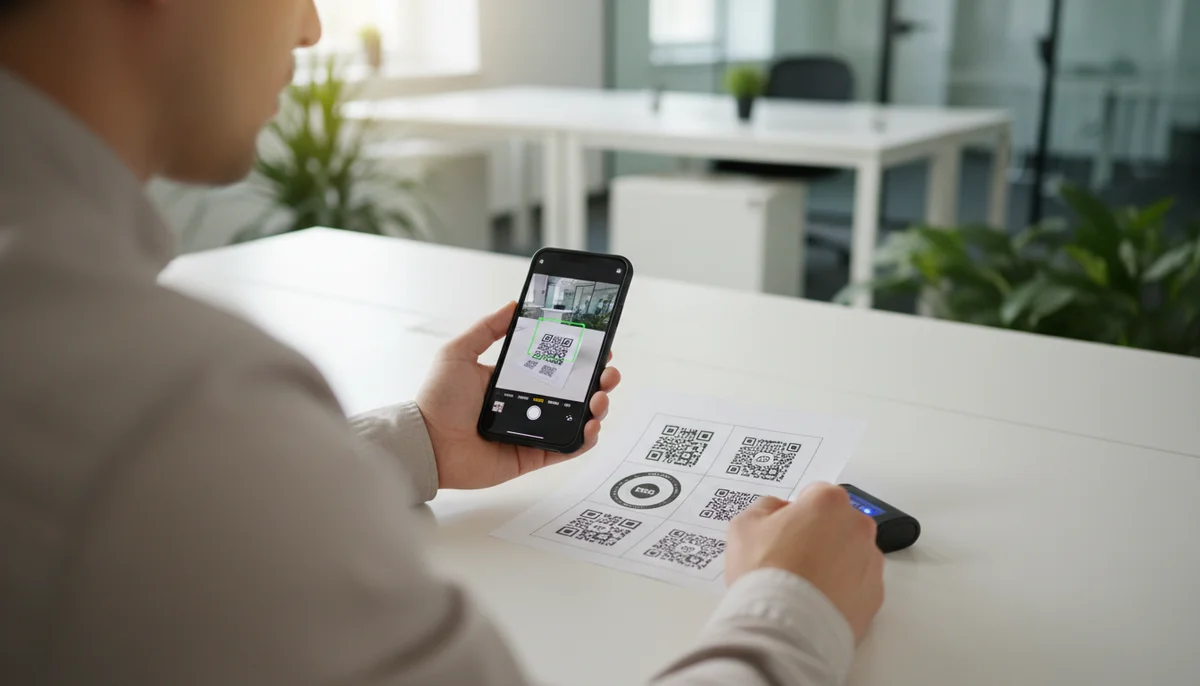
Mastering QR Code Testing: Essential Steps for Accuracy
Learn the essential steps for effective QR code testing. Ensure your QR codes scan perfectly every time, preventing errors and improving user experience with our guide.
How to Test QR Codes for Flawless Digital Experiences
In today's fast-paced digital landscape, QR codes have evolved from a niche novelty to an indispensable tool for marketing, information sharing, and customer engagement. From restaurant menus to product packaging, event registrations to payment portals, their omnipresence offers unparalleled convenience. However, a great idea with a flawed implementation can quickly turn opportunity into frustration. This is where meticulous qr code testing becomes not just important, but absolutely critical for the success of any campaign.
Imagine launching a brilliant marketing campaign, only to discover later that your QR code leads to a broken link, an outdated PDF, or simply doesn't scan on certain devices. Such an oversight can damage your brand's reputation, waste valuable marketing spend, and, most importantly, deliver a poor user experience. This comprehensive guide will walk you through the essential steps and best practices for robust QR code testing, ensuring your digital bridges are always open and functional.
Why QR Code Testing is Non-Negotiable
Effective QR code testing isn't merely a precautionary measure; it's a strategic imperative that safeguards your investment and reputation. Here's why it should be an integral part of your digital marketing workflow:
- Ensuring User Experience (UX): A non-scanning or incorrect QR code is a dead end for the user. Smooth scanning and accurate redirection build trust and encourage engagement. A frustrating experience, conversely, can lead to immediate disengagement and negative perception.
- Maximizing Campaign ROI: Every QR code deployed is an investment of time, resources, and often, print costs. Proper testing ensures that this investment translates into actionable leads, conversions, or valuable data, rather than being squandered on non-functional elements.
- Protecting Brand Reputation: Inconsistent or unreliable digital touchpoints reflect poorly on your brand's professionalism and attention to detail. A perfectly functioning QR code, however, reinforces your brand's commitment to quality and innovation.
- Preventing Costly Rework: Identifying and rectifying issues before deployment can save significant time and money. Correcting errors on thousands of printed flyers or product labels post-launch is far more expensive and disruptive than catching them during the testing phase.
Common QR Code Issues to Actively Test For
Before diving into the "how," let's outline the "what" – the most frequent problems that comprehensive QR code testing aims to uncover and prevent.
- Broken or Incorrect Destination Links/Data: This is perhaps the most critical failure point. A QR code pointing to a URL that no longer exists, a PDF that hasn't been uploaded, or a vCard with outdated contact information renders the code useless.
- Poor Scanability: A QR code might be visually present but impossible for scanners to read. This can be due to:
- Insufficient Contrast: The difference between the dark modules and the light background is too subtle.
- Incorrect Size: The code is too small for the viewing distance or printing resolution.
- Design Interference: Overly complex logos, colors, or images embedded within the code's data matrix can disrupt its readability.
- Damaged or Distorted Print: Low print quality, smudges, creases, or tears on physical codes.
- Lack of Quiet Zone: The mandatory clear border around the QR code is missing or too narrow.
- Device and App Compatibility: What scans perfectly on one device might fail on another. Different operating systems (iOS, Android), phone models, camera qualities, and third-party scanner applications can all behave differently.
- Dynamic QR Code Expiration or Backend Issues: While
dynamic QR codesoffer incredible flexibility, they rely on a backend system. Issues could include content expiring, incorrect redirection logic, or server downtime affecting the hosted content. - Tracking and Analytics Failures: If you're using
QR code analyticsto measure campaign performance, ensuring that scans are being properly registered and attributed is crucial for data integrity.
What You Need for Effective QR Code Testing
To conduct thorough QR code testing, you'll need more than just your own smartphone. Assemble a small toolkit and prepare your environment:
- Multiple Devices: Gather a variety of smartphones and tablets. Aim for:
- At least one iPhone (latest iOS, older iOS).
- At least two Android phones (different manufacturers, varying Android versions, e.g., Samsung, Google Pixel).
- If relevant, a tablet (iPad, Android tablet).
- Diverse Scanner Applications:
- Native Camera Apps: Both iOS and modern Android devices have built-in QR code scanning capabilities. Test these first.
- Third-Party Scanner Apps: Download a few popular QR code scanner apps from the App Store/Google Play Store to cover broader compatibility.
- Desktop Scanners: For quick checks on generated codes without printing, a tool like a
QR Code Chrome Extensioncan be useful, allowing you to scan codes directly from your screen.
- Varying Lighting Conditions: Test in bright sunlight, dim indoor lighting, and typical office environments.
- Understanding of the QR Code's Purpose: Know exactly what content or action each QR code is supposed to deliver (e.g., open a URL, download a PDF, save a vCard, connect to Wi-Fi).
- A "Known Good" QR Code: Have a reliably working QR code handy to confirm your testing setup (devices, apps) is functioning correctly before testing your new codes.
- Access to Your
QR Code Generator: Whether you're using aFree QR Code Generatorfor static codes or a platform fordynamic QR codes, ensure you can access the backend to verify or modify content.
The Step-by-Step QR Code Testing Process
Follow this systematic approach to ensure every QR code you deploy is robust and reliable.
Step 1: Verify the Content/Link Destination Directly
Before even thinking about scanning, eliminate the most common failure point: the underlying data itself.
- Extract the Data: If you have the original URL, text, or file for the QR code, access it directly.
- For URLs: Copy and paste the URL into a web browser on both desktop and mobile. Check that the page loads correctly, all elements are present, and any forms or interactive features work as expected. Ensure the page is mobile-responsive.
- For PDFs/Images/Videos: Download and open the file. Confirm it's the correct version, all content is legible, and there are no corruption issues.
- For vCards/Contact Info: Check the raw data for correct names, numbers, emails, etc. If it's a dynamic vCard, ensure the associated profile is up-to-date.
- For Apps: Confirm the link goes to the correct app store page.
- For Dynamic QR Codes: Log into your
QR Code Generatorplatform's dashboard. Verify that the dynamic content is active, correctly configured, and not set to expire prematurely. If you have conditional redirects (e.g., location-based), ensure the logic is sound.
Pro-Tip: This initial check saves immense time. If the destination is broken directly, no amount of scanning will fix it.
Step 2: Scan Across Multiple Devices and Applications
This is the core of practical qr code testing. The goal is to simulate diverse real-world scanning scenarios.
- Start Broadly: Begin with the native camera apps on your primary iOS and Android test devices. These are what most users will default to.
- Vary Devices:
- Test on newer flagship phones (excellent cameras) to identify any fundamental issues.
- Test on older or budget phones (potentially lower-quality cameras) to catch scanability issues that might affect a broader audience.
- Use Third-Party Scanners: Certain users might rely on dedicated QR scanner apps. Test with 2-3 popular options to ensure compatibility.
- Confirm Destination: After each successful scan, verify that the device lands on the exact intended destination and that the content loads quickly and correctly. Pay attention to any pop-ups, permissions, or redirects.
- Check Analytics Integration: If your QR code is linked to
QR Code Analytics, perform a few test scans and then check your analytics dashboard to ensure these scans are being registered accurately. This is crucial for tracking campaign performance later.
Step 3: Test Under Varied Conditions
The environment where a QR code is scanned significantly impacts its performance.
- Lighting Conditions:
- Bright Sunlight: Can cause glare, making codes hard to read.
- Dim Lighting: Low light reduces camera effectiveness.
- Artificial Light (Fluorescent/LED): Different light temperatures can affect contrast perception.
- Distance and Angle:
- Close-up: Some cameras struggle with very close focus.
- Further Away: Is the code large enough to be read from a distance appropriate for its placement?
- Angles: Test scanning from slight angles (left, right, above, below) to mimic how users might naturally hold their phones.
- Physical Placement Simulation:
- If the code will be on a curved surface (e.g., a bottle), try testing it on a curved surface.
- If it's on a reflective surface, observe if glare interferes with scanning.
Practical Example: A QR code on a large outdoor banner needs to be scannable from a greater distance and in varying light conditions compared to one on a small business card.
Step 4: Validate Design and Print Quality (for Physical QR Codes)
For any QR code intended for print, design and print quality are paramount.
- Size: Is the QR code large enough? A good rule of thumb is a minimum size of 1x1 inch (2.5x2.5 cm) for typical scanning distances, with larger sizes for greater distances (e.g., billboards).
- Contrast: Ensure there's a strong contrast between the QR code modules (darker) and the background (lighter). Black on white is ideal. Avoid subtle color differences (e.g., dark blue on black).
- Quiet Zone: Confirm there is an adequate clear, unobstructed border around the QR code – typically 4 times the width of a single module. This quiet zone prevents nearby design elements from interfering with the scanner's ability to identify the code's boundaries.
- Resolution and Print Quality:
- If testing a digital proof, zoom in to ensure sharp edges and no pixelation.
- For actual printed materials, check for smudging, blurring, or ink bleed. Low-resolution prints are a frequent cause of scan failures.
- Customization Elements: If you've used
Custom QR Designwith an embedded logo or unique colors, ensure these customizations do not obstruct critical parts of the QR code's data matrix. Test thoroughly with these custom designs.
Step 5: Validate User Experience and Call to Action (CTA)
Beyond merely scanning, ensure the entire user journey is smooth and effective.
- Page Load Speed: Does the landing page load quickly on mobile data and Wi-Fi? Slow loading times lead to high bounce rates.
- Mobile Optimization: Is the content on the destination page optimized for mobile viewing? Text should be legible, buttons tappable, and navigation intuitive without excessive zooming or scrolling.
- Clarity of CTA: Once on the destination page, is the call to action clear? Does the user know what to do next? (e.g., "Download PDF," "Shop Now," "Fill out Form").
- Functionality: If the QR code leads to a form, an app download, a video, or an e-commerce page, test the functionality of these elements. Can the form be submitted? Does the app download start? Does the video play? Can a product be added to the cart?
- Relevance: Does the content delivered match the user's expectation based on where they scanned the QR code? A QR code for
Restaurant Menu QR Codesshould deliver a menu, not a generic website.
Strategy and Implementation: Integrating QR Code Testing into Your Workflow
Effective qr code testing isn't a one-off task; it's an ongoing process that should be embedded into your broader digital marketing strategy.
Make Testing a Standard Pre-Deployment Check
Every time you create a new QR code, whether it's a URL QR Code for your website, a PDF QR Code for a brochure, or a vCard QR Code for networking, treat testing as a mandatory pre-launch step. Create a simple checklist for your team to follow, ensuring no critical step is missed.
- Pre-Launch Checklist Example:
- Content verified (URL, file, etc.)
- Scanned on iOS (native camera)
- Scanned on Android (native camera)
- Scanned with third-party app
- Tested in bright light
- Tested in dim light
- Quiet zone confirmed (for print)
- Destination content mobile-optimized
- CTA functional
- Analytics tracking confirmed
Advanced Testing for Dynamic QR Codes
Dynamic QR Codes offer incredible power and flexibility, but this also means more potential points of failure if not managed correctly.
- Content Updates: Regularly test dynamic codes after making content updates. Ensure the new content is reflected instantly and correctly.
- Expiration Logic: If your dynamic codes have expiration dates or limits, test that they behave as expected when they expire (e.g., redirect to an "expired" page).
- A/B Testing Destinations: If you're A/B testing different landing pages via a single dynamic QR code, verify that the A/B split is working as intended and redirects users to the correct variations.
- Location/Time-Based Redirects: For advanced
QR code campaigns, test that location-specific or time-sensitive redirects are functioning accurately. - Team Collaboration: If multiple team members are managing
dynamic QR codes, consider using aTeam Workspaceplatform. This allows for centralized management and collaborative testing before final deployment, minimizing errors.
Using Analytics for Post-Launch Monitoring and Continuous Improvement
Even after thorough initial qr code testing, issues can arise post-launch. Monitoring QR Code Analytics is your final layer of defense.
- Track Scan Rates: A sudden drop in scan rates could indicate a problem that wasn't caught during initial testing (e.g., a print error, environmental factor, or a newly broken link).
- Monitor Conversion Paths: Beyond just scans, track how users interact with the content after scanning. Are they completing the desired action? High scan rates with low conversions might suggest an issue with the landing page UX or the CTA itself.
- Identify Geographic Patterns: Analytics can reveal if a QR code is scanning well in one region but poorly in another, potentially pointing to regional device compatibility issues or deployment problems.
- Regular Checks: Periodically re-scan your active
QR code marketingcodes, especially those for long-running campaigns. URLs can break, files can be moved, and external factors can change over time.
Conclusion
QR codes are powerful connectors in the digital-physical divide, offering a direct pathway from tangible materials to rich online experiences. However, their effectiveness hinges entirely on their reliability. Diligent qr code testing is not just a best practice; it is a fundamental requirement for delivering seamless user experiences, safeguarding your brand's reputation, and maximizing the return on your digital marketing investments.
By adopting a systematic approach to testing – verifying content directly, scanning across diverse devices and conditions, scrutinizing design and print quality, and continuously monitoring performance through analytics – you can ensure every QR code you deploy functions flawlessly. Make thorough testing a non-negotiable step in your workflow, and empower your QR code campaigns to truly connect, engage, and convert.
Frequently Asked Questions
Find quick answers to common questions about this topic
Why is QR code testing important?
Testing QR codes is crucial to ensure they scan correctly across various devices and conditions. This prevents user frustration, ensures your campaigns function as intended, and protects your brand's reputation by avoiding broken links or non-functional codes.
What are the common issues to check when testing QR codes?
Common issues include unreadable codes due to poor contrast, outdated destination URLs, incorrect linking, low resolution, or excessive data. Always check for scanability on different devices and verify the content.
How do I test dynamic QR codes?
Testing dynamic QR codes involves verifying the editable destination URL, ensuring it resolves correctly, and checking that any linked content is current. One key advantage is that you can update the linked content even after the QR code has been printed, making re-testing for content changes very easy.
What tools can I use for QR code testing?
You can use various smartphone camera apps, dedicated QR code scanner apps, or QR code validator websites. For comprehensive testing, scan with multiple devices (iOS, Android) and different apps to catch inconsistencies.
Can I edit a QR code after it's been tested and printed?
Yes, if you use a dynamic QR code generator like QR-Build, you can easily edit the destination URL or content linked to your QR code even after it has been tested, downloaded, and printed. This flexibility is a major benefit for campaigns or information that might change.
Related Articles
Continue exploring QR code strategies and best practices

What is a QR Code? Understanding How QR Codes Work & Technology
Curious about QR codes? Discover what a QR code is and how it works. This guide explains the ingenious QR code technology, connecting physical to digital information effo

How QR Code Scanner Technology Works: A Simple Explanation
Ever wondered how QR code scanner technology deciphers those complex patterns? Discover the simple process of scanning, from optical readers to data conversion. Learn wha
What are the Main QR Code Types? Static, Dynamic & More
Explore the different QR code types, from static to dynamic. Learn their unique features, benefits, and best uses for business with QR-Build.

How to Track QR Code Scans for Campaign Success
Learn how to track QR code scans effectively with real-time analytics to measure campaign performance and optimize your marketing efforts. Understand key metrics.

Unlocking Insights: How QR Code Analytics Boost Marketing Campaigns
Discover how QR code analytics provide real-time insights into user engagement, scan locations, and campaign performance. Optimize your marketing strategies with powerful

Enhancing QR Code Data Protection: Security Best Practices
Discover essential strategies for QR code data protection. Learn how to secure your QR codes, prevent unauthorized access, and ensure user privacy with QR-Build's robust

Technical Writer
David combines his background in software engineering with clear technical writing. He creates comprehensive guides and tutorials for developers.