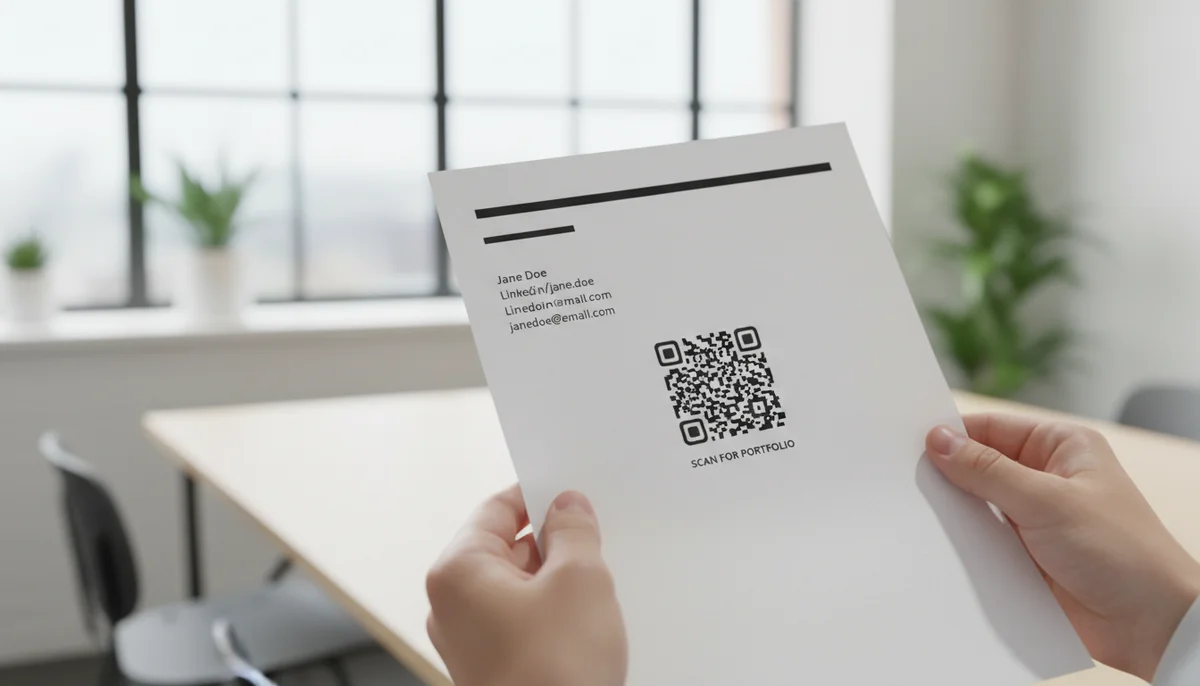
Stand Out: Add a QR Code to Your Resume for Impact
Make your resume interactive and impressive. Learn how to create and add a dynamic QR code to your resume, linking to your portfolio or video introduction, and stand out
QR Code Resume: A Guide for Modern Recruiting
As hiring managers and talent acquisition specialists, you're constantly seeking innovative ways to identify top-tier talent. In a fiercely competitive job market, candidates are leveraging every tool at their disposal to stand out. One increasingly prevalent method is the integration of a qr code resume. This article explores the phenomenon of the QR code on a resume, offering insights into its significance, what it signals about a candidate, and how recruiters can best interpret this digital enhancement.
Understanding the Modern QR Code Resume
A QR code resume is more than just a piece of paper; it’s a strategic gateway to a candidate's broader digital presence. By embedding a scannable QR (Quick Response) code directly onto their CV, applicants provide instant mobile access to supplementary information that traditional resumes simply cannot convey.
What is a QR Code Resume?
At its core, a QR code resume uses a small, scannable barcode to link hiring managers to a wealth of digital content. Instead of being limited to a single page or two, candidates can offer a dynamic, multi-dimensional view of their skills, experience, and personality. For recruiters, it transforms a static document into an interactive experience, revealing a candidate's initiative and tech-savviness.
Why It Matters to Recruiters and Hiring Managers
The inclusion of a QR code on a resume isn't just a gimmick; it's a signal. For talent acquisition professionals, it indicates several key attributes in a candidate:
- Digital Literacy and Innovation: A candidate using a QR code demonstrates an understanding of modern digital tools and a proactive approach to technology. This is invaluable in today's digitally driven workplaces.
- Attention to Detail: Properly implemented QR codes require careful planning and execution. A well-functioning QR code signals meticulousness.
- Richer Candidate Profile: It allows you, the recruiter, to access deeper insights into a candidate's capabilities, work samples, and even their communication style, right from your mobile device.
- Efficiency in Screening: Quick access to portfolios, video introductions, or detailed project breakdowns can streamline the initial screening process, helping you quickly identify candidates with the right fit.
Types of Content QR Codes Can Unlock
A well-executed qr code resume doesn't just link to a basic website; it's a curated portal to compelling content. Understanding what candidates can link to will help you assess the value they're bringing.
Digital Portfolios and Project Showcase
For roles in design, marketing, software development, or any creative field, a QR code often directs to a comprehensive digital portfolio. This could include:
- Case Studies: Detailed accounts of how candidates tackled challenges and achieved results.
- Design Mock-ups: Visual evidence of their aesthetic and technical skills.
- Code Repositories: Links to GitHub or other platforms showcasing programming prowess.
- Writing Samples: Articles, blog posts, or whitepapers that highlight communication abilities.
Candidates frequently use URL QR Codes to link directly to platforms like Behance, Dribbble, or their personal professional websites.
Dynamic Online Resumes or CVs
Instead of just a static PDF, some candidates link to an always-up-to-date online resume. This offers several benefits for recruiters:
- Real-time Updates: You see the candidate's most current experience and skills.
- Interactive Elements: Online resumes can include clickable links, embedded videos, and interactive graphs that highlight achievements.
- Enhanced Details: More space to elaborate on projects and responsibilities without cluttering a physical page.
Utilizing Dynamic QR Codes ensures that even if the online resume's URL changes, the QR code remains functional, always directing to the latest version.
Video Introductions and Presentations
A video introduction provides a unique opportunity to assess a candidate's soft skills, communication style, and personality before an interview. A candidate might link to:
- A Personal Introduction: A brief video explaining their career aspirations and suitability for the role.
- A Presentation: Showcasing their public speaking skills or ability to explain complex topics.
Video QR Codes are perfect for this, offering a personal touch that resonates powerfully.
PDF Case Studies or Whitepapers
For more in-depth content that requires detailed reading, candidates might link to a specific PDF document. This is common for:
- Academic Papers: Relevant for research-intensive roles.
- Detailed Project Reports: Showing analytical and reporting skills.
- Client Testimonials: Building social proof and credibility.
PDF QR Codes make it simple for candidates to share these documents directly.
vCard Contact Information
Beyond just a portfolio, a QR code can simplify the process of saving a candidate's contact details. Scanning a vCard QR code instantly adds their name, email, phone number, and company details directly to your phone's contacts. This shows a candidate's consideration for a recruiter's workflow efficiency. vCard QR Codes are an excellent application for this.
The Strategic Advantage of Dynamic QR Codes
For candidates, choosing the right type of QR code is crucial. For recruiters, understanding the distinction – particularly the benefits of dynamic vs. static QR codes – helps you appreciate the sophistication a candidate brings. Dynamic QR codes are the preferred choice for a professional qr code resume.
Real-time Updates and Content Control
One of the biggest advantages of dynamic QR codes is their flexibility. Unlike static QR codes, which permanently embed information, dynamic QR codes simply point to a redirect URL that can be updated at any time.
- Flexibility for Candidates: If a candidate updates their portfolio link, adds new achievements to their online resume, or improves their video introduction, they don't need to reprint their resume. They can simply update the destination URL through their QR code generator dashboard, and the existing QR code will automatically redirect to the new content.
- Reliability for Recruiters: This means you're far less likely to encounter a broken or outdated link when scanning a dynamic QR code, ensuring you always access the most current information.
Actionable Insights with QR Code Analytics
Dynamic QR codes also come with the power of QR Code Analytics. While primarily a tool for candidates to gauge interest, understanding its implication can be valuable for recruiters:
- Candidate Engagement Insight: A candidate who mentions using QR code analytics on their resume to track scans demonstrates a data-driven mindset and an understanding of marketing principles – even if applied to their job search.
- Measuring Effectiveness: For broader talent acquisition strategies, incorporating QR codes in career fair materials or job descriptions could provide your team with valuable insights into candidate engagement. Analytics can reveal:
- The number of scans a QR code received.
- The location (city, country) where the scans occurred.
- The device used for scanning.
- The time of day scans were most frequent.
This data, when used strategically, elevates a simple scan into a measurable interaction, showcasing a candidate's awareness of digital marketing principles, even in a personal context.
Customization and Professional Branding
The ability to customize the appearance of a QR code also speaks volumes about a candidate's attention to detail and branding. Modern QR code generators allow candidates to:
- Integrate Logos: Adding a personal logo or brand element within the QR code.
- Match Brand Colors: Customizing the code's colors to align with their personal brand.
- Branded Short URLs: Using a custom, branded short URL (e.g., yourcompany.com/portfolio) instead of a generic one.
A custom-designed QR code on a resume, created through a tool offering Custom QR Design, immediately conveys professionalism and a thoughtful approach to personal branding, reflecting positively on the candidate's overall presentation.
What Recruiters Should Look For in a QR Code Resume
As you encounter more QR codes on resumes, knowing what constitutes a good implementation versus a superficial one will sharpen your assessment skills.
Seamless Mobile Experience
The primary way candidates will scan a QR code is on their mobile device. Therefore, the linked content must be mobile-friendly.
- Responsive Design: Does the linked website or portfolio automatically adjust to fit different screen sizes without pinching or zooming?
- Fast Loading Speed: Is the content quick to load? Candidates should optimize images and video for mobile access.
- Easy Navigation: Can you intuitively find the information you're looking for without struggling with tiny buttons or confusing menus?
A candidate who understands and prioritizes mobile optimization demonstrates user-centric thinking.
Relevant and High-Quality Content
The QR code should always add value and relevance to the application, not just serve as a digital placeholder.
- Targeted Content: Does the linked content directly support the claims made on the resume and align with the requirements of the role? For example, for a marketing role, a link to a campaign results summary is more valuable than a generic personal blog.
- Concise and Engaging: While the QR code allows for more content, candidates should still curate it carefully. Long, unedited videos or disorganized portfolios can be counterproductive.
- Professionalism is Key: The content should be free of typos, grammatical errors, and unprofessional visuals.
Professionalism and Functionality
The technical execution of the QR code itself, and its linked content, reflects on the candidate.
- Scannability: Does the QR code scan easily on various devices? Poor print quality or size can hinder functionality.
- Branded Short URLs: As mentioned, a custom branded short URL for a dynamic QR code (e.g.,
qrbuild.me/janesportfolioinstead ofbit.ly/randomstring) builds recruiter trust and looks more professional before they even scan. - Clear Call-to-Action: Is it obvious what the QR code leads to? A candidate might include a small descriptor like "Scan for Portfolio" or "Watch My Video Intro." The landing page title should perfectly match this to avoid user confusion.
- Secure and Up-to-Date: The linked content should be current, accurate, and preferably hosted on a secure (HTTPS) platform.
The "Why" Behind the QR Code
During an interview, ask the candidate why they chose to include a QR code. Their explanation can reveal their strategic thinking:
- Strategic Intent: Did they consider the recruiter's experience? Did they aim to showcase a specific skill set that's hard to convey on paper?
- Understanding of Impact: Do they understand the difference a digital extension makes?
- Measurement: Have they used any tracking (like QR code analytics) to understand engagement?
A well-articulated reason demonstrates a deeper level of planning and professionalism.
Implementing and Generating QR Codes (A Look Behind the Candidate's Strategy)
Understanding the process behind creating a qr code resume gives recruiters insight into the effort and strategic thought candidates are putting in.
Step-by-Step for Candidates (from a recruiter's understanding)
Candidates who effectively use QR codes generally follow a clear process:
- Identify Key Digital Assets: They first decide what supplementary content will add the most value for a specific job application. This could be a portfolio, LinkedIn profile, video introduction, or a detailed case study.
- Choose the Right QR Code Type: Using a reliable Free QR Code Generator, they select the QR code type that best suits their content.
- For a professional website or portfolio: URL QR Codes.
- For detailed documents: PDF QR Codes.
- For contact details: vCard QR Codes.
- For a personal introduction: Video QR Codes.
- For general social presence: Social Media QR Codes.
- Generate and Customize: They generate the QR code, often opting for dynamic QR codes for their flexibility and analytics capabilities. Many choose to customize the design to match their personal brand, adding a logo or specific colors.
- Test Thoroughly: A crucial step often overlooked. Candidates should scan their QR code multiple times, using different devices and QR code reader apps, to ensure it works flawlessly. This proactive testing prevents a negative first impression.
- Strategic Placement: They integrate the QR code discreetly yet prominently on their resume or cover letter, ensuring it doesn't clutter the design. Often, it's placed near contact information or in a dedicated "Digital Portfolio" section.
Best Practices for Maximizing Impact
Candidates who truly excel with a QR code resume adhere to these principles:
- Content is King: The linked content must be genuinely valuable, relevant, and well-presented. A QR code to an empty or irrelevant page is worse than no QR code at all.
- Keep it Concise: While QR codes offer unlimited space, the linked content should still be focused and easy to digest, especially for a busy recruiter on a mobile device.
- Ensure Mobile Optimization: Every linked asset must be fully responsive and user-friendly on smartphones. This is non-negotiable for a positive recruiter experience.
- Utilize Dynamic QR Codes: For flexibility, trackability, and the ability to update content, dynamic QR codes are the superior choice. This shows a forward-thinking approach.
- Avoid Overwhelming the Recruiter: A single, well-chosen QR code that leads to a curated hub of information is more effective than multiple QR codes leading to disparate, unmanaged links.
The Future of Recruiting and the QR Code Resume
The landscape of talent acquisition is continually evolving, driven by technological advancements and shifting candidate expectations. The qr code resume is a tangible example of this evolution.
Evolution of Candidate Sourcing
The move towards digital and dynamic resumes reflects a broader trend in candidate sourcing. Recruiters are increasingly leveraging digital platforms, AI-driven tools, and data analytics to identify and engage with top talent. A QR code on a resume fits seamlessly into this digital ecosystem, offering a bridge between traditional application methods and modern digital profiling. It signals a candidate who is prepared for, and embracing, this new era of work.
Staying Ahead in Talent Acquisition
For HR professionals and hiring managers, understanding trends like the QR code resume is essential for staying competitive. It's not just about evaluating the candidate; it's about recognizing the innovation they bring to the table and considering how your own organization can adapt to these digital shifts. Embrace the opportunity a QR code presents to quickly access a richer, more comprehensive view of an applicant, moving beyond static documents to truly understand the modern professional.
Conclusion
The qr code resume represents a significant shift in how candidates present themselves in the modern job market. For recruiters and hiring managers, it's more than a technological novelty; it's an indicator of a candidate's digital fluency, innovation, and strategic thinking. By understanding what a QR code can unlock, assessing its quality, and appreciating the strategic intent behind it, you can refine your talent acquisition process to identify truly forward-thinking individuals. Embrace this trend, and leverage the insights it provides to build your next high-performing team.
Ready to Get Started?
Explore our tools to enhance your QR code workflow
Free QR Code Generator
Create unlimited QR codes for free with our easy-to-use generator. No signup required.
Start CreatingTeam Workspace
Collaborate with your team on QR code projects. Share templates, manage permissions, and track usage.
Explore TeamsvCard QR Codes
Share contact information instantly with vCard QR codes. Add to business cards, email signatures, and more.
Create vCardAll tools are available with a free plan to get you started
Frequently Asked Questions
Find quick answers to common questions about this topic
Why should I put a QR code on my resume?
A QR code makes your resume interactive and modern, allowing recruiters instant access to your online portfolio, video introduction, or personal website. It's an excellent way to stand out from other applicants and demonstrate tech-savviness.
What kind of content can a QR code link to on a resume?
You can link to various digital assets, such as your professional online portfolio, LinkedIn profile, a personal website, a video introduction, or even a PDF of your detailed work samples. This expands the information you can share beyond the traditional paper resume.
Is it better to use a static or dynamic QR code for my resume?
Using a dynamic QR code is highly recommended for resumes. It allows you to update the linked content (e.g., your portfolio link) even after printing, without changing the QR code itself. Dynamic codes also provide valuable scan analytics.
How do I create a QR code for my resume?
First, choose a reliable QR code generator. Select the content type you want to link (e.g., URL, PDF). Enter the link or upload the file, customize the QR code's appearance if desired, then download and add it to your resume.
Where is the best place to put a QR code on a resume?
For optimal visibility without being intrusive, place the QR code near your contact information in the header, in a dedicated "digital portfolio" section, or subtly in the footer. Ensure it's scannable and clearly labeled so recruiters know what to expect.
Related Articles
Continue exploring QR code strategies and best practices

Dynamic QR Code Explained: What It Is, How It Works, & Benefits
Discover what a dynamic QR code is, how it works, and its key advantages for marketing and business. Learn why editable QR codes are essential for modern campaigns with Q
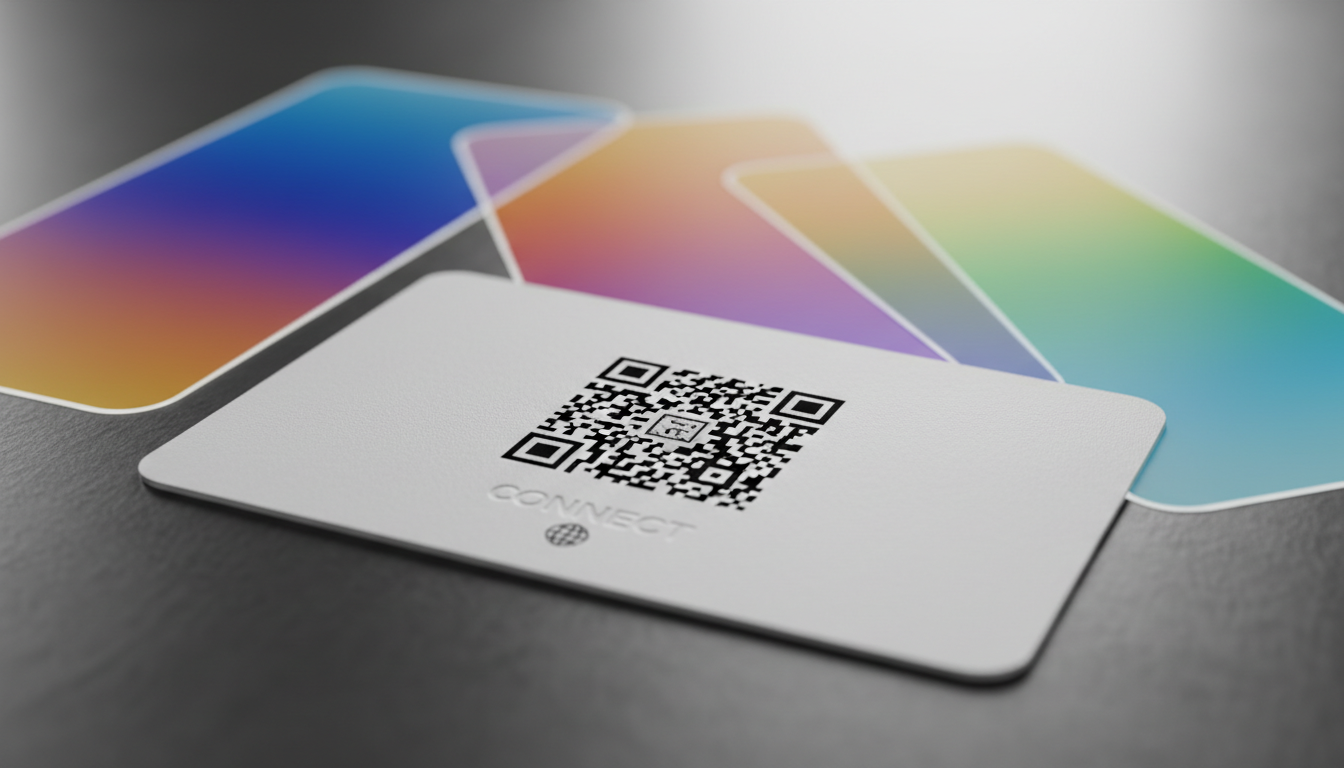
How Dynamic QR Codes Work: Your Guide to Editable QR Codes
Discover how dynamic QR codes allow you to update content even after printing. Learn the benefits of an editable QR code for campaigns, menus, and business.

Create a YouTube QR Code: Your Free Generator Guide
Learn how to create a YouTube QR code easily with our free generator. Share videos, channels, and playlists instantly. Track scans and update links anytime with dynamic Q
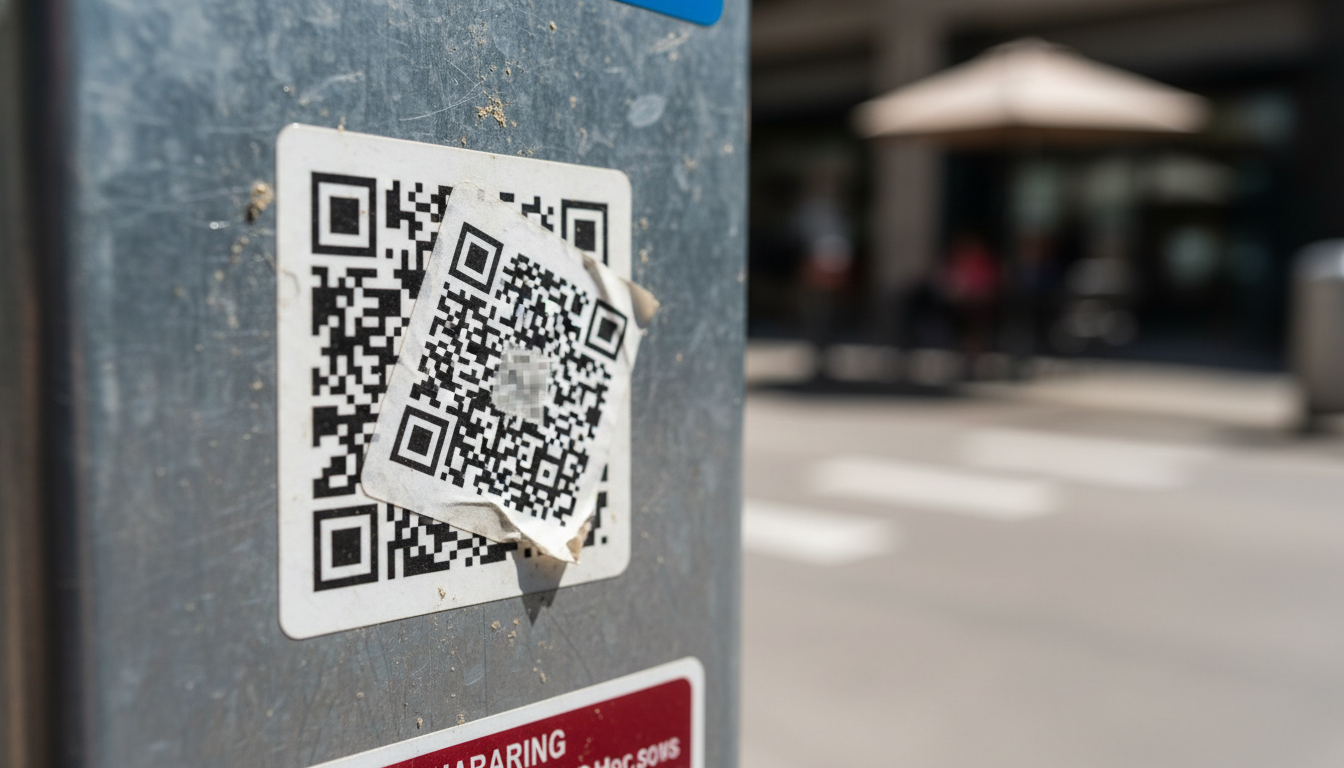
QR Code Security & Safety: Protecting Yourself from Malicious Scans
Discover essential tips for QR code security and safety. Learn how to identify malicious QR codes and protect your personal data from phishing and malware attacks. Stay s

Create a QR Code for PDF: The Ultimate PDF QR Code Generator Guide
Unlock easy document sharing! Learn how to generate a QR code for PDF files effortlessly. Our guide covers using a PDF QR code generator to enhance accessibility and dist

How to Generate a vCard QR Code for Your Business Cards
Learn how to use a vCard QR code generator to create dynamic digital business cards. Easily share contact info and update details anytime, even after printing.

Technical Writer
David combines his background in software engineering with clear technical writing. He creates comprehensive guides and tutorials for developers.